We remain fully operational. Our teams are working around the clock to ensure your deliveries continue safely.

قم بتنزيل التطبيق


معلومات عنا
حقوق الطبع والنشر © 2024 Desertcart Holdings Limited
قم بتنزيل التطبيق
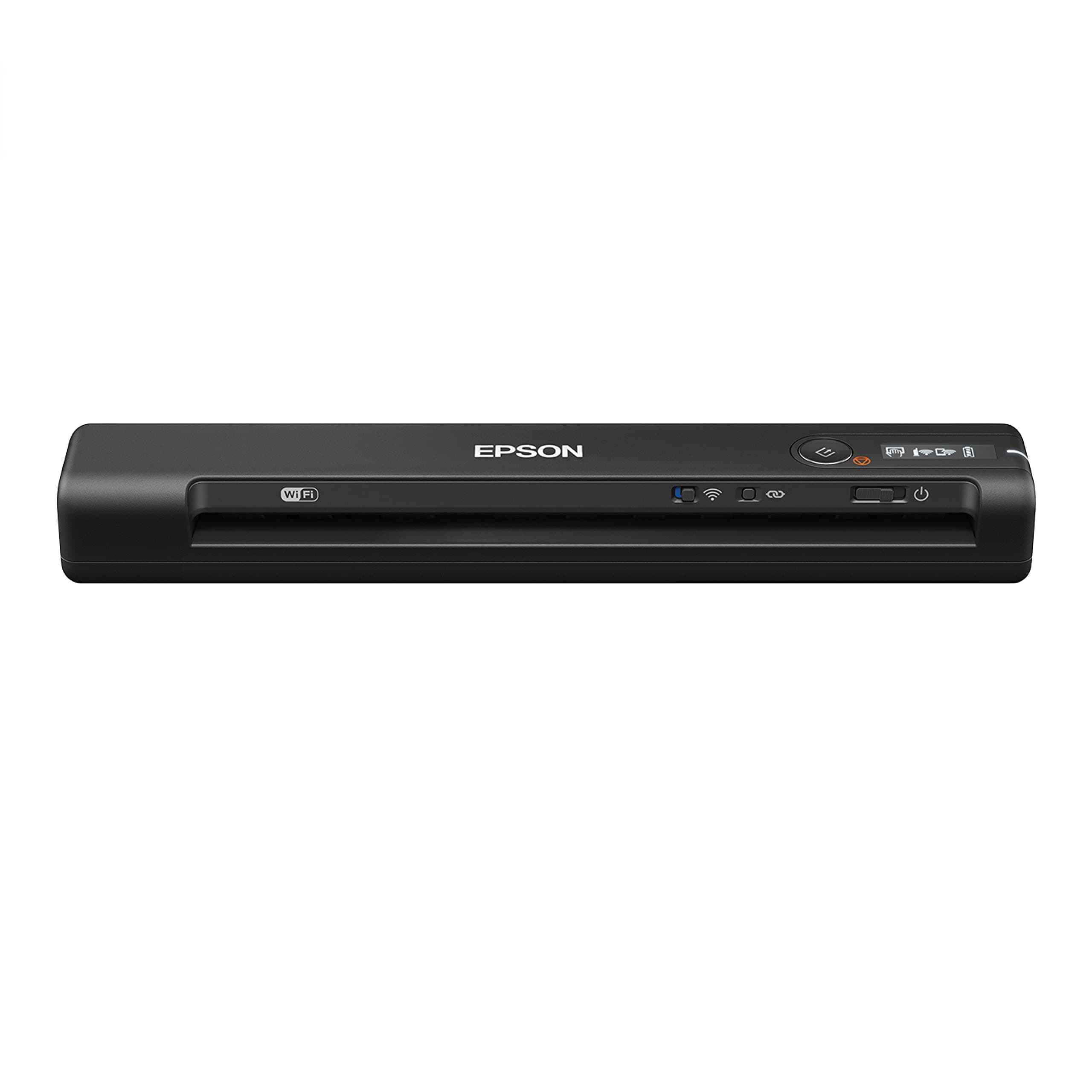

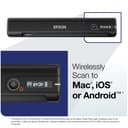
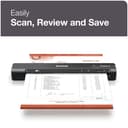
🚀 Scan smarter, faster, anywhere — because your hustle never stops.
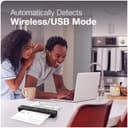
The Epson WorkForce ES-60W is the fastest, smallest, and lightest wireless single-sheet document scanner in its class, delivering ultra-fast 4-second scans with seamless wireless connectivity to PC, Mac, and mobile devices. Featuring smart auto-switching between USB and wireless modes, integrated Nuance OCR for searchable and editable files, and compact portability at just 0.66 lbs, it’s engineered for busy professionals who demand speed, convenience, and versatility on the go.


| ASIN | B07KRXXWYY |
| Best Sellers Rank | #20,291 in Office Products ( See Top 100 in Office Products ) #21 in Document Scanners |
| Brand | Epson |
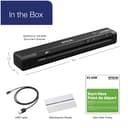
| Built-In Media | Maintenance sheets, Start Here poster, USB cable, WorkForce ES-60W document scanner |
| Color Depth | 16 bpp |
| Connection Type | Wi-Fi |
| Customer Reviews | 4.1 4.1 out of 5 stars (1,948) |
| Global Trade Identification Number | 00010343945074, 20010343945078 |
| Item Dimensions D x W x H | 1.8"D x 10.7"W x 1.3"H |
| Item Type Name | Epson WorkForce ES-60W Wireless Portable Sheet-fed Document Scanner for PC and Mac |
| Item Weight | 0.66 Pounds |
| Light Source Type | LED |
| Manufacturer | Epson |
| Media Type | Paper, Receipt |
| Minimum System Requirements | Windows 7 |
| Model Name | B11B253201 |
| Optical Sensor Technology | CIS |
| Paper Size | Letter |
| Resolution | 1200 |
| Scanner Type | Document |
| Standard Sheet Capacity | 1 |
| UPC | 010343945074 |
| Unit Count | 1.0 Count |
| Wattage | 3.1 watts |
R**D
True to its Features
I have no issues with the use of the Scanner. I would like to see a setting to scan photos. However, maybe I am not finding the way to scan photos in a higher dpi. For documents and standard size paper it works very well. For the receipts, it sometimes fails to scan without going off to the side as it is being feed into the scanner. Resulting in the final scan not straight or skewed a little. However, this is a nice product and I own various Epson products and this one does not fail. Especially for a portable scanner. The WiFi capability is also a nice plus. I have not used this feature too much to give a full review. But it does work.
C**.
Small, but awesome
My wife is retiring from the Navy after 20 years, and she asked me to scan her medical records into files that can be sent to the VA. I have a scanner built into our printer at home, but if I had to toss a guess out, I would say each page on that thing would be about 20-25 seconds to scan. She has 5 volumes of medical records... That's not happening. I'd considered contracting out this work as there are companies that will take the medical records, scan and index them, but I decided this scanner should work and provided at least some of the features the contract company was offering. The software is pretty easy to set up, and it's not difficult at all to get it connected to a wireless network. I admittedly don't know if it would work without being connected to my PC, but as I was doing A LOT of scanning I kept it hooked up to keep the battery charged. So far, I've scanned about 3/5 of her records, which took me about 4 hours. I'm very happy with the quality of the scans, and the software which allows saving the pages as searchable PDF files. I think my only gripe would be that once you save all the files, the page with all the scans closes. I'm not sure if those scans are saved on my PC anywhere, and haven't really had the time to dig into it (for instance, if I wanted to go back and save parts of volumes without having to rescan the pages). It's something I will look into. I also scanned a few long receipts, as that's a future use I wanted the scanner for, and it worked well enough. It's a little difficult to keep them feeding straight if they're REALLY long, but it's not a deal breaker. Pros: Ease of use, good software, very fast when compared to a traditional scanner you'd find on a household all-in-one printer. Cons: Not exactly sure if scans are saved individually, and the charge did run down to half even while hooked to my PC during scanning. But I was doing A LOT of scanning over and over again, so probably wouldn't be an issue except for VERY heavy use. Overall very satisfied with the scanner.
M**K
Bottom 5 Consumer Electronis Devices I have Dealt with (mainly due to software & set-up)
If there were ZERO stars I would give it ZERO. To put this in context, my background is in technology This is possibly the worst piece of consumer electronics I have ever dealt with. Complete junk. Epson’s s/w Engineers must be out of the 1980's. Two hours trying to set-up and never was successful. Some examples of Epson’s poor quality and design: 1. Things in the set-up simply don't work right e.g. the "Connection" step has Wifi grayed out even though battery indicated full and my Mac was on a 2.4 wireless n/w as prescribed 2. The guide that comes with the devices has ZERO explanation how to set-up Wireless, but does have section on how to "Troubleshoot"...how crazy is that? On top of that the "Troubleshoot" part they do have is confusing and seem inaccurate. 3. I went online and looked at their detailed manual and dove into the Wireless section. It's an embarrassment, it contains multiple circular references and was of ZERO help. 4. (YOU CAN"T MAKE THIS NEXT THING UP) I tried to reset the device (there is a reset button on the bottom of the device) and run the Epson Uninstall s/w to try a new fresh install (I went through that 3 times after other online resources suggested to uninstall/reinstall if all else fails - which it did). Here's the INSANE PART: The geniuses at Epson have their uninstall s/w coded so it shuts down other, completely unrelated, running s/w programs like Safari, Firefox, e-mail etc. Stuff that has ZERO to do with Epson scanner or Epson Products. So if you have say 50 open tabs on your browser, YOU LOSE THEM ALL. If you are in middle of an e-mail, YOU LOSE IT. What the heck did Epson Engineering think they are doing by interfering with these other programs?? It's bad enough that their own stuff is so bad - but when you uninstall their product, they break other people’s stuff - that was a new low for me to see in consumer electronics s/w. .....I could go on, this was only part of it. I should have known not to buy Epson, I had repeated problems with Epson printer products in the past, all while the HP one sitting in the next room was trouble free from the get-go. UPDATE (10/17/25): The Epson s/w was even more of a disaster than imagined. In addition to the summary above, suddenly after installing Epson Scanner s/w, my Mac was draining battery down to 50% after only two hours of usage. So each hour unplugged would suddenly drain 25% of battery, meaning suddenly it would only last without power for 4 hours vs. 8 - 9 hrs before Epson install. I went into "Login Items" and turned off the two Epson processes that were installed and turned on after Epson Install and with those now off my battery appears to be draining at normal rate. HOW BAD CAN THESE ENGINEERS BE? They are a train wreck, interfering with other unrelated programs/processes (per above regarding browsers, e-mail etc.) and now come to find out they are so sloppy they drain your battery at 2x normal with background items they install. Truly pathetic s/w design and implementation. UPDATE (10/18/25): This seems impossible, but it's worse than above and worse than you can imagine, it turns out when I turned off the Mac "Login Items" related to this Epson scanner, I decided to turn off ALL Epson Product login items (I had an Epson Printer well before this Epson Scanner), including the ones for my Epson Printer. The battery on my Mac Air is now lasting FAR LONGER than it has in years, since unbeknownst to me, the Epson Printer was also draining my Mac battery at a faster rate than it should have - even when not in use. I never knew this since when I got my Mac Air I set it up with the Epson Printer I already had at home. Now with the "Login Items" for the Epson Printer also turned off my Mac Air battery is lasting longer than even. The crazy thing is you don't need ANY of the "login items" to be running to use either the Epson Scanner or the Epson Printer. I simply can not believe how bad their s/w engineers are to design something so detrimental to everyday use of your Mac. What a debacle these products are.
M**S
Great product, poor documentation
I was super frustrated when I first got this scanner. I love that it is wireless and I love that it is cordless. The only problem is that I could not get it to work, which is sort of important. The documentation that comes with the scanner is useless. Even when I went on line and downloaded the manual and followed the instructions I could not get it to work. The problem was network connectivity. The problem Network connectivity. Getting it set up from my computer through the Epson application failed multiple times. I made sure to use the 2.4 Ghz wifi and it still failed. The solution I finally broke down and used the WPS button on the router. This worked perfectly. I suggest you do this and save yourself some time and frustration. The result This thing is perfect for our needs now that it works. I have set it up on two laptops and a desktop. It is simple to operate, very small, and produces acceptable results. I would give it five stars but the documentation is poor and the network setup through the PC app did not work. My 4-star rating on tech support is probably slightly unfair as I did not contact tech support, but for a consumer device you should not need to and documentation is sort of tech support.
L**O
Adorei, pretendo comprar mais outros em breve
A**O
Buen producto, fácil de utilizar y práctico.
T**N
If you are looking for a super easy little scanner to scan letter sized documents and odd sized receipts this is a very good option. Once the scanner is on and has a chance to connect to the network, insert your document and hit scan. The scanner software interface is easy to use and pops up on the screen right after the first page is scanned. I find that the first 1/8" of the document doesn't get scanned which is not an issue for me (I am sure you could find a work around if you need to). When you first insert the item the doc. feed grabs it and holds it for you until you hit the scan button. Seems to feed easily, I have run some longer receipts through and they look good once scanned (track through the scanner well). Scanning multiple pages is fine, the software will combine them into one document. Works with multiple odd sized scans as well. Scanned in the wrong order, no problem, just rearrange them in the software before you hit save. All and all I should have bought this a long time ago as it is so easy to use, compact, and fast.
M**R
I enjoy with this product. It's amazing product.
M**S
These reading glasses gave me unbelievable relief from eye strain whilst using my computer
ترست بايلوت
منذ 3 أسابيع
منذ 3 أيام