We remain fully operational. Our teams are working around the clock to ensure your deliveries continue safely.

قم بتنزيل التطبيق


معلومات عنا
حقوق الطبع والنشر © 2024 Desertcart Holdings Limited
قم بتنزيل التطبيق
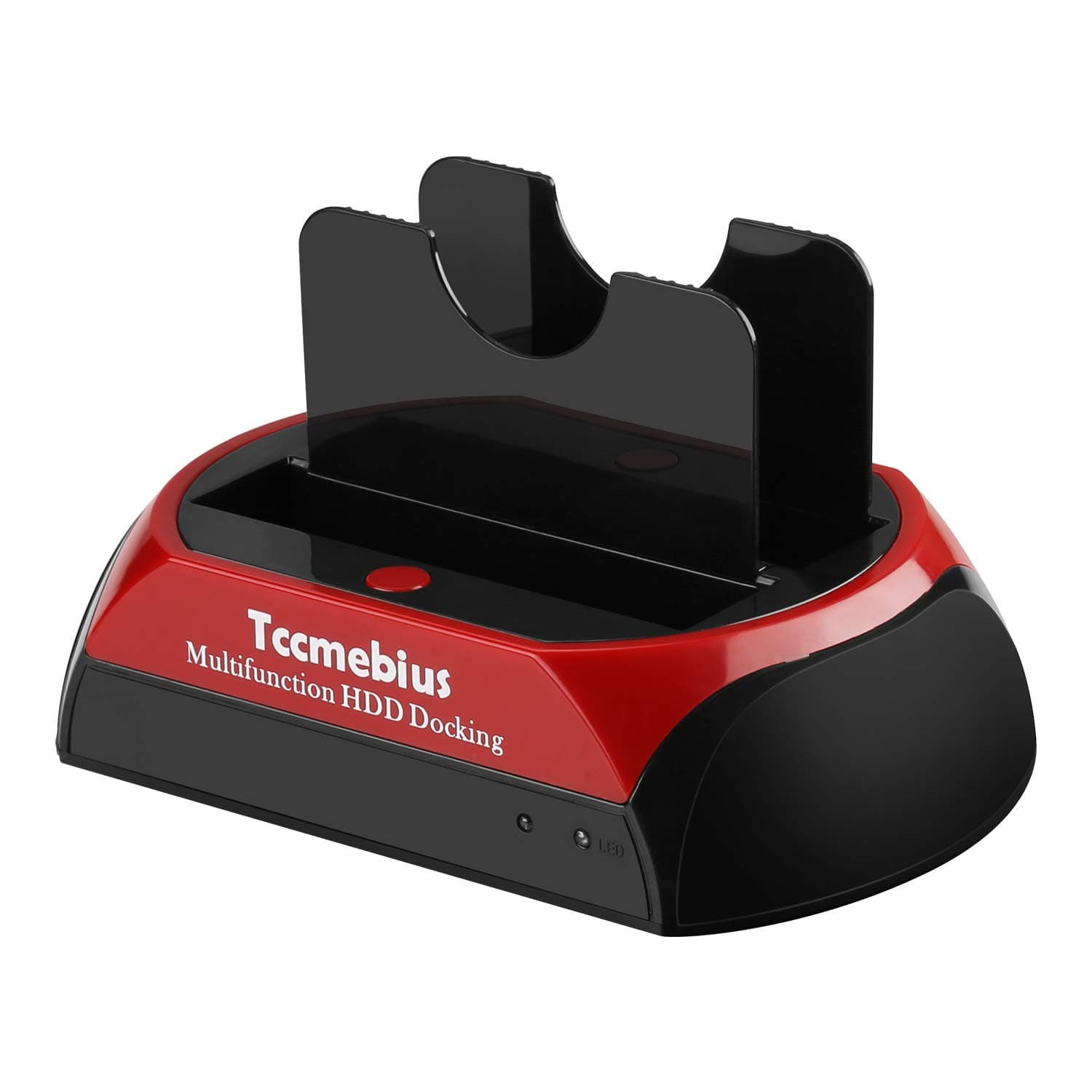
💼 Elevate your data game—dock, transfer, and conquer storage like a pro!
The Tccmebius USB 2.0 Hard Drive Docking Station offers dual IDE and SATA slots supporting up to 16TB SATA and 1TB IDE drives. With a fast 480 Mbps USB 2.0 interface, tool-free installation, and one-touch backup, it’s designed for seamless data transfer and backup across Windows and Mac platforms. Perfect for professionals managing multiple drives, it combines universal compatibility with practical convenience in a compact, reliable enclosure.


| ASIN | B07MVBQ6QX |
| Best Sellers Rank | #52 in Hard Drive Docking Stations |
| Brand | Tccmebius |
| Built-In Media | Power adapter, USB cable |
| Color | Red+Black |
| Compatible Devices | Desktop, Hard drive, Laptop, Smartphone, Tablet |
| Customer Reviews | 4.0 4.0 out of 5 stars (696) |
| Data Transfer Rate | 480 Megabits Per Second |
| Enclosure Material | Plastic |
| Global Trade Identification Number | 00799577101028 |
| Hard Disk Form Factor | 3.5 Inches |
| Hardware Interface | IDE, Serial Interface, USB 2.0 |
| Hardware Platform | Windows 10, Windows 11, Windows 7 |
| Item Dimensions L x W x H | 7.1"L x 4.3"W x 3.9"H |
| Manufacturer | Tccmebius |
| Memory Storage Capacity | 20 TB |
| Supported Devices Quantity | 2 |
| UPC | 799577101028 |
| Warranty Description | Product Warranty Rules: 1. Within 30 days after the product is purchased, you can contact Amazon Customer Service directly to return the product and return the full purchase price. 2. Within 6 months after the product was purchased, the product had quality problems. You can send pictures or videos to us by email. The pictures or videos show the normal working state of the products when they are us… |
A**R
Useful, simple, practical.
I used this dock to help me wipe 15 hard drives on old computers. The dock accepted every hard drive I had, even older drives, and had a USB cable that allowed me to connect to my current computer and run disk-wiping and formatting software to clean off any and all sensitive data on my old drives, allowing me to recycle them securely. I also retrieved old pictures and files. No extra software was required. It was all plug-and-play. The dock was easy to use and came with a movable positioning switch just in case I ran into a proprietary engineering issue with the connections. It served my needs elegantly.
W**R
Good addition for an external HD
Initially, my Mac (running High Sierra) would not recongnise the unit. However I once i plugged it into the computer directly, instead of a usb multiple, it worked immediately. Does a nice job of transferring files to and from my ‘puter to an external HD. Transfer rates are a bit slow, however to be forthright, I was transferring very large photo files. I have had this for a bit over a week, and have had it in use everyday. it accepts ATA IDE as well as SATA drives with no problem. Do not hot swap the drives, the gizmo has difficulty with that. The usd connecting cable could be longer, however if you are satisified with a close proxemity to your computer, you’ll be happy. It’s Nice to have a on-off switch on the back. Mine arrived packed securely from the manufacturer. It’s yet another chinese product, so I have my doubts about how long the machine will last. Seems that the chinese don’t export their best stuff. Hiwever, at this price, with intermittant usage like I’m doing, i’m thinking this will suffice.
K**S
works
No problems with it. 2.0 isn't a speed demon...but it works with every drive I've thrown at it.
L**E
Self disconnecting, takes 20 tries to insert a PATA drive.
Original review: Once it is working, it's fine. The power switch lets it stay connected to a PC while the drives are not in use. The power and data cables are long enough to work on my desk. Transfer speeds range from 107 KBPS to 30.1 MBPS. Drives can be safely switched by turning off the dock. The problem is connecting the drives. You can't see into the recessed, shadowy area of black plastic, so guess after random failed guess is needed. The sliding Molex power connector doesn't stay locked in place, so having the correct spacing is a matter of chance. When alignment is achieved, it still is hard to tell. Totally frustrating. Connecting a SATA drive is slightly easier but still takes more time than expected. I don't enjoy working blind. 5 month update: It took a long time for Windows 10 to recognize it. I had to open up the deep folder structure a dozen times (I was using drives in both connectors) and hope files could be backed up. It kept failing, disconnecting, and making the Explorer windows go away. Using it was infuriating. The unit was barely used, since I only do disk backups every 1 to 2 months. Rating lowered from 3 to 1 stars. The connections only lasted for 30 seconds, so I had to work fast. Total garbage. Unreliable. Badly made. Untested by the factory. Poorly engineered. Worthless Chinese garbage that has no place in computing. Tccmebius made my life worse. I condemn the manufacturer, Amazon, and the person who lied by describing it to customers as a functional, working product.
B**Y
great docking station
very easy to use basic plug and play
P**M
Great idea, mediocre execution
I purchased this as a simple solution than separate power cable and interface in an attempt to clean up my work area. This does SATA drives pretty well and for them it works as intended. For IDE drives, it's hit or miss. For full- size IDE, the power connector spacing from the IDE header will not work on all old drives. Than standard sizing between the ports may or may not exist in drives made in the 90's on back. Probably not a problem for most drives and most people, but worth a mention as I have a few. For the rest of the IDE drives, it works but takes a bit of work to get them lined up, defeating the "drop in" concept of the cradle. (the power connector is adjusted from the bottom of the unit, so you have to pick it up) For the small IDE drives, it's pretty difficult to line up. Also the black dividers make it difficult to see into the wells and the tolerances are a little too tight. Change the dividers from black plastic to clear ones and move them a tad, and move the IDE power plug adjustment to the front with a wider track and this would be perfect. For a clean SATA reader to put on your desk, the price is right.
E**D
Exactly as expected
Nicely done little set. Fully adaptable, multiple drives, instantly recognized each. Facilitated our drive upgrade no issues.
K**E
Worth every penny
I've had half a dozen HDDs sitting around from PCs I've scrapped. Not having a working IDE system and not wanting to shove old SATAs into my newer setup, this docking station was the perfect solution. Plugged it in, no software required to be installed. Attached the drive, turned it on and the drive shows up on my computer. Deleted and formatted everything after pulling off files i thought were long ago lost. Now i can use the largest drive for storage. This thing is great. Even trashed the old PC parts i had saved with the intention of building a system to put these drives into. Worth every penny.
F**R
It works perfectly and easily, installs itself as and USB Drive and is simple to handle. Good purchase!
ترست بايلوت
منذ شهر
منذ شهر