


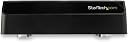


StarTech.com 4-Bay USB to SATA Hard Drive Docking Station, USB 10Gbps, External 2.5/3.5" SSD/HDD Dock, SATA III, Hot-Swap, Top-Loading
Product ID: 107266170
⚡10Gbps Speed
🔄Hot-Swap Ready
🌡️Dual Cooling Fans
Buy anything from 5,000+ international stores. One checkout price. No surprise fees. Join 2M+ shoppers on Desertcart.
Desertcart purchases this item on your behalf and handles shipping, customs, and support to OMAN.
🚀 Elevate Your Data Game with StarTech!
The StarTech.com 4-Bay USB 3.1 to SATA Hard Drive Docking Station offers unparalleled access to multiple SATA drives with a blazing-fast 10Gbps transfer speed. Designed for IT professionals, it features a tool-less design for easy hot-swapping, dual cooling fans for optimal performance, and broad compatibility with various drive types. Backed by a 2-year warranty and lifetime technical support, this docking station is the ultimate solution for efficient data management.


| ASIN | B07GK7Q123 |
| Best Sellers Rank | #144 in Hard Drive Docking Stations #1,151 in Enclosures |
| Brand | StarTech.com |
| Built-In Media | 3.3 ft [1 m] USB 3.1 (Type-A) cable (1), 3.3 ft [1 m] USB 3.1 (Type-C) cable (1), docking station (1), quick-start guide (1), universal power adapter (NA/JP, UK, EU, ANZ) (1) |
| Color | Black |
| Compatible Devices | ASUS ROG G752; ASUS Zenbook UX501VW; Dell XPS 13 9350 |
| Customer Reviews | 3.7 out of 5 stars 36 Reviews |
| Data Transfer Rate | 10000 Megabits Per Second |
| Enclosure Material | Plastic |
| Global Trade Identification Number | 00065030870672 |
| Hard Disk Form Factor | 3.5 Inches |
| Hardware Interface | USB |
| Hardware Platform | Windows |
| Item Dimensions L x W x H | 11.5"L x 6.7"W x 3.7"H |
| Item Type Name | StarTech 4 Bay SATA HDD Docking Station (SDOCK4U313) |
| Item Weight | 4.85 Pounds |
| Manufacturer | Startech.com |
| Material | Plastic |
| Mfr Part Number | SDOCK4U313 |
| Model Number | SDOCK4U313 |
| Product Dimensions | 11.5"L x 6.7"W x 3.7"H |
| Supported Devices Quantity | 4 |
| UPC | 065030870672 |
| Unit Count | 1.0 Count |
| Warranty Description | 2-Year |
A**R
Excellent SATA dock
I waited for a long time for this to go on sale. I bought one immediately when it finally did. It's pretty sleek looking, it has individual on/off switches for each drive, and I was pleasantly surprised to learn that the cooling fans only turn on then the drives are switched on, so you don't need to switch the fans off separately when you shut down the drives. StarTech makes good stuff, I've bought other docks and adapters from them before and they always last for years without breaking.
B**B
The "JAWS" of HDD docks: Swim your drives at your peril!
I bought this unit to manage a group of 20 Seagate NAS HDD's. These drives were several years old and none of them ever exhibited any signs of malfunction... until they met JAWS (this dock). From the outset, this device was problematic. Mounting drives was quease-inducing to watch in Windows Explorer, each drive would mount, unmount, mount, unmount, multiple times, before finally coming to rest, mounted. And you don't dare power each drive on simultaneously, that drove my PC bonkers. Power one drive, wait until it mounts, then power the next. Then, there's the dreaded Slot #3 and what I'll call the Multiple Session Of Doom. HDD's inserted in Slot #3 emit a different mechanical sound than inserted in Slots 1, 2 and/or 4. I noted this from the get-go and discussed it with Star Tech support, which cumulated in an onerous RMA procedure that I abandoned and returned the unit to Amazon for a replacement. SAME problem in the replacement unit. And this is where, in hindsight, I should have stopped, but like a moron, I pressed on to Doom. My only excuse: I have owned many other ST HDD docks and never had a problem... but I should have paid more attention to the sounds of portent emanating from this one. When I say "multiple session", that's defined by inserting/powering/mounting an HDD, then unpowering/removing that HDD, then inserting another HDD into the same slot and repeating the procedure, without restarting the PC. That, combined with the Slot #3 issue, was the portent of Doom: A second HDD inserted in Slot #3 exhibited a change in noise; now it sounded like a grinding noise coming from the drive. And then the $300 Seagate NAS 8TB drive that had never exhibited a problem in any other dock or any of the other three slots of this device, went *poof*. DOOM: Slot #3, a.k.a. JAWS, ate my drive, completely boned, unrecoverable. Luckily, and that's only marginal luck, I lost only the drive, not the data, as I had it backed up to an identical drive. And back this Shredder Of HDD's goes, once again. I have replaced it with an OWC unit , which has only two slots, but it's fast and there are no ping-pong drive-mounting anomalies exhibited, works like a charm. My advice regarding this Star Tech unit: Avoid it like you would a shark in the water.
M**E
It solved my problem.
I built my Windows 10 computer many years ago and it had many disk drives. The motherboard was not Win 11 compatable.; it died after the last major update and I could not get it to work again. I was not ready to build another computer. I had another much newer Dell computer but the old drives could not be installed internally. I already had StarTech 1 drive model which I bought to erase and reformat old disks for my NAS so I decided to buy this 4 drive version. I can say that I am happy I did, it works perfectly. I can now access any of the old disks with the StarTech. My only suggestion it that it should automatically shut off when I shut down the Dell, other than that, It's just what I wanted.
R**J
absolutely top marks
First it has to be stated that this is a unique product. Nobody else makes this today, Jan 2021. I'm referring to the specific combination USB 3.1gen2, 4 bays, bare drive dock. OK there is one other product, media sonic, which is absolute garbage. If you want 2 bays there are plenty of choices, or if you want USB3.0 again, plenty of choices. But for 4 bay and USB3.1gen2, this is the only choice. So they could have made this product quite poorly and you'd still buy it. However, they really made a great product. Super fast, super easy to use. It even has dual fans! I thought that was ridiculous as the drives sit in open air. But the fans, which have manual variable speed control and are nearly silent at full blast, do actually make a difference. With fans off, the drives are touchable but quite hot. With fans on, the drives are just warm to the touch. It's quite amazing because you can't hear the fans nor feel the airflow. It's hard to even be sure you actually turned the fan on, as the knob has no indicator which way is on and which way is off! I'm a fan of all StarTech products and this is no exception. The plastic bits are appropriately cheap. I do wish they had saved money on some of the useless finishes and useless fan switch and instead integrated the power supply rather than have a power brick. I use this to backup my NAS hard drives onto a 4-way SW RAID0. I was previously using a 2-bay TB2 dock. This is faster, even though the phy layer is slower (10Gb/s USB3.1gen 2 vs 20Gb/s TB2) because more parallelism due to wider stripe width. So my usage is sequential write heavy. It takes 30hrs or so to do a full backup. Of course normally I do incrementals but on first use and every so often I do a full backup. With that kind of usage, this thing is rock solid. I imagine most users of such product would also be using it for backup or duplication in this way.
S**.
Great dock
This is my second one. I have had the first one for like 8 years and its still going strong. the fans work great and keep the drives cool. I have has issues with other docks that don't have fans or have bad fan design, and the drives don't last long. This one works as promised.
M**H
No quality control
Bought this and out of the box did not work. Was told the disc was corrupt on all 4 spots. Put in aq 2 disc dock and disc opened fine. Returned of replacement. Replacement dock worked for 6 days then did the same thing the first one did, disc is corrupt. I give it one star because I have to.
C**N
Best external drive bay I have used
Best external drive bay I have used The power buttons per drive is great
S**.
It slows EVERYTHING down!!!!!
I bought this because the option of hot swap capability. That's pretty much the only upside to this product. The issue is whenever I plug a drive in, it slows my other USB ports down significantly. They are NOT even on hub. They are on a separate USB channels. I found that I needed to restart the system to work around this. HOWEVER, that work around does not work when I have 3 drives connected to it. It slows ALL of my USB ports. I understand that maybe caused by my system's limitation, however, I have NOT had this issues with single drive docks on a hub. Long story short, I REGRET my decision to purchase this!!!!
J**.
A+
Il est parfait et de bonne qualité.
C**R
Excellent produit
Fonctionne bien, matériel solide et fiable, transfert le plus rapide du marché. Un interrupteur par disque, judicieux. Je recommande Startech
J**P
Died after 2 days
The power adapter already died, couldn't use it anymore. Bad QA/QC product.
P**T
Mal echte 10000 GBps (geshared oder auch einzeln)
Bisher zeigt diese Bay gute Ergebnisse. Ich benutze die Bay unter Linux Debian. Dem Design geschuldet kann aber max. 10000 GBps über alle Ports gemeinsam geschaufelt werden. Das funktioniert aber gut und der intern verbaute USB-Hub-Chip, der die Verteilung bewerkstelligt, kastriert die einzelnen Festplattenslots nicht. Ein lsusb -t zeigt für dabei das jeder Port 10 GBPs leisten kann; eine einzelne Festplatte wird also nicht darunter ausgebremst wie es bei einigen Karten- und Bayherstellern gerne gemacht wird. Da ich bisher keine Karte hatte die reine 10000 GBps absturzfrei verwalten kann (hatte nur ASM2142 Karten, die entweder durch den USB-Hub-Chip auf 5000 GBps gebremst waren oder wo dann der ASM2142 sich mein Kernel dann über Pufferüberläufe und damit ungültige Busdaten des Chips beschwert hat) konnte ich die volle Geschwindigkeit noch nicht testen. Aber bis 5000 GBps macht die Bay schon mal keine Probleme. Die Bay kommt übrigens mit eine USB-C auf USB-C und einem USB-C auf USB-A Kabel. Meinem Wissen nach ist nur auf USB-C die volle Geschwindigkeit möglich. Um Probleme mit dem Kabel aus dem Weg zu gehen habe ich ein 40 GBps Kabel USB-C auf USB-C eingesetzt (ob das wohl zertifiziert ist?). Die mitgelieferten Kabel scheinen aber auch gut zu funktionieren.
R**D
Parfait
Reçu, déballé, branché, ça marche ! interrupteur pour chaque disque. Fait le job.
Trustpilot
3 weeks ago
2 months ago