🏷️ Print Smart, Work Smarter — Label Like a Pro!
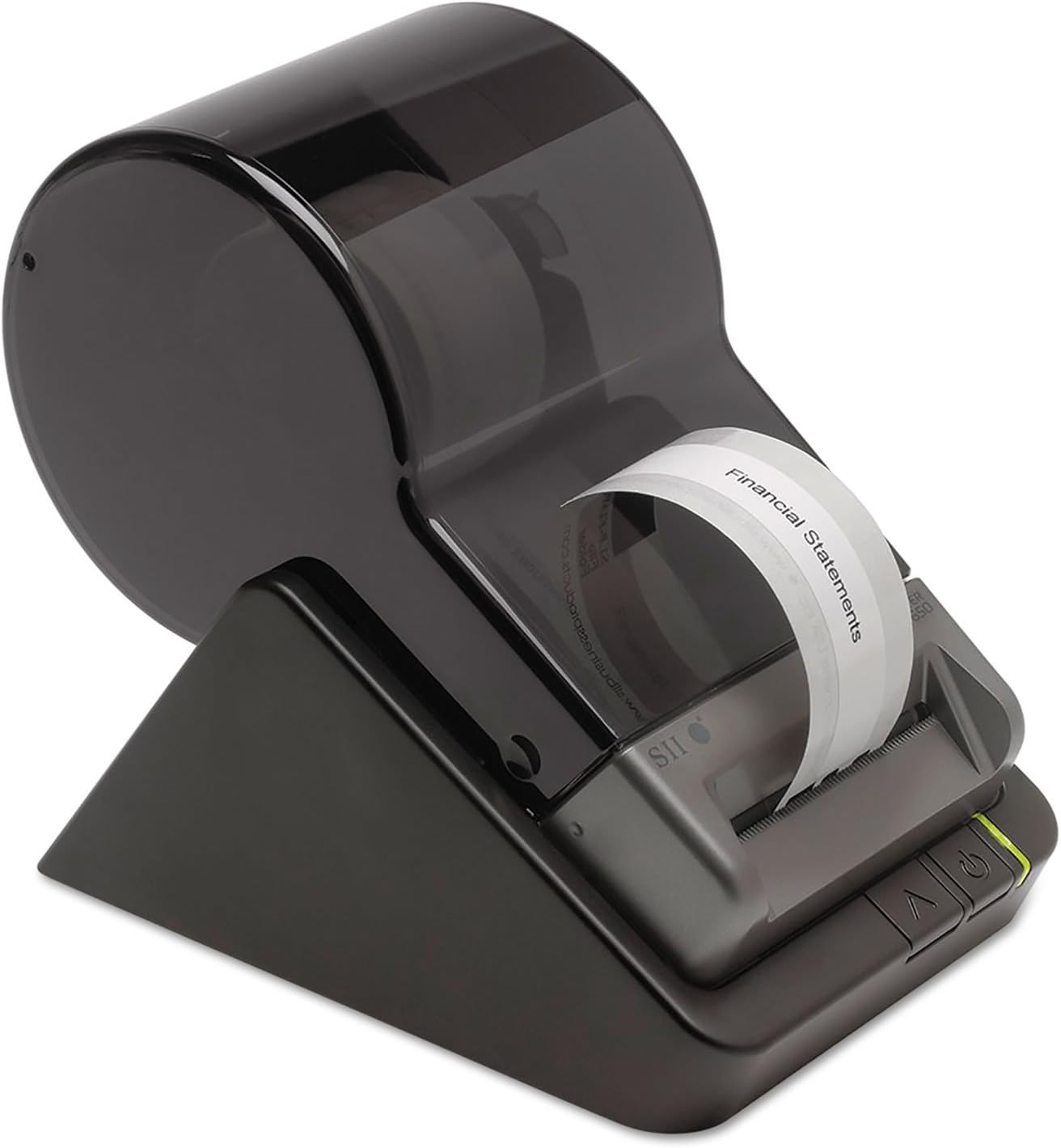
The Seiko Instruments Smart Label Printer 650 is a high-performance desktop label printer designed for professionals who demand speed, clarity, and reliability. Featuring a fast 3.94 inches per second print speed and sharp 300 DPI resolution, it supports all major label formats without the hassle of ink or ribbons. Compatible with both PC and Mac via USB, its sleek, space-saving design and 3-year warranty make it the ultimate tool for office, shipping, and inventory labeling needs.
| ASIN | B00BTKXQ7Y |
| Additional Printer functions | Print Only |
| Best Sellers Rank | #111,011 in Office Products ( See Top 100 in Office Products ) #271 in Desktop Label Printers |
| Color Depth | 8 bpp |
| Compatible Devices | PC |
| Control Method | App |
| Controller Type | iOS |
| Customer Reviews | 4.3 4.3 out of 5 stars (200) |
| Date First Available | October 21, 2017 |
| Dual-sided printing | Yes |
| Duplex | Automatic, Manual |
| Global Trade Identification Number | 00020963853161 |
| Hardware Interface | USB |
| Included Components | Label printer, Power adapter, USB cable |
| Initial page print time | 5-10 seconds |
| Ink Color | Black |
| Is Discontinued By Manufacturer | No |
| Item Weight | 1.08 pounds |
| Item model number | SLP-650 |
| Manufacturer | Seiko Instruments Group |
| Max Copy Speed (Black & White) | 3.94 ppm |
| Max Input Sheet Capacity | 1000 |
| Max copy resolution black-white | 300 dpi |
| Maximum Black and White Print Resolution | 300 dpi |
| Maximum Media Size | Paper Roll |
| Memory Storage Capacity | 64 MB |
| Model Series | SLP |
| Number of USB 2 Ports | 1 |
| Print media | Labels |
| Printer Ink Type | No Ink |
| Processor Count | 1 |
| Product Dimensions | 6.8"D x 4.5"W x 5.8"H |
| Scanner Type | Photo |
| Sheet Size | 2.28" |
| Specific Uses For Product | Office settings, shipping and packaging, inventory management, event organization |
| Supported Media Sizes | 2.25 x 3.5 inches |
| Total USB Ports | 1 |
| UPC | 611101360445 020963853161 638458769882 014445699552 785528342923 640206689595 642125161947 132017888217 031113582015 |
| Warranty Type | full warranty |
R**Y
Top knotch label printer.
These are a good little label printer with good software. I installed many of these as a technician prior to my retirement. I don't ever remember one failing. Easy to install and operate.
B**R
Stress Free! So much better (and easier) than the new versions of Dymo Label Printers with my Macintosh
This is such a great little label printer! I wish I had found it sooner. It works better and with less hassle than the last Dymo printers I've bought. Years ago I used Seiko Smart Label Printers with my Mac computers. Then for some reason I couldn't find one and switched to Dymo. For years that worked fine---until it didn't. I have been so frustrated this past couple of years. Ever since I had to update my Mac system OS X version 10.7.5, my Dymo printer refused to work. I got a new one, thinking that since it said it was for Mac, it would work. It worked for only a very short period of time. I got it started again, and it failed again---this time, permanently. My technical adviser recommended that I find a different brand, and I "rediscovered" the Seiko Smart Label Printer. I was amazed at how easy it was to set up, input the labels I use frequently, and print them. It would have taken me hours to do that on my old Dymo label printers. This one is a real winner!
S**S
great upgrade from my SLP 120
Jumped to a new desktop and from windows xp to windows 8.1. I had a SLP120 since windows 98. When I went to XP it took a bit to get drivers, but once I had them installed it worked great. After all these years, I was not going to try to find drivers for 8.1, and I wanted some of the new graphic functionality. The 650 installed fast and clean. I copplied over the address data base. It picked up with no issues, even kept the same label formatting. First time I opend it asked if I wanted to update the database format, Clicked YES, it did and all is working well. Printer is fast, just a bit noisy. I like that it does a narrow or wide label. looks to be solid built.
B**S
Nice clean easy print
Great label printer, easy to use, software may take some getting use too but I love this label printer. Real sharp dark print
W**E
Best Seiko label printer yet
I have owned a number of Seiko label printers over the years, starting with the SLP model, and then progressing through the 100 series, 200 series, etc. I purchased the Model 650 to go with my new PC system unit, and I couldn't be happier with the Model 650. The supplied software was easy to install on my new computer running 64-bit Windows 7. It had no trouble using the database I had built with an earlier version of the program, and no conversion was necessary. The labels themselves print much faster than my old Model 200. We use the printers daily in our CPA practice. We use it to prepare packets of envelopes for federal and state tax estimates, mass mailings to clients, etc. A label printer can be very helpful, now that typewriters are a thing of the past. This product is helpful when you need one label at a time, as opposed to a sheet of labels. They provide a much neater and professional appearance, compared to hand-writing the address on an envelope. We use the US POSTNET format quite a bit, and I think it does speed delivery of the mail. The only drawback is that you should not use POSTNET on the return address label, as the post office has a a habit of scanning the return address as the delivery address. They end up sending our mail back to us! The only drawback that I can think of is that the labels are somewhat expensive. We shop around for the best deal, and we buy the labels in bulk. I also wish the "open" command was "smarter". If you type in (for example) a "F" it will take you to the first label starting with a "F". I wish you could continue typing, so (for example) if your typed "Frank" it would pull up all the "Franks" in the database.
D**O
2 printers both DOA shipped with incorrect AC adapter
As the title says, I received the first printer and could not get it to power on. I asked for a replacement which was sent promptly but arrived with the same problem. I am the first to think I am doing something wrong. I measured the voltage coming from the power supply to check if that was the issue. The label on the printer says it needs 5.7 to 6.3 V DC. The power supply included in the package outputs 12V DC, which I measured with a meter and it is 12V. Not sure if that is the issue. Bottom line they were quick to send another device but now i have two non working printers. I have been using earlier models for years and they have always been bullet proof. Not sure what has happened. Edit: My guess about the power was correct. I hooked up my bench variable DC supply set to 6 VDC and the printer worked. Somehow the vendor has a batch of these with incorrect power supply (AC Adapter)
K**R
The SII has very limited use.
The Smart Label Writer will not import or export files. I purchased a 550 Dymo to replace the Smart Label Printer.
C**N
Now we have communication.
Had an older 440 that would not commuicate with Window 11. Now, thru the USB cable,included, no problems.
ترست بايلوت
منذ شهر
منذ 5 أيام