
قم بتنزيل التطبيق


معلومات عنا
حقوق الطبع والنشر © 2024 Desertcart Holdings Limited
قم بتنزيل التطبيق
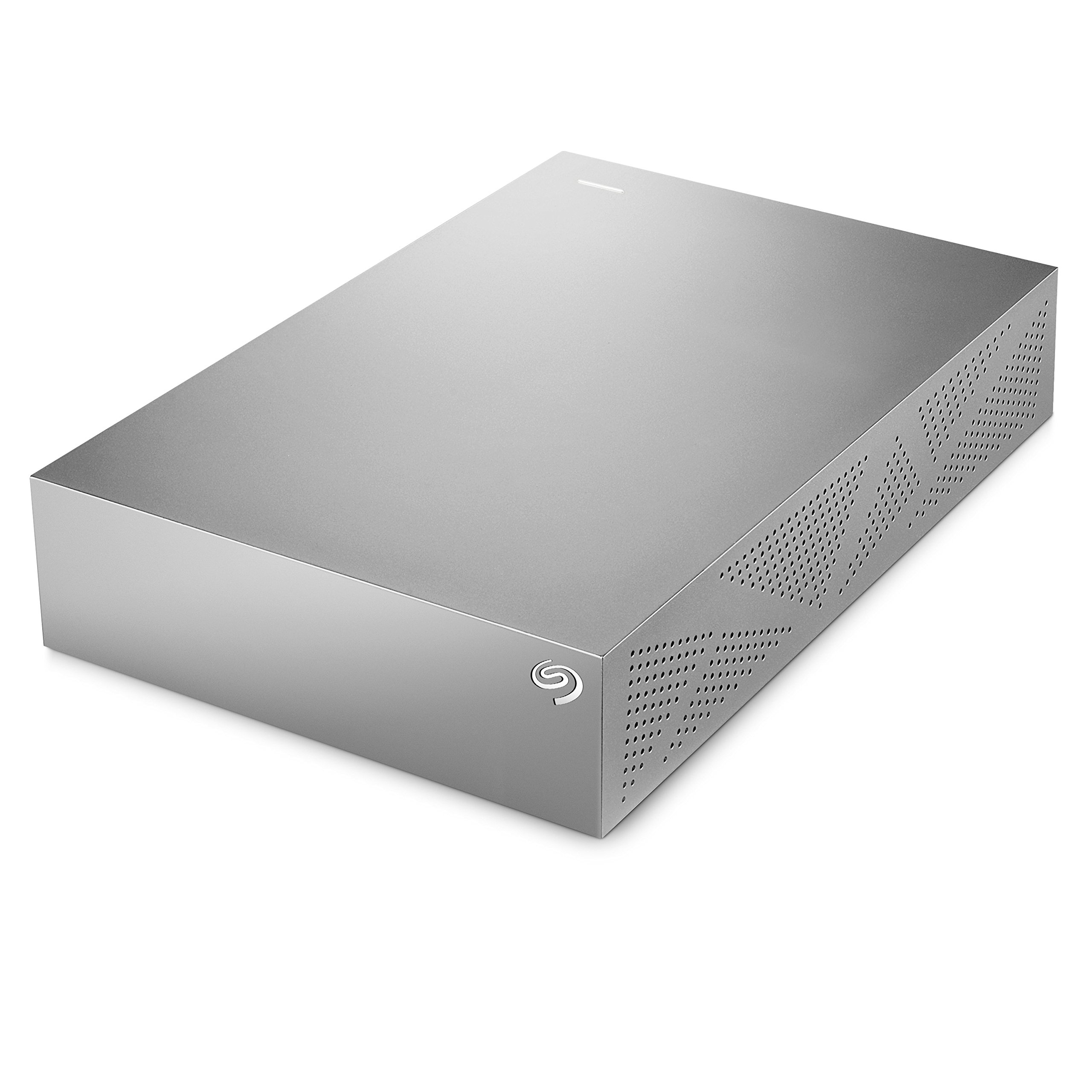
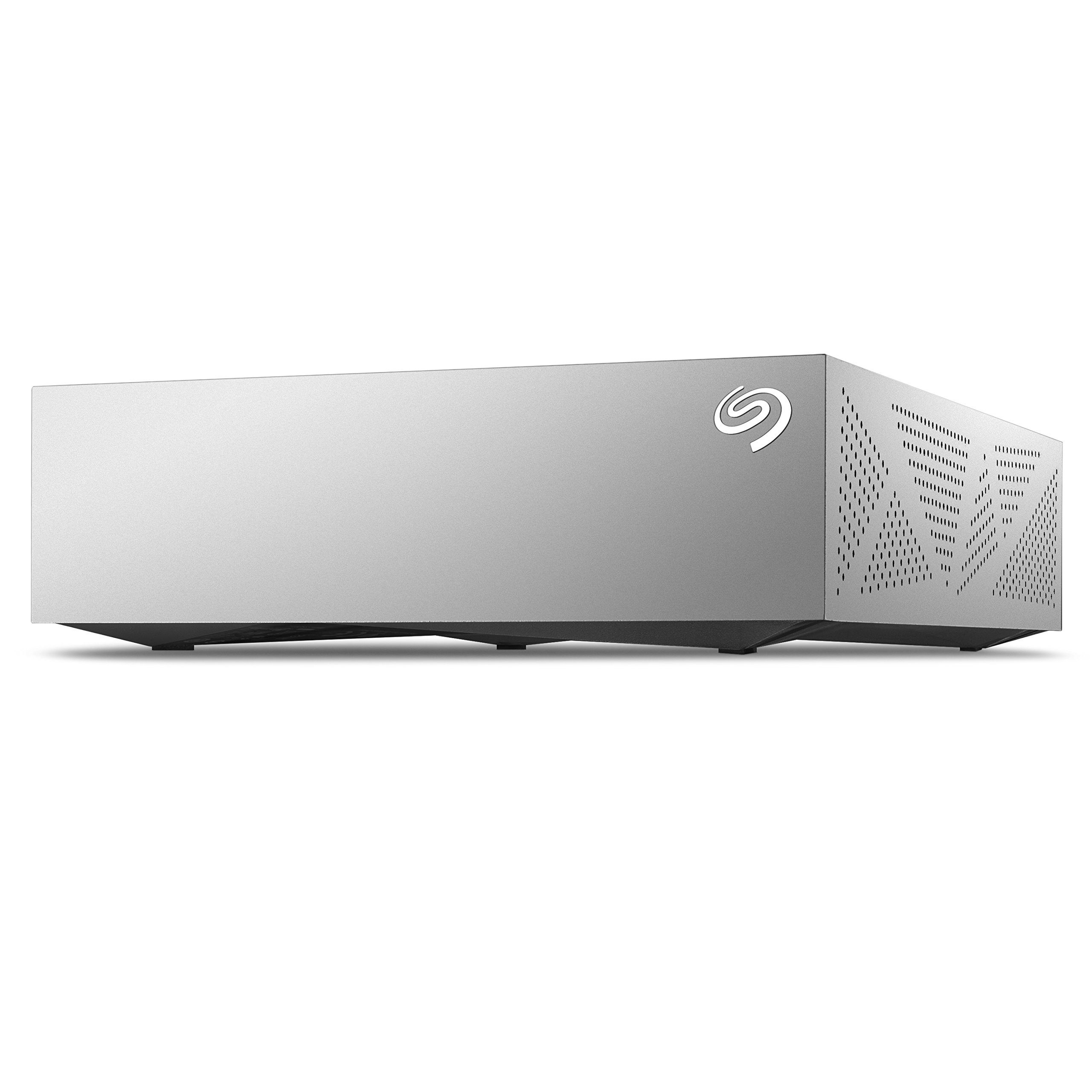
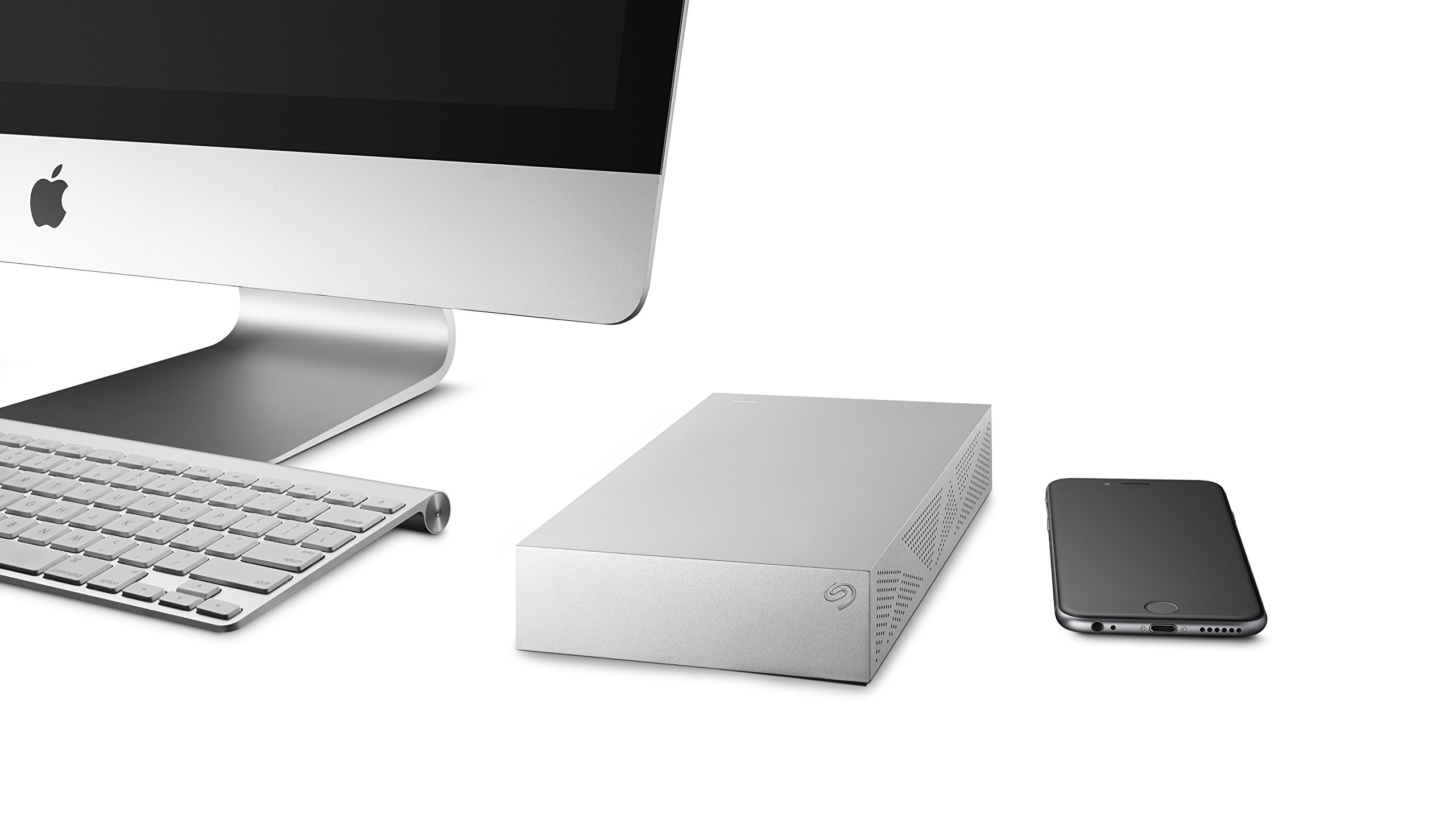
💾 Backup like a boss — never lose a moment, never miss a beat.
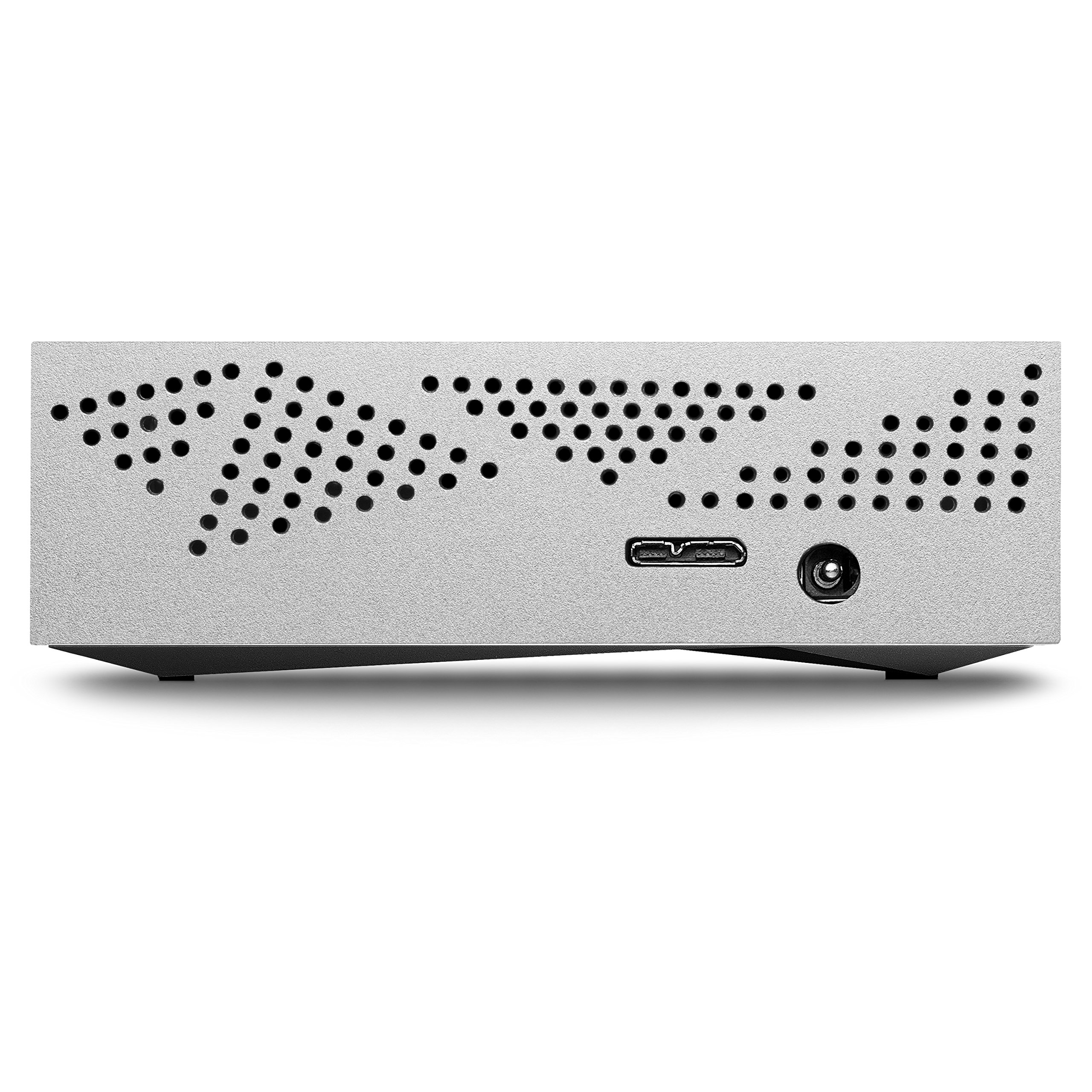
The Seagate Backup Plus 4TB Desktop External Hard Drive is a powerhouse storage solution designed for Mac users seeking effortless, high-capacity backups. Featuring USB 3.0 for ultra-fast data transfer, it comes pre-formatted for Mac compatibility and supports seamless use on PCs with an optional driver. Its integrated Seagate Dashboard software enables automated backups from your computer, mobile devices, and social networks, ensuring your digital life is protected locally and in the cloud. Compact yet robust, this drive is the ultimate tool for professionals who demand reliability, speed, and cross-platform versatility.


| ASIN | B00HFRWWAW |
| Best Sellers Rank | #418 in External Hard Drives |
| Brand | Seagate |
| Built-In Media | Backup Plus for Mac® Desktop Drive 4TB USB3.0 |
| Cache Memory Installed Size | 4 |
| Compatible Devices | Desktop |
| Connectivity Technology | USB |
| Customer Reviews | 4.4 out of 5 stars 3,740 Reviews |
| Data Transfer Rate | 5000 Megabits Per Second |
| Digital Storage Capacity | 4 TB |
| Form Factor | Portable |
| Global Trade Identification Number | 00763649052969 |
| Hard Disk Description | Desktop |
| Hard Disk Form Factor | 3.5 Inches |
| Hard Disk Interface | USB 1.1 |
| Hard-Drive Size | 4 TB |
| Hardware Connectivity | USB 3.0 |
| Installation Type | External Hard Drive |
| Item Weight | 1.9 Pounds |
| Manufacturer | Seagate |
| Model Name | Backup Plus Desktop |
| Model Number | STDU4000100 |
| Number of Items | 1 |
| Specific Uses For Product | Personal |
| UPC | 300073747490 763649052969 |
| Unit Count | 1.0 Count |
| Warranty Description | 2 year limited warranty |
O**K
4T USB 3.0 External Backup Hard Drive for Macintosh. Exactly What I Needed for My iMac Running OS El Capitan 10.11
My previous review was for an older model 2TB Seagate Backup Plus External Hard Drive I bought and returned in June, 2014. Don't know why Amazon is lumping this New 4TB Drive review in with the old. This review is for the Seagate 4TB USB 3.0 Backup Plus External HD for Mac I bought 12/30/2015 at Amazon and received 01/03/2016: I love it! Pure and simple. It works perfectly with my new iMac's Time Machine backup. Just plug it into a USB 3.0 port, there's a power transformer/plug as well, then click on the prompts to use Time Machine Backup, how often to backup and what to backup, and you are good to go. It works silently in the background as it goes about its business. Unlike earlier models from Seagate, this one comes on and shuts off when it's supposed to: for scheduled backups every hour, or when you tell it to backup now. Very unobtrusive. And, 4TB for less than I paid for 2TB two years ago! Outstanding! The USB 3.0 port, the HD's only connector Seagate Backup Plus 4TB Desktop External Hard Drive for Mac with 200GB of Cloud Storage & Mobile Device Backup USB 3.0 (STDU4000100) , is as fast or faster than the old Firewire 800 or Ethernet connections between my old iMac & Seagate backup HD. It's also comparable in speed to my Seagate 1TB portable Lightning External Backup HD I use with my MacBook Pro laptop. You can also drag or move files to the drive as well. They go onto the drive's desktop or into a folder you create and move them to. You can use it as an additional storage hard drive by clicking that prompt, but why? Just get an expansion hard drive with as much as 8TB instead. There ARE instructions on how to format and use this drive with a Windows PC, but again, why? Buy the Windows backup drive. It also has models with more memory. I've been using the HD for a week now as I load new software and update it all to work with El Capitan. (My old iMac is still running 10.7, so everything had to be updated. PITA!) It seamlessly backs everything up using Time Machine and I couldn't be more pleased with it. I am not going to use the 200GB of "free" OneDrive Cloud Storage for 2 years. So I can't review that. You have to pay for the space after the 2 years. Seagate says it's a $95 value. So I'm guessing $45 - $50 a year after that? I wonder how difficult it is to transfer what you have stored in the cloud with one vendor to cloud storage with a different vendor? I highly recommend this Hard Drive. It's much improved and a joy to use. ------------------------- Old Review for Seagate 2TB External Backup Drive: This is a good Seagate drive, at least I think so. I have two older Macs, an iMac and a MacBook Pro. Neither has USB 3.0. I tried to back up my laptop from scratch. Using USB 2.0 Time Machine said it would take 4 days! So, I asked Seagate what I could use besides USB. I was told there was an adapter with which I could use either Thunderbolt or Firewire 800. Wrong! There are no Seagate adapters that fit this drive. The only port the drive has is a Micro B port. The cable is a Micro B to USB 3.0. There are no work-arounds. If you don't have a Mac with a USB 3.0 port, you are screwed. LIke my other Seagate external drive that I use on my iMac, it starts and stops at totally unpredictable moments. I have to unplug it so it doesn't run for hours. It will spool up and run continuously for hours even after it backs up the computer. It gets very hot that way. This drive seems to behave the same way. PS: the Mac Time Machine software was corrupted the second time I used it. First Aid wouldn't fix it, so I sent the hard drive back and bought a 1Tb portable Seagate drive with Thunderbolt adapter. Hopefully it will work.
Z**2
Holy Terabytes!!!
Durable, compact, and fast are three words that I would use to describe this five terabyte hard drive. I have had it for about three weeks and there has yet to be any issues with it. This hard drive is great if you are looking to back up your computer or are in need of extra space for files. I personally have used this drive to back up my computer and to transfer files off my computer for easy access later. For having five terabytes of storage space on it, the hard drive is very compact, allowing for portability and easy placement . It is built heavily and efficiently and was definitely worth the selling price. Lastly, the hard drive is really fast and performs very well. When you first connect it to your device, it takes very little time to back up and transfer all your files to it. You can quickly access all of your files with ease. All you have to do is plug it into any USB capable device and all the contents will be right there. This particular five terabyte hard drive comes with many features. It has the latest 3.0 USB technologies, allowing it to be extremely fast. It also comes with mobile backup capabilities. This means that it has the ability to connect to your mobile device wirelessly and back up your cell phone files. The last major feature this product comes with is 200 gigabytes of OneDrive cloud storage. So, not only are you getting five terabytes of external storage, but you’re also receiving online cloud storage for easier access. I recommend any customers in need of extra storage space or need to back up their computer or mobile files to buy this product, as it is the best hard drive I’ve purchased.
R**N
Works with a Wii U
If you own a Wii U, you'll no doubt know that the internal storage isn't exactly huge. While its not a terribly big deal due to the games playing off the disc and not needing an install, Eshop downloads can add up. With the growing selection on the Eshop, some downloads are getting a bit bigger. For example, "Child of Light" is 2GB. If you intend to download the new Mario Kart game, that's around 4.5GB. Needless to say if you want to go the digital route, that 32GB is going to go fast considering with nothing on it except for the OS and apps that can't be deleted, there's only around 23GB to use. I first tried a 1TB "passport" style drive. It needed a Y cable to power it but it didn't work as intended. I could see what was on the drive but it wouldn't save progress during games. It seems the size of that drive and not having an external power source was the problem. Needless to say I was upset about that. Nintendo does strongly recommend a powered hard drive. I decided I'd give it a shot. This drive was a steal for $100. 2TB is overkill for the Wii U quite frankly but getting smaller powered drives seems a bit more difficult to come by. Set up for it is a breeze. There is NO need to hook it up to a computer first to format it. The Wii U will take care of that. Simply plug it up to the USB port on your Wii U of your choice, plug the drive into the wall, boot the system and follow the instructions on the screen easy peasy. Move files that are on your Wii U's HDD and you're off to the races. I moved approximately 10GB of data on the Wii U to this drive within 30 mins which I don't think is that bad of a transfer time. The drive looks nice and matches the Wii U pretty well even though it has rough edges. It seems very well ventilated with vents on the bottom and the sides. It automatically powers itself off when the Wii U is not in use so no need to worry about it spinning endlessly and running up the miles so to speak. The only issue I have with it is there isn't an "ON" indicator light that most drives have. If it does I simply haven't noticed it. When I first turned it on I wasn't sure if it was working. If you get tired of using it for a Wii U it is quite easy to reformat the drive and make it usable for PC external storage or other tasks. Just keep in mind that its very likely you will lose the programming that was on the drive when you bought it. Needless to say if you want to do more digital downloads for your Wii U this drive is a beast. I can't vouch for PC performance but I have other Seagate drives that work great so imagine this would be the same.
R**R
A refined external drive design
Things I Liked (+) Refined, well-ventilated enclosure design (+) USB 3.0 capable (+) Rubber feet at bottom of enclosure for grip (+) No proprietary encryption on data stored in drive Things I Didn't (-) Activity light pulse too soft to discern ongoing transfer operations Caveat for International Consumers (/) The included AC adapter I received is of the US-style 2-pin configuration. A physical pin adapter may be needed for overseas use. Seagate has a knowledge base article on the voltage specification of their products under "How do I identify / differentiate between Seagate External power supplies?" or check directly with Seagate if in doubt Overall: Four stars. The Seagate Backup Plus represents a refinement of the Seagate Expansion Desktop design. The unit functions well within expected parameters though the activity light pulse is too weak to discern transfer operations at a quick glance Note: This review is based on the 5TB variant I have reviewed other external storage solutions such as the WD My Book and the Seagate Expansion Desktop . Hence, I have certain expectations when it comes to external desktop drives. This Seagate Backup Plus more than satisfies those requirements. By now, the dimensions of an external drive are almost standard; the Backup Plus occupies a similar footprint to that of the Expansion Desktop and the My Book. Unlike the Expansion Desktop however, all the faces of the Backup Plus form a right-angle with each other, so technically you could stand the unit vertically if you desire, though I would not do it myself since it's not specifically not designed for it and it's not the most stable position available. Similar to the Expansion Desktop and the My Book, the Backup Plus powers on as soon as electricity is supplied; there is no dedicated on/off switch on these devices. The enclosure design of the Backup Plus is a refinement to that of the Expansion Desktop, there are now more grilles and vents to facilitate air circulation to keep the drive cool. However, I find the activity indicator light of the Backup Plus to have a very soft pulse. Simply put, the light flashes indicating drive activity are not that easy to distinguish; the light exhibits a glowing effect rather than a conventional binary on/off pulse. The effect is visually appealing, though I'd have preferred something slightly more distinct. The Backup Plus is USB 3.0 capable and I receive transfer rates from 65 MB/s to 90 MB/s depending on the number of files transferred. I experience similar performance with the Expansion Desktop and My Book, hence these speeds are within expectations. Like the My Book, the Backup Plus comes with backup software preloaded on the drive for installation though I have never used them. The unit can function perfectly fine as a drag-and-drop solution if you prefer to sort your backups manually. For completeness, I will also mention here that the Expansion Desktop does not come with any preloaded backup software. As far as I know, the Backup Plus does not employ any mandatory encryption methods on data stored to the drive. This is simply a common drive behavior aligning to my expectations however, not a special feature exclusive to the Backup Plus. The Seagate Backup Plus is definitely a highly decent external drive worthy of consideration. Compared to the Seagate Expansion Desktop , the most tangible refinement of the Backup Plus would probably be the enhanced ventilation from the new enclosure design. Otherwise, I do not really observe any other material difference between the two models, especially since I do not use the supplied backup software. This does not imply that the Backup Plus is not worthwhile. Rather, it shows how high the bar currently stands for external drives and the Backup Plus performs reasonably well by these standards. If your computing environment is fairly warm, the Backup Plus would probably be the better choice. For myself, I simply scout for the cheaper price between the two models. As for the WD My Book , I'd welcome you to browse my review if you'd like my take on it. I try to avoid recommending for or against another brand in a product review unless the situation absolutely compels for it.
E**N
Excellent Drive, plug and play with 200GB bonus
I got this drive for backups of my QNAP NAS, which is USB3 capable. I had no issues filling it full of data in NTFS format, then connecting it to my regular PC to do some final verification and add some more files before putting it in a box at the bank. Write speed was a solid 81.2 MB/Sec average according to the RSYNC log for pushing 7.2 TB of data to the drive. There were 3 GB of files which were between 200MB and 1 GB each, while the balance were mostly small files of 1 to 10MB. Basically, a normal file sever makeup I suppose. The drive inside is just a 8TB SMR (shingled magnetic recording) drive from Seagate, though at right this moment, the bare drive is actually more expensive than this one in an enclosure. The enclose though is great so far; even though I was originally planning on shucking the drive. Note that the enclose doesn't appear easy to shuck, I couldn't find screws, so it needs to be pried apart. Unlike some other reviewers, I had no issues with the drive getting hot. It certainly got warm, but my infrared thermometer showed it at only 41c (About 105 F). The only difference I can think of is that I loaded it pretty much sequentially, meaning there wasn't a lot of rewriting data. It was just pushing data to the drive. I will update this on the next rewrite in case the read-write process is markedly different. So far, it is an awesome backup drive for the price. The drive also comes with a free 200GB of space on OneDrive. To get it, you go to Seagate and register your drive, and walk though some steps. It took me about 5 minutes, then my MS OneDrive account showed an increase of 200GB in space. Meaning I got to stick some important files up in the cloud too.
J**R
New firmware fixes speed bumps and heat issues with ST8000AS0002-RT17.
It has been a long time since I said anything positive about Seagate. The last time was for the 2TB drive which used 1TB platters to create a very fast cool running drive and it was only that particular drive as the rest were utter crap and so were almost all other Seagate drives I have had since or before. This new version uses a newer case with holes on the bottom and sides to dissipates heat so it stayed under 50C after using it a few hours. While older cases it would get to 60C and I had to turn them off at that time. This drive is also HEAVY. Adding 2 or 3 more platters seems to make the drives almost twice as heavy as smaller drives, the 8TB WDC drives are also heavy. But this drive shakes when the head moves unlike the WDC drive. So you can actually hear and feel the head movement. On of the main changes seems to be the way the drive works, Unlike previous models where data was stored on a 20GB area and then that data was moved onto the SMR storage area, this newer model seems to store data directly on the storage area. I copied a 2TB drive over and it went at around 80MB/sec speeds.. With no spiking issues in between. It is still slower than PMR drives which would copy them at almost twice the speeds. But here it looks like once its buffer is full, it will write out the buffer directly onto the SMR track. So you can see how each track is being written in spurts unlike the smooth motion of PMR drives but unlike the older models where it would almost stop when the large buffer is being moved onto the SMR data area. So Seagate has learnt after a decade of trial and error like some kind of baby growing up. That is not praise for a multi billion $$$$ company that sells hundreds of millions of these things. Other than maybe some of the old guys running things might have passed onto greener pastures for changes that should have been done a decade ago. And it only took 3 or so years to perfect the firmware to get it to a working model. So this SMR firmware works even better than the advanced format firmware with boundary layer cross over where the 4k windows NTFS cluster over laps 2 advanced format sectors as the 512b translated sector is not aligned properly with the 4K NTFS cluster to the 4k advanced format drive sectors due to drive firmware or operating system mis-alignment (this was a major problem even if Microsoft had special routines to fix this issue as Seagate did not properly align the drive sectors with some firmware), the copy speed would fluctuate widely due to this mis match as the drive would basically do a read and then a write to create new sector data crossing 2 sector boundary layers almost imitating an SMR type drive. This will not happen with this drive as the entire track would be written out anyway. But it does show maturity of Seagate programmers in fixing some of the issues that caused problems before. Now changing data would still cause some problems but not as much as before. The big cache area used in the drive would basically cause time outs and crashes when copying large amounts of data with older firmware's so using a much smaller cache buffer seems to have fixed such problems. In essence now this is a real backup drive where you can backup your system image and such with speed AND also be able to use this as a storage drive. The difference being with the older firmware using this to store large amounts of data would cause errors or crash the operating system while a backup would only write out changes from the last backup you did so did not exhibit this problem. I hope people understood the technical problems which were explained. It took many years to understand these things and what caused them as the manufacturers themselves tell you very little and it was a lot of effort to learn from many people little bits of information on how it worked. Hopefully this review will help some people to better design their solutions by understanding the ways the drive works in different scenarious.
J**D
Huge capacity and fast data transfer. Gets warm, not hot, makes a little noise, not much
amazing capacity and good date transfer rates over USB high speed ports. No firewire thunder or ethernet but I didnt need those for what I am doing. Runs warm during extended data transfer and a bit of hum and seek noise when used on desktop but not objectionable. Update 8 2016. I have been using this drive for a year with the seagate app to do continuous backups as well as offline storage of archival files. A useful feature is that I have virtually every file from every computer I have ever owned on it so I can go back 20 plus years if needed. It does run warm but at least mine does not get very hot, no warmer than my Dell 7440 laptop even after the Seagate was doing non stop file searches for text strings 24x7 for days on end. I'm about ready to buy a second one and copy this one for offsite storage. I considered a lot of options before going with a second Backup plus- NAS boxes which could have offered RAID but didn't have direct USB access and the apparent addiction of WD to AES drive encryption. I would like Thunderbolt for my new laptop but Im not going to pay a 300 dollar premium for that. I would love a faster interface but the tradeoffs don't seem worthwhile yet. I loved the comment one reviewer had about sharp corners. So true- these are sharp enough to draw blood and are a true work of plastic molding art that is utterly inappropriate for the use. BTW I paid full price for the first one and am paying full price for the second one so no incentive to sugarcoat the review. Seagate is not my favorite drive vendor- Hitachi is by a long shot but they don't make a drive with the capacity I want. Update 2: I have been copying files from one 8tb drive to another and have the following to share that might be useful: 1. its going to take a long time. Transfer rates with USB 3.0 on a winders 10 machine averages about 25 MB/s reported speed and it will take an estimated 4 days to copy the drive. 2. Temperature: I tried some temperature experiments since this is a topic of interest on these. I admit putting this in a poorly ventilated plastic box is not my idea of a good thermal design. After 24 hours of continuous data transfer as per above, the surface temp as measured by non contact infrared thermometer is 40-42 C (about 102 F). in still air at 72 F ambient. For the heck of it (yes I know whats going to happen, I have a tendancy to try things to test out theories) I stacked one drive on the other. I know, eye rolls but people put books and papers and stuff on running drives and as predicted everything gets hotter. Top drive went up to 44 C and the bottom drive was unhappy at 60 C but didnt throw any errors or warnings. I put them side by side and put a 4 inch AC powered fan ( 10 bucks at local hardware store on a whim) on them and temperature dropped to 27 C or pretty close to ambient. It will still be hot inside of course as plastic is a good thermal insulator so I like the idea somebody had of unboxing the drive and putting some rubber feeties on it.3, Noise. Really cant hear it a 3 feet but up close you can barely hear the busy seek of tiny robot arms looking for a good place to read and write. Now call me old fashioned but I like that noise as I started out with big cluncky VAX and Winchester drives that sounded like a line printer. You can tell if a drive is going bad as it will make special help-I-cant-find-my-track-noise and need immediate treatment (refrigeration + copy then shred). If I could find a decent NAS box at a good price I would do this instead but as it is, manual RAID in action..
A**S
Seagate's latest generation of affordable high capacity external hard drives
The Seagate Backup Plus 3TB Desktop External Hard Drive is the latest re-packaging of Seagate's ongoing line of high capacity 3.5 inch drives. My prior Seagate Backup Plus drive had been a vertical form factor unit with interchangeable interface base plates. This new unit is much more straightforward in a horizontal case with a single USB 3.0 interface. The case manages to be both nondescript black rectangular box and an interesting style exercise. The most interesting style aspect of the case is the "USB 3 Blue" bottom panel which has a perforated folded paper look that makes some of the protruding points serve as the feet of the case. Its an attractive idea but is hidden from view when the system is in use. The drive itself is, as usual, a steady and dependable Seagate drive with good performance and, considering what hard drives sold for only a few years ago, substantial capacity for the dollar. My only complaint would be that Seagate has, once again, chosen to make an external drive case using a high gloss piano black finish, a finger print magnet that makes me wish for a satin finish instead. Hard Drives have become a commodity, sold cheaply. The Seagate Backup Plus 3TB Desktop External Hard is a solid product and good value. RECOMMENDED.
ترست بايلوت
منذ أسبوعين
منذ شهرين