

Desertcart purchases this item on your behalf and handles shipping, customs, and support to OMAN.
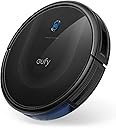
🧹 Elevate your clean game with the sleek, smart, and silent eufy 11S MAX!
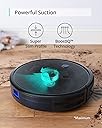
The eufy 11S MAX Robot Vacuum Cleaner combines a super-slim 2.85" profile with powerful 2000Pa suction and up to 100 minutes of quiet operation at 55dB. Featuring BoostIQ adaptive suction, anti-collision and drop sensors, and self-charging capabilities, it delivers efficient, autonomous cleaning on hard floors and medium-pile carpets—all controlled easily via remote. Ideal for professionals seeking a low-maintenance, high-performance smart home cleaning solution.



| ASIN | B07R295MLS |
| Battery Life | 100 minutes |
| Battery Type | Lithium Ion |
| Best Sellers Rank | #1,736 in Industrial & Scientific ( See Top 100 in Industrial & Scientific ) #3 in Commercial Indoor Robotic Vacuums #12 in Robotic Vacuums |
| Brand | eufy |
| Brand Name | eufy |
| Capacity | 600 ml |
| Cleaning Path Width | 12.8 inches |
| Color | Black |
| Compatible Devices | remote control |
| Control Method | Remote |
| Controller Type | Remote Control |
| Customer Reviews | 4.3 out of 5 stars 59,567 Reviews |
| Filter Type | washable |
| Form Factor | Robotic |
| Global Trade Identification Number | 00848061058475 |
| Included Components | 1 x Robotic vacuum cleaner, 1x Cleaning tool&Side brush, Charging Adapter, Instruction Guide, Remote Control |
| Indoor Outdoor Usage | Indoor |
| Item Dimensions L x W x H | 12.79"L x 12.79"W x 2.85"H |
| Item Highlight | Self-Charging, Easy to use, Cleans Hard Floors to Medium-Pile Carpets, Black |
| Item Type Name | 11S MAX, Robot Vacuum Cleaner, Super Thin |
| Item Weight | 2.88 kg |
| Manufacturer | eufy |
| Manufacturer Part Number | AK-848061058475 |
| Manufacturer Warranty Description | 12 month warranty. |
| Model Name | eufy 11S Max |
| Model Number | AK-T2126 |
| Noise Level | 55 db |
| Number of Items | 1 |
| Other Special Features of the Product | One Side Brush, Quiet, Self-Charging, Super-Thin |
| Power Source | Battery Powered |
| Product Dimensions | 12.79"L x 12.79"W x 2.85"H |
| Recommended Uses For Product | cleaning hard floors, cleaning medium-pile carpets, general household use |
| Special Feature | One Side Brush, Quiet, Self-Charging, Super-Thin |
| Style Name | 11S Max |
| Surface Recommendation | Hard Floor & Tile & Medium carpet |
| UPC | 848061058475 |
| Unit Count | 1 Count |
| Voltage | 240 volts |
J**J
This has made life with two dogs & a bird so much better!
EDIT: It's been a while now and Navi runs every day! We love it and so does our bird. She squees at it until she can ride it and then she kisses the blue light as it bumps around the living room. (Under supervision, of course.) She looks forward to it every day. As soon as it beeps and starts moving, she starts shuffling and demanding someone put her on it! As they say, "The future is now, old man!" I am not a person who likes to clean. I will avoid it at all costs and do a shoddy job once I do get around to doing it. That said, I have a terrier mix and a long haired chihuahua mix that constantly shed. They also constantly go in and out the back door to our yard which floods and is surrounded by trees so they are always bringing in dirt and leaves on their fur! On top of that, I have a bird who loves to throw food and little kibble bits over the top of her cage just to watch it roll away and under the furniture! Well, a few weeks ago, I had enough of it! I started looking for a modern technological solution and I found it here with Eufy! Yes, I'd looked at Roomba but so many people complained about it being loud and others mentioned how you were really paying for the name brand. I'm not about that life so I looked at alternatives. We found Eufy and saw all the great comments and reviews on it. Hubby and I were skeptical but finally, we pulled the trigger. And oh boy, we could NOT be happier! Because the house was messy, when I first ran it, it was needing to be emptied often and so it reminded me to tend to it often! I ended up naming it Navi as an ode to that ever helpful yet incessant fairy from Legend of Zelda. Navi does not beep so much nowadays but boy does she pick up the mess! She has made the floors so clean, I can just come after her with a wet mop and the floors look better than they have in years. Only thing she doesn't get is the impossible corners of rooms and areas she just literally can't wedge in width-wise. I don't begrudge her that. I just sweep those bits out myself. But she runs up along the walls, using her little brushes to sweep the edge there until it's clear of debris. No marks on the molding there either. Very gentle. She gobbles up the leaves and flecks of dirt that the dogs bring in and it's so easy to just mop up the mud when it rains as she literally takes care of everything else! She even circles under and around the birdcage to pick up all the pellets and seed shells! What's more, she will also go under the furniture to get the bits that roll under there too! I have seen some people had trouble with the drop sensors. We had a slightly similar issue on our black tiles and black rug but we covered the drop sensors (we live in a 1 story house with no way for Navi to fall off anything!) and haven't had a problem since! Another great thing is she is sooo quiet. I can watch TV and hold a (slightly raised voice) conversation with my husband when she's going under my feet and cleaning out under the couch! Yes, she's that quiet, it's crazy. I read stories about the Roomba scaring people half to death when it starts up in the middle of the night because it's so loud. I run my Navi in the day and night (we work crazy night schedules sometimes) and she never wakes me up. If anything, my bird gets turbo excited about Navi running around and the BIRD's squealing lets me know Navi is running if I'm still laying in bed. I can't tell you how satisfying it is to be able to sleep in on the weekend and still know that house chores are being done! The only thing we needed to do was make sure the dog toys are picked up before going to bed and make sure any wires are off the floor because she can get snagged on them but it's just good practice to do those things anyway! The battery goes for a long time if you don't put it on Max and I'm always surprised by how much debris Navi collects by the time she returns to recharge herself. She's also really good at that mostly, finding her way home. The only time it seems she can't make it is when we leave the doors to the bedrooms in the back open. Sometimes she struggles to find her way out of the back bedrooms, down the hallway and into the living room in time so we've just taken to doing the back bedrooms on different days and shutting her in there while she does her business and then remove her when she's ready to recharge. She gets around the living room, hallway, dining room, kitchen, bathroom, and the closest bedroom on regular days just fine though! But other than that, she is just perfect. We no longer have a dust bunny farm and it's so easy to clean out her container, clean offer her brushes and set her back to work, I don't think I could live without Navi now. I hope she runs for a long, long time. We run her every day and I still can't get over it. Just last night, she kicked on and rolled past me as I was getting ready for bed. I watched her go, toothbrush in my mouth as she headed into the kitchen to begin her day. How cool is that? I'm about to go to sleep and there's this little robot, quiet as can be, rolling out to sweep up the little bit of flour I spilled earlier that day. Maybe I should've named her Dobby. But whatever, I love her. Thanks, Eufy!
L**A
Pretty Neat-O!!
11S Max Review First and foremost, when you're reading these reviews you will want pay attention to which vacuum they bought so that you know the reviews are about the one you're interested in. There are 3 or 4 different vacuums being reviewed on this same thread. Update 6\6\25: I noticed today why it tells you you should have six feet open space directly in front of the charging port: when the vacuum is returning home, she will go so many feet out away from the port so that she can turn around and line up to get on the charging nodes. In reality, I don't think she needs more than 4 ft... But there may be issues with her being able to turn around if there's anything blocking her. 6 ft is a lot of space, so you might be able to get away with 4 to 5, depending on your setup. Otherwise, you would have to use the remote to manually return her to the station, or pick her up and put her on the charger yourself. Not having the space is not a deal-breaker, it just means you will less of the "auto" features. Today I did let her run until her battery got low and she maneuvered herself back to the charger without any assistance. I also want to say she is doing a pretty job at cleaning. I'm used to having to sweep and then mop the floors... But after letting her run through the whole apartment for 2 days, when I'm up today it was such a nice smooth process. I didn't get a bunch of debris and hair and other things clogged in the mop (which we all know can cause problems like scratching on your floors). This little vacuum is a blessing! If I'm not mistaken I believe her paperwork said that she uses about 40 watts of energy... Like a light bulb... when charging. I would think that that means that her energy usage, while charging, is equivalent to leaving a lamp on. Original Review: I literally just got this vacuum this morning and only did a test run for about 20 minutes. A big reason why I didn't let it go all over the apartment is because I'm still in the process of moving and I have packaging everywhere on the floors, creating too many obstacles. With that being said, so far so good. I just let her run around in "Auto Mode" and she worked great. Yes, my robot vacuum is a "she." I named her Suki, as she "Suki a lot of dirt." Plus Suki is a name for "loved one," and I love her already!! I swore up and down I was never going to be one of those people who have one of these... and here we are. And I probably never would have if I had not stayed with my sister and her husband for several months when I first moved to a new State. They have one and I really noticed how much a difference it makes and keeping up with pet hair and everything else. What seemed like really haphazard navigation ended up being a lot more mapped out than it first appeared. While it look like she was just going in random directions with no uniform, I did start to notice that she was not going over the exact same path upon return. So, somehow, it's working to where I can tell the machine is covering everywhere. It definitely appears to be mapping while it's in use, but I know it does not store mapping. That's a big part of the need for Wi-Fi with other robot vacuums. I did notice that a couple people were complaining in the reviews about her constantly vacuuming just the edges by the wall... This is probably because they didn't realize that she was in that mode. Because you can literally make it so that she focuses only on the borders. There's quite a few nifty features that you can program the vacuum to do... And it even has a scheduling option so that you can schedule the vacuum to go off at whatever time you want (as well as a way to cancel the schedules if things change). Overall, pretty nifty. It does what I need it to do, and that's all that matters to me. I don't need a bunch of fancy features. My apartment is just under 800 square feet; therefore, I don't need it to do special mapping to try to remember where it left off after a charge. It's pretty much going to get the whole place on one charge. One MAJOR reason why I selected this, (outside of the lower cost) is because it does NOT require an app or Wi-Fi connection (in fact you absolutely cannot connect this particular vacuum to an app or Wi-Fi, so if that is what you're looking for this is not the vacuum for you). Sure, with an app you can do things like trigger her to start running before you even get home from work... But, quite honestly, that doesn't even matter to me. Because, if I learned anything from watching my sister and her husband's pricier, self emptying robot vacuum? It's that these things are constantly getting themselves into trouble and you need to be there to rescue them, anyway (which is a total drain on their battery if you aren't there to save them). So, there's no reason why I would need the robot vacuum to run while I'm not home. On a side note... I found it quite hilarious that the instructions say that you should not place her near the stairs or a cliff. And I was scratching my head wondering how many people with fortresses were buying these things. 😂😂😂 And speaking of running... Very quiet. I would have to say that my stand up floor fan is way louder than this thing. The AC unit is louder than this thing. I would assume that some of that has to do with the fact that the suction is not superior in this thing, as it's only at 2000 (really pricey robot vacuums are around 4,000). However, I have laminate floors (fake wood flooring in a linoleum-type flooring) and the throw rug in my living room is one of those very low profile new kind that are washable, which is comparable to a thick blanket. Speaking of the area rug... This thing had no problem going up and over and onto it regardless what angle she approached the rug. Sometimes she came onto the carpet straight on and other times she came up on to the carpet at an angle. And she didn't even blink an eye! As stated before, I only took her for a test run and she picked up so much "tuck" in that short timeframe. I was thrilled that she even got all the little itty bitty popcorn pieces from all the styrofoam my furniture and other items were delivered in. It's like no matter how careful you are taking things out of the boxes those little tiny popcorn pieces get everywhere and they are so impossible to sweep up. Keep in mind I had, just the night before, swept and mopped most of the area that she ran over today in her test run and there was still that much stuff in her canister The canister is very easy to remove. You don't have to flip her upside down or anything. You just push down on the little release button with your thumb and pop it out. That is also where you will find a filter that you can clean out. Read the manual that comes with it throughout. It's very helpful on how to keep her clean or else she won't work properly. I love the remote. She got stuck trying to go over packaging from my couches that was on the floor. When she didn't get the clue that she needed to back up and try something else, I just held down the down button for backwards and she totally backed up like a remote control car. I just pushed the right arrow button and she turned in that direction and I let it go and she took off. That was so awesome! When I felt that I had seen enough I decided to go ahead and use the remote to return her back to her charging station. She immediately responded (didn't seem to want to respond to the remote commands when she was in another room, though). Once you push the button to send her home to charge, she will start moving slower. I think this is just the devices way of being very accurate in homing in on her docking station so that she can properly align for a proper charge. And speaking of our proper charge when I first unpackaged her I had to put her on the charger to charge her fully as it is recommended in the instructions before use. And I noticed at some point the orange light wasn't flashing which is what tells you she's charging. So I just hit the auto button as if I was going to send her out to suck up my dirt... And after she got a couple feet away from the dock I just hit the return button on the remote so that she could get on the dock properly. Work like a charm... didn't have any issues with the charging stopping at that point. So I really can't comment on longevity for the battery or parts. But I will say it would be wise to purchase spare brushes and filters for down the road just so that you have them when you need them. Because these things do wear down with use. The more you use it the quicker it's going to wear down. Just a heads up. But these are not a "one-time purchase and forget about it," just like most bagless vacuums require maintenance and upkeep. There was some damage to the box that it came in.... Not sure if it matters or not. If anything changes I will try to remember to come back and update this review. I did purchase an extra 2-year warranty just to be on the safe side.
E**C
Good, but Could Use Some Engineering Improvements
I have had this unit for over a year now, so this review reflects significant experience. First: I like it. I'd buy it again, though with a constantly changing market, my next one may be different. Second: Why four stars and not five? If I were basing my opinion strictly on value for price, it would be a five. If I were basing my review strictly on first-month performance, it would be a five. But, overall, over the course of a year, it just doesn't quite make a five-star rating. Third: The ONE MAJOR FLAW (could be included under "Why fours stars" above): This unit relies on 3 infrared drop sensors to avoid falling down stairs, or similar mishaps. You can see them when you turn it over. They are just like any other infrared close-proximity sensor in any other device (such as the pellet bin of a pellet stove) – they can tell whether or not there is SOMETHING, anything, within a certain distance, in this case, roughly the 1/4" between the sensor and the floor. If that distance is too large, then the device can reasonably infer that it is about to roll over a cliff, stop, and back up, which is exactly what it does. The problem comes when the machine has been in use for a while, and becomes covered with a slight layer of fine dust, and then later, when, through normal wear and tear, the red plastic lenses of the sensors develop very very fine scratches. Once either or both of these things happens, the sensors can no longer reliably tell how far away the floor is, and will stop the unit right in the middle of the floor in response to some tiny irregularity, or for no clear reason at all. If they're really getting dirty, the unit will stop, then slowly, cautiously back away, carefully looking in either direction as it backs up, but if they're really dirty, it will sense another drop and stop again, and slowly back itself into a nonexistent corner, which looks like nothing as much as a person hallucinating being attacked by demons and trying to escape. The sensors can be wiped with your finger, or with a sponge or towel, which will work for a while, but after a few months, they will develop fine scratches, and the machine will never perform properly. The solution to this was to use some extremely fine plastic polish to polish each sensor lens, which will ALMOST, but not quite, restore the machine's original function. I have an small hallway with an old wood floor with small gaps between some floorboards, and the machine can no longer operate there for more than a minute without becoming trapped in an imaginary net. If your floors are all very smooth and even, this may never be a problem for you, but if you live in a real house, it will happen sooner or later. The Good: • It still cleans the floor after more than a year of daily use. • After a year, the battery is still good. • It has survived several rounds of knocking a heavy wood cutting board that is propped against a wall on top of itself, with no apparent injury. • It has no camera, no microphone, and does not connect to my cell phone, WiFi, or the internet. The Bad: • This is a mindless unit. It does not map, it does not plan, it does not recognize messes or spills – it takes a completely random walk, invoking various subroutines when certain conditions are encountered, such as "follow the wall," which is also "go around the chair leg," "try persistently to get over the door threshold, and then give up if you can't," and "back away slowly and cautiously from the edge of the abyss," all of which are disturbingly engrossing to watch. • I wouldn't call it "quiet." It's not noisy, but if I wake up in the middle of the night, I can hear it several rooms away. • Its distress alert is earsplitting and persistent. It will issue ten loud sets of beeps if (when) it gets in trouble. This is very annoying at night, when you're trying to sleep, but it can be very helpful if you happen to be up when it gets lost somewhere you'd never think to look for it. • If it gets lost in the middle of the night, there is no way to find it when you come along in the morning. It has no "Find-My" feature. Once it crawled into a reusable supermarket bag under a table and the bag fell closed behind it, and I spent over an hour looking for it. For the most part, though, it tends to get stuck in the same places, so it's not hard to find. • Its filter is not well sealed against its mounting, so that it will suck some dust past the filter, which, over the course of months, will coat the entire inside and outside of the unit with fine dust, which can be sponged or vacuumed off, but which will immediately return. • This dust, by getting into everything, will get into the (almost-never-used) on-off switch, causing it to stop turning the unit on. This can be remedied by popping the switch out and spraying it with contact cleaner. • The dust tray is hinged. The hinges will break off, unless the hinge pins fall out and into the garbage first. There is NO NEED to replace the dust tray when this happens – it works just fine with the hinges broken and is easier to tap the dirt out of. • It can be disassembled and repaired, but, because many of the screws tend to strip out the threads of the plastic they're attached to, it can probably only be disassembled once. My experiences with this unit: • It worked well out of the box. Setup was minimal and simple. Instructions were pointless and confusing. • Its strategy is that if you randomly roll around a room long enough, you will go over every point on the floor at least once. This strategy works. • It cannot clean the final ~1" of corners, because it and its spinning corner brush are round. This is generally not a big deal. • It will clean places you were never able to reach with a normal vacuum – way under very low furniture, for example. • Initially, it very seldom got stuck anywhere, but over time, it seems to have become less capable of mounting several fairly high door thresholds, so it bounces along them, and often half-climbs them and gets stuck. • If the dog pukes and it runs right through it... well... 'nuff said. • You can frequently vacuum the vacuum with a soft brush attachment, but if you don't its performance seems the same. • The one mechanical failure I had in a year was the spinner brush motor stripped its gears. It still spun for a while, but made a terrible noise. I bought a replacement motor unit on... Amazon... for about $20 and followed video instructions to replace it. It was a bit involved, but I was able to do it in about an hour, and it's worked fine since then. Good luck!
L**.
Listen Up, Seniors!
If you hate grubby corners (behind all those plants, dog beds, small tables, chairs, magazine baskets that it's just so hard to move while jostling around a 20+pound vacuum and heavy, noisy powerhead), and you hate the racket your canister or upright vacuum makes (and your pets hate it, too!), try out this amazing little machine! Vacuuming has never been so much fun! I first purchased the Eufy 11S after doing MUCH research and spending time communicating with Eufy. (They have wonderful, responsive personnel!) Took all of two minutes to get it out of the box, set it up (attach brushes) and get it on the charger. I let it charge overnight. The next morning I hit the "perimeter button" and off it went! I scooted around in front of it, pulling baskets, dog crates, cat scratching pads, shoes, plants, magazine baskets away from the edges of the wall while it came along after me and cleaned places I probably haven't reached in ....some time! First time around, one dog (8 lb Papillon) hid in the next room; the other (12 lb poodle mix) followed it around. (Allowed two perimeter runs the first time since some places hadn't been done in ages and I just wanted to make sure!) Then hit the "automatic" button and as it made its way around the room, I replaced stuff along the walls. How easy could that be?! Although there's no need to move everything every time I vacuum, it's so easy that I often find myself moving alot! (36 years of "accumulation" - aka "clutter" here). If the phone rings, no need to shut off the vacuum; it's no louder than a desk fan and I can easily talk on the phone or listen to the news on TV. My 2000 sq' cape home has mostly medium height carpeting (a combination of cut pile/berber), even in the kitchen and dining areas (breakfast area and formal dining room). It also has tile (hallways, bathrooms), hardwood (two of three bedrooms) and brick (family room) with a large area rug. Eufy tackles it all! It's little "corner" brushed do scatter the birdseed on the bricks, but it seems to manage to pick it all up eventually as it makes several passes in every area when on "auto". The amount of pet hair (and my hair!) it picks up is astounding, as is the amount of fine dust it captures. (I have allergies and this is a blessing!!) Yes, I do clean the brush roller and the dust bin frequently (usually with every "full time" vacuuming; this vacuum will last at least an hour unless I put it on the half hour "single room" cycle). The dust bin empties easily into the trash without dust flying all over the place; with the included brush and a couple of strokes, I gently brush off the filter and haven't yet replaced any. It takes a couple of minutes to slice through the hair wound around the brush roller and pick it off using the included "comb" and my fingers. (Ok -- don't like the idea? When was the last time you cleaned the brushes on your big vacuum's powerhead to ensure its efficiency??) So easy to do this with a little vac that you can set on the kitchen counter. (Turn off the power switch on the bottom first.) Three minutes to clean it up, turn back on, set near the base and send it "home", wipe off the kitchen counter and you're done. No need to struggle to get the canister vac, it's heavy power head and wand and hose back into a closet somewhere! Need it upstairs? Carry it up under one arm (don't forget the remote). It's never fallen down the stairs. Because I'm retired and can be home, I haven't yet used the wifi function, other than to set it up (easy). Because Eufy is so quiet and convenient, I vacuum the most used areas much more often than I would with my heavy conventional vacuums. There is probably no doubt that the suction on the canister or upright is stronger, but because I use Eufy so often (up to several times a week in high traffic areas), my husband is commenting that the rugs look cleaner. No time for shoes to grind leaves and dirt into the carpeting! (And no, my family does NOT remove shoes; and the two dogs and a long-haired cat are in and out on our large yard frequently.) The magnetic strips that come with this unit can be helpful when I have last-minute company coming for dinner so I let Eufy loose while I'm cooking and want it in that area but not under my feet. Otherwise, I simply close doors to keep it where I want it. I've learned how to position chairs around the dining tables (two tables with a total of 10 chairs) so Eufy can scoot around legs and under the rungs, doing a great job of cleaning under everything. It only got stuck once (hung up on a wire dog crate handle), so I've adjusted that. And it easily finds its way back to the base if I guide it back to the right end of the house (using the remote) when I'm done in the more distant regions. I have now "loaned" the 11 S to another family member who has little time for house-cleaning and can use Eufy's help! (Her dogs are 70 pounds!) I purchased the 30C. The extra suction makes bird-seed pickup faster (lol). Both units do a great job! I would recommend either! I like the digital display on the 11S remote so you know what mode you're currently using. And now the dogs ignore it, as you can see where our poodle-mix yawns as Eufy vacuums around her dog bed.
A**N
Well worth the money for saving time, energy, and effort
This (really long) review is for the Eufy 11S Max robot vacuum (Robovac). Please note “Max” vs regular 11S. They may look the same; but the Max uses a different filter and has the higher 2000pa suction. Otherwise the functions and options (other than suction choices) are the same. I've used the 11S Max for the last month on my low pile carpet (about 80% of the roaming area) with the rest being tile or linoleum flooring. It has been quite fascinating to watch so I've actually put about 85-90 charge cycles on the unit over the last month (yes, three times a day on most days and it's still finding more dirt/dust than I would expect). Right up front, I'd definitely buy another when it comes time to replace this one. After comparing how I vacuum my flooring, especially to pick up my biggest carpet enemy; short stray bits of dried grass stems, the “random” wandering of this vacuum model made more sense to me than the other fancier choices. Most vacs do a good job with dust, dirt, sand, cheerios, etc. but these stem pieces are only picked up by a vacuum when it comes at the stem with the brush roller pretty much parallel to the stem. That means random directions will more likely get these pesky problems than an organized back & forth cleaning approach. Granted it may take a few cleaning cycles or several passes over the same area during one cycle; but since the Robovac has completed its first 5-6 cycles I rarely find them anymore or if I do spot one it's not for very long. Robovac is a big time saver as well as an energy saver for me. I would use my canister vacuum about an hour each week for routine cleaning and once a month for 2+ hours to do a more thorough cleaning. A watt-hour meter indicated that my canister vacuum used 5-6 kw-hr of electricity each month. Robovac uses about 12 watts continuously for about 4 hours when charging (surprisingly less than the 5-6 hrs listed in the manual; but it is brand new). Once the battery is charged, the power consumption drops to about ½ watt. When Robovac is away cleaning, the charging base uses just ¼ watt for the homing beacon. So if used just once a day; Robovac would only use about 60 watts per day. That means once-a-day cleaning would only use 1.8 Kw-hr energy per month. By letting Robovac take over the regular weekly cleaning with once a day operation (or less), I'm able to cut my electric bill by an easy 3-4 kw-hr/month. With that said, there are a few things that I think need improved: First, there should be an interlock on the dust bin – Robovac will merrily go off about it's scheduled cleaning cycle without the bin installed! So if removed for emptying; don't forget to re-install the bin before the next scheduled operation. Plus, I noticed on a couple occasions, that I wasn't paying attention and I left one corner was about 1/8” out from fully inserted. Not sure if that will cause suction leaks; but you need to make sure the bin is completely inserted. Second, you can't select “max” (or any power level) when using the remote to manually clean an area. It appears to only operate on “standard” suction with manual operation (i.e., when Robovac is not running a regular cleaning mode and you chose to override it's direction). In addition, if you select the remotes' edge or spot cleaning modes it will automatically go to “max” power for the duration of that mode and you can't choose IQBoost or standard power level on those selections. Third, I don't know why the 20 minutes for edge cleaning or 30 minutes for quick cleaning was selected. Robovac can make it about 60-70% around my home in the 20 minutes of edge cleaning. If edge cleaning mode was permitted to run until it made a trip all way around and back to the charging station where it could dock to finish that mode would work better. An alternate solution would be if I could set the cycle time for edge cleaning and quick cleaning modes. Plus I'd like having an option for it to simply stop when the time is up rather than automatically returning to the base. When I want just one room cleaned; I'll set Robovac to auto or quick mode in that room, then close the door or put down a barrier, and return later to stop it manually and take it back to the charging base. If I don't return in a timely manner Robovac will be trying to locate the charging base and running the battery down. Fourth, Robovac cleans edges using only its right side pretty much all of the time. It would be helpful to have it randomly choose using either the right or left side whenever edge cleaning. I watched it edge clean a carpet/wall area three times going only in a counterclockwise direction (right side) and it still didn't pick up all the dust bunnies. I used manual control with it hugging the wall on its left side and it picked them up with no problem. Also, be aware that manual operation, when Robovac is not already working in a selected cleaning mode (overriding current movement), only works while the remote buttons are pressed. Robovac stops all functions shortly after a button is released when used manually. Fifth, I really don't need to run Robovac on a daily schedule – there should be a weekly scheduling capability even for the least expensive robot vacuums. It shouldn't be that difficult or expensive to update this model to correct this issue. Even if it's the same set cleaning time, every day for the selected days; just give me the ability to schedule cleaning cycles one to seven times a week. Sixth, when the battery runs low, Robovac can take forever, if it makes it back at all, to the charging base. I will routinely go looking for it if I haven't seen it return within 10-15 minutes after the approximate cleaning time has passed. The age-old solution for solving a maze (your home from Robovacs' perspective) is to constantly follow along obstacles using just one side (Robovac does recognize when it's circling something like a coffee table and adjusts accordingly after a 360 degree rotation). This method is how Robovac tries getting closer to the charging station when it's more than about 15ft away and not in line-of-sight (the charging base emits an infrared signal for homing action – make sure you keep Robovacs' bumper and the base clean). Sometimes Robovac occasionally gets diverted or the software tells it to try something different) and it will go off in another (often wrong) direction (extremely frustrating!). I highly recommend observing Robovac perform it's return operation from various areas in your home. I ended up placing a 2x4 along the end legs of my sofa as Robovac was consistently going along the side skirt, under the skirt at front of the sofa, then around the front leg exiting the side of the skirt, and then heading straight across the room. It would then go thru three other rooms and come back to the sofa again. The 2x4 forced Robovac to continue edging under the sofa, along the back wall, and out the other end which has an end table that mimics the 2x4 at the opposite end. Before using the 2x4, Robovac took well over an hour to get back to the charging base (it eventually changes up it's routine, usually after three tries) and required 5 hrs to recharge. With the 2x4, Robovac has been able to get back from the far end of my house to the charging base in under 20 minutes very consistently. While the ability to improve Robovacs' return mode is really limited to what you can do, the key point I'm making here is that the battery will always give you more charge cycles (longer life) before needing replacement if you can get Robovac back to the charging base as soon possible. Seventh, pay attention to the thin rubber wiping strip on the brush guard. After 60+ cycles I noticed the ends of the thin rubber strip (about 1/16” of it's height) were tearing away. I believe this was most likely due to moving back and forth over edging from tile/linoleum to carpet or maybe due to the floor mounted furnace registers in my home. I simply trimmed the torn bits off to keep them from getting caught by the brush. After about 100 cycles I noted the rest of the 1/16” strip was now gone. This impacts the tile/linoleum cleaning far more than carpet; but it is something to watch for. I highly recommend checking the rubber strip during brush cleaning and purchasing a brush guard replacement as part of a maintenance set. Hopefully the manufacturer will improve the thickness or type of material used to prevent or at least reduce this problem occurring in the future. Next, a few helpful hints I've learned or didn't find in the owner's manual: The “bowl” shape on top of the charging base with the white LED is just right to hold the remote control, button-side up. However, I prefer to turn remote controls' button-side down to keep them cleaner so it's up to you if you use it or not. I've had a few occasions when Robovac actually bumped into the charging base so it was no longer sitting square against the wall. This will impact it's ability to find the base when the battery is low. I took a used rectangular-shaped one quart motor oil bottle from my recycling bin, cleaned it thoroughly, and filled it with sand. It's now a 3-4lb weight sitting on top of the charging base. I haven't had the base re-positioned since adding the weight. Normally Robovac does a good job avoiding the charging base; but not always. Robovac “parks” about 1/2” away from the charging base tower. If you are careful, you can swipe a cloth over the bumper sensors to clean off any surface dust that has collected (always seems to be some); however, be careful as Robovac might activate while you are doing this. You might also get a solid red indicator without any beeps. This error isn't described in the manual; but I've found if I just lift Robovac off the charging base for few seconds and then replace it, it will change back to the charging orange color. (I suspect the solid red indicates a sensor error) It's also quite easy to remove/replace the dust bin during charging. Unfortunately you will need to flip Robovac on it's back to remove/clean the side and roller brushes as well as the bottom IR sensors and charging contacts, so remember to turn Robovac off with the topside button before doing this or get used to it trying to start up while you are cleaning it. Also make sure the blue/orange indicator light is on when you reposition it on the base. Sometimes Robovac will remain off rather than return to charging mode. After two or three cleaning cycles I'll do a regular check on the all the brushes and swap left and right side brushes when they are re-installed; seems to straighten and make them work a little better, maybe last longer too. Oddly the remote control spot clean button symbol and the manual indicate a clockwise spiral for the cleaning operation; but when I've selected it, Robovac has always used a counterclockwise rotation. If the side brushes happen to “hang up” on something, Robovac will stop spinning them while it maneuvers around the obstacle and then restart the brushes when it thinks it is clear. Don't assume there's a problem when you see this unless Robovac beeps and the indicator turns red. The flat handle end of a spoon or fork works great for prying the filter free from the bin for cleaning. Every time I have tried using my fingers; it pops out tossing dust/lint everywhere. The IQBoost mode doesn't seem to change going from hard flooring to low pile carpet or vice versa in my home. I think this is because the low pile carpet just doesn't cause enough “drag” for it to recognize that it could adjust the suction level. (I'm still not clear as to whether there's just two suction levels or if Robovac can vary linearly between the two) While the manual indicates a 40 min run time in “max” mode with medium nap carpet, I'm obtaining about 60 minutes with my low nap carpet. I do find the “max” mode clearly picks up more dust. I ran Robovac 20+ times on IQ mode before switching to “max” for its scheduled operation. The filter has clearly shown a thicker layer of accumulation on the filter. When “max” mode is set as default you will occasionally hear the vacuum whining noise change briefly. Best I can figure is it's a software glitch where the IQBoost code tries to adjust the suction level; but then resets it to max. I normally hear this shortly after Robovac goes from one flooring type to another. It also occurs shortly after it starts it's routine. Robovac does not communicate back to the remote. So if for instance, you press edge cleaning and Robovac doesn't get the message, the remote will show it should be performing edge cleaning even though it's not. Similar situation when Robovac is recharging or is returning to recharge; the remote will still show it's in the selected cleaning mode rather than the “charging” icon. You simply have to pay attention that Robovac has recognized your command by a “beep”. I found using the basketball nozzle with my Ryobi P737 inflator does an excellent job cleaning the filter. It takes only a couple minutes to clean both the filter and the bin (outdoors of course!). The original filter has been cleaned well over 100 times now and other than being a little dingy it's still working great. This should help stretch the recommended replacement interval to more than 2 months compared to the recommended “tapping it” to clean. Do not use the “canned” compressed air as I frequently find it wets surfaces during extended spraying and the Robovac filter is a paper element. If you have a sofa, chair, etc, with stiff or heavy cloth skirting down to the floor; I suggest safety pinning up at least a foot or two of the skirting on an open side. When or if Robovac switches to using the proximity mode for cleaning AFTER it gets under the furniture, the skirt will appear like a wall and it will keep running around underneath the furniture until it switches to a collision mode where the weight of the skirt generally will not trip the bumper sensors and stop it from escaping. I'm glad I've used Robovac during the daytime so I could track it down and figure out what trouble it got into during its normal operation or when I expected it to be back at the charging base. The alarm beep sounds can easily be missed when it's far away from you. Plus, when it powers down after getting stuck can make it lot more challenging to find! It's a lot easier to locate when the vacuum sound is still going or even if it's just the quieter wheel motors running it around looking for the charging base. To wrap up my review. I've found Robovac to be a well built, nicely designed, and quite durable robot vacuum. The $160 price I paid is quite reasonable with excellent cleaning ability (given it has about 1/10 the suction of a typical canister vac). It has good battery run times (my mixed flooring on IQ mode lets Robovac run about 80-85 minutes before recharging), and it is a wonderful time and energy saver. If you've been thinking about a robot vacuum without all the extras (or just don't like vacuuming), the Eufy 11S Max is a great choice.
H**R
Worth the purchase
This Robot Vacuum is really good for the price. I think the only thing that has annoyed me was that it gets trapped under the fridge or it will get on a chord or something but as long as it has a clear path it works really well. You can program it to clean at certain times of the day, I have it set to clean at 1pm for example, and you can control where it goes. It has a neat spot cleaning mode that I havent really used much but it would be great for a large open area because it goes in a perfect circle wider and wider to cover the entire area. Definitely purchase if you’re looking for a pretty decent vacuum that will get all the dirt off your floors that YOU WOULDNT EVEN NOTICE WAS ON THE FLOOR. I swear it picks up a lot and I have 3 cats so this is a game changer. Definitely sponsor me for this review cause i write NO reviews and i specifically wrote one just for this item.
J**E
The Best Cat Toy That Cleans Even Complex Home Layouts
I always thought these robot vacs were kind of a silly gimmick, too expensive for not enough gain. After a couple friends raved about their robovac's, I made excuses like "My home layout is too complex!" and "I'll need three of them to vacuum my home!" But, the robot wars have made them cheaper and better, so I decided to finally give in on a good deal with this new model from a well trusted brand. I wasn't willing to pay for units with home mapping features and no-go zones, but with this unit, I don't feel I even need it. Turns out, I am absolutely thrilled with the performance and price point of these Eufy's. There is little doubt this unit is just slightly smarter than a bag of hammers. Thank goodness I can make it do it's work at 4AM when I don't care how many times it goes over the same spot or misses something that is just "right over there you stupid bleeping robot!" But, day after day, this hunk of electronic sensors strapped to a vacuum comes home with a bin full of stuff. I'm at the point where I don't even know where it gets the stuff and I'm seriously questioning my ability to clean my house. And also somewhat ashamed of the filth that I've lived with and didn't even know about. It goes places it probably shouldn't and if you have any degree of OCD, it will hurt your brain to watch it. It goes under furniture and shelving where it barely manages to escape, plays ping pong with table/chair legs for a bit and it has an inexplicable infatuation with the clear storage totes under my guest bed. It'll really like one area/room for awhile, but then will go elsewhere, only to be back 2 minutes later...and you're like, "Well, that was the *least* efficient way to do that. Whatever, a goldfish is smarter than you." Whenever I'm in the kitchen doing something, it has the whole lower floor it could be cleaning, but it will insist several times on cleaning the spot right under my feet. It loves to chase my cats and in turn, my cats will engage it in a battle of home domination, swatting it and trying to eat the spinny brushes while it charges. One cat will lay on the lower step and lazily swat at it as it goes by. Just when you think there might be the slightest sense of intelligence and you're having this "It's alive!" moment, it reminds you how dumb it is by gently ramming itself into a piece of furniture. I don't know how it does it, but despite looking like it couldn't find it's way out of a paper bag, it somehow manages to find home base for charging most of the time. But, it gets around, even in an ever changing layout. It deals with my wood floors, several area rugs and a section of medium pile carpet without much incident. It hasn't once tried to go over a stair in my home. It gets probably a good 70%+ of a complex, 1,000 square foot U-shaped layout of my main floor, with plenty of furniture making navigation much worse. But, it does that 70%+ every day and I don't even have to think about it. Based on the sheer amount of cat hair and dust this thing picks up daily, I'd say the suction and pickup mechanisms are pretty good. I can't tell you if they're better than older Eufy or other branded units, but the spec's say so. I was worried about how much of my lifestyle I'd have to change to adapt to this thing. Turns out, very little. I can still leave stuff around if I want and it won't try to eat everything in its path. It does occasionally try to commit robot death on various cat toys the kitties leave about, but that's maybe one 1 out of 10 times it needs saving. I have a rug in my kitchen that it loves to push into a pile, but that's only a minor annoyance and doesn't cause it harm. I have to be careful not to leaving charging cords and such about. Once every couple weeks it won't find it's way all the way home, but it's usually pretty darn close to the charging station by the time it dies. I thought it might become inconvenient to "save" the unit from it's self-inflicted stupidity, but the value it provides exceeds the inconvenience. I can see why people like these things. And there's a good chance I may buy the three I need, maybe this one or maybe others. But, for now I'm pretty happy with this one. It's a 5 out of 5 cat toy and a pretty useful home appliance that will save you time and improve your home's upkeep. I'll update this review with any significant changing opinions, but for now this "dumb, smart thing" gets 5 stars. Update: About 4 months after running this thing daily, one of the side brush motors started to malfunction. Normally, a product malfunctioning that soon would irk me to reducing my review stars immediately, but I sucked it up and contacted support. I requested, specifically, to do a self repair of the brush motor right out of the gate. They didn't request for me to send it in for repair, demand an expensive cross shipped replacement or question my self-assessment to repair equipment that I owned. They just told me they have the part in stock, requested I send them a video of the problem, asked for the address and put the brush motor in the mail. They then confirmed that if this didn't make it work right, they would still support me until it did. They worked with me exactly how I wanted them to, stood behind their product 100% and for that, not even a single star will be reduced from my original review. Update 2: I knocked two stars from my review. Not because of the unit, which is still great, but because of the replacement air filters. They are $11 for TWO of them! That's nearly 3 times the price of the previous filters, or about a $65 annual operating cost when changing them out once a month. IMO, that's simply too expensive for a vacuum and even my high end upright isn't nearly that expensive to operate using *HEPA grade* vacuum bags. Not just that, they are incredibly terrible for the environment by requiring you to buy the substantial plastic filter housing every time. Had I known this at the time of my purchase, I would have selected a different unit - probably the initial version of the 11S. Final Update: I've decided to just let this thing die a slow and painful death. Both of my side brush motors went out, as did the one that I replaced. It's still marginally effective without them, but definitely not as good as having them. Eufy's support reached out to me several times, which was great, but I have better things to do than rip this thing apart every few months to fix plastic parts that will fail again in 3 months. I expect more from something I'm paying $200+ for, definitely not three of the same exact failures within a year. Oh, and there's much cheaper 3rd party filters available for this guy now.
V**R
Defective robot replaced by Eufy.
Pros: 1. Cleaning power. I have experience with several vacuum robots and the Eufy picks up dirt and pet hair better than any robot that I have used or seen. 2. Mop design. The other vacuum robots that have used have a mop feature using a wetted pad that they drag around. They inevitably leave a film of dirty water on the floor. The Eufy design has a rotating microfiber brush with a squeegee blade to remove dirty water from the floor. The cleaning is superior to any mop feature I've observed. 3. Split brush. My wife and son both have long curly hair that turns the typical beater brush into something resembling cotton candy. Eufy's split brush design moves hair, threads, and other tangling debris into the collection bin consistently. I’ve had the vacuum for six weeks and haven't once needed to clean off the brush. Cons: 1. Navigation during cleaning. This problem grew over time with the vacuum touching objects with the bumper while cleaning the perimeter of the room, and then endlessly spinning in circles while trying to avoid an imaginary object that resulted from the bumper being stuck. The bumper would stick every time it touched anything. Con resolution: I contacted Eufy through the ap, and after a brief chat conversation describing the above behavior, they immediately sent a new vacuum unit. I did not have to debate, argue, or fight with product support personnel about the defective nature of the robot. They simply asked that I return the defective unit, but only after the new one arrived. For the record, I've been using the replacement robot for two days, and it is working flawlessly. No stuck bumper errors. I would have reviewed 5 stars except for the original unit being defective.
S**I
Love my super clean home. Thanks to eufy.
Amazingly clean floor. Maid or any himan cant do such a powerful cleaning. Wish they had mopping function too included in the same. Robo with mopping and brooming both are very costly so i opted for this one. Loved it. No hassel cleaning, juta need to take care of long hairs etc. Ut tangels the brushes. Hppy with extra brush, batter for remote and eztra filters provided by eufy. They are increasing price and usually not available due to covid pandemic. Bought a little early so got it.
T**S
EXTREMELY QUIET
Update, May 15, 2024: Today the new battery lasted 100 minutes. Update, May 8, 2024: I sent an email to the manufacturer explaining the battery situation and they sent me a new battery under warranty. Very poor manual because of very small illustrations which are not the same as on the robot, plus does not explain how to delete a setting. A fairly good robot though, cleans well but tends to remain in larger rooms, it starts in the living room of 1,500 sq.' apartment, manages to find the bedroom, but once it exits the bedroom it does not go back to finish the bedroom and washroom. My fix for this is to put it in the bedroom and close the door and let it run until it finishes the bedroom, then take it to the living room. It does not clean near the charging station. Very quiet, bumps very gently. When it is working beside you, you can still hold a conversation. It is very easy to clean the waste bin, roller, wheels and filter. I clean it and wipe off the machine each time I use it, which is twice a month. I find this vacuum very easy to use and clean. It usually runs for about 1.5 hours, then recharges. For $200.00 Canadian it is an okay value. It does not have the headaches and problems associated with programming using cell phones. I understand why manufacturers went that route, but it isn't good. TIPS: do one room at a time. The reason is that the robot learns the room and wastes less time learning multiple rooms. Give it plenty of time to fully recharge between uses. CLEAN IT, CLEAN IT, CLEAN IT after each use - remember to do the wheels, they pop out so easily.
S**A
OH MY GOODNESS- I love this robovac!
I feel so free! I just open the app, press start and a short time later I have a lovely clean floor. Other things I like: - it is quite small and easy to hide away. - it picks up all the scattered kitty litter. - the clean cycle is very fast compared to my last robovac -the interface is sooo easy - I love that it empties and cleans itself. - maintenance is super easy. Now, my daughter has bought one too.
X**R
EXCELENTE PRODUCTO
En materiales se nota la calidad del plástico, todos ve resistente y los componentes se ven bien hechos. La limpieza está en varios niveles superior a las que traen mopas giratorias, limpia mas profundo y se va autolimpiando mientras funciona. La potencia de aspirado excelente. Tenia una roborck mucho más cara que esta y dejó de funcionar al año, y comparándolo con la c28 creo que está mejor en calidad y funcionalidad. Desventajas: Los tanques de agua son pequeños, asi como la bolsa de aire, nada de que preocupar solo cambiar un poco mas frecuente el agua, depende del uso. La aplicación es sencilla pero cumple con todo lo que se requiere.
A**R
Simple function, but a timesaver
We bought this for picking up cat hair in the house, and ended up buying a second to have one on each floor. You can find detailed reviews on Youtube. It is a simple robot vacuum with few functions, but seems to work well on our hard wood floors and their mats. It can operate with or without a cellphone app. We tend to carry it to the area that needs cleaning, then let it wander about. It does a serious job of cleaning, provided the floor is clear of junk. Over time it seems likely that brushes & filter will need replacing. You can find these sets on Amazon for a reasonable price. The app for this model (15C Max) only works with 2.4GHz networks, which probably explains the price reductions. However, for most applications the act of pressing the On button on the device or on the app are no different. The app gives access to different cleaning modes which might be useful on occasion, esp. if you want to run it when you are not around (not necessarily a good idea if your cat coughs up a fur ball). The manual mode only cleans in the default mode Auto (unless you have previously changed in using the app). Therefore, if you need the app, make sure your network is 2.4 GHz. (I have installed the app, but find I never use it.) After cleaning, dust and hair can be easily tipped from a cartridge at the side (daily). From time to time (weekly at least), the brushes need to be cleared of hair and fur (the tool provided helps with this), and the filter needs to be washed. I am quite pleased with it so far. If the motor lasts a couple of years, and the accessories do not need too much replacement, I will consider it an excellent purchase. Only time will tell.
Trustpilot
3 weeks ago
3 days ago