⚡ Print smarter, faster, and greener — because your office deserves the best.
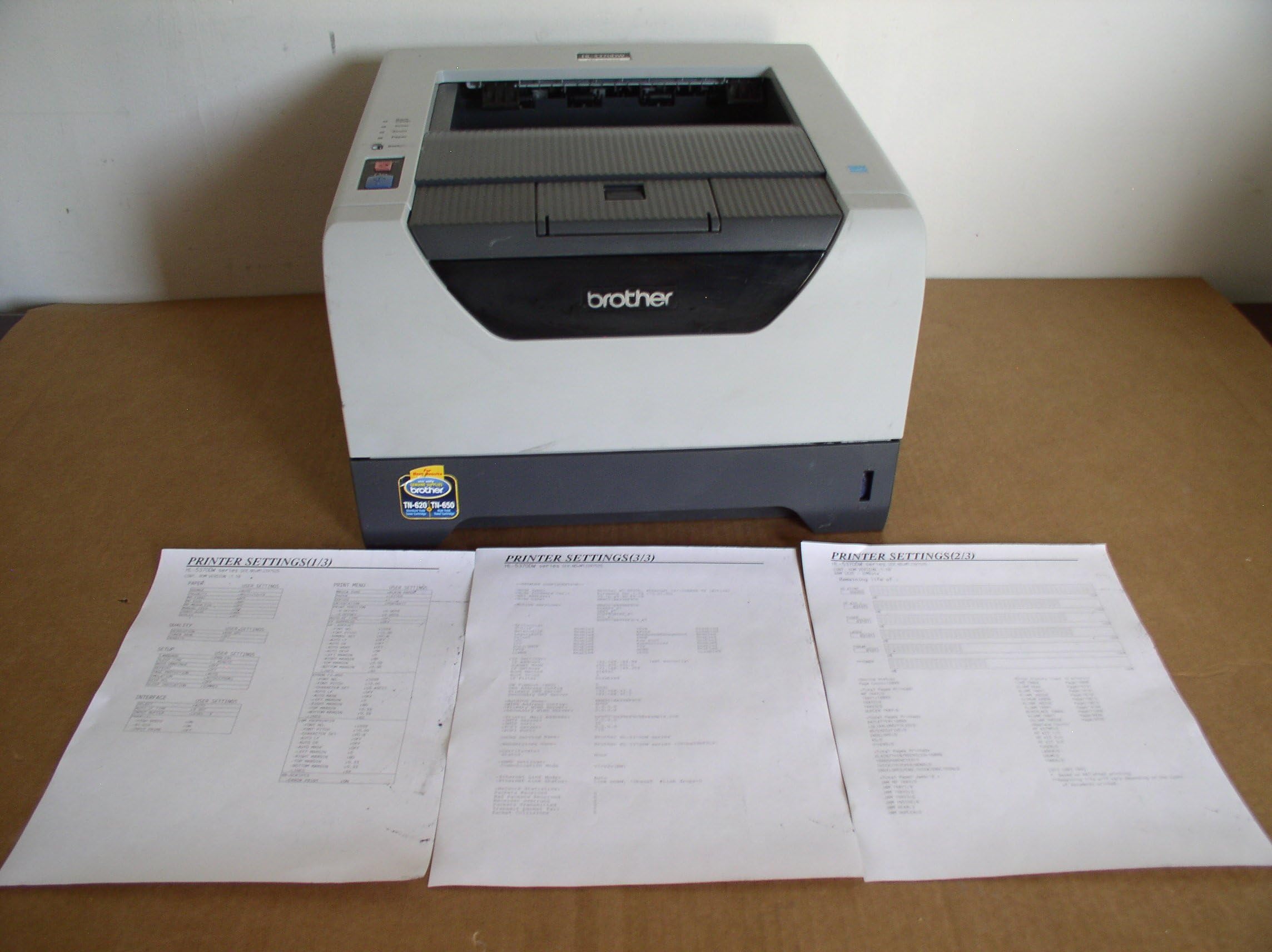
The Brother HL-5370DW is a high-speed monochrome laser printer designed for small offices and workgroups. It delivers up to 32 pages per minute with sharp 1200 x 1200 dpi resolution. Featuring built-in wireless and Ethernet connectivity, it supports easy network sharing. Automatic duplex printing reduces paper use, while a flexible paper capacity (300 sheets standard, expandable to 800) keeps your printing uninterrupted. Ideal for professionals seeking reliable, efficient, and cost-effective printing solutions.
| ASIN | B001XM9BV8 |
| Additional Printer functions | Print Only |
| Best Sellers Rank | #679,069 in Office Products ( See Top 100 in Office Products ) #1,011 in Laser Computer Printers |
| Color Depth | 1 bpp |
| Control Method | App |
| Customer Reviews | 3.8 3.8 out of 5 stars (282) |
| Date First Available | April 2, 2004 |
| Dual-sided printing | Yes |
| Duplex | Yes |
| Global Trade Identification Number | 00012502622482 |
| Hardware Interface | Ethernet |
| Ink Color | Black |
| Is Discontinued By Manufacturer | No |
| Item Weight | 20.9 pounds |
| Item model number | HL-5370DW |
| Language | English |
| Manufacturer | Brother International |
| Max Copy Speed (Black & White) | 32 ppm |
| Max Input Sheet Capacity | 800 |
| Max copy resolution black-white | 1200 x 1200 dpi |
| Maximum Black and White Print Resolution | 1200 dpi |
| Maximum copies per run | 32 |
| Memory Storage Capacity | 32 MB |
| Model Series | 5370 |
| National Stock Number | 7025-01-607-1503 |
| Number of Trays | 2 |
| Power Consumption | 675 Watts |
| Print media | Paper (plain) |
| Printer Ink Type | toner |
| Product Dimensions | 15.1 x 14.6 x 9.7 inches |
| Series Number | 5370 |
| Sheet Size | 8.5 inches |
| Specific Uses For Product | small business |
| Total USB Ports | 1 |
| UPC | 012502614449 012502622482 |
| Warranty Type | Full Warranty |
| Wattage | 675 watts |
L**E
Great speed, resolution, and price. Perfect "back-to-school" computer for the modern networked household
Ordered the printer with Amazon's free "Super Saver" shipping and it arrived at the house (in Texas) 2 days later (which made me glad that I didn't pay extra for expedited shipping). Excellent printing speed, excellent print quality, and an amazingly reasonable price for this very capable unit. Initial wired set-up was a snap, and the kids were printing study guides and assignments like crazy. For wireless networking you're generally going to need a spare ethernet cable to connect the printer to your wireless router (so you can configure the printer to communicate with your wireless network). A potential problem here is that the instructions that come with the printer might not use precisely the same language/words as your router/networking software so it might take you a bit of trial-and-error to discover if your "Authentication method" really runs as an "open system" (as opposed to a "shared key", etc.), or whether or not you're really running data encryption (both "authentication" and "encryption" can be distinct from running a standard "secure" network using, for example, a WEP code). If you're not sure and incorrectly enter your "Authentication method" as a "shared key" (because you use a network key to access your wireless network), you'll discover that the wireless link status "Failed to associate." No problemo, but while re-running the wireless networking program you might find that your network stops recognizing your printer as a potential "wireless device". If this happens, the recently entered (incorrect) printer settings might be the culprit so you will have to reset your printer to its "factory default" settings as described in the manual (page 43 on my version). After the printer is reset, you can then rerun the wireless networking protocol and give it another go (while changing the wireless settings). For my standard home network, the proper settings turned out to be "Authentication method" = "Open System" and "Encryption mode" = "none" (even though the later print-out showed the "Encryption Mode" as "WEP"). After entering the standard WEP code (as the "Network Key") the wireless link fired right up and the various wired and wireless computers in the house had no problem printing (after loading the drivers). The above process took about 45 minutes to trouble shoot with the longest period spent reading through the manual so I could learn how to reset the factory defaults on the printer. All-in-all, about average for a "Windows" install where you're stuck with somewhat ambiguous semantic compatibility issues muddled by imprecise directions. As always, it's all good after the problem is solved. Hopefully, these remarks might help you get to the good part a little sooner. Good luck!
A**R
Printter works well but wireless setup is a pain with no detail help
For the most part the printer is good in quality but wireless setup is a pain and does not setup. I cannot use the wireless features of the printer. The documentation gives a number of ways to setup up the wireless connection and none of them work. The only message returned from the connection is that it failed. No where does it tell you why it failed and how to troubleshoot it. I do not have time to call Brother wait in a queue and get no where. I do not have time for it. Brother needs to provide tools to troubleshoot the connection failure. I have set the printer up using Ethernet cable and the hard-wire features.
S**D
Best printer.
This printer satisfies every gripe I have about printers. Usually there's some quality about one that makes you say, "It would have been perfect, but if only it didn't have this one problem." Each aspect of this printer is as good or better than pretty much all other printers out there at this time. And I'm a person who is relentless when it comes to researching products before buying them for myself. Resolution: It goes up to 1200x1200, which is the highest out there currently. 1200x1200 is best for text. But it also does 2400x600, which is typically better for graphics. Most other laser printers only do up to 2400x600. Toner: Cheap! You can pick up "compatible" cartridges for $30 now which will last 8000 pages. This is the cheapest of any printer I've seen. Other printers (such as HP) cost $70 for 2000-3000 pages even with a "compatible" cartridge. Print quality: Excellent. I used a magnifying glass to try to detect any imperfections in text or graphics but didn't find much. No white raster lines, "jaggies", smudging, bleeding, noise or random dots printed anywhere. Large black rectangles are solid and consistent. Gray scale patterns didn't appear to have any defects. Memory: 32MB. Most other laser printers only do up to 8MB currently. You need memory if you want to do full-page graphics. It lets you expand memory by adding an inexpensive ($30 new) 512MB memory card. Many printers don't even allow expansion, or they force you to buy their own special memory cards at a huge price. Paper: Doesn't jam. Easy to load. Has a manual feeder also. Allows 2 extra paper feeders if you want. Most printers don't allow that. Duplex mode: Fast, easy to use, saves paper. I'll never buy another printer without it. Paper curl: You wouldn't notice it unless you were specifically looking for it. Barely detectable even with duplex mode printing and cheap paper. Even envelopes print with hardly any curl. Rear output tray: Has it! Many printers don't. Its predecessor model didn't. This "straight out the back" mode allows you to print envelopes, cards, and special paper without ever bending it if you really want perfection. On/Off switch: Has one! I mention this because many printers don't. Without one, a printer is left on all the time, which uses 10 watts of power (not much, but still) and reduces product lifetime somewhat. Lifetime: The predecessor model (HL-5250DN) has great reviews. People said they're still using it 3 years later. The HL-5370DW has just about the same design, and I expect it will last a while. Not a cheap, throw-away printer like you often see. Networking: Haven't tried it. But it has it, and it will become very useful when I get a wireless laptop to add to my existing desktop PC (both will need to share it). Languages: It speaks both Postscript 3 and PCL. That guarantees it will be compatible with any OS out there, even older ones. And since it doesn't use "host based" language like cheaper printers do, it won't eat up your CPU and slow things down during printing. In conclusion, this is a well-designed, high quality printer with low long-term operating costs, and I'm completely satisfied. I'll add an update to this review if I ever encounter problems with it. - Steve
ترست بايلوت
منذ يومين
منذ أسبوعين