Desertcart purchases this item on your behalf and handles shipping, customs, and support to OMAN.
🎮 Dominate wirelessly with precision, power, and style — never miss a beat!
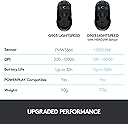
The Logitech G903 LIGHTSPEED Wireless Gaming Mouse combines cutting-edge HERO 25K sensor technology with pro-grade 1 ms wireless responsiveness and an industry-leading 140+ hour rechargeable battery. Its ambidextrous design and customizable LIGHTSYNC RGB lighting make it perfect for gamers seeking precision, endurance, and style. Compatible with POWERPLAY wireless charging, it also supports eco-friendly initiatives with plastic-neutral certification.


| Additional Features | Rechargeable |
| Antenna Location | Gaming |
| Asin | B07NSVMT22 |
| Battery Average Life | 140 hours |
| Best Sellers Rank | #2,943 in Video Games (See Top 100 in Video Games) #158 in PC Gaming Mice |
| Brand | Logitech G |
| Button Quantity | 11 |
| Color | Black |
| Compatible Devices | Personal Computer |
| Connectivity Technology | Radio Frequency, USB |
| Customer Reviews | 4.6 4.6 out of 5 stars (3,838) 4.6 out of 5 stars |
| Embellishment Feature | LED |
| Enclosure Material | Plastic |
| Global Trade Identification Number | 00097855148988 |
| Hand Orientation | Ambidextrous |
| Hardware Platform | PC |
| Included Components | User Manual |
| Item Dimensions L X W | 5.13"L x 2.62"W |
| Item Type Name | Wireless Gaming Mouse |
| Item Weight | 3.88 ounces |
| Manufacturer | Logitech |
| Mfr Part Number | 910-005670 |
| Minimum Required Operating System Version | Linux Mint 17, Mac OS 10.12 Sierra, Windows 10 |
| Model Name | Logitech G903 LIGHTSPEED Gaming Mouse with HERO 16K sensor |
| Model Number | 910-005670 |
| Mouse Maximum Sensitivity | 25600 dots_per_inch |
| Movement Detection | Optical |
| Number Of Batteries | 1 Lithium Polymer batteries required. (included) |
| Operating System | PC, Mac OS, Linux |
| Pattern | Mouse |
| Power Source | Battery Powered |
| Range | 10.0 meters |
| Style Name | G903 Lightspeed Wireless |
| Theme | Gaming |
| Unit Count | 1 Count |
| Upc | 097855148988 |
| Warranty Description | 2 Year Limited Hardware Warranty |
User
Southpaws rejoice. This is the one.
TLDR: I’ve been through a lot of mice. That’s because I’m wrong-handed with big mitts, and I’m always on the lookout for something that can compare to my dearly loved but deceased Logitech LX8. This Logitech G903 mouse is even better and hands-down the best mouse I’ve ever used.For southpaws like me, an ambidextrous mouse is about the best we can hope for. It’s a right-handed world, so it’s nice when a mouse isn’t specifically molded and curved for the right hand. This one is perfectly equal on all sides, but it’s more than that. It’s truly ambidextrous, and built with us lefty’s in mind.Size-wise, I wear XL men’s gloves, and this mouse fits my hand perfectly. Whether I want to use a full in-the-palm-of-my-hand grip or a fingertip ‘claw’ grip, it’s just right.The bottom of the mouse has six mouse feet, or skates. There’s a big one at the front and rear, as well as both sides, and it really glides well over my mouse pad. There’s even two smaller chevron-shaped skates surrounding the sensor, which I suspect also keeps dust out.The thumb wheel is outstanding. It works like any other, except that you can push a button right behind it, and it becomes freewheeling. Give it a good spin, and it’ll keep going up and down a page or an entire map of a game in the blink of an eye. Or you can use it the same as any other, albeit without any resistance. Push the button again, and you’re back to clicky resistance.There’s a DPI button, which I previously had no use for. Those buttons are usually on the bottom of a mouse, which makes them pretty useless. Out of sight, out of mind. But this one has two buttons right behind the mouse wheel resistance button and instantly changes the DPI settings up or down.What that does for me is make the mouse cursor faster or slower. There’s an on-screen pop-up when a change is made, and an LED light on the mouse shows one, two, or three lights that sort of indicate how many DPI, or how fast you’re going. I think this would be advantageous for some FPS or sniper games.The side buttons are perfect. You can use them all, on both sides, or you can use just the left or just the right and cover the others. It only takes two seconds to add or swap out because they and the covers are magnetic.When it’s all set up, the thumb buttons work exactly as I want them to. My thumbs naturally rest where they’re supposed to, on the solid part of the mouse, but it’s easy to rock them up slightly to activate either thumb button. With other mice, I was constantly clicking the buttons when I didn’t intend to; with this mouse, that’s not happening.There’s also a magnetic cover on the bottom of the mouse, which you push in hard to flip it out. From there, you can add or remove a 10-gram weight. I like a heavy mouse, so I’ve got it in.The last thing I absolutely LOVE is that although this is wireless (and has a great battery), you can plug it in and charge it while you’re using it. The cable it comes with is long, and you can keep the receiver plugged into it or use it to connect and charge the mouse. The only thing I don’t like about that is that it’s an old-fashioned USB-micro connector.Bottom line: Best mouse ever, and I’m thrilled. Well worth the money, and I hope this helps.
User
a great mouse that I only have a few minor complaints about
I'm on my computer for work all day long, so I'm always on the lookout for great accessories that make my life easier, and this mouse is one of them. It's a little pricey, but it's very responsive across multiple surfaces and feels great in my hand. That said, I do have a few minor complaints.First of all, I bought the charging pad with my mouse and it worked great for about 6 months. Then I lost the USB dongle in a move so I purchased a replacement mouse, but even though it's recognized and shows up in the Logitech G Hub software, the pad have never charged the mouse since and I have no idea why. That said, I can charge the mouse with a USB cable from <15% to 100% in a couple of hours and a full charge last for weeks even with heavy use so it's not a huge deal, although it might suggest that the rather expensive charging pad isn't really worth the expense.Second, there's a button next to the mouse wheel that switches the wheel from free spinning to tensioned mode where the mouse will stop moving as soon as you stop pushing it. I like the free spinning mode as it's a great way to quickly jump around a long document or web page, but the wheel on this model is very loose and tends to scroll drift the instant you lift your finger off the wheel even if you've stopped the movement several times by gently pressing down on the wheel. I've owned many different mice over the years and this is the first one where the wheel was so loose it would constantly drift like that, and I know it's specific to the model because I own 3 of these mice for my various personal and work computers and they all exhibit the same behavior.Finally, I always reassign one of my mouse buttons to double-click. I've learned over the years that if I physically double-click the little metal tab under the mouse button fatigues in less than a year and starts doing that annoying double-click when you only clicked once thing, so I always assign a button and use that instead. Now, there's no problem assigning a button to double-click, the catch is the G Hub software. It has this really obnoxious thing where it auto sleeps after like 5-10 minutes of mouse inactivity, so when you move your mouse again it plays a loud ding and for a couple seconds only basic left click and right click work before G Hub wakes up and pushes the custom button assignments into the mouse again.I've spoken with tech support at Logitech and there is no way to prevent G Hub from auto sleeping, that's just the way the software is designed, but there is a mouse memory mode. Basically, instead of communicating constantly with G Hub, you can just have the mouse "remember" its button assignments in a kind of offline mode. So no need for G Hub and no need for that annoying pause every time I move my mouse after reading for a few minutes. Except for some reason double-click is in a category of button assignments that doesn't qualify for the mouse memory mode, and according to tech support there's no way to get around that, which is kind of a bummer.Anyway, that's about it. I do like the mouse, but there is room for improvement in my book.
User
One year into use and still working great.
I bought this a year ago in the attempt to find a wireless mouse that behaved like a good old fashioned wired mouse.All other wireless mice I have tried were very unstable as far as the the pointer lag and intermittent movement goes. There was no way to learn where the pointer would end up as it would move, skip, stop, move again, etc while simply moving the mouse either slowly or quickly. Horrible tracking.The only thing that worked accurately was an ancient wired microsoft mouse I had.My mouse 'pad' is the arm of the couch made of a fitted velour type cloth that came with the couch.I tried a blue tooth optical mouse, jumpy. Splurged on the flagship model of logitech that tracks on glass, also jumpy. Sent that thing back. Didn't like the strange shape either.I then tried this one. It uses a different usb dongle which works on a different frequency and higher speed for the radio connection. Success! This mouse tracks very well. No jumping around or skipping of movement at all, just like the wired mouse.I think it is because it uses 'Light speed wireless' as the connection rather than bluetooth or wifi.It has a reputation of bad switches from the other reviews. Only now is it showing some minor signs of the switches being imperfect and that is hardly noticeable so far. I have sourced replacements for them when they do go bad.Battery life is fairly good. Not nearly as good as the old kind that used 2 AA batteries. Maybe 1-2 months with heavy use and turned on 24/7. Old ones that use AA (blue tooth) last more like a year or more.The settings can be stored on the mouse itself so no need to have to have some software running all the time to retain settings. The software it uses is Logitech G Hub. I'm on Win7 and used an older version of that. If I allow it to update itself, it will fail to run on Win7. Once you have setup your switches, LED colors, etc and stored that on the mouse, the Logitech software can be terminated and set to not start as a windows service. I have turned off all the LEDs since the nice lights consume power from the battery.Excellent mouse overall.
User
Mouse review
Great mouse.Benefits:- Respects left, right or both left and right hands: I'm in the third as I use both left and right equally well. Powerful benefit is less wear and tear.- Size: I've got large hands, and this is a bigger mouse which works well for me.- quality & Repairability: this mouse is modular: you can replace the wheel, and there are readily available boards for the LR buttons that are hot swappable. It 's been upgraded but the core body has been around for 10 years so there are a ton of parts.- productivity: accurate scroll and infinite scroll.- gaming: the sensor is fantastic, as is "feedback"- linux: great support. Logitech doesn't really deserve much credit for this other than just being around for a while and popular, but all the features are available in linux using a couple of different well known programs.Parts: you can buy after market recievers. easy, and as i said for repairability there are a ton of options.value:I 've purchased this a couple of ways once new on amazon for 99, and refurb for about half that. Both were fine.weight: it's fairly heavy I think it's more than the mx master (i like the master and anywhere a lot) but i wanted something that had the sensor for gaming because I need to use the controllers a bit less -- too much thumb load.Grip: I like the grip it's all hard plastic, which is better than the mx series because it wont peel. I would buy the tape for these that's cut custom for the mouse.note to Logitech you should sell the mice with tap, and stop putting on rubber that peels it's a better more modular solution for those of us that are repair minded though i understand the marketing aspect may be an issue.The biggest drawbacks are no bluetooth, which would be nice for productivity, though again the receivers are available. I'd take a bit more weight an cost to add, but not replace the built in high performance receiver with a bluetooth for productivity applications. IMO you can buy a mouse like this and not worry about cost. You can look around and see people do all kind of mods, it's all screws, and you can service it for decades.
User
Good mouse, same flaws as G900 though...
It's literally just a G900 but with slight upgrades. I didn't get the wireless charging pad because I'm not made of money, though I found a better option anyway. It's battery life... wow. It's incredible, I've had this mouse for 2+ weeks and have only had to charge it once, that being the first time charging it after it being out of the box.It has a seriously long battery life, that is no joke. One doesn't even need the wireless charging pad, because you only have to charge it monthly, anyway. That is incredible!I also use it with the 10 gram weight, this has been useful, as I somehow manage to bump my mouse more often than not when typing (my mouse is in front of my keyboard, sideways, rather than to the side facing forward - more comfortable for me and more accurate, call me weird if you want, don't complain when I outplay you in CS:GO haha)It does pretty much everything the G900 does, but better in some cases. Unfortunately, this also includes its flaws. I had my G900 for a few years, alongside a G933 headset. As the headset progressively got worse, so did that old mouse. The most noticeable thing was the issue with the scroll wheel. I'm sure it was just wear, but the mouse sensor also got less accurate on it, causing it to teleport on the screen at times.I've heard horror stories of an issue with the left click making double clicks unintentionally, but I'm thankful in saying that I'm not having this issue! Although, what it carries over from the G900 is the scroll wheel. Sometimes when scrolling, it will scroll one more tick than what I was intending for it to do. It doesn't go into the next notch, but still scrolls down one extra than what I wanted it to.So, either because of habit, or because of Tourrette's, I press the scroll wheel mode toggle button twice to fix this issue temporarily. This pushes a small plastic mechanism in and out, which does stuff with the scroll wheel's mechanism, allowing you to either freescroll, or what I always have it set to unless I've trying to get to the bottom of a really long list, a regular scroll mode.If you're wondering how I know about the mechanism, it's because I had to take that old G900 apart twice to try and fix this issue, to no avail. Needless to say, expect this mouse to get worse with wear.The only reason I got the G903 is because the layout and the DPI buttons are something I really like about it, plus the shape of the mouse itself is very nice and there aren't any gaming mice I've seen that has what the G903 has, that I look for in a mouse. Good mouse, accurate, ergonomic and useful, gets worse from wear more easily than other mice. 8/10
User
High-End Performance with Pro-Level Precision
The Logitech G903 Lightspeed is a top-tier wireless gaming mouse that delivers excellent performance. The Hero 25K sensor is incredibly precise and responsive, making it perfect for both gaming and productivity. The wireless connection is solid with no noticeable lag, and the battery life is impressive, easily lasting multiple days on a single charge. The ambidextrous design is comfortable and well-balanced, and the build quality feels premium. LIGHTSYNC RGB adds a nice touch without being over the top. Overall, a powerful, reliable mouse that performs exactly as expected for its class.
User
Great Wireless Gaming Mouse
I bought this to dip my toes into wireless mice and hoooooooooly moly has it been nice. The feeling of moving the mouse around without a cable is something surreal. The experience was much different from my G502 with its cable.In terms of gaming, I've had a much easier time getting precise aim and tracking without the cable resetting my positioning. The G903 is very light and comes an optional weight for those who need it. It is only a third of the weight of my G502 and the difference is night and day. The build quality is lovely as well. The clicks feel responsive and fast while the scroll wheel feels great as well. The hard plastic does feel alright in the hand but that's hardly of importance to me personally.Would recommend for a solid wireless gaming mouse option.
User
Logitech FINALLY makes bare minimum improvements to the g900 line after about 8 years
This is either my third or fourth g900 or g903. I can't remember anymore. This review is mostly from a gaming perspective. I love this mouse, but despise Logitech, they're lazy and greedy. Every iteration before this was a pretty low quality build, despite always bearing a $100 or $150 price tag. Every g900/g903 I've owned CREAKED if squeezed, right out of the box. Every g900/g903 I've owned had cheap switches for the mouse1 and mouse2 buttons which start double clicking and malfunctioning within 1-2 years, sometimes I keep using it for 3 years to cope with my buyer's remorse.This mouse SEEMS to be made with better plastic, NO CREAKING, no shine or slick feel, has a matte/frosted feel for better grip even when you're sweaty, almost like they took a light abrasive to the plastic or something. I like it. The mouse1/mouse2 buttons feel incredibly beefy and strong, I get excited every time I hear and feel a click, lol.I can't remember if my old mice showed up with shiny plastic and less beefy clicks, or if those things were products of wear. I'm giving Logitech the benefit of the doubt here that they've improved their product. The fact that I've bought this mouse 3 or 4 times might just mean I'm a sucker, though, so discretion advised.For those who are looking at this mouse and have only ever used ergonomic-shaped mice, you might have to adjust your grip. There's a good chance you will find this mouse uncomfortable at first. I personally like this ambidextrous style, but I've been using this mouse for maybe 8 years and also changed my grip for it.Using this mouse, I ended up changing my grip to a 1-3-1 style, meaning thumb on left, index on mouse1, middle on mousewheel, ring finger on mouse2, pinky on the right. This isn't a very popular mouse grip, but it works great on ambidextrous mice, not so much on ergonomic mice. You kinda squeeze the mouse into your palm with thumb and pinky, kind of how a magician would practice palming an object. This style will make your forearm sore the first week or two, but you won't drag your pinky on the mousepad anymore. "kgb" from Quake III used this style and was known for his dominating aim, but it's not for everyone.Do you NEED 1-3-1 grip to use this mouse? Probably not, but my grip was lazy, I used trackball for 17 years, Deathadder for maybe 2, and then g900/g903 for about 8 now. While using the Deathadder and learning to use a mouse, I developed bad habits and a bad grip, so it made sense for me to switch so drastically.
User
Another amazing logitech product
I am a right-handed person, the ambidextrous design bothers some people, but I find it comfortable.I use the thumb buttons for push-to-talk(PTT), one for in-game PTT, other for discord, etc, PTT.Don't bother trying to use the buttons opposite to your thumb side(at least not for gaming), it's a very awkward reach.Hyperscroll is very good for websites, the non-hyperscroll is very tactile and suitable for gaming.DPI changer is fine, but I don't really use it often.No latency. Apparently, it's supposed to be faster than wired, but honestly you can't tell the difference.Sensors are technically supposed to be more accurate than the old model, not really humanly discernible considering how accurate sensors are nowadays.I'm an original G903 owner, so the rest of the review will be in comparison to the old version of the G903, which, in my opinion, was the best mouse.Snagged this for $150, $50 cheaper than what I paid for the original G903 when it first came out.Please take into account the fact that I have lighting disabled, it really adds nothing to the experience.I'm leaving this review because it arrived at half charge and after two weeks of non-stop usage, the battery finally went down to 3 percent. Charge is really fast too. After about a minute, the battery went to 20%. Amazing.Low battery indicator is not obnoxious like it is on the old G903. The old model would flash red and would be really distracting, the new model is more like a fade in and out really slowly, so it's not annoying the crap out of me.Icons in the logitech software still don't load properly, however, a reinstall which I am too lazy to do might fix it, regardless, everything is still functional in it. The UI doesn't look like it was designed a decade ago, which is a plus I guess.Don't get the powerplay mat, it's pointless when the battery life is this good. Just charge it once a month while you're watching a TV show episode, and you're good. Off switch is pretty pointless considering it has a seamless auto-sleep function, only necessary for travelling.
User
المنتج غلط
طلبت نسخة 16K وصلت نسخة 12k
User
Un excelente producto
Lo pedí una vez y le faltó una pieza yo creo que fue un error de empaquetado, pero el mouse se veía excelente, así que lo pedí de nuevo y ahora si venía perfecto, ya lo probé y funciona muyy bien, así que satisfecha con el producto :)
User
Just Awesome
I had the g900 before this, and it lasted for about 5 years before I had any issues, and that was just middle mouse button click stopped working. I planned on replacing it with the same thing until I realized the 903 had taken its place. Zero regrets, its the same as the 900 but the battery life is insane. I've literally plugged it in twice in since I got it months ago. Having the ability to switch from stepped to free spinning wheel is a must have for modders IMO. Best mouse ever!
User
Mouse vendido como nuevo pero ya es usado
Se entrgo en tiempo y forma, pero este mause ya es usado se nota en los recorridos de las marcas en las almohadillas y aparte venia con marcas de dedos al abrirlo, las hojas de manual venia con escritura en pluma azul a mano.
Trustpilot
1 week ago
2 weeks ago