We remain fully operational. Our teams are working around the clock to ensure your deliveries continue safely.

قم بتنزيل التطبيق


معلومات عنا
حقوق الطبع والنشر © 2024 Desertcart Holdings Limited
قم بتنزيل التطبيق
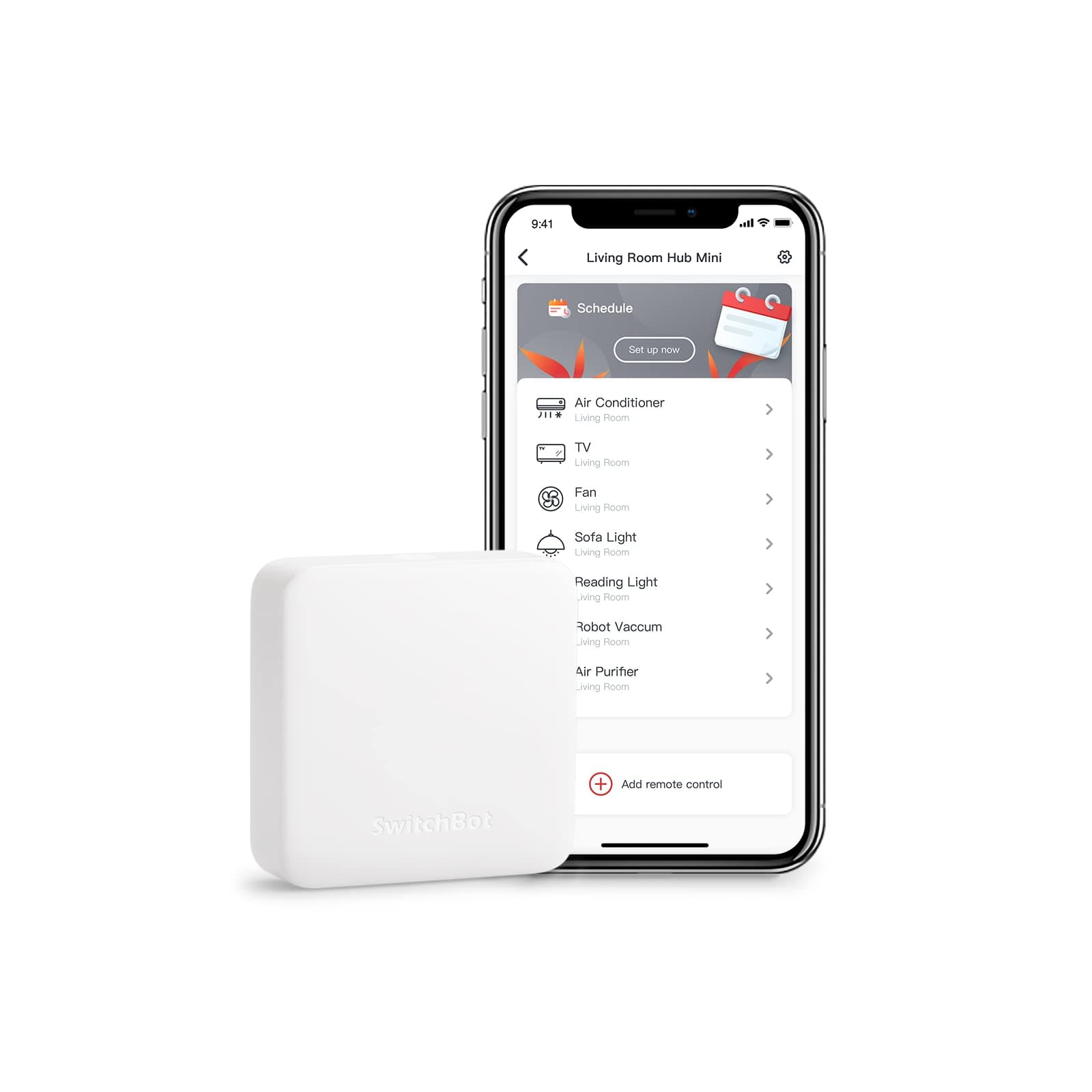
📡 Your mini gateway to a smarter, effortless home life
The SwitchBot Hub Mini is a compact, USB-powered IR blaster that connects your infrared devices to 2.4GHz Wi-Fi, enabling universal remote control of up to 10 appliances via the SwitchBot app. Compatible with Alexa, Google Home, Siri, and IFTTT, it supports smart learning to replicate any remote in seconds and acts as the essential hub for integrating SwitchBot smart home devices, enhancing convenience, voice control, and energy savings.


| ASIN | B07TTH5TMW |
| Additional Features | Universal |
| Best Sellers Rank | #11,495 in Tools & Home Improvement ( See Top 100 in Tools & Home Improvement ) #18 in Home Automation Hubs & Controllers |
| Brand | SwitchBot |
| Built-In Media | Electrical Controls; spst-motion-actuated-switches |
| Color | White |
| Compatible Devices | Air Conditioner |
| Connectivity Technology | Wi-Fi |
| Controller Type | Button Control |
| Customer Reviews | 4.2 out of 5 stars 55,071 Reviews |
| Item Dimensions L x W x H | 2.56"L x 2.56"W x 0.79"H |
| Item Weight | 94 Grams |
| Manufacturer | Wonderlabs |
| Max Number of Supported Devices | 10 |
| Maximum Number of Supported Devices | 10 |
| Maximum Range | 124 Feet |
| Mfr Part Number | W0202200 |
| Model Name | W0202200 |
| Model Number | W0202200 |
| Smart Home Compatibility | Smart Home Compatible |
| Special Feature | Universal |
| UPC | 850007706012 |
| Warranty Description | 1 year warranty |
Z**O
Useful universal remote feature, extends wifi capability to Fingerbots
I wanted a hub to be able to use Fingerbots outside of Bluetooth range and also for the universal remote feature. The hub was easy to set up and functions well, I am able to trigger the Fingerbot in any wifi range. I really like the universal remote learning feature, it's very versatile and allows me to use remotes that don't have a simple code like a typical tv remote. Also like that it's an IR blaster so remote commands reach a wide area. The app has a good interface with matching remote buttons. It would be a nice feature to reorder buttons or even make a custom layout. My one issue is that sometimes it will not register the initial remote command. It usually responds the first time and there is very little lag between pressing the button in the app and it triggering on the remote or Fingerbot.
B**E
Works well. I use it to help stroke victim turn on / off TV
These devices work well. I was surprised how easy it was to connect this to a TV and get it to work. Sadly it does not work with the XFinity remotes. I use this to control a TV. I have a it connected with a SmartThings hub, Amazon Echo and Third Reality Zigbee Button. When the button is pressed, this device turns on a TV, and opens a Roku app. It allows my dad, who has had several strokes, to be able to turn on and off a TV without having to deal with the complexity of modern remotes.
J**B
It can do the job of multiple remotes
At first, it didn’t work and connect with my Switchbot Window tilt for whatever reason. The next morning it somehow connected on its own, so i don’t know maybe their servers were down? But even then I initially thought, no way I paid 40 bucks just to use my alexa with my new window tilt… right? Well it can connect to pretty much anything you use a remote for, and if you place it in an optimal angle in the middle of the room it can send signals to all of those configurations that it remembers. My Samsung TV, a Bose soundbar, and LED lights were all IR-remote operated devices that Alexa couldn’t control, and the most I could do before was use smart plugs to turn them on or off on command by shutting the power off. I bought this for the window tilt but it solved those problems too. I can turn the volume up on the soundbar by telling Alexa, when I needed a separate remote for the sound or tv. You can custom map any button and this generally works better than the preset profiles. It’s also a cool feature for unknown devices. Like my LED lights, instead of struggling to angle the remote the right way and press that one almost broken button to get the color you want, just make this hub remember it once, and this hub operates that product better than its own remote… In the picture that’s 3 remotes I don’t physically need to use anymore because I mapped their buttons on the app. They’ll also show up for alexa, but mostly basic command like turning them on or off. The trick here is to make a “scene” on the switchbot app, which basically just presses the specific button or sequence of buttons you want, then add that scene to alexa. On alexa, make a routine: “when I say ___” -> play scene. It’s a funky process but once you set it up it will work flawlessly, and alexa just sends the forwards to the switchbot app to get the exact button on the remote you want. For something’s alexa knows what to do already, so it’s even better. So far it’s a solid product. Only reason I don’t give it 5 stars is because it didn’t work out of the box, and that I feel like this could’ve been a little cheaper. Like if you just pick this thing up you’ll know it couldn’t have cost more than 7 bucks to make. Still serving its purpose way better than I expected, with no lags so can’t complain.
I**S
SwitchBot pressing buttons inside my R2D2
Bought this combo pack with the SwitchBot Hub Mini and its included SwitchBot fingerbot - plus also ordered another SwitchBot fingerbot. Got all of this because had two buttons - the main power button & an AC power button - that had to be pushed one after another on a Power Bank inside a starwars HD-R2D2 droid that I did not want to open up all the time when I wanted to turn it on and off. SwitchBot works great & presses quickly when you finally figure out how to get the results that you want. Great with bluetooth connecting to the switchbot app. But of course you will be using the SwitchBot Hub Mini to have full versatility to give audio verbal commands. Works great if you then connect to Google because could use my Google Nest Mini to verbally give commands to "Turn On R2D2" and later to "Turn Off R2D2" - where google solved the trick where had to issue two commands in a single command automation to have two separate SwitchBot fingerbots to each separately one after another to first press the power button & then second press the AC button to then power up the AC power adapter plugged into the power bank to "Turn On R2D2". However, when using Alexa on an Amazon Echo, could not combine commands for the two fingerbots to have each specifically press the two different separate buttons in a single alexa command routine because the routine would only activate only one fingerbot to do both presses on only one button. Oh well, gotta do two separate alexa audio commands if using Amazon Alexa. Another minor issue was I had to place each fingerbot at an angle because each button presser did not press deep enough on the buttons - but fortunately there were the extra double-sided 3M mounting tape pieces to help securely tilt/angle each fingerbot to be able to actually press each button. Minor issues but this is still a wonderful worthwhile solution to the problem of how to remotely press buttons inside an enclosed space that you do not want to always open up. Very much worth paying for. And fortunately the batteries are replaceable. Thanks So Much to both SwitchBot & Amazon for this combined remote pushbutton technology.
A**N
WAS good. Now garbage.
05/19/2023: 1 star I haven't needed to make any mods for a long while, so have had no reason to go into the app. Now I got a new fan I wan to add, and I find that there's a new version of the app installed which is apparently VERY broken, and will not allow me to access any of the devices I've already got set up. Period. It keeps claiming a network error, but when I try to run existing routines, they work fine. So it's the app. No question. At least the device still works, so it's not completely useless. But it does mean I'll have to research, find, and purchase replacement devices of some type. I'm sure these guys aren't the only option - not if this is how they treat their customers! I'll try to remember to come back and tell you what I went with, when I make that transition. It may be a while though. SEVERELY crippled - Dropping from 4 stars to 1 --- 01/18/2021: 4 stars The second Hub Mini is now working fine, after I changed to a different power supply. Support was slow to respond, figured it out on my own. Since that's not mentioned in the troubleshooting instructions and Support was so slow to respond, I'm keeping it at 4 stars. --- 01/10/2021: 3 stars Bought a second one of these to control devices in another room. The first one works great, but the second has been nothing but trouble. Have contacted support (today) using app feedback option. Will be returning, may or may not replace. --- 01/02/2021: 5 stars Make a few "scenes", which are basically programs where you tell it to do something and it carries out a series of actions. These can be activated manually, by timer, or by Alexa. These scenes work well, but a great improvement would be to be able to set the time between commands. It's about two seconds, so if I want to say, turn up the volume 5 clicks, it hits volume up, waits 2 sec, hits it again, waits again, etc. If they could make it a user-adjustable delay that would be awesome. The other thing about the scenes are that you get to name them, but they are activated in Alexa with "Turn On". So if your scene is to do something else, like, for example, turn off the fan, you'd have to say "Alexa, Turn On Turn Off the Fan". I'd rather the activation phrase be something like "Play Scene" or "Do Routine" or something generic like that. In the initial review, I mentioned that I added some additional buttons, but they didn't take, and I couldn't figure out how to go back to that screen and try again. I figured it out. And you CAN re-name your devices. However, when you make Scenes, they do not automatically rename, so get your names right before you make scenes. One nice perk. Working with another home automation thing, I accidentally deleted this app. I thought I'd have to re-do everything, but when I re-installed and logged back into my account, all my commands were right there once again. Whew! Raising from 4 to 5 stars. ===== 12/30/2020 Wifi setup was about usual for IOT devices. Create an account, connect to your router, etc. Device setup was unclear. You have to manually choose the device type (TV, etc.) then the manufacturer (Sony, etc.) before you get to the "Learn" button. From there, you tap the learn button, then a button on your remote, and it guesses what it is. Then it will walk you through several screens, where you try the buttons to find out what version works with your device. Not onerous, but the instructions are unclear that you have to manually choose type and manufacturer first. Allows creating custom buttons, but I haven't got those custom buttons to work with Alexa yet. It would help a lot if you could re-name them, but you cannot. You have to delete and re-add to change their name. Most of the buttons on my TV remote are not available. At one point, I did end up in a screen that had my TV remote and an ADD button, where I added a few missing ones, like Back, Input, and QMenu. But then when I went back in, those mods were gone, and I've been unable to find a way back into that edit mode to try again. That would be REALLY helpful if I could add those three buttons! The main screen buttons (choosing your device) seems a bit non-responsive, requiring me to press several times before it takes. Fortunately, after setup I shouldn't have to use the phone app much. Alexa can now turn on/off/up/down both my TV and sound bar, and so on, so I'm mostly happy with it. Have not tried with Google yet, but expect similar results. With the aforementioned editing & button-adding capabilities, this would be a five-star device. Hopefully the app will be updated to include them later.
C**W
Excellent Smart Home Hub - Easy Setup, Reliable
The SwitchBot Hub Mini has been a great addition to my smart home setup. I was looking for a way to control some older devices that don't have WiFi built in, and this IR blaster solved that perfectly. Setup through the app was straightforward - it connected to my 2.4GHz network without any issues and started learning IR commands from my existing remotes immediately. The range is impressive - it can reach all my devices across the room with no line-of-sight problems. I've programmed it to control my AC unit, fans, and some older audio equipment, and it responds reliably every time. The automation features are excellent - I can set schedules and integrate with voice assistants. The compact size means it doesn't take up much space, and the design is unobtrusive. Battery backup functionality is a nice touch in case of power outages. For the price, this is an outstanding hub that brings old devices into the smart home ecosystem. Highly recommend for anyone wanting to automate IR-controlled devices.
E**C
Great for controlling legacy IR products with your phone
Easy to program. I use it to control my HDMI video matrix switcher, TV, and stereo amp. Programming entails the device recording a button press from the original remote. In the app, you can move function buttons around and set custom names.
S**T
Not a good fit for me, complete waste of my hard earned $$
Bought blackout curtains because neighbor across the way moved and new neighbors leave their flood lights all night right into my bedroom. Have the SwitchBot curtain and thought this was needed to make them run with the echo and on a schedule. Well, yeah but not really. 1. You can set a schedule based on time without it. You only need it if you want to do sunrise/sunset, but then it doesn't have any adjustment, like X number of minutes before/after Sunrise/Sunset, so, that was a first ding in the wrong direction for me, but eh, I thought maybe...but 2. It has an OBNOXIOUS light that GLOWS the entire room. Oh, wait did I remember to say that unlike other smart devices it says it must be in the SAME room as the other devices it needs to operate. Well, that defeats the Blackout curtains because it lights up the ENTIRE room. Umm, no thanks! 3. Not every home is equipped with plugs that accommodate a USB device and it doesn't come with a block, so that too is annoying, not a major issue, but still annoying. Overall, I found it to be completely useless for my needs and the double annoyance of being forced to keep it in the room one more thing to plug in and the horrible LIGHT, makes this not worth my time or effort. The update not being automatic is kind of dumb in this day and age. But whatever, to me this is junk. I cannot tell you if there is any thing good about it since, I had to unplug it before being able to sleep which meant it never ran the curtains.
ترست بايلوت
منذ شهرين
منذ شهر