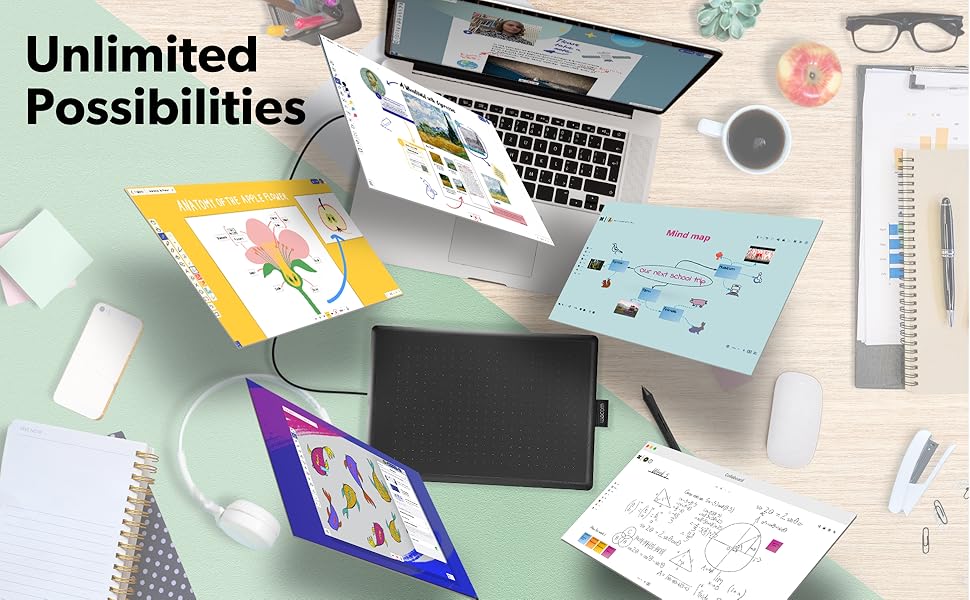
🎨 Unlock your creative edge—draw, design, and dominate your digital canvas!
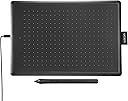
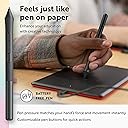
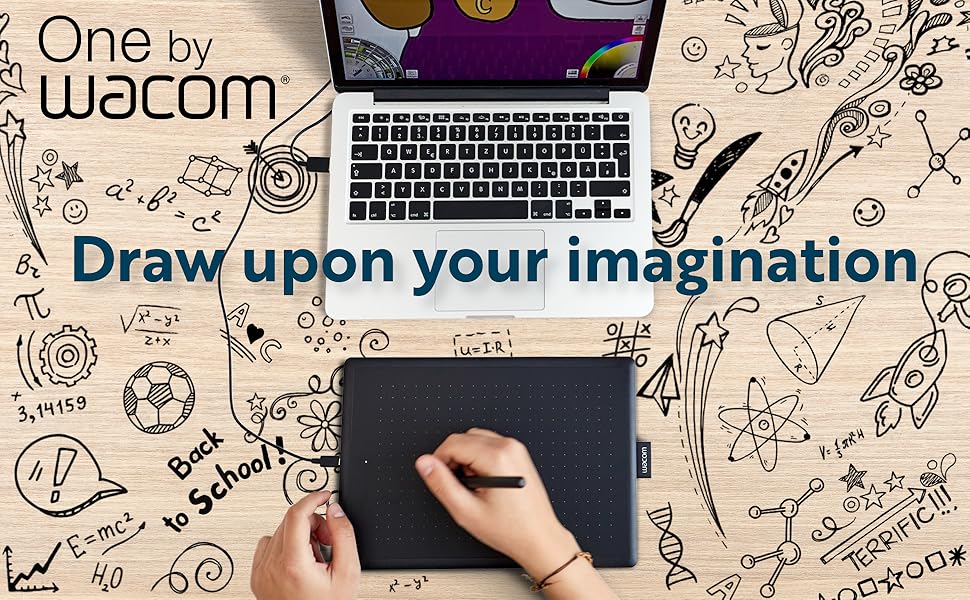
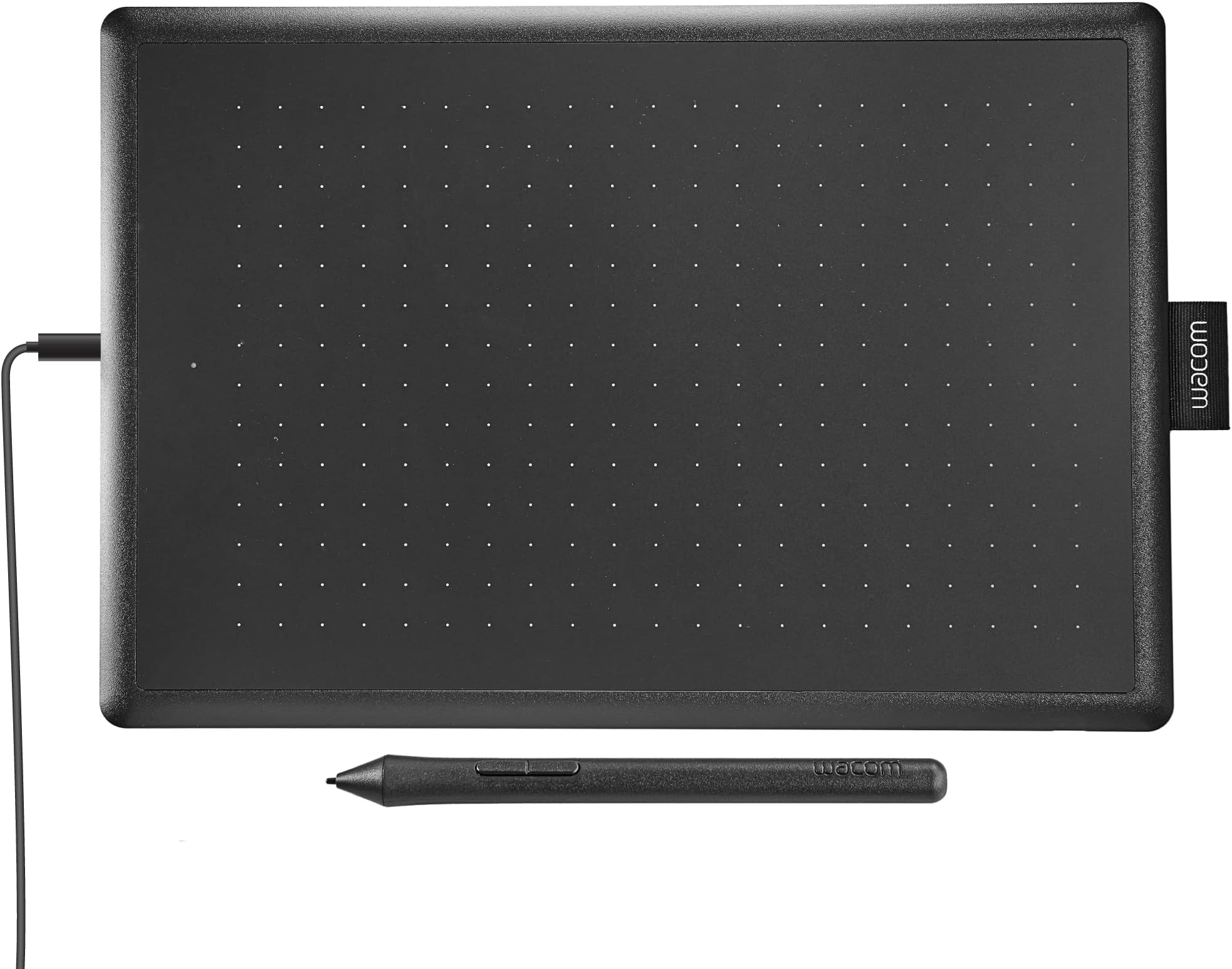
The One by Wacom Medium Drawing Tablet offers a 10.9" x 7.4" compact design with an 8.5" x 5.3" active area, featuring a battery-free pen with 2048 pressure sensitivity levels and tilt recognition. Plug-and-play USB-A connectivity ensures easy setup across Chromebook, Mac, Windows, and Linux devices. Perfect for students and beginners, it includes essential accessories to jumpstart your digital art and learning experience.


| ASIN | B07XW9WW98 |
| Active Surface Area | 8.5 inches x 5.3 inches |
| Additional Features | Plug-and-play with Chromebook |
| Best Sellers Rank | #135 in Computer Graphics Tablets |
| Brand | Wacom |
| Built-In Media | Medium Pen Tablet, Pen, 1 meter USB-A cable, 3 standard replacement pen nibs, nib removal tool, Quick start guide, regulation sheet |
| Color | Black & Red |
| Compatible Devices | Personal Computer |
| Connectivity Technology | USB-A |
| Customer Reviews | 4.6 out of 5 stars 1,456 Reviews |
| Display Type | Digital |
| External Testing Certification | Não aplicável, 009461901796 |
| Global Trade Identification Number | 00753218985828 |
| Item Dimensions L x W | 7.4"L x 10.9"W |
| Item Weight | 0.95 Pounds |
| Manufacturer | Wacom Technology Corporation |
| Mfr Part Number | CTL672K1A |
| Model Name | One By Wacom, Medium |
| Model Number | CTL672K1A |
| Native Resolution | 2048 |
| Operating System | Mac OS, Windows |
| Screen Size | 10.9 Inches |
| Special Feature | Plug-and-play with Chromebook |
| Specific Uses For Product | Drawing |
| Target Audience | Student, Teacher |
| UPC | 753218985828 |
| Unit Count | 1.0 Count |
| Warranty Description | 1 Year |
C**S
Works with Linux Mint 21.1 Mate - recommended
Hooray! My ordeal with finding a graphics tablet to work with Linux is over. Success! After wasting time and money on Huion US610 (Linux functionality severely limited to nonexistent), I decided to bite the bullet and spend a bunch more on Wacom, which I knew would work with Linux. Also, my first order of the Huion tablet went missing in shipment, and I am STILL waiting on my refund. It was the second one, which I actually got, that failed to work completely, even with the Huion driver. Apparently, it needs the Linux 6.5 or higher kernal to work. Nice if that had been mentioned before I wasted time and money. Much to my surprise, Wacom had a similarly priced tablet to the Huion. I immediately ordered one. I don't really need all the fancy extras, as I am not a hotshot graphics artist. I just want to edit photos and maybe draw a little in Krita and Blender Grease Pencil (2D images in a 3D workspace environment - Yes, please!). The Wacom got here quickly (no missing tablet in shipping) and I anxiously plugged it in and tried it out in Krita. It worked! Right out of the box, no issues so far at all. Pressure works quite nicely as well, which made me really happy. That is really all I need for now. Oh, sure, I would love one of the 24 inch hi res monitor touch screen tablets, but that doesn't fit my budget or real needs for now. The system I tried it on is a refurb dell 9020 with Mint 21.1 Mate. I have another computer, on which I just installed 22.1, and I will report back if there are any issues with that version, which I do not expect, as I read that 22.1 has fewer such issues, being based on a newer Linux kernal (6.8, I believe). The Wacom came nicely packaged, in great shape, and installation was literally plug and play. It is extremely easy to use, although I will admit I only have a couple hours on it so far. Pen is configured out of the box with buttons as left and right mouse buttons, which I doubt I will use, as I prefer my wireless trackball for navigation. It is small, thin, quite protable, and seems solid. Don't know how durable it is, as that will have to be tested over time. Bottom line, I you are a Linux user and need a basic graphics tablet, look here first. It is inexpensive, easy to use, and it works out of the box on reasonably new Linux Mint versions (should also work on Ubuntu, which Mint is based upon).
V**S
Very Good Basic Tablet
Never had any connection issues, though occasionally when my PC has had some kind of hiccup with the monitors (I have dual monitors, and you have to configure for that) I had to resync, but no big deal. The sensitivity is perfect for me, and adjustable. Works well with Windows 10, Sketchbook Pro and ClipStudio. A very good first tablet for someone wanting to get into digital art, as well. Good price and works well for a hobbyist artist like myself.
L**O
Perfect!
Everything about it is amazing! Yes, since it is the One by Wacom series and not the Intuos, it is basic. It is literally just a tablet and a pen. It comes with a USB cord that is 1 meter long. Could be short for some people but for me it is good enough. However, if you want a longer cord, you would have to buy a micro-b to USB 2.0 cable separately. As this is the type of USB that the tablet uses. The tablet functions perfectly along with the drivers. Had it for a month and have not encountered any issues whatsoever. Excellent for a beginner just starting out with digital art. If you are not an artist then that is fine as well as this tablet is great for taking notes or simply using it like another mouse. Pen pressure is superb and allows for dynamic handwriting or brush strokes. Have not encountered any lag as it has always been responsive and feels natural to use. Just like using traditional pencil and paper. Setting up the tablet to your pc is pretty much plug-n-play. Download the drivers for the tablet as this is the software you will need to customize on how you will use the tablet (e.g. assign a pen button to a hotkey such as ctrl+z (undo)). Not difficult to do at all and might take you 5 minutes or less to setup.
J**N
Pretty solid, but weird software.
The tablet itself works really well—responsive, accurate, and feels natural to draw on. Build quality is solid and setup was easy. The pen seems easy to lose too unfortunately. The only downside is the software. It’s not very intuitive, and updates can be buggy. Once it’s set up, it’s fine, but getting there takes some time. If you can get past the software, the hardware’s worth it.
S**C
Better and more portable than those high end "pro" display models
This is my fourth tablet and I am already loving it. My first tablet was the Wacom Intuos 3 which I loved. I had this for years and I kept going back to it. Sadly after years of use, all the duct tape couldn't keep it going when the electrical work started giving out on the USB cable. I know Wacom stuff works great on linux, and this model does not disappoint. I just plugged it into my Ubuntu 20.04 and it just started working perfect with my application of choice Krita. No drivers or extra drivers needed. If someone is reading this and they ever decide to "upgrade" to one of those fancy pen displays later, don't throw or give this one away. You know the tablets I am talking about. The ones where you can draw right on the screen. I had one for a short while and it didn't work out, so I went back to graphics tablets like this. For me, there are a few reasons that you might not like these "pro" level tablet displays that cost more money: 1. The screen gets warm and your hands start sweating on it. And when your hands sweat, your pen nib stops registering on the screen as it slips around on your sweat. It is annoying having to wipe down your screen every hour or two because it is full of sweat. It is kind of gross too. 2. Bad posture. You have to look down and hunch over to use it to see the screen below. That might be ok for a bit, but having a crooked neck and back for hours on end really gets old and painful. There is a bit of a remedy for this with adjustable monitor stands so you can reposition it, but I didn't want to bother with more accessories. 3. Extremely unportable. Display monitors are large and have a lot of cables. With something like this graphics tablet, it is easy to throw in your backback and take it to a game jam, or do some drawing at a coffee shop. 4. Your arm is in front of your artwork. If you are right handed, that means your right hand and forearm are going to be blocking half of your artwork all the time. While this might not seem like that big of a deal, it is a bit nicer to see the right side of your art as well as the left side. A lot of people like them, though, so treat this as just one person's opinion.
R**A
A Simple, Reliable, and Perfect Tablet for Beginners and Pros Alike
The One by Wacom Drawing Tablet has been a great addition to my creative workflow. It’s compact, easy to use, and delivers the quality and precision you’d expect from Wacom, all at an affordable price. Setup and Compatibility: Getting started was quick and painless. The tablet connects via USB and works seamlessly across multiple platforms (Windows, Mac, and even some Linux distributions). The driver installation was straightforward, and I was up and running in minutes. Design: The tablet is lightweight and slim, making it easy to carry around or store when not in use. Despite its compact size, the active area of 8.5" x 5.3" is spacious enough for detailed work, and the smooth matte surface mimics the feel of drawing on paper. Pen Performance: The pen is cordless, battery-free, and incredibly responsive. It offers 2048 levels of pressure sensitivity, which translates beautifully into nuanced strokes for drawing, shading, and editing. It’s comfortable to hold for long sessions, and the two customizable buttons add an extra layer of functionality. Drawing Experience: The accuracy and responsiveness of this tablet are excellent. It tracks pen movements with precision, making it suitable for both digital art and photo editing. Whether sketching, inking, or working with layers in programs like Photoshop or Clip Studio Paint, the performance is smooth and consistent. Versatility: This tablet isn’t just for artists—it’s also a fantastic tool for note-taking, creating diagrams, or even online teaching. It’s a versatile device that can adapt to a variety of needs, making it a great investment. Value for Money: For the price, the One by Wacom punches well above its weight. It delivers professional-grade quality at a beginner-friendly price, making it ideal for students, hobbyists, and even professionals looking for a secondary device. Final Thoughts: The One by Wacom Drawing Tablet is a reliable and high-performing graphics tablet that strikes the perfect balance between affordability and functionality. It’s compact, responsive, and easy to use, making it a solid choice for anyone looking to dive into digital art or upgrade their current setup. Highly recommended for its performance, simplicity, and excellent value.
P**A
Incredible First Graphic Tablet!
I bought this to use with GIMP and Blender on my Linux machine and had an awesome experience with it. Wacom doesn't advertise as being penguin-friendly but the Linux kernel has the drivers for it. For both me and a friend of mine, this brand is truly plug and play (Mint and PopOS). For actual use: You don't need the glove, it won't register input from your skin, you can put your hand right on it but the glove does make it feel smoother dragging your hand around which is nice. If you hover the tip over the pad it moves the cursor, touch down to click, button one is middle mouse, button two is right click. Perfect for controlling the viewport. Also a super useful feature is being able to set the tablet's rotation/orientation and the ability to switch between relative and absolute cursor position. So in other words the tablet can represent the whole screen or it can work like a laptop trackpad in how it moves the cursor around. If you're worried about not having shortcut buttons then remember you still have a keyboard for that so that makes this, in my opinion, the best value for a graphics tablet since it's the cheapest medium sized one I could find [for brands I know are Linux compatible].
C**N
Not as good as the one I bought for Windows 10 computer
I bought a writing tablet for my previous computer that operated on Windows 10. It worked great and I was highly satisfied. When I bought my new computer, I upgraded to Windows 11 and had to buy another Wacom writing tablet because my old one wasn't compatible with Windows 11. The new one has a poor response time and acts crazy at times. I use it for my job, so I don't appreciate it when the pen goes haywire. I have to unplug and plug it in to get it to right itself. That never happened with the old one.
A**S
Love it
Nice product
D**R
Go for Wacom, not a cheaper knock-off
I love my new Wacom One digital drawing tablet. I had previously purchased a cheaper brand, thinking the larger size was an advantage. It was not, because the pen and tablet were glitchy from the start, so I found it frustrating to use. This time I opted for Wacom. It's considered "small", but as I am not a professional digital painter / illustrator, all I needed was a tablet that let me use Photoshop and Illustrator in a precise and responsive way (it's ridiculous trying to "draw" or retouch photos with a mouse!). The tablet feels weighty and solid despite the relatively smaller size; the pen is ultra responsive and controllable, unlike the cheaper brand. It sets up in a minute. I'm happy with my purchase and I find Wacom to be a solid product worth a few extra bucks. (Full disclosure: Check out possible deals - look at the right hand column, at the bottom you may find deals such as "Save with Used - Like New" or similar. Often they aren't really used, it's just the packaging is scrunched, the product is brand new. Read the description to be clear exactly what you're getting. You can save quite a bit if you stay alert to these deals. I purchased this tablet as "Used - Like New", and saved about $30. But I was prepared to pay full price, and I wouldn't have regretted it.)
A**S
Excelente producto y entrega a tiempo
Excelente producto, se conectó sin problemas a mi lap macbook air, y el software es muy fácil de entender, muy intuitivo (descargado de la página oficial). Lo recomiendo.
A**S
gostei do Mouse 2!
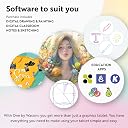
a mesa One by Wacom (a média porque foi a que eu peguei) é muito útil pra desenhar digitalmente e escrever manualmente... digitalmente. veio até com 3 ofertas de software, entre elas o Clip Studio Paint Pro por 3 meses. e como eu não sou muito bem da cabeça, decidi jogar Peggle Deluxe com ela também, e continua funcionando muito bem! leve, bem compacta, de alta qualidade e um bom preço. 10/10 :DD
D**A
One by Wacom Tablet Excelente
Excelente produto . Fácil instalação e configuração. Designer lindo e produto muito funcional. comprei para meu filho de 12 anos . ele mesmo instalou e configurou. maravilhoso.
Trustpilot
2 days ago
2 months ago