We remain fully operational. Our teams are working around the clock to ensure your deliveries continue safely.

قم بتنزيل التطبيق


معلومات عنا
حقوق الطبع والنشر © 2024 Desertcart Holdings Limited
قم بتنزيل التطبيق


🎯 Level up your game visuals without the lag—because your pixels deserve the upgrade!
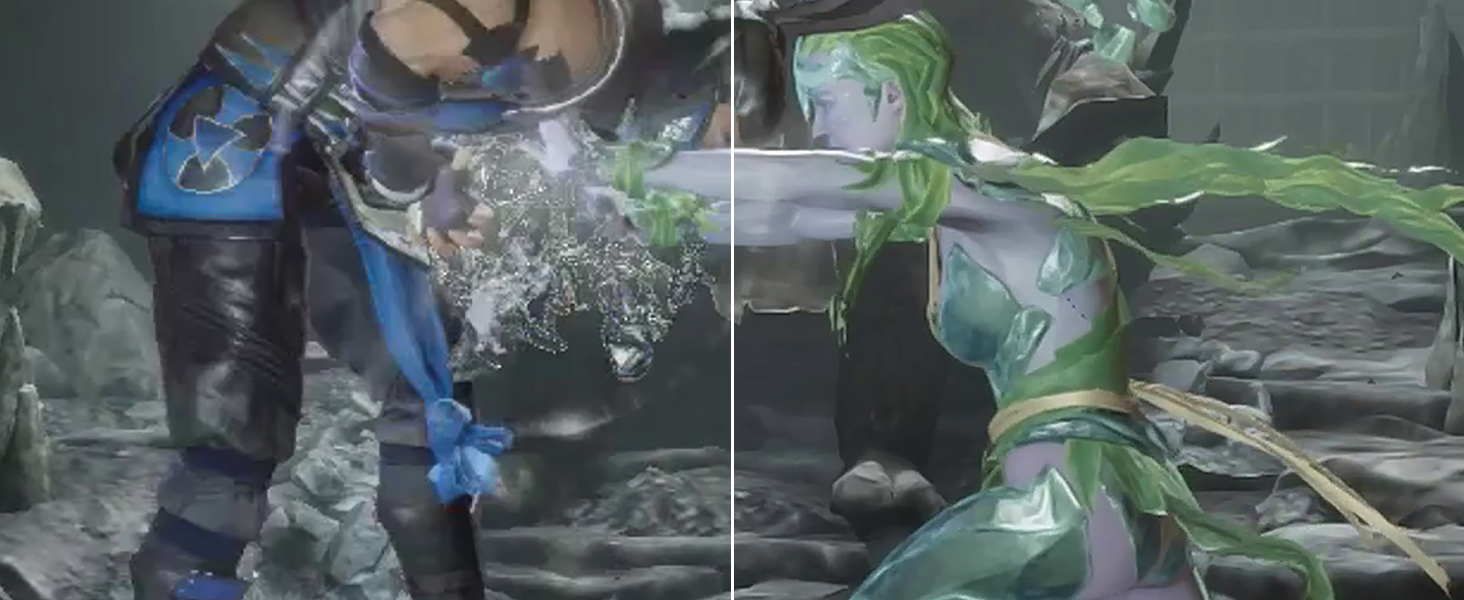
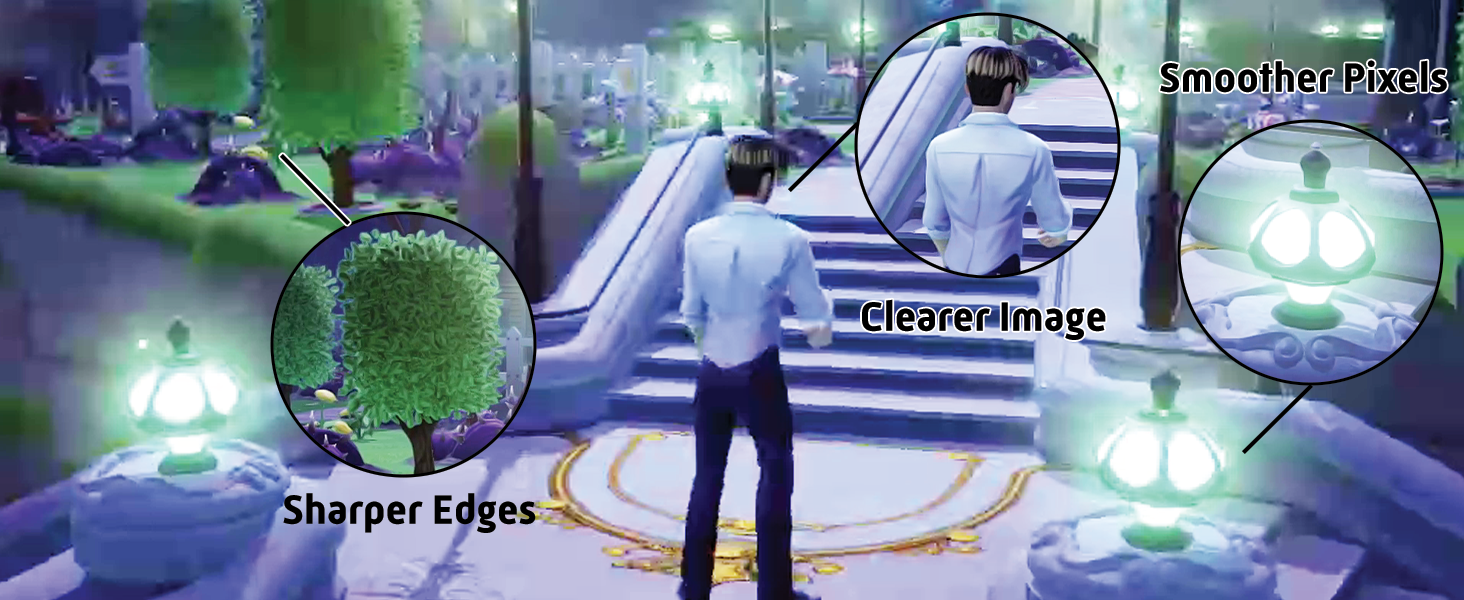
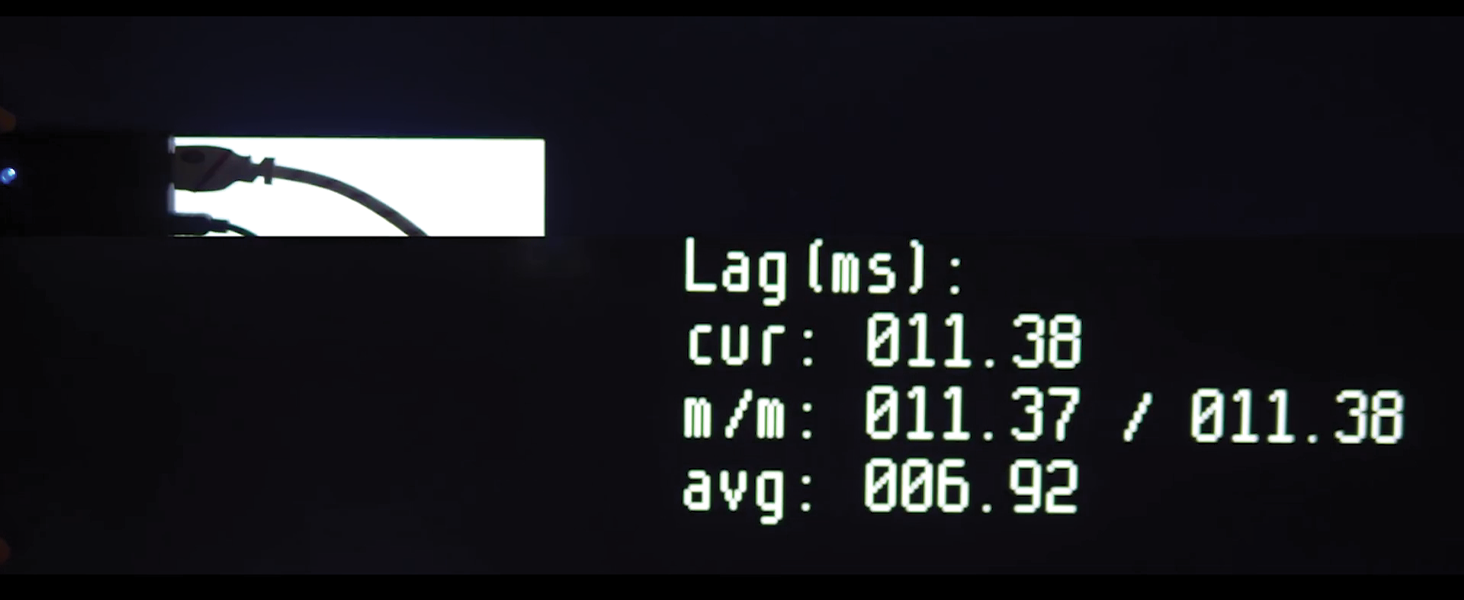
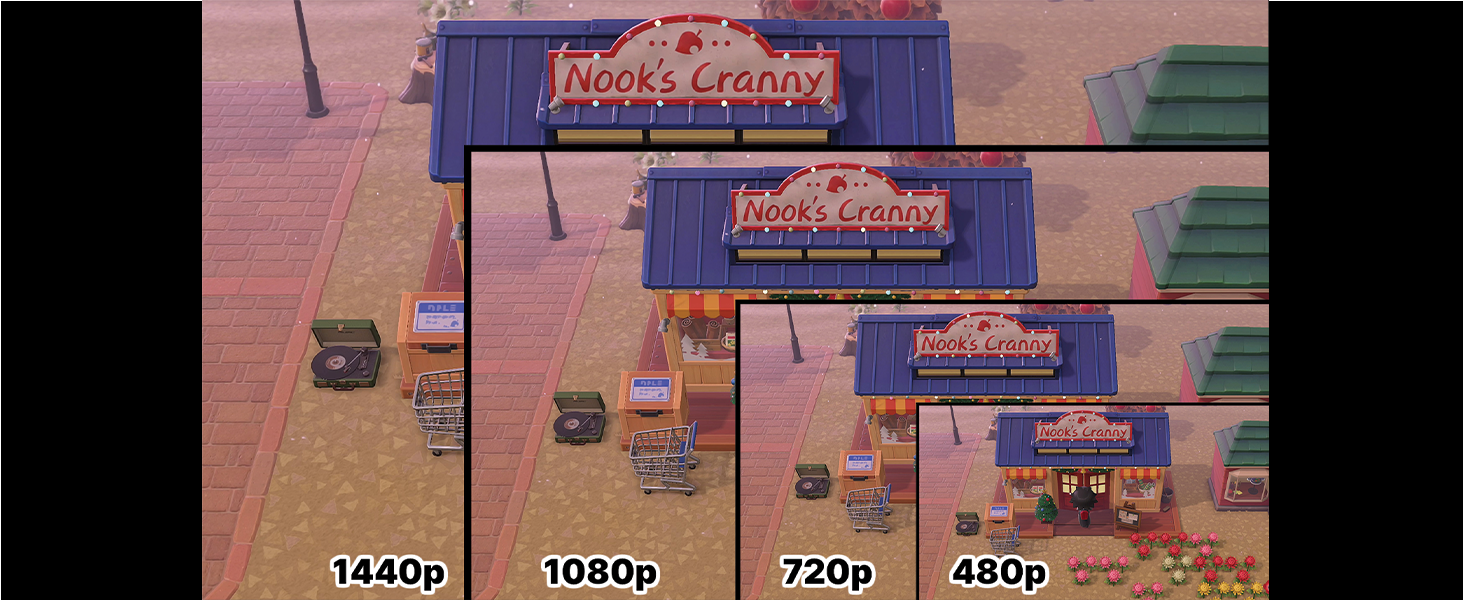
The Marseille mClassic OG is a cutting-edge graphics processor designed to enhance gaming visuals by upscaling resolutions up to 1440p/60Hz with zero input lag. Compatible with a wide range of consoles from retro to modern, it applies proprietary anti-aliasing to smooth edges and sharpen images while preserving native aspect ratios. Its simple plug-and-play design and multiple enhancement modes make it the ultimate accessory for millennial gamers seeking premium image quality and seamless gameplay on HDTVs and gaming monitors.







| ASIN | B07X6KDQ98 |
| Best Sellers Rank | #2,976 in Video Games ( See Top 100 in Video Games ) #45 in Nintendo Switch Cables & Adapters |
| Customer Reviews | 4.1 4.1 out of 5 stars (4,077) |
| Date First Available | October 7, 2019 |
| Item Weight | 0.8 ounces |
| Item model number | MC9007-A |
| Manufacturer | Marseille |
| Product Dimensions | 6 x 4.5 x 2 inches; 0.8 ounces |
| Release date | June 11, 2021 |
| Type of item | Accessory |
G**R
Impressive, probably gonna pick up another to connect to a splitter.
So this thing is designed to increase visual detail by interpreting frame data from your devices and adding to it. It also has a free anti-aliasing level given to anything passing through it (smoothing edges that have stair-stepping/jaggies/aliasing). Wow. I tried this thing out on all my 1080p and sub 1080p consoles, it really makes the content look much better on my TVs. The device only forces whatever native output resolution your TV tells it to (a 4k that doesn't natively support 1440p will only tell the device to go to 1080p). My smaller 1360X768 tv forces that instead of taking a 1080p image and downscaling it like it does with a PS4 signal. Your mileage may vary if your monitor or TV can force resolutions. Nonetheless, it's going to be whatever your TV natively supports that is 1440p or below that will be your maximum output. That said, I am very happy with this device. On my Switch, the upscaling of sub 1080p content and even 1080p content looks wonderful with the built in anti-aliasing making things look so much cleaner that I was able to boost the TV's sharpness of the image without getting visual noise (aka much better visual experience). This led to better visual clarity because the image was allowed to be less soft without becoming noisy or aliased. My 360 and PS3 that are hooked up to that smaller TV I mentioned look amazing even with the meagre "pixel boost". Heck even the PSTV I have hooked up to my 4k display looks so much better. Muramasa Rebirth and Killzone Mercenary have never looked this good. This is a good device for hardware of older resolution levels. Your returns diminish with higher resolution devices (I don't think an pass of extra anti-aliasing is worth the money on near 4K resolutions) but the sizeable visual upgrades (especially if you are a multi-console owner still plugging through old libraries) are well worth it. If you can get a low latency splitter, it spreads the love across any devices inputting without the need to buy individually for each device which is a nicety I wasn't expecting. I recommend it but make sure you understand what you are getting out of it and whether your usage scenario makes sense. Edit 09/10/22 - The photos I sent are pretty jumbled up so I am resubmitting them in a order that has the mclassic smoothed one first and the native image second. Keep in mind these are taken on a 4K tv where the image is outputting at 1080p with an anti-aliasing pass. Games with lower native resolution have a more perceivable difference and a 1440p monitor will get better results (have one on the way so I may repost thereafter). I am going to point out areas to look at to see the perceivable smoothness difference or sharper detail for those maybe not seeing the benefit. On BoTW Link: Observe the handle of the weapon over his right shoulder as well his bracer on his right arm where the transition between the pixels on link and the background are smoother. Also the texture detail on his shirt, the sheikah slate and other items has a clearer definition between colors and sharper edges. Super Kirby Clash Mage Kirby: Check out the area where Kirby's head reaches the hat or the lines of the star on the hat. The orb in his staff also has far less issues with the edges stairstepping. Though the textures are minimalist there is cleaner lines again on color changes on the hat or in the staff orb. Smash Bros Link: The Sheikah slate handle is remarkably smoother in image 05 (Mclassic) vs 06 (native). In images 07 and 08 notice how much more "serration" exists on Link's ear in 08 vs the 07 with Mclassic) These are a handful examples on my current setup, may update further. Edit 07/23/2023 Having used this for close to a year. I really appreciate what it does. Partciularly now that I have a 1440p monitor I use, this makes my Switch and Xbox 360 games look much, MUCH smoother with that 1440p upscale and anti-aliasing. I jump between these consoles and my PS5 and Series X and this has made the visual difference feel so much less jarring. 720p on Xbox 360 has been OK but now going back and playing Resident Evil titles for achievements on that console, it feels smooth, clean and very easy on the eyes. Switch gets a more minor upgrade but playing Tears of the Kingdom I have felt less impact from the dynamic resolution compared to friends of mine. What you get out of this requires a lot of understanding of the tech around it. 1080p and lower consoles benefit and if you have a monitor or TV with 1440p it will make an even bigger difference. Still highly recommend!
T**E
Great Aggressive Graphics Enhancer, but Watch Out for Counterfeits!
Marseille recently and explicitly stated to me that genuine products with their custom in-house chipset can only be obtained directly from them, even if the fulfiller is Amazon. Long story short: Do NOT Buy if not "Sold by Marseille Inc. and Fulfilled by Amazon" or "Shipped and Sold by Marseille Inc." You'll most likely receive a defective unit with a generic Silicon Valley chipset instead. I had to learn the hard way when I was investing in these. Overall, now that I know how the company operates, I will no longer be buying products by this brand that are "Shipped and Sold by Amazon", or shipped and sold by any other merchant for that matter. They are no longer trustworthy. I was using their products with a PhotoFast 4K Gamer Pro before, but they were counterfeits, and burned ringing artifacts into my upscaler's chipset. Thank goodness for Asurion Complete Protect. Who knows where my 4KGP would be without it? As for this particular product, if you plan to use it with a 4KGP, you will want to use a downscaler with at least 18 GB/s video bandwidth set to downscale 1440p@60Hz to 1080p@60hz, to ensure that no jagged lines appear on the upscaled image, and so that the mClassic uses the 1080p resolution instead of the 1440p. It is crucially important that you use a downscaler and not an EDID emulator, or you will get an aliased image. This does not apply if your product is a genuine mCable. It is also recommended that you should only need one to two Marseille products prior to upscaling to 4K. More than this would be overkill, and may worsen your image. For the best results with mClassic, try this formula: (1) Connect your 1080p consoles to an HDMI Switch using HDMI 2.0(a) or higher rated cables, and then plug the input on the mClassic into the output of the HDMI Switch. If you're only connecting one, plug the mClassic directly into the console. You will need to utilize the included HDMI 15cm extension cable if it's a Nintendo Switch, however. (2) If you desire to add a boost to the effects, buy a second mClassic and use the included extension cable to connect its input to the input of the first mClassic. If not, please skip this step. (3) Connect the input of your 1080p-set downscaler to the output of the last mClassic in the chain by any means necessary. If using an HDMI cable, please make sure it's rated HDMI 2.0(a) or better. (4) Connect the 4KGP input to the output of the downscaler. The extension cable isn't required, but may result in too long of a chain if you do use it. (5) Connect the output of your 4KGP to the rest of your equipment, and so on. (6) Buy a dedicated power source like the Anker PowerPort 4, and use it to supply power to all graphic enhancers connected using the USB cables included with each graphic enhancer. Bottom line, the end result all depends on how you do it. Just be sure to avoid EDID emulators, as they will generate aliasing, like I've mentioned earlier, and you shouldn't run into any problems.
H**Z
If u have those 55” 4K tv … u need to do something to the resolution that the switch can produce during dock… most high end tv can already upscale to 1 step better then what the switch output. But with this it improve 1 more step … so that is the layman way to put it .
V**O
Ho voluto sperimentare l’accoppiata pi 4 con l’emulazione psp. Parto subito col dire che mostri avranno notato la necessità di impostare una risoluzione 2x nelle impostazioni dell’emulatore PPSSPP per rendere la grafica più accattivante e comunque godibile su schermi da 15 pollici in su. Così facendo però, spesso si hanno cali di frame nelle fasi più frenetiche dei giochi, rendendo frustante il tutto. Ebbene la mia idea era quella di utilizzare l’emulatore con risoluzione 1x accoppiandolo con Mclassic. L’esperimento è riuscito pienamente: Mclassic permette di recuperare quando di perso si avrebbe nel passaggio da una risoluzione 2x ad una 1x…in più si ha un carico minore sulla cpu e gpu del raspberry con azzeramento dei cali di frame di cui parlavo prima. Pienamente soddisfatto. (Consiglio di impostare come risoluzione di uscita dal pi 4 la 480p, ci penserà Mclassic a fare il resto). Analoga prova fatta con l’emulazione dreamcast: anche qui si ha possibilitá di ridurre il carico su raspberry, potendo ridurre la risoluzione in uscita. Risultati di tutto rispetto….chiaramente con effetto uaaaoooo ridotto rispetto a psp ma comunque rispettabilissimo. Mi riservo di fare prove con n64
R**T
I recently bought a PS3 slim to play some older and exclusive games that simply aren't available on other consoles. However after playing for a few minutes I was disgusted at how truly awful the graphics are. I read about the MClassic and watched some YouTube videos so decided to give it a try and I have to say I’m quite Impressed. While playing GTA IV, a roughly 640p native game I noticed an immediate improvement to AA (Anti-Aliasing) and also an overall improvement in the picture detail as the MClassic upscales games from 720p or lower to 1080p. It can upscale to 1440p but my TV isn’t compatible. I seen a slight improvement to draw distance and sharpness but definitely not as much as my Sony TV’s “Reality creation” feature. When both the MClassic and the Sony TV’s super sampling work together you get a truly amazing picture. I recommend if you can run both the MClassic and some of your TV’s picture quality features then you absolutely should, but only if you can run this while in game mode. If your TV doesn’t have any options while in game mode then the MClassic on its own will still do a lot of the heavy lifting and will improve contrast, AA and upscaling, which is ideal. Remember to set your console to match that specific games resolution, so for example if your game runs at 720p, which almost all PS3 games do, then go into the PlayStation display settings and untick the 1080p and 1080i. This is so the PlayStation doesn’t use its own awful upscaling and instead it lets the MClassic do all the work. People online also said to change the option of RGB to limited, but I found no real difference between limited or full however you may see something different on your display. In terms of price it is an expensive product but if you are planning on playing an older console for a considerable amount of time then I would say it’s worth it and also your eyes will really thank you. If you’re simply dipping your toe in with the older consoles and only want to play a single game for a brief time, then maybe this isn’t for you as the enhancements can vary from game to game and you wouldn’t truly get the full benefit from the MClassic. One thing that’s slightly disappointing is the fact you have to power up the device instead of just running it via the HDMI port. This is of course necessary but it does leave a red wire sticking out the front of your console, at least for the PS3 Slim, which only has 2 USB’s on the front. As someone who hates wires sticking out this just isn’t ideal, but for me a worth while trade off for the picture quality it provides. You can put the usb into a compatible plug however I didn’t test this as I don’t have spare slot available. I did however try to put the usb into another console to power it that way and hide the wire but it simply wouldn’t work. The TV displayed a no signal, but when I put the USB back into the PS3 it instantly displayed on screen. Overall a solid improvement that excels in AA and upscaling to make your picture much more detailed and nicer on the eye. The draw distance and sharpness aren’t as impressive as an expensive TV’s super sampling tech, but if you can combine both then you will get a truly beautiful, clear and graphically enhanced image that makes its a joy to go back to older consoles and experience games at their absolute best.
W**M
I think it needs something called EDID emulator to work and im not sure about that.
J**E
It’s not a miracle AA, but with my tests it work great. I’m using with my PS3 and if you put the video mode on the console to 720p it will upscale to 1080p with AA! In some games it really makes a difference.
ترست بايلوت
منذ شهر
منذ شهرين