
قم بتنزيل التطبيق


معلومات عنا
حقوق الطبع والنشر © 2024 Desertcart Holdings Limited
قم بتنزيل التطبيق
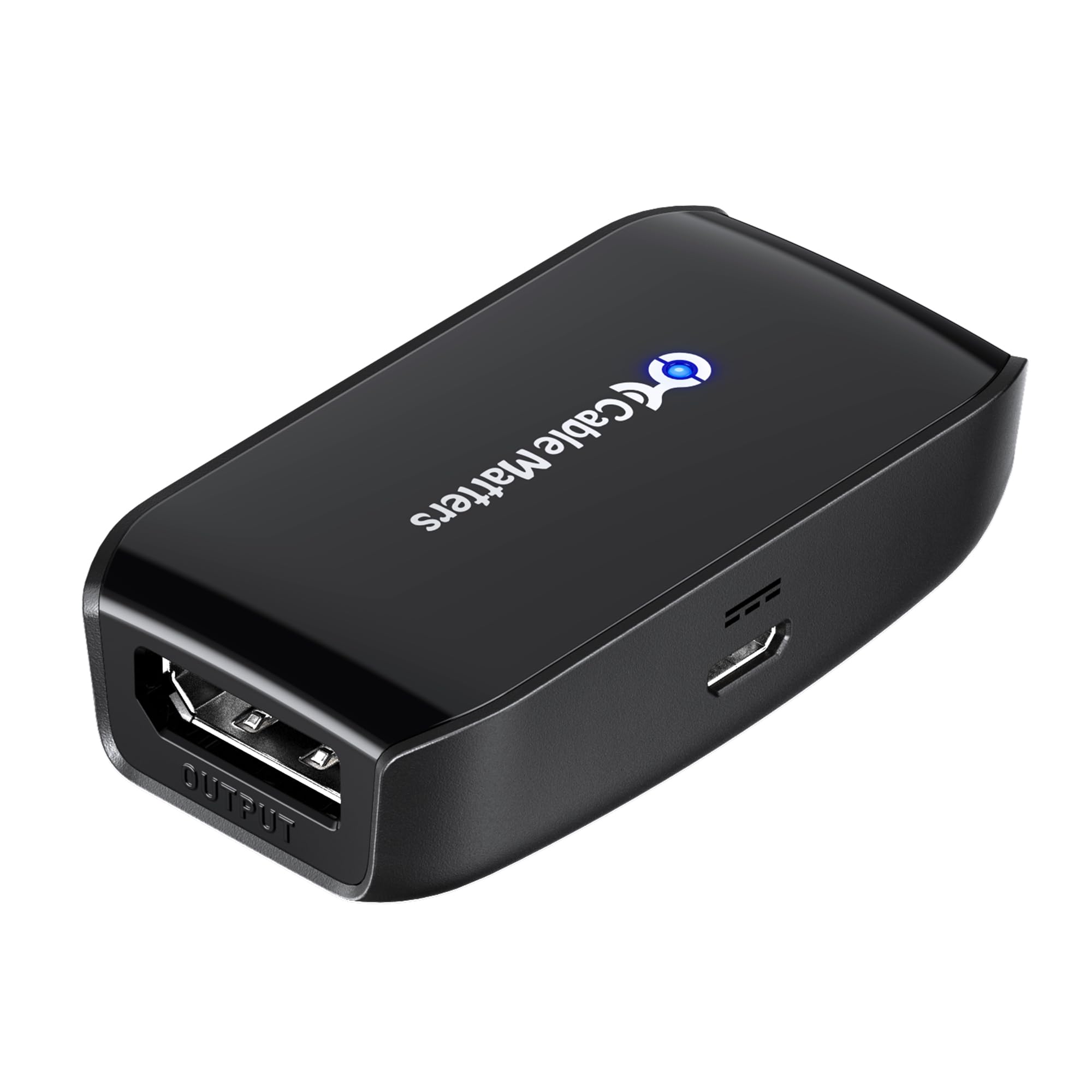
🚀 Elevate your display game—extend, amplify, dominate!
The Cable Matters Active DisplayPort Repeater is a compact, powered DP 1.4 signal booster that extends DisplayPort cables up to 32 feet at 8K@60Hz or 4K@240Hz without signal degradation. Ideal for VR headsets, gaming monitors, and high-res projectors, it supports 32.4 Gbps bandwidth, forward error correction, and 32 audio channels. Plug-and-play with USB power, it offers a cost-effective, reliable solution for long-distance DisplayPort connections.


| ASIN | B07D949F59 |
| Best Sellers Rank | #220 in Repeaters |
| Brand | Cable Matters |
| Built-In Media | Cable |
| Color | Black |
| Compatible Devices | Tablet |
| Connector Type | DisplayPort |
| Customer Reviews | 4.3 out of 5 stars 938 Reviews |
| Input Voltage | 5 Volts (DC) |
| Item Dimensions | 2.36 x 1.26 x 0.59 inches |
| Item Weight | 0.07 Kilograms |
| Item dimensions L x W x H | 2.36 x 1.26 x 0.59 inches |
| Manufacturer | Cable Matters |
| Model Number | 102039 |
| Number of Ports | 3 |
| Package Quantity | 1 |
| Power Plug Type | Type C |
| UPC | 818707023624 |
| Unit Count | 1 Count |
D**K
Works With Rift S
I have been wanting to extend the cables for my Rift S for some time. Having to constantly step on or trip over your cables lying on the floor while you're gaming in VR is very irritating. So my plan was to set it up like I had my previous Rift headset. The previous Rift used HDMI, so I set it up with an HDMI repeater and an active USB 3.0 extension. Interestingly, the HDMI repeater didn't need to be active on the previous Rift, not how I had it. But with the Rift S, you need an active repeater. I immediately tried running it unpowered, but I wasn't able to get any signal from the repeater. Simple enough, you just hook up the USB to micro USB cable it comes with to provide power and you're good to go. This is basically a Display Port 1.4 repeater. I didn't see it advertised anywhere that this was DP 1.4, but it does advertise 8K, which is a DP 1.4 feature, therefore it must be DP 1.4 I have also read people have had trouble extending their Rift S DP cables using a Display Port cable less than version 1.4. So your best bet is to get this, or something like this, and a Display Port 1.4 cable if you want to extend the DP cable for your Rift S. The cable I got was a 10 foot Club3D DP 1.4 cable. I read a very helpful review from another reviewer that said he sampled a few other DP cables and the Club 3D, which was VESA certified, was the only one that worked for him trouble free. Well, I have been using it for several hours and I can confirm that this repeater and that cable together do work perfectly. A repeater is basically just a module that can take a signal from your graphics card and pass it on to another Display Port cable without degrading the signal. If you attempt to use an non-active repeater or a simple female to male DP cable, it may or may not work correctly. This repeater does require USB power to make it active. Active basically means it's powered. I don't know the specifics of how that works, but I do know it is a better solution for extending cables than a simple extension cable in many situations. An active pass through like this can prevent a number of problems, signal degradation, flickering, tearing, loss of quality, audio or other features like HDR or G Sync. The USB cable this repeater comes with is 6 feet long, it's a micro USB to USB 2.0. The micro USB input on the side of the repeater is very tight, the cable does not come out easily, I was worried I was going to break it trying to remove it. Due to that little issue, I intend to leave it plugged in permanently. I would prefer to unplug it after use as it's plugged directly into a USB port on the back of my mother board, but I am going to leave it plugged in to prevent damaging the repeater or wearing out my USB port. The DisplayPort inputs on each end are smooth enough, it feels pretty good when you hook up your cables, so not complaints there. As an interesting side note, the USB repeater draws about 2 watts at idle. I have my PC hooked up to a UPS battery backup that has a display on the front that shows you power draw in watts and it's reading about 2 watts higher than it used to prior to hooking up this repeater. Regarding the quality of the image through this repeater, I can report that for me, there has been no degradation that I have been able to detect. I have a very high end system, I am running a very high resolution by enabling a high level of super sampling. So if there were any degradation, I would notice it. I should point out I have not yet been able to get a USB extension cable that works perfectly with my Rift S. So at this moment, I have the DP cable extended and the USB is not. Oddly enough I ended up running my previous Rift the same way. I just mounted everything up on the front of my case, which gives me about an extra 3 feet to work with, which is actually just enough to do what I want to do. I was hoping for the full 10 feet, but it never occurred to me until I was trouble shooting the USB extension cable that I could simply play facing the opposite direction since I don't have any sensors to worry about anymore. I have tried a 10 foot non-active USB 3.0 extension cable and I have also tried a 15 foot active USB 3.0 extension cable, neither has worked. I did find a single, very expensive 10 foot active USB 3.0 extension cable, but I don't intend to try that unless someone can confirm it definitely works. It would have been nice if this repeater were a bit less expensive, but the price isn't unreasonable. It does what I needed it to do, so I'm happy, 5 stars.
A**R
DONT LOSE THE TAG!
Comes with a tag that specifies direction of fuse, its better to fold it while leaving it still adhered than to remove altogether should you need to use the adapter. With that being said, I used this adapter to connect a 30 FT DP cable to a DP to USB-C adapter for a USB C monitor. It worked successfully.
A**K
Successfully extends the cable length for my Valve Index
I purchased this along with 3 other DisplayPort and USB extenders (and a DisplayPort coupler) to try to extend the display for my Valve Index. My tests were NOT exhaustive, but all 4 of the options worked. In addition to reviewing this product, I'm also detailing the other options I tested, including price. For anyone else looking to extend their VR system, I hope this helps. In all cases there was no discernable loss of visual or audio fidelity or dropping of frames. Cable length doesn't introduce lag/latency, so no worries there. But ONLY the active DP connector successfully transmitted the signal to the headset successfully / without snow. THIS PRODUCT: DP connector (0m) ($19.99) - Cable Matters DisplayPort Repeater (DisplayPort Signal Booster, DisplayPort Amplifier). This successfully extended the signal an extra 10m for my Valve Index headset. OTHER PRODUCTS: DisplayPort (10m) ($98.99) - ATZEBE Fiber Displayport Cable 30ft, Fiber Optic Displayport 1.4. This cable diameter is remarkably small, but it performed equally to the 5m LINKUP cable with a wider gauge. The connectors / cable heads produced heat as soon as the cable began transmitting data. This may be by design for thermal management; but if it's not by design this could be problematic. Other than that the cable seems to work perfectly. DisplayPort (5m) ($39.96) - [LINKUP] DisplayPort DP8K DP1.4 Cable (VESA Certified). This cable is kinda thick and very well built. It did the job. USB (10m) ($35.99) - Cable Matters Active USB Extension Cable Male to Female. This worked to extend the VR range even without being plugged in. Note that a power adaptor is NOT included, which legit sucks. But thankfully the Index worked fine without the power boost. USB (5m) ($15.99) - CableCreation Active USB Extension Cable (Long 16.4 FT). Works great, as expected. DP connector (0m) ($11.99) - Cable Matters 2-Pack DisplayPort to DisplayPort Coupler. This DID NOT WORK to extend the length of my Index cable. PRODUCT LINKS: ATZEBE DP cable - https://smile.amazon.com/gp/product/B07QQQFWGT/ref=ppx_yo_dt_b_asin_title_o01_s00?ie=UTF8&psc=1 LINKUP DP cable - https://smile.amazon.com/gp/product/B07DX6MF45/ref=ppx_yo_dt_b_asin_title_o01_s02?ie=UTF8&psc=1 Cable Matters DisplayPort repeater - https://smile.amazon.com/gp/product/B07D949F59/ref=ppx_yo_dt_b_asin_title_o01_s00?ie=UTF8&psc=1 (not linking to the passive DP connector since it didn't work) CableCreation USB Extension - https://smile.amazon.com/gp/product/B0179MXKU8/ref=ppx_yo_dt_b_asin_title_o01_s01?ie=UTF8&psc=1 Cable Matters USB Extension - https://smile.amazon.com/gp/product/B00DMFFL2W/ref=ppx_yo_dt_b_asin_title_o01_s00?ie=UTF8&psc=1
F**K
Works well to get the Valve index working with an extension cable
I bought a VR extension cable kit to use with my Valve Index from Microcenter, it was marketed to work with the Valve index but I was having weird display issues. I ordered this repeater to hopefully solve the issue, I received it 2 days after I had ordered and it was well packaged. I plugged it in to USB power (wish the USB port was on the same side as the DisplayPort in so cable management would be neat instead of on the side) and both DisplayPort cables, I noticed that when this repeater is powered it emits a very high pitched sound, almost like coil whine, but it is easy enough to ignore in my opinion, I started VR and the display was working properly! Overall I think this is a good product that is well worth the money, especially if you are looking to extend cables for a VR headset that uses DisplayPort, my only 2 gripes about it is the USB power in port being on the side instead of on the same end as the DisplayPort in, and the high frequency sound it makes.
R**R
Extended the cable of my Valve Index perfectly
With the necessity to build a new nursery room, my VR room needed to move, but without my computer moving. Using a new ten-foot-long display port cable and a coupler, I could get my headset into the other room, but with a noticeable drop in visual quality--the display had pinpoint stars showing up, especially when in dark environments. I replaced the coupler with this repeater, right between the extension cable and the official Index cable, with the repeater's "Output" port pointing to the Index headset. Then I plugged the repeater into the wall outlet of the VR room. Now, the image was crystal clear in my headset. I also could not notice any kind of lag or latency. Maybe a more discerning eye could see something, but to me it was the same VR gaming I had been enjoying, but ten feet further away. Caveats: - the first USB plug adapter I tried didn't work... maybe it was too old, though it charges my phone. We used my wife's USB plug adapter for her phone and THAT worked. This repeater included a USB power cable, but not the plug adapter. - The cable I used was a 10' CableMatters display port cable. - I don't know how much further than ten feet you can go with this repeater. - I don't know which other VR headsets this will work for. - You may need to also get USB extension cables for your VR headset's USB connections.
F**D
Shuts off after a few minutes
I am trying to use it for my valve index. 5m cable + connector + 5m cable. It works great for about 1-2 minutes and then the screen disconnects and goes all black. I have requested a replacement and will update my feedback if the replacement unit works.
N**L
Strong connection, it works!
Used for my VALUE INDEX CABLES, power string, connectivity perfect, durable gold quality, its comparable with HDMI"S that's what I bought it for and those types of cables I watched a YouTube video and it worked for me, it seems compatible,I'm not a tech gurlie so do your research but it worked for me I pinky promise !
A**N
Works well when it works
This was used as an extender/ repeater for the valve index. When it works, this is wonderful and does exactly what it is supposed to do: repeat the signal with minimal or unimpeded delay. Unfortunately, with the Valve Index it occasionally is not recognized by the GPU. This can be potentially fixed by unplugging the display port from the GPU and the USB port from the PC, waiting for the signal to reset after 10 seconds, plugging back to a different port, and resetting the headset. This however does not always work. This item was diagnosed as the issue, as when it was removed from the setup completely, the index had no problems being identified by the PC using the same ports after reset. While I can not fault the device for not working with the index occasionally, it does however occasionally fail to work as intended with that and other devices, potentially due to the signal throughput as it relates to thermal conductivity.
ترست بايلوت
منذ 3 أسابيع
منذ أسبوعين