🔗 Tiny adapter, massive wireless freedom — stay connected, stay ahead!
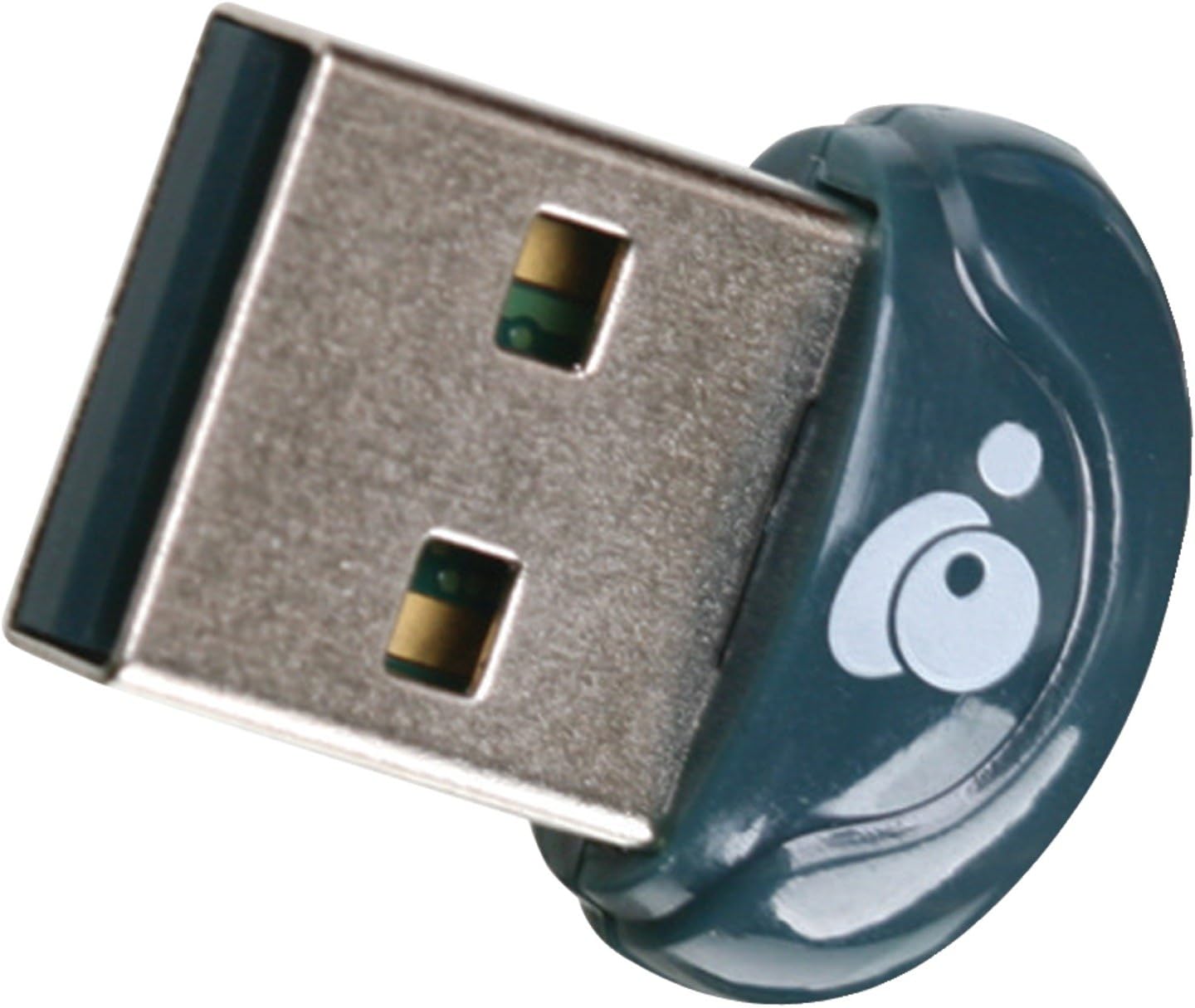
The IOGEAR Bluetooth 4.0 USB Micro Adapter (GBU521) transforms any Windows 7 or 8.1 PC into a Bluetooth-enabled powerhouse with ultra-low power consumption, a 30-foot wireless range, and support for up to three simultaneous device connections. Its ultra-compact form factor ensures it won’t block adjacent USB ports, while wideband audio and A2DP streaming deliver crystal-clear sound. Ideal for professionals seeking reliable, seamless wireless connectivity without compromise.


| ASIN | B007GFX0PY |
| Best Sellers Rank | #800 in Bluetooth Network Adapters |
| Brand | IOGEAR |
| Built-In Media | blanket |
| Color | Navy |
| Compatible Devices | Printers |
| Compatible Operating System Family | Windows |
| Customer Reviews | 4.2 out of 5 stars 1,884 Reviews |
| Data Link Protocol | Bluetooth |
| Data Transfer Rate | 3 megabits_per_second |
| Global Trade Identification Number | 00881317509512 |
| Hardware Interface | USB 2.0 |
| Item Type Name | San Francisco 49ers All Weather Outdoor Blanket XL |
| Item Weight | 4.54 g |
| Manufacturer | IOGEAR |
| Mfr Part Number | GBU521 |
| Minimum Required Operating System Version | Windows 7, Windows 8.1 |
| Model Number | GBU521 |
| Number of Items | 1 |
| UPC | 741329019501 044112745183 617407326697 956262747460 611101337102 021111855945 523160929207 711938989069 172302832860 782386028938 112040001036 012951474878 631058323119 001910065905 521375303720 102931029577 069991918046 012303819449 070090135050 674656483625 072090536196 523160931606 001910065714 069991928267 696582163259 080050241950 806293537137 012302541495 807030505792 031112232058 1911201000… |
| Unit Count | 1 Count |
| Warranty Description | 3 Years |
A**Z
BEST OF THE BEST UNTILL NOW AND EVEN BETTER THAN BELKIN PLEASE READ THE PRODUCT DESCRIPTION CAREFULLY
I am a guy who normally work on computers and spend most of the time in front of my computer. I have a engineer degree on computer so I know abut this stuff. I tried many Bluetooth dongles, from the cheap ones to the expensive ones, but in here it fits the phrase that says As more expensive, better the product, well in this case it is true, but with this product it is not necessarily that it must be too much or crazily expensive to be good. Some customers clime to have problems with this dongle and some others asking some questions about this product PLEASE READ THE PRODUCT DESCRIPTION and this review so may help. I consider up to 20 dollars for a Bluetooth dongle is a good price. This dongle it comes with a very very nice software that connects everything automatically and recognizes everything instantly and will make a profile, if it has, of the product you have. For example I have my keyboard connected via Bluetooth, I also normally connect my JLab GO Bluetooth Wireless Headphones and the software of the Iogear Bluetooth creates an specific profile for my Bluetooth headphones and it creates another one for my cell phone, a Note 2, so the profiles works for you to control specific stuff of the devices you connect which is excellent and only expensive devices comes with such a software. I tried with the 2 dollars bluetooths and those burnt out or stop working in around 4 months. I bought this Bluetooth dongle about 4 months ago after my cheap ones, (2), bunt out, so I strongly recommend this dongle to anyone. Just pay a little bit more extra and don't get a pain in your butt suffering for cheap products, this is the real deal. There are some customers claiming that they need to upgrade or reinstall or uninstall and re install the software that comes with the Cd. Well normally even when the dongle claims to be plug and play, PLEASE INSTALL THE SOFTWARE FIRST BEFORE PLUG IT IN, generally every single product now days you have to do that install the software first and then restart your computer and then plug the device in. if that doesn't work then you can download the software from the webpage, but for me that won't be necessary. I am very happy with this dongle. Hope this review helps. Oh and PLEASE DO YOURSELFS A FAVOR.. READ THE PRODUCT DESCRIPTION BEFORE ASKING QUESTIONS... This device SUPPORTS UP TO 3 SIMULTANEOUSLY CONNECTED BLUETOOTH DEVICES AT THE SAME TIME BUT NO MORE THAN 3 otherwise the dongle will run it crazy. Thanks
H**E
Great fix for persistent BlueTooth issues on Apple Mac Pros!
This is a great solution for a pervasive problem with Apple's Mac Pro systems through 2013. I have not tested the new "late 2013" rount tower model, but all of the previous designs (Mac Pro 1,1 through 5,1) have Bluetooth antennas on the bottom of the case resulting in very poor performance - especially with the Magic Mouse. This adapter solves the problem and upgrades BT to version 4.0 BT LTE. The chip set is Broadcom, which is used by Apple. I think, starting with Mountain Lion the shipping kernel extension recognizes the chip and device, there is no extra driver software required. Previous versions required some editing of Info.plists. I simply plugged mine into one of the USB inputs on the back of the Cinema display. Based on reports I read, in some cases the system will automatically select this devices over the built-in ones. In my case, I had to use the BlueTooth Explorer available as a developer tool to activate this device as the system BlueTooth Controller. I also needed to pair all my devices again. But now, there is no more lag. Alas, it is not (yet?) recognized in Yosemite as a device suitable to allow hand off... Comment after some use: The device is not recognized during the EFI boot phase. This means that you have to use a USB connected keyboard for parameter reset, option boot device select, and entering the pass phrase for FileVault2. I always have a second USB keyboard connected, since this was also unreliable with the built-in controller. Otherwise, BlueTooth is now working great with Yosemite and Mavericks. I have not been able to get it to work properly with Snow Leopard even with an edited KEXT, but that configuration is not officially supported anyway. The controller is recognized, but I was unable to pair devices in a short test. I only use this for some old games requiring Rosetta.
S**N
Works on mac if you...
Hello, I thought i would try and be helpful and let you know how to get this working on Mac OS. Indeed the packaging (and the old marketing materials, though it has since been revised) says Mac Compatible 10.3.9 and above. But as many have discovered the device is not plug and play on mac. However the way to get it working is pretty simple, and after making the edit it works very, very well. You simply need to edit the broadcom driver's plist file to include this device. You can do this in a text editor such as textwrangler. The plist file to edit is located at: /System/Library/Extensions/IOBluetoothFamily.kext/Contents/PlugIns/BroadcomUSBBluetoothHCIController.kext/Contents/Info.plist You simply need to add an entry for this device. The edit is done near the very end of the file. You will see a Mcirosoft device defined. Simply copy and paste that device right below it and edit it so it looks like this: <key>IOGear Bluetooth 4.0 USB Dongle</key> <dict> <key>CFBundleIdentifier</key> <string>com.apple.driver.BroadcomUSBBluetoothHCIController</string> <key>IOClass</key> <string>BroadcomUSBBluetoothHCIController</string> <key>IOProviderClass</key> <string>IOUSBDevice</string> <key>idProduct</key> 8680 <key>idVendor</key> 2652 </dict> Therefore the entire end of the plist file will look like this when done. <key>Microsoft Bluetooth 2.0 USB Dongle</key> <dict> <key>CFBundleIdentifier</key> <string>com.apple.driver.BroadcomUSBBluetoothHCIController</string> <key>IOClass</key> <string>BroadcomUSBBluetoothHCIController</string> <key>IOProviderClass</key> <string>IOUSBDevice</string> <key>idProduct</key> 156 <key>idVendor</key> 1118 </dict> <key>IOGear Bluetooth 4.0 USB Dongle</key> <dict> <key>CFBundleIdentifier</key> <string>com.apple.driver.BroadcomUSBBluetoothHCIController</string> <key>IOClass</key> <string>BroadcomUSBBluetoothHCIController</string> <key>IOProviderClass</key> <string>IOUSBDevice</string> <key>idProduct</key> 8680 <key>idVendor</key> 2652 </dict> </dict> <key>NSHumanReadableCopyright</key> <string>Copyright © 2002-2012 Apple Inc. All rights reserved.</string> <key>OSBundleLibraries</key> <dict> <key>com.apple.driver.AppleUSBBluetoothHCIController</key> <string>2.0.0</string> <key>com.apple.iokit.IOBluetoothFamily</key> <string>2.0.0</string> <key>com.apple.iokit.IOUSBFamily</key> <string>3.2.7</string> <key>com.apple.kpi.iokit</key> <string>8.0</string> <key>com.apple.kpi.libkern</key> <string>8.0</string> <key>com.apple.kpi.mach</key> <string>8.0</string> </dict> <key>OSBundleRequired</key> <string>Console</string> </dict> Save and reboot and now it works great. You may have to edit this file again if the OS is updated and they update the BT drivers, but once you know how to do it, it only takes a moment.
D**S
Finally got this working on my iMac
I recently bought an iRig Blueboard MIDI controller, which requires Bluetooth 4.0. I have a late 2009 iMac, running Mavericks 10.9.1, with a built in Bluetooth 2.1 adapter. I had 1 USB port available on the back of my iMac, and I used this port to attach IOGear dongle. Don't know if this dongle will work on a USB hub. I knew before I bought the Blueboard that it wouldn't work with my bluetooth adapter, so I took a chance on buying the IOGear adapter (GBU521), and hoped I could get it to work on my iMac. After much research I found that while the OS should support this device, the OS would always default back to the original bluetooth adapter. I couldn't get it to switch over to the new adapter, until I found a post in this Amazon review section for this device. The other reviewer, who used a laptop in his review, stated that if you booted up with the IOGear dongle removed, turned off bluetooth, plugged in the IOGear dongle, and then turned bluetooth back on, it would now switch over to the IOGear dongle. It worked as he stated, but also as he stated, when you rebooted it went back to the built in adapter. I tried an experiment, which ultimately worked for me anyway. I booted up with the IOGear dongle removed. I plugged in a wired USB mouse, which you will need after you disable your bluetooth mouse. I then disconnected (unpaired) my bluetooth keyboard and mouse. After doing that, and now using the USB mouse, I then turned off bluetooth. I plugged in the IOGear dongle and turned bluetooth back on. I verified that the IOGear dongle was working. I then went into system preferences for the mouse and keyboard and reconnected (paired) my bluetooth mouse and keyboard, which made them now paired to the new IOGear dongle. When I rebooted, the system now defaulted to the new IOGear Bluetooth 4.0 adapter. With my desktop, I had a bluetooth keyboard and mouse that were required items in the system. In order to make them available, I suspect the OS was forced to choose the IOGear adapter in order to make a keyboard and mouse available. Whatever the reason, my keyboard, mouse, and Blueboard and all now happy with Bluetooth 4.0. Don't know what to say for people with laptops which have have built in keyboards and trackpads. Also, I don't know if this procedure works with other brands of Bluetooth adapters. Seems like if the OS has support for the device, this procedure should work for them too. Anyway, this is my 2 cents.
E**E
An Incredible Surprise!
Since the introduction of Bluetooth I have been underwhelmed with its performance and frustrated with the amount of effort it took to get things working properly. If all I wanted to do was connect a phone to a headset there wasn't any frustration, but when I wanted to use it for stereo sound, file transfer and sync my PIM I was busy creating restore points, installing another driver and rolling back to try again. The only way I could get my PC to do do A2DP or anything else was with the Asus BT211. It took an effort, but it worked. Unless you put it in a Windows 7 laptop. Then you were constantly losing the device, having the device show back up, undoing whatever Microsoft had done and re-installing the BT211 software (and NEVER plug it in until it tells you to). When I went to Windows 8 (with Classic Shell - the best open source savior of start menu) the BT211 had reached its end. With skepticism I bought this (IOGear GBU521). I had searched for Windows 8 drivers/software online but hadn't found anything definite. The tiny CD came with a directory "Win8" with just one file "Setup.exe". I clicked. It ran. It stopped and said, "I don't see any bluetooth stuff". I plugged in the adapter. It finished. I rebooted. No errors in Device Manager. I added my Belkin F8Z492TTP Bluetooth Music Receiver which is AV1 on my Yamaha receiver. Connect! Go to Control Panel -> Sound. Select my Bluetooth link to the Belkin as my default Playback. Music! Very clean, pretty high quality sound playing a flac. Moreover, I can tell the difference between my flac and my mp3 over this connection. The chip is a Broadcomm which is probably what you have in your phone and tablet and ... IT WORKS! I will be buying more of these. While I already have options to connect various tablets and phones over bluetooth, there are three more laptops in the house that could use this and one more for my media server/HTPC. There is a lot of crossover between various connections. Like everyone else I have HDMI, Component, Composite, RCA and 3.5mm cables dangling here and there to accommodate my menagerie of media devices. I have WiFi (dual band N), but there are places where bluetooth just works better. And with bluetooth I'm not polluting the neighborhood with my 2.4 ghz radio signals. My adapters are all Class 2 which means they are great at 2 meters and can work (sort of) at 10, but at 30 meters there isn't a peep.
T**R
Garbage - no real support from iogear
This product may work on some systems, but it did work with my win xp or win 7. The software provided is useless. It outdated. It only had the software for windows xp and vista. I tried to load the win xp software in my comp and it would not load all the way. I had to contact support for the supposed correct drivers. the driver for win xp caused an error when loading. now II cannot get rid of the error, and it prevents loading of the io gear software. I have been in contact with io gears support and they have not been of any help The tech I was in contact with supposedly talked to his supervisor and the supervisor had no solution. So I was told to wait. I have been waiting for several months for a fix. The only possible action is to re install windows on my system. I am upgrading to win 8, but doubt that the software will be available for this adapter to work on a win 8 machine. IO Gear is by far the worst company i have ever dealt with for support. Buyer beware, spend a bit more and pick a better adapter from one of the other vendors at amazon.
L**N
Very hard to plug in and pull out but works ok on mid 2012 macOS Sierra 10.12.3
First impressions.... The piece fits incredibly snug into the the usb port on my mid 2012 macbook pro with mac OS Sierra 10.12.2, I had to grip it with my teeth to pull it back out. Upon plugging it in, nothing happens. No pops up notifying recognition of something new; I wasn't sure if it was working. I plugged it in with bluetooth off, so I turned bluetooth back on and paired with my speakers. It worked, but I wasn't sure if it was the dongle or my internal bluetooth connection, so I pulled the dongle out (with my teeth cuz it fits so tight) and the connection was lost, plugged it back in and the connection automatically came back. Works great. No more lag or skipping. I just wish it wasn't so hard to plug in and pull out. I only have two usb ports and the other has a dongle for a wireless keyboard, luckily that one is easy to remove. Update: I've noticed that sometimes when watching online videos there will be a delay, or an advance actually; the audio will start before the video. If I remove the dongle and restart bluetooth it goes back in sync............I've noticed that if I disconnect and reconnect the connection, but not the physical device from my computer, then it will not reconnect properly the first time, instead it will play through my computer's internal speakers, but disconnecting and re-connecting the second time fixes the glitch. Still, it's starting to get annoying to have to disconnect and reconnect so often. At first I would have to dis/reconnect when first opening a video in either youtube or netflix but then I could continue to watch/listen in sync even after new videos loaded, but now I'm having to dis/reconnect with each new video loading. Not sure what is causing this, if it's the IOGEAR device or my computer or the bluetooth receiver on the other end........Pretty sure it is the IOGEAR device. When connecting with my internal bluetooth there is skips but audio/video are in-sync, and when connecting a different device to my receiver there is no problem at all, but going through the IOGEAR transmitter causes audio-advance/video-delay that is very frustrating, removing stars because of this.
A**R
Bluetooth on my Linux laptop
Sorry for all of you having issues with your Windows experience... but I'll leave that argument for the tech sites. I wondered if this would work on my Linux machine - the Toshiba laptop had no built-in Bluetooth hardware. I plugged it into my machine running a 64-bit distrobution of Linux using 3.6 Linux Kernel series. Immediately the Bluetooth symbol showed up in the GNOME taskbar. Setup was just as quick-and-easy for my Motorola wireless headphones as with mobile devices and Apple hardware I've used before (sorry, I have no plans on using it on a computer using a Windows operating system). Anyway, it worked well for my Linux machine - I just got it out of the package ten minutes ago and listened to a music video on YouTube. If any other problems arise I will report back. But for now, this was a great purchase for the price. Now I can use my laptop for A/V when my wife and/or children are asleep. I have no idea what Linux software is actually required to use this thing, just letting you what I had and that it worked very well for me (if I find that out I will also share that with you).
M**S
Just works (win&mac)
Works out of the box in Win10 and OSX10.14 also hackintosh
M**C
Very useful. Makes my PC compatible with anything.
This was perfect and did what I needed to do. The time it took to get between countries was very reasonable and makes my PC compatible with any Bluetooth device. Definitely recommended.
W**R
Plug and Play for 2010 Mac Pro
Great Bluetooth Adapter for 2010 Mac Pro running Mojave. Also works on Monterey via Opencore plug play (had to keep original Bluetooth connected). Internal bluetooth was not working or weak signal. Instead of buying a new bluetooth card from another pulled iMac I got this Bluetooth USB dongle from search some mac forums. Works great no software needed just plug and play. Note it has no issues when plugged into the back of the Mac Pro in the original USB ports. When I plugged it into my expansion USB 3 port or even the front USB ports it didn't work. So make sure to simply plug it into one of the original three USB ports at the back and your good to go!
B**.
Fonctionne sous mac et windows 10
Fait parfaitement son job sous MacOS Sierra et Windows 10, même à travers VirtualBox. La clé est reconnue nativement dans les 2 OS donc pas besoin d'installer quoi que ce soit.
M**T
This works with a Mac Pro using the latest OS X Mavericks.
Revealing my nerd status here, I am posting this for the benefit of other users who are having trouble with their Mac's Bluetooth system. If you want a decent BT adaptor, you can use this - I have it and it definitely works with OS X. NOW READ THE NEXT BIT CAREFULLY... OS X DOES NOT select this as the default BT adaptor when you plug it in unless you have no BT installed in your Mac (rare), it is not telepathic. This is definitely not Plug and Play if you already have an active Bluetooth unit in your machine. Really honestly, Apple tech confirms this. You need to download the Apple Developer IO Developer Tools, and use the Bluetooth Monitor to switch off the internal Bluetooth circuit and select this little USB device as the ACTIVE Bluetooth device. If you do not do this, it will simply not be working and you will be wondering why things are no better as the little blue light will be illuminated. I have been struggling wit Macs and Bluetooth ever since the original G5 was released, the thick metal case causes some problems for Bluetooth reception, and buying this 'sort of' fixes it. I also have a better solution, but it is a bit dirty hands, pliers and tricky type fix - Although effective and I have carried it out for couple of other people as a favour.
Trustpilot
2 months ago
1 week ago