Desertcart purchases this item on your behalf and handles shipping, customs, and support to OMAN.
🚀 Upgrade your workspace with wireless freedom—Bluetooth 5.0, no compromises!
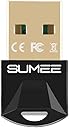
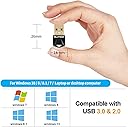
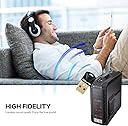
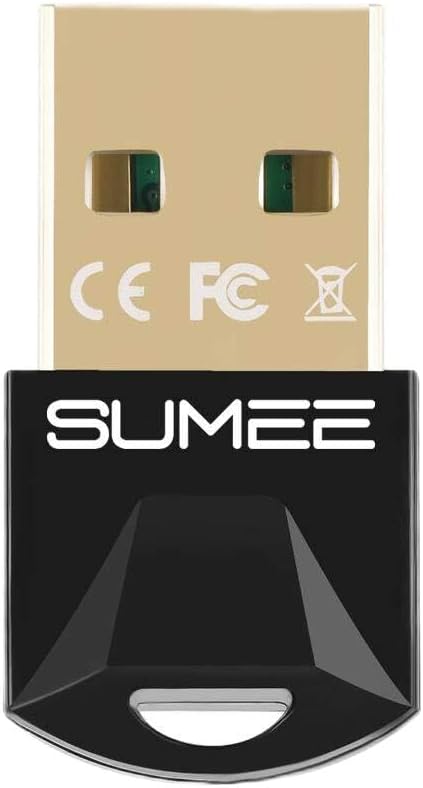
The SUMEE USB Bluetooth 5.0 Adapter Dongle instantly adds Bluetooth capability to any Windows 7/8/10 PC or laptop. Featuring a compact design, it supports fast 3 Mbps data transfer and a reliable 20-meter wireless range. Compatible with a wide range of devices including headphones, keyboards, and game controllers, it ensures seamless connectivity with low power consumption and easy plug-and-play setup backed by a 24-month warranty.


| ASIN | B08CXGGJNM |
| Best Sellers Rank | #78 in Bluetooth Network Adapters |
| Brand | SUMEE |
| Color | Black |
| Compatible Devices | Desktop, Keyboard |
| Compatible Operating System Family | Windows |
| Customer Reviews | 4.4 out of 5 stars 1,849 Reviews |
| Data Link Protocol | USB |
| Data Transfer Rate | 3 megabits_per_second |
| Hardware Interface | Bluetooth 5 |
| Manufacturer | SUMEE |
| Mfr Part Number | BT-B11 |
| Minimum Required Operating System Version | Windows 10, Windows 7, Windows 8, Windows 8.1 |
| Model Number | BT501 |
| Number of Items | 1 |
| Unit Count | 1 Count |
C**S
Great product
The installation was simple and the connection was great. I have an old computer, and it was compatible with my driver and worked well
K**U
Works great, pretty much unbeatable at the price
It's really difficult to find Bluetooth 5.0 adapters at this price. I bought a 4.0 one a while ago from a different seller and had so many problems (~0.5 second delay, common audio hitches, that sort of thing), but so far this one seems much better. I was even able to listen to music on my Bluetooth headphones while transferring the video for this review over Bluetooth from my phone without issue. It's also pretty small as you can see in the second picture. It's plugged into one of the rear USB 2.0 ports on my computer and has worked great. Comes with instructions and a disc with the drivers on it. My PC doesn't have a disc drive, so I instead used the Dropbox link in the product description, and that worked just fine. As you can see in the video my Xbox controller connects pretty quickly, and there's no noticeable input delay. The first red circle lights up when I press the A button, and the "Z axis" slider moves as I press the right trigger. As for range, it seems decent. It stays connected to my computer everywhere in my bedroom, and doesn't have problems when I leave my room, either. It loses connection when I go to my kitchen, but I've never had a Bluetooth device that could reach that far (about 20 feet from my computer and through two walls, one of which is concrete), so that's to be expected.
J**Z
Great product
Great for old systems the not have Bluetooth. Easy to use and low latency.
T**N
It's the little things that matter!
It's a lot better to have one of these versatile little buggers plugged into a custom built PC that doesn't automatically come with integrated Bluetooth on the motherboard. Yes, they exist, they're just very uncommon. I slowly started to update my hardware like membrane-to-mechanical (Corsair) keyboard and a mouse which connects via wired or Bluetooth in two ways either by its included dongle or the one already embedded into the computer it's communicating with. Unfortunately for me, USB ports were getting scarce so I opted to get one of these little buggers to kill several birds with one stone. Now I can connect a few headsets/buds and my wireless mouse to my main PC rig in the same fashion as HDMI splitters do. Only downside is one device can be connected at once otherwise there will be interference which I can understand why on a technical level. To alleviate this the best I can do is connect my Corsair mouse to the charging cord so it's hardwired and then connect a headset to Bluetooth. By doing that I can be in another room (e.g, kitchen cleaning) while listening to YouTube content and my mouse is charging (but still usable). One thing I don't really get though is one pair of headphones I use (Skullcandy Crushers) has a weird effect on the video playing even if sitting in front of the computer while my Evos just randomly drop audio. For the Crushers, though, the video will lag behind or get too far ahead for a second or two, go quiet but then catch up. Whatever, at least this dongle doesn't keep me literally anchored to my chair anymore and instead opens up new possibilities. In the end, just get one. They're dirt cheap and won't keep you hardwired to the desk or wherever you work from.
N**M
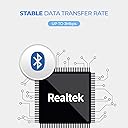
Realtek 8761B, Hardware id 0BDA:8771
The device was plug-and-play on my Windows 10 machine. For whatever reason, there was a "Realtek Bluetooth 5.0 Adapter" already installed. I wanted to be sure to get the latest drivers though, so I tried the included disk. No joy. I used device manager to get the hardware id of the device OBDA:8771. A google search then led to the name of the controller, Realtek 8761B, and (via oemdrivers com) some more up to date drivers. Device Manager, right click, update drivers, browse, then got me the right drivers. I'm mentioning all this because I just had a bad experience with one of the many duff Bluetooth 5.3 adapters sold on Amazon. Try to make sure your device comes with a driver before buying a Bluetooth adapter. Otherwise Windows will likely use the 17 year old Bluetooth 2.0 "Generic Bluetooth Adapter" driver.
N**E
Works perfectly
Got this thing for super cheap for an old office pc I was fixing up. I plugged it in, checked drivers, and haven't touched it since. It works perfectly, still works all this time later and is super cheap. If you need one this will work
Z**Y
Good Budget BT adapter!
Hey Guys, so i recently bought this Sumee Bluetooth device after looking around at several other options & have to say that I'm happy with my choice (for now). When i plugged the device into my USB port on PC, it was recognized immediately with the icon popping up on the bottom side of task bar. Before i connected anything i installed the Realtek Bluetooth 5.0 Driver that i downloaded from Github (can be found near the end of my video) as i don't have a disc drive for the driver disc that was included in package. To test it i paired my earbuds & a ps4 controller and both connected with no issues at the same time. So far i've had no drops in connection while in use. All in all for the money this is a good purchase and i recommend getting it. Hopefully i or y'all don't end up having any major hiccups down the road!🙏
G**M
Almost perfect
Note: The drivers for the adapter were provided via CD, so make sure you have a capable reader or a way to copy the files in a useable form for your needs. This adapter was a great way to introduce bluetooth adaptability to my old laptop and PCs, but needed to be portable to do so. This level of daily-drive wear-and-tear had the metal shielding or plastic casing separating from the rest of the adapter, so I had to bind it with electrical tape. Other than that, it is still performing well.
J**N
Excellent Bluetooth 5.0 USB Transmitter / Receiver
After reading a few reviews of other USB Bluetooth dongle, and the issues that were noted by others with connectivity to audio devices. I knew I needed to find one that would work simply, for the other family members to be able to use it as well. Each of us have our preferred headphones and speakers for listening to audio from the computers. This device installed seamlessly with the provided software on the cd. It immediately listed the devices within range and let me pair a Bluetooth sound bar effortlessly. I tried then to connect my headset. That connection was effortless as well, and even seamed to be more responsive to audio adjustments than the adapter that was provided with my headphones. I was impressed. I bought 2 of these adapters, so I went to install the 2nd one on my newer PC. I do not have a disk drive on this one. After reviewing the instruction manual, I could not find a link to a downloadable version from the manual. I checked on the sellers page where I purchased from and found a Dropbox link to the same software I installed on my other PC. This also installed effortlessly, Connectivity was just as easy with the 2nd dongle as was the first. You don't need to look any further for a great USB Bluetooth transmitter. This is a great product.
S**O
Incomplete product, no driver to Run.
Did not install atall. Useless product, supplier did not provide the Driver CD which is essential.
V**.
Good for the price
Very good device very easy to connect just plug and play the range is not very good also took me a couple times to get my phone finally paired to my computer
S**N
Plug and Play for Windows 10
Plugged this adapter to my computer and i did not need to download or install any drivers. Not sure if it is the same for all windows but i have included a video to show how easy the set-up was for windows 10. This adapter just feels like quality. The range is really good and my JBL flip 5 stays connected even when i am in another room and the sound is crisp. The light on the device is an added bonus as you don't need to ever wonder if it is properly connected or not. The only con i can think of is that it is a little bit pricier than some of the other brands but if you wanted a reliable Bluetooth 5.0 adapter at a good price then you should be buying this item. I think it is the cheapest 5.0 Bluetooth adapter i found on amazon.
F**I
Incompatible with windows 10
Please don't buy it, unsupported in windows 10, if my suggestion try tp-link its best
Trustpilot
3 weeks ago
2 weeks ago