🎮 Dominate your game library with speed and space that never quits!
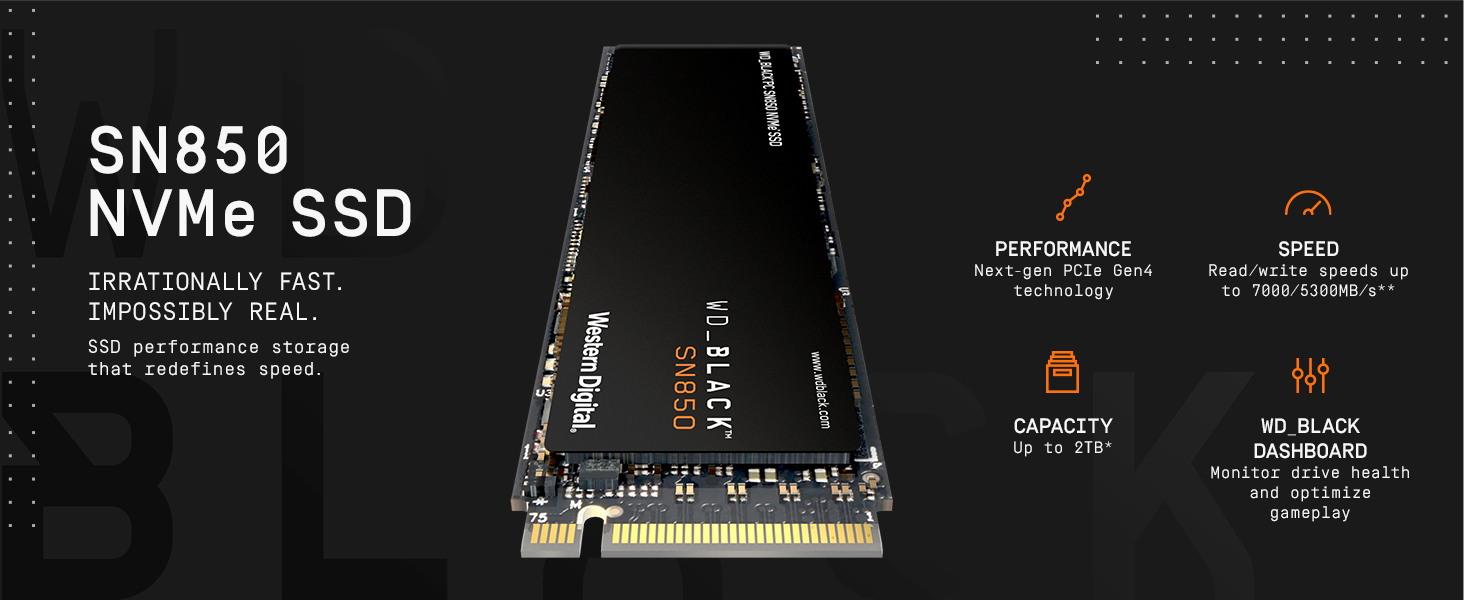
The WD_BLACK SN850 1TB NVMe SSD leverages PCIe Gen4 technology to deliver ultra-fast read speeds up to 7000 MB/s and write speeds up to 5300 MB/s, ideal for gamers craving minimal load times and massive storage. Its compact M.2 2280 form factor fits easily into gaming rigs and laptops, while the WD_BLACK Dashboard software offers customizable control. Backed by a 5-year warranty, this drive is engineered for durability and peak gaming performance.


| ASIN | B08KFS6THF |
| Additional Features | WD_BLACK Dashboard |
| Best Sellers Rank | #371 in Internal Solid State Drives |
| Brand | WD_BLACK |
| Built-In Media | WD_BLACK SN850 NVMe SSD |
| Cache Memory Installed Size | 1 |
| Color | Black |
| Compatible Devices | Laptop, Motherboards |
| Connectivity Technology | NVMe |
| Customer Package Type | Standard Packaging |
| Customer Reviews | 4.8 out of 5 stars 17,708 Reviews |
| Digital Storage Capacity | 1000 GB |
| Enclosure Material | 3D Nand |
| Form Factor | compact |
| Global Trade Identification Number | 00718037875934 |
| Hard Disk Description | Solid State Drive |
| Hard Disk Form Factor | 2280 Inches |
| Hard Disk Interface | NVMe |
| Hard-Drive Size | 1E+3 GB |
| Hardware Connectivity | PCIE x 4 |
| Installation Type | Internal Hard Drive |
| Item Dimensions L x W x Thickness | 3.15"L x 0.87"W x 0.09"Th |
| Item Weight | 7.5 Grams |
| Manufacturer | Western Digital |
| Media Speed | 5300 megabits_per_second |
| Model Name | SN850 |
| Model Number | WDS100T1X0E |
| Number of Items | 1 |
| Read Speed | 7000 Megabytes Per Second |
| Special Feature | WD_BLACK Dashboard |
| Specific Uses For Product | Gaming, Multimedia, Personal |
| UPC | 718037875934 |
| Warranty Description | 5 year limited manufacturer |
A**S
Bought for PS5, Excellent for the price!
You should and will need a compatible heatsink for this drive, regardless of what youtubers or others say. If you wish to extend the life of this device it is paramount to get one. I bought this one: https://www.amazon.com/gp/product/B07KDDKDNN/ref=ppx_yo_dt_b_asin_title_o01_s00?ie=UTF8&psc=1 for $17.99 and it is an EXCELLENT fit and I mean PERFECT. Super easy to apply and install and takes less than 5 mins. Even comes with a screwdriver that can be used to also unscrew the ssd compartment on the console, one tool for the job! As far as this drive goes, once installed it registered at 6532.91 MB/s which is significantly faster than the internal SSD. I transferred 5 games totaling about 200gb in under 5 mins to this ssd from the internal storage. Afterwards, I proceeded to download some games from the PS Plus collection and several others from previous free PSN games. That obviously took some time but after finishing I now have about 13 games at 900GB and still have 1.3 TB of space available. Unlike with traditional or hybrid HDDs you get the FULL ADVERTISED SPACE. Not 1.97 TB or 1.8 TB, 2 TB which can be used immediately upon rebooting your console. Booting up Farcry 6 with the disk from the home screen to the saved game position took about 25 secs give or take a couple for me to move the cursor to Continue Game. I have had no game crashes as of yet and no issues with pop in or textures or assets missing other than what the game shipped with. No slow downs and load times from death screen are about the same as internal storage which is approx 6 secs. Don't expect to load large open world games like that any faster than internal storage unless made by first party studios. Primarily, this drive is to allow you more space for your current collection. I have 37 games, 9 of which are PS5 games and in theory I could install my entire library between the internal and M.2 storage. Tips: Make sure you either take a picture of your drive before you install the heatsink or write down the serial number as it is not on the box so you can register it at Wester Digital for your warranty. I did not do it and would have to remove the card, remove the heatsink and get the product serial number then reassemble and reinstall (dammit bobby!). Warranty is 5 years which is better than spinning drives which tends to be about 3. The Samsung 980 is the comparable drive releasing end of this month for $449.99 and the only main difference is the price and convenience of plug and play, no additional heatsink purchase necessary. However, if you want to save $110.99 buy this drive and the heatsink I linked and you save bigtime, using the extra money for your next game! Should you later decide to get a larger 3 or 4 TB SSD you can take this one and add it to your PC. Or if we get a PS5 with a 2TB SSD built in then add this drive to that console and double your storage capacity which would be more than enough until the next console cycle. I really hope this review helps others specifically buying for their consoles. I cannot speak to the performance on PC at this time. Game on Comrades!
R**N
Expensive, however offers great performance
Now from my perspective I’m not going to get into the nitty-gritty about write and read speeds and maximizing them because I installed the storage for real world usage, not its maximum benchmarks. I did get the slightly hampered 2GB model, because it’s worth noting at the one gigabyte model seems to put out better numbers, however either way you go you will get a very performance storage drive that is rather easy to install, depending on your motherboard. My motherboard had a built in heat sink for the NVMe slots left on the board, so I did not need to buy one separately for this stick, nor buy the one with the heat sink on it. But I emphasize that you will need the Heat dissipation. Using the drive you can certainly tell that it is getting rather hot while in use. So I do primarily gaming and loading up virtual instruments for music production on this particular drive and I have seen no particular issues or hiccups that I would expect. Adding and mounting the drive was very easy, and my particular OS, which I am using windows 11 preview, picked up the drive just fine. Write speeds are incredibly fast, maximizing any both times, transfers, and gigabit downloads. All incredibly fast. The price is a bit steep but you know what you’re getting into when you’re paying for this at this particular time. It is cutting edge speeds so there’s an expected premium on that. In terms of comparing it to GEN3, I don’t think you’re going to see or notice the difference enough during regular use or even gaming for that matter if you were to make the upgrade. Probably a few seconds here and there. However I went from a standard SATA SSD do this thing. It is a substantial difference. So this product is best for people who are just entering into the M2 space. There are a few competitively priced alternatives to this drive such as Sabrent Rocket Plus, however the warranty that comes with this drive is a notable difference.
A**I
Great SSD
Working great till now even after of year of use
S**E
WD Black is THE best.
I have owned at least 6 WD Black drives and none have failed me or disappointed me. My computer runs great on this WD Black 850 ssd. It is faster than the Sabrent junk I replaced it with. The errors went away and so did the malfunctioning apps. I had to reinstall my windows 4 times in the last 6 months because the Sabrent drive went bad. First the apps do not start or turn themselves off. The games start malfunctioning and become slow to respond. The files get corrupt and cannot be fixed using cmd prompt and restart. The Sabrent customer service is not there to help you, they just troll you. They make you do a long list of things to prove something they do not want proven just to wear you down. You have to reinstall your windows over again for the fifth time in a year and use unknown apps to do tests which are meant just to keep you busy so you will give up and just throw it away instead of trying to get an RMA. They are rude and pushy too. They gave me a two days deadline to use an unknown app to test the ssd while I was busy from doing another windows reinstall that did nothing. The millions of bad files could not be fixed. Still no RMA. There are literally dozens of complaints about all of this from Sabrent support on the other reviews. The drive goes bad in 6 to 8 months and all Sabrent customer support does is give you and endless wild goose chase of tasks just to wear you down and cheat you out of an honest RMA. I bought a WD Black 850 and moved on. All the problems went away when the Sabrent ssd went away. BUY THE WD BLACK 850 instead and save yourself endless headaches. My computer has never run better now with the WD Black 850 and is much faster too.
C**.
Está no meu ps5. Uso para jogos ps5/4, nenhum problema. No início esquentava muito até desligava o aparelho. Agora não mais posso jogar o dia todo sem super aquecimento
A**R
Fast + cheaper than Samsung Pro. Gets hot when loaded up. Get the heat-sink if you dont have one on your motherboard. Mine (Asrock Taichi X570) copes with heat fine. I dont feel a lot of change in loading times compared to PCI-E v3 Samsung Evo (3500 / mb per second). I needed more space and got the fastest affordable drive at 2TB. I think you just dont feel the same difference in speed as when going from spinning drives to SSD. Its great to do some docker container work on these - super fast DB loading and processing. I definitely recommend these for the developers if you deal with a lot of data. Cool packaging if you are into that sort of a thing.
C**L
Ürünü prime haftasında 1750 TL’ye aldım, ürün yurtdışından gönderildi. SSD için yukarıda belirttiğim gibi olumsuz bir yorumum yok ürün cidden çok iyi yanında bir de Sabrent Rocket soğtucu aldım ve PC’de stress testinde maksimum 54 dereceyi gördü, boşta ise maks. 40 dereceye çıktı. Ürün siparişinde öncelikli & hızlı kargo seçeceğiyle aldım ve 1 hafta içinde paket teslim edildi fakat tarafıma boş paket teslim ettiler, yani zarfın içinde ürün yoktu. Tabi durum zatftan belli olunca detaylı bir şekilde paket açılımını videoya aldım ve bunu Amazon’a ilettim, telefon ile görüştüğüm müşteri hizmetleri personeli konuda yetersizdi ve supervisor ile görüşme talebinde bulundum. Bir şekilde saatler sonra supervisor aradı ve bana 100 TL gibi komik bir hediye çeki teklifinde bulundu. Durumu mecbur Twitter Amazon destek sayfasına taşıdım ve aynı gün akşamı ürüne ait tutarın iadesini onayladılar ve yeniden sipariş verirken aradaki 400TL fark için hesabıma hediye çeki gönderdiler. Özellikle yaşadığım sorunu uzun uzun dile getirdim ki, aynı şeyi yaşamak zorunda kalırsanız bilginiz olsun istedim.
M**K
INTRODUZIONE Sicuramente non sono l'unico che vuole "il PC veloce" e che pensa sempre "ma forse questo caricamento potrebbe essere più veloce" anche se il caricamento stesso impiega solo 10 secondi. Nella mia missione di rendere il più veloce possibile il mio computer, ho provato un po' tutti i tipi di SSD nel corso degli anni, dai dischi ibridi (SSDH) agli SSD SATA3 agli NVMe, e infine questo che secondo vari benchmark è il disco consumer più veloce sul mercato assieme al Samsung 980Pro. Western Digital è forse il produttore di dischi meccanici più importante assieme a Seagate e Samsung, ma da qualche anno a questa parte stanno producendo anche SSD, e l'SN850 è il loro magnum opus, venduto come disco "da gaming", che utilizza celle di memoria 3D-NAND a 96 strati costruite da SanDisk e un controller di memoria progettato da WD (chiamato semplicemente WD G2), per spingere al massimo la tecnologia attuale in fatto di storage a livello consumer. TECNICISMI VARI Senza scendere troppo nei dettagli, questo è un disco spintissimo, forse il più veloce sul mercato (almeno nei test statici) al momento della scrittura di questa recensione (il 980PRO di Samsung è l'unico che può competere e in alcune circostanze lo supera, per esempio in scrittura nel modello da 500Gb contro il WD della stessa dimensione), quindi, sfruttando la larghezza di banda del PCIe 4 (4 lanes) riesce a raggiungere fino a 7000Mb/s in lettura sequenziale e fino a 5300Mb/s in scrittura (4100 per il disco da 500Gb). Che sono valori assolutamente ridicoli, e che non utilizzerete mai, perché? Perché sono i valori massimi di lettura e scrittura SEQUENZIALI, pertanto, è il tipo di lettura\scrittura che fa su un singolo file. Nell'uso normale del PC, piuttosto che questo tipo di lettura, nel 99% dei casi vengono letti tanti file molto piccoli, quindi diciamo che la velocità di 7Gb al secondo non la vedrete mai, se non in casi molto particolari (per esempio la copia di un file gigantesco tra due SSD). Oltre a questo, il disco da 500Gb pur avendo i canonici 5 anni di garanzia di WD, è garantito per un massimo di 300TBW, ovvero TeraBytes Written, questo significa che dopo aver scritto 300Tb sul disco, le celle di memoria saranno al limite della loro vita. Il disco da 1Tb ha una vita di 600TBW, e quello da 2TB, 1200TBW, il che non è poi così sorprendente. Diciamo che quando si dice di stare attenti alle letture\scritture sugli SSD è un po' una leggenda metropolitana, prendiamo come esempio il disco da 500Gb, per arrivare a 1Tb in scrittura, significa scrivere ogni singola cella del disco ben due volte, quindi se ricordo ancora la matematica delle scuole medie, per fare 300Tb in scrittura dovrete riscrivere l'intero disco 600 volte; inutile quindi preoccuparsi delle letture\scritture su disco, forse questa preoccupazione era valida per i primissimi SSD ma su questi non c'è da preoccuparsi. Il montaggio è semplice per chiunque abbia manualità nell'istallazione di schede e aggeggi per computer vari, per montare un disco NVMe basta inserirlo in diagonale nello slot e poi spingerlo verso il basso e fissarlo con la vite. Come al solito purtroppo non includono la vite di fissaggio con il disco, io ho usato quelle incluse con la mia scheda madre. Infine, il disco sicuramente funziona anche su un computer con PCIe Gen3, saturando la banda disponibile, questo significa che non potrete eccitarvi guardando i 7000Mb/s nella lettura sequenziale in CrystalDiskMark, ma può darsi che vedrete 3000 e qualcosa, inutile quindi acquistare questo disco se siete su Intel con PCIe di terza generazione, prendete un disco Gen3 come il 970 EVO o simili e risparmiate una trentina di euro. VELOCITA E UTILIZZO REALE Bene, come dicevo nell'introduzione, ho provato vari dischi, prima di questo stavo usando l'SSD NVMe Samsung 970 EvoPlus (PCIe Gen3), che è un disco Gen3 piuttosto spinto. C'è differenza PERCEPIBILE tra quello (che costa 80 e qualcosa) e questo (che costa 120 e qualcoa)? La risposta è NO! Nell'uso di tutti i giorni non noterete nessuna differenza tra questo e un disco Gen3, ma proprio ZERO! E quindi mi chiederete, se sapevi che non ci sarebbe stata differenza perché l'hai comprato? E la risposta è che avendo una CPU e Mobo AMD (nello specifico il 5600X e la Asus B550i ROG STRIX) avevo la possibilità di usare un disco Gen4, quindi per motivi puramente consumistici ho deciso di sostituire il mio 970EvoPlus che era più che perfetto solo per togliermi lo sfizio di avere un disco Gen4. Soldi buttati, in poche parole, ma da sistemista e gamer ho voluto togliermi questo sfizio, consapevole dello spreco di soldi e tempo. Già che sto sprecando, spreco anche qualche riga per descrivere il programmino di WD, se come me avete passato vari SSD, ricorderete il buon vecchio Samsung Magician degli SSD Samsung, beh il programmino analogo di WD si chiama semplicemente SSD Dashboard, e fornisce alcune info interessanti sul disco. Non mi piace molto che non visualizzi il totale letto\scritto sul disco, ma solo una percentuale di vita rimanente. Il totale è comunque ottenibile dai dati SMART ma andrà riconvertito da esadecimale a decimale e poi da byte a Terabyte, ma lasciamo perdere. Per il resto il programmino fa il suo lavoro, consiglio di scaricarlo per aggiornare il firmware dell'SSD e poi di disinstallarlo. Con SSD Dashboard è inclusa anche una versione di Acronis utile per clonare il disco precedente su questo, io però non l'ho usato perché ho preferito fare un'installazione pulita di Windows. Mi piace comunque che questo programma può gestire anche i dischi meccanici di WD e HGST\Toshiba, e può effettuare la cancellazione sicura dei dati anche su questi. GAMING Western Digital pubblicizza pesantemente questo disco come disco da GAMING, c'è pure la versione col dissipatore figo con i led colorati, e sul loro sito usano slogan assolutamente cringe del tipo "LA VELOCITÀ È PERICOLOSA. QUESTA SSD È MICIDIALE. Avete chiesto più velocità, noi abbiamo esagerato. " Si tratta di marketing puro che lascia il tempo che trova, perché i giochi caricano tantissimi file di piccole dimensioni (basta pensare a texture, voci, modelli 3D, eccetera), oppure effettuano una decompressione da un archivio (quindi sarete limitati dal processore più che dal disco), quindi non verrà mai sfruttata la velocità di lettura sequenziale, ma quella randomica di file di piccole dimensioni o appunto la velocità di decompressione (limitato quindi dalla CPU). La velocità nei caricamenti dei giochi rispetto al 970EvoPlus non cambia molto, ultimamente sto giocando a Cyberpunk 2077 che è un gioco molto pesante con caricamenti davvero lunghi sui dischi meccanici, sul WD SN850 i caricamenti sono piuttosto veloci ma la differenza tra questo e il 970EvoPlus è di forse 1-2 secondi secondo i miei test altamente scientifici effettuati usando il cronometro del cellulare; inoltre su entrambi i dischi non ho riscontrato alcun impuntamento o pop-in o caricamenti rallentati: il 970EvoPlus è già overkill come disco per i giochi. Ho testato anche il caricamento di Windows 10 e la differenza è di circa 2-3 secondi rispetto al 970EvoPlus dopo un coldboot (quindi senza utilizzare il "fast startup" di Windows o la sospensione, utilizzando queste funzionalità il caricamento è immediato su entrambi i dischi). Inutile dire che il disco non migliorerà il framerate nei giochi, se però prima usavate un disco meccanico pietoso e avevate problemi di stuttering o pop-in, utilizzare un SSD eliminerà il problema, ma anche un banale SSD SATA3 li avrebbe eliminati ad un prezzo molto inferiore, un disco così spinto è utile solo a ridurre al minimo i caricamenti. Quindi non cascate nel marketing di WD, l'SSD Gen4 non aiuta per niente nei giochi,la differenza con un Gen3 è di 1-2 secondi al massimo, e questo su giochi che hanno caricamenti pesantissimi come appunto Cyberpunk. Oserei dire che in un contesto puramente da gaming forse è meglio puntare su un SSD Sata3 economico piuttosto che un NVMe, in quanto secondo quanto vedo in youtube e altre comparative, la differenza tra un NVMe qualsiasi e un SATA3 decente è di 2-5 secondi al massimo su caricamenti pesantissimi. Diciamo quindi che checché ne dica WD, per il gaming non ve ne fate proprio un bel cavolo del disco NVMe Gen4, molto più sensato spendere lo stesso prezzo per avere più spazio (un 870QVO Sata3 costa 170€ per 2Tb, quindi questo a parità di giga questo costa quasi il triplo), in quanto la differenza se proprio va male è di pochissimi secondi. TEMPERATURE - DISSIPATORE Il disco viene venduto con un dissipatore opzionale con tanto di LED RGB a 20€ in più, perché trattandosi di un disco spintissimo, è necessario che sia raffreddato anche passivamente con un dissipatore. Diciamo che non è che sia obbligatorio, perché comunque non si spegne e non esplode, al raggiungimento di una certa temperatura (che dovrebbe essere 80C), il controller diminuisce la velocità del disco per far sì che la temperatura resti sotto questa soglia. Secondo me con giochi molto pesanti è facile sforzare parecchio il disco quindi io andrei di dissipatore, stessa cosa se il vostro hobby è lanciare il benchmark con CrystalDiskMark 30 volte di seguito. La mia scheda madre ha il dissipatore integrato quindi non ho acquistato il fighissimo dissipatore WD, pertanto non posso esprimermi riguardo alla brillantezza e figosità dei LED in quanto il disco nel mio caso è nascosto sotto al dissipatore e completamente invisibile. Detto questo, nel mio caso dopo svariate ore di gioco a Cyberpunk 2077, che è un gioco molto intenso sullo storage (basta pensare ai caricamenti dinamici della città mentre si va in giro senza meta in cerca di bug divertenti) il disco ha raggiunto 60C quindi ampiamente sotto la soglia di throttling, direi quindi che se il vostro case ha una buona areazione non è necessario comprare il loro dissipatore se ne avete già uno sulla mobo. CONCLUSIONE Beh, che dire, il disco è assolutamente perfetto ed è forse il più veloce sul mercato per quanto riguarda gli SSD consumer, per il resto se la gioca ad armi pari con qualsiasi altro NVMe GEN4 un po' spinto. Ha quindi senso spendere 30-50€ in più rispetto a un disco Gen3 di fascia alta come il 970 EvoPlus? Secondo me NO, ma se avete un processore e scheda madre che supportano le PCIe Gen4, e pensare di avere questa interfaccia e di non sfruttarla vi fa star male, consiglio l'acquisto, anche solo per avere la certezza che i caricamenti in generale durino il meno possibile, anche se alla fine la differenza è di pochi secondi. Ne vale ancora meno la pena se non avete una scheda madre con PCIe Gen4. Eventualmente in futuro con giochi e programmi sempre più pesanti e tecnologie di lettura diretta dallo storage per i giochi (come il Direct Memory Access sulle nuove GPU Nvidia che magari prima o poi sarà anche possibile acquistare) potrebbe valerne un po' di più la pena. Ora come ora, con i prezzi e i giochi attuali, non ne vale per niente la pena, quindi non lo posso consigliare se non per soddisfare i propri problemi psichici come nel mio caso. AGGIORNAMENTO: RIP SSD Per la prima volta in tutta la mia vita, un SSD è venuto a mancare, nello specifico questo. Un giorno senza motivo apparente accendo il computer e me lo trovo completamente in sola lettura, ma proprio al 100%, non potevo nemmeno riformattarlo con Gparted, pure la mia partizione Ext4 con su Linux Mint era in sola lettura. Ho letto in internet che gli SSD in certi casi diventano così appena prima di morire, quindi ho tirato giù tutti i miei dati visto che era comunque tutto accessibile sebbene in sola lettura, e ho provato a formattarlo con l'utility dal bios, che è andato apparentemente a buon fine se non per il fatto che dopo aver riavviato neanche il bios vedeva più l'hard disk, al che ho provato a metterlo in un altro computer, ho provato anche con una scheda NVMe to PCIe ma niente, è completamente svampato e neanche il bios lo vedeva più. Ho avuto decine di SSD nel corso degli anni e questa è la prima volta che mi capita una roba del genere. Penso di essere stato molto sfortunato io, quindi non mi va di alterare la mia recensione originale dopo questo fattaccio. C'è da dire solo due cose, la prima è che Amazon se l'è ripreso e mi ha rimborsato senza troppe domande, la seconda è che mi auguro che i dati si siano distrutti assieme al disco stesso perché sennò significa che l'ho mandato in giro con tutta la mia roba sopra (YIKES!). A questo punto mi pare giusto punire WD e comprarmi un 980Pro, che recensirò a breve.
D**O
Muito rápido, mas esquenta bem e é necessário um dissipador de calor para evitar perda de performance.
ترست بايلوت
منذ شهرين
منذ 3 أيام