


🚀 Elevate your maker game with ELEGOO UNO R3 — where speed meets precision!
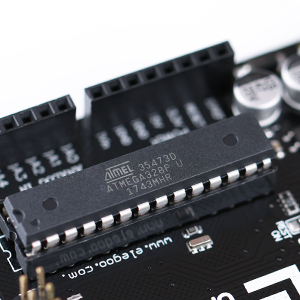
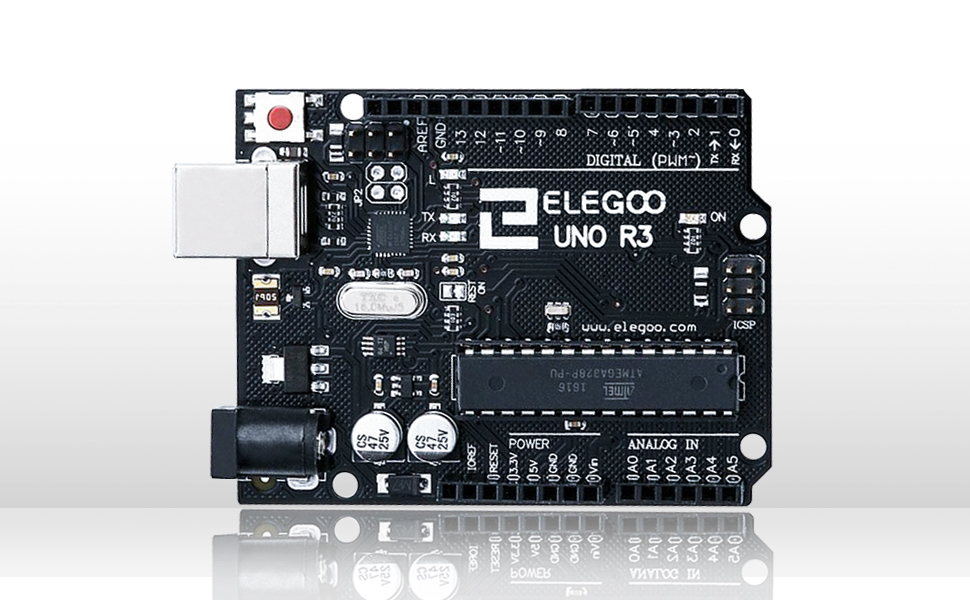
The ELEGOO UNO R3 Board is an Arduino-compatible development board featuring the ATmega328P microcontroller and an upgraded 16U2 USB interface chip for faster data transfer. It includes a clear-labeled female header connector for easy wiring and is fully compatible with the Arduino IDE across multiple operating systems. With 32KB of memory and RoHS compliance, this board offers a professional-grade, eco-conscious solution for prototyping and project development.






| ASIN | B01EWOE0UU |
| Best Sellers Rank | #9 in Single Board Computers (Computers & Accessories) |
| Brand | ELEGOO |
| Compatible Devices | Arduino-compatible devices |
| Connectivity Technology | USB |
| Customer Reviews | 4.7 out of 5 stars 4,960 Reviews |
| Global Trade Identification Number | 00746591610715 |
| Item Dimensions L x W x H | 3.15"L x 2.36"W x 0.39"H |
| Item Height | 0.39 inches |
| Item Weight | 0.06 Pounds |
| Manufacturer | ELEGOO |
| Memory Storage Capacity | 32 KB |
| Model Name | ELEGOO UNO R3 Board |
| Operating System | Windows 10 |
| Processor Brand | Atmel |
| Processor Count | 1 |
| RAM Memory Installed | 32 KB |
| RAM Memory Technology | DDR3 |
| Ram Memory Installed Size | 32 KB |
| Total Usb Ports | 1 |
| UPC | 753070352042 719377200394 746591610715 |
| Unit Count | 1.0 Count |
| Wireless Compability | Bluetooth |
M**D
inexpensive, works well, easy to use.
These are a great and inexpensive option for the arduino platform. These are easy to use. There are a ton of tutorials out there that will get you started right away. I use these to prototype as well as make complete projects. They have always performed well. I do not often do projects that use most or all of the pins, usually I use about half of them and have never had an issue with the board.
O**M
Works as expected Mac OS 10.13.6 i7 Mac Mini
Five Stars This Arduino clone board worked perfectly for me right out of the box. No drama, no issues, no system software updates. Just upload the newest compatible version of Arduino with your OS. I am a reasonably experienced multi-platform computer user, but Mac is my preferred platform. For me, running Mac 10.13.6 High Sierra on a 2012 Mac Mini, Arduino 1.8.19 works flawlessly. AccelStepper, ezButton, and all the other popular libraries worked first time. The supplied USB cable was too short for my purposes, so I had to substitute a known working data plus power USB cable. Also, the device does not like being ported through hubs, though with the right hub it probably works fine. I just didn't bother. I did get one "device drawing too much USB current" alert from my Mac OS, but I have no idea why. It was just sitting there. I think it was a fluke or a momentary short or something as I had the board laid out on my desktop. Other than that, works like a charm. Accepts the XikenTec HCDC Shield. Not all clones are created equal. See my review of "another brand" of Uno clone, the very cheapest one currently on Amazon. I'm ordering another one of these Elegoo right now to replace that one, which I am sending back. The Elegoo branded Uno clone seems like a good compromise between clone pricing and OEM compatibility. Or, screw around loading drivers and fiddling with your OS for a day or two and save an additional five dollars. :-)
P**H
Works great
Works perfectly as expected
F**Z
Great starter board!
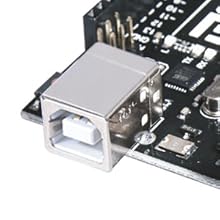
Great board for learning the ins and outs of programming an Arduino. Easy to use. Great as a starter board. At this point I only use it for testing. For making actual projects I go with a much smaller and compact board like the ESP32 or even a Raspi Pico W. My gripes with it is its limited memory, no built in WiFi and the use of a USB B port. But as a starter board this is pretty great and documentation can easily be found online, even through youtube tutorials. As for the gripes thats really only gripes for the more professional user. Memory issues wont really be a problem for a starter. You dont really need WiFi to start learning it or i think its preferable to not have WiFi so people can stick to learning just the basic stuff first. Once they feel they need to tackle WiFi they can either upgrade to a different PLC or buy the seperate WiFi hardware. But perhaps beginners should learn to walk before they can learn to fly meaning they shouldn't tackle the wifi part before learning the basic stuff first. As for the USB B port. THat is old technology that really should only be used for printers and bigger hardware. Not something small like a PLC. The upside to it is that it makes the device stronger and less likely to break unlike usb micro and usb C which are easier to snap off during an accident.
K**N
legoo has some of the best products, this is one of them.
Elegoo has some of the best products, this is one of them. Another great learning tool.
C**Y
Elegoo costs less yet it performs identically to the original.
I buy the Elegoo board because it is cheaper and performs identically to the original Arduino. The Atmega micro controller chip is NOT surface mounted so I can easily replace the chip with a replace if an unfortunate event destroys the component.
D**R
R3
Worked great!
J**N
Excellent Board
Excellent replacement for an older board that failed after five years of use.
ترست بايلوت
منذ 4 أيام
منذ أسبوعين



