We remain fully operational. Our teams are working around the clock to ensure your deliveries continue safely.

قم بتنزيل التطبيق


معلومات عنا
حقوق الطبع والنشر © 2024 Desertcart Holdings Limited
قم بتنزيل التطبيق
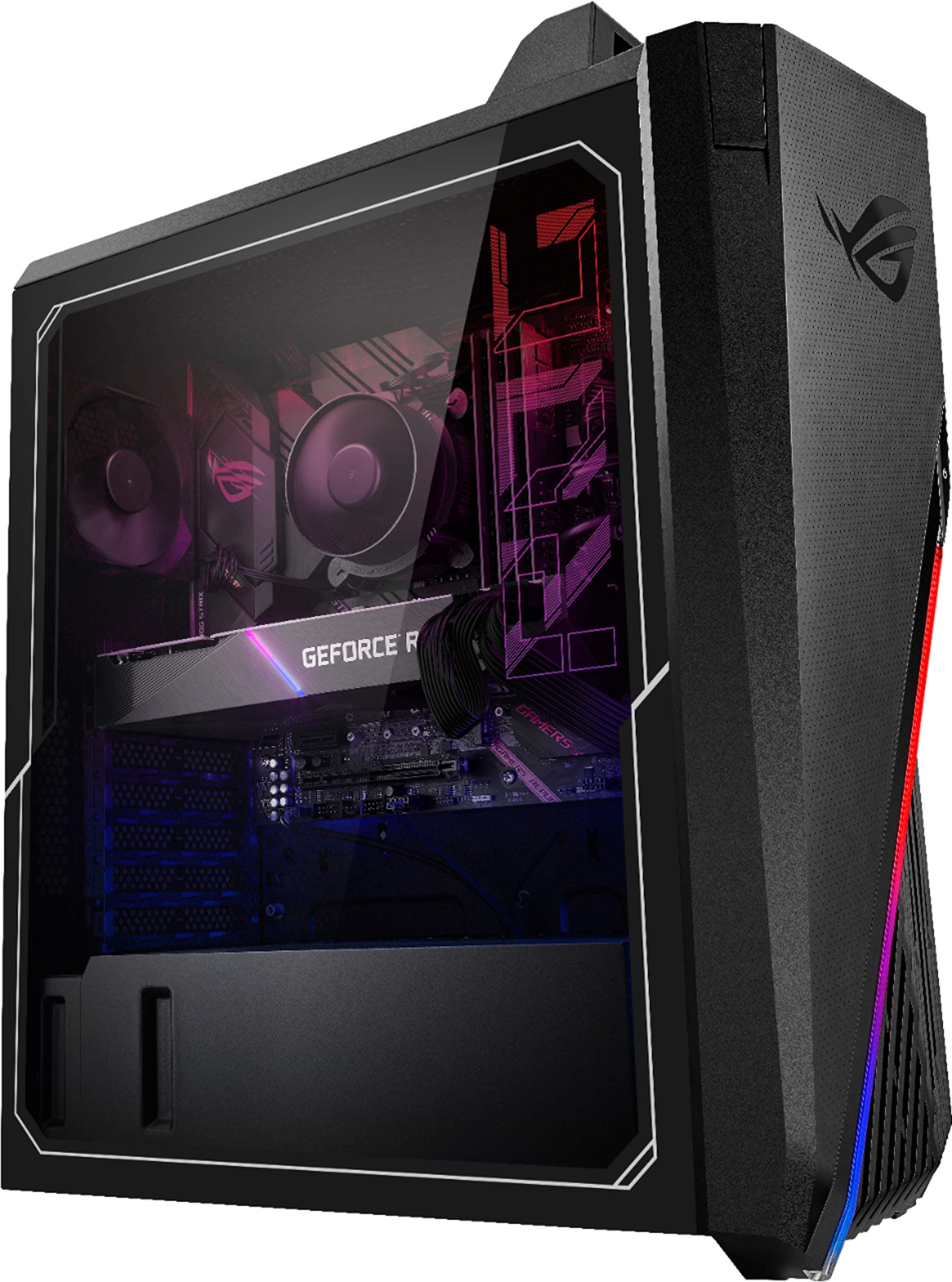
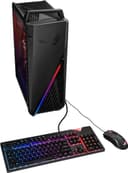
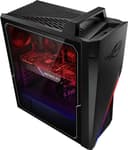
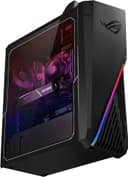
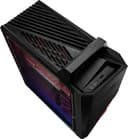
🎮 Game On: Elevate Your Play with Power and Precision!
The ASUSROG Strix G15CE Gaming Desktop Computer is a powerhouse equipped with an Intel Core i7-11700F processor, NVIDIA GeForce RTX 3070 graphics, 16GB DDR4 RAM, and a combination of 512GB SSD and 1TB HDD storage. It comes with Windows 10 Home and a complete accessory bundle, making it the ultimate choice for gamers and creative professionals alike.
| Max Screen Resolution | 7680 x 4320 |
| Processor | 4.9 GHz core_i7 |
| RAM | 16 GB DDR4 |
| Hard Drive | 1512 GB HDD |
| Graphics Coprocessor | Nvidia Ge Force Rtx 3070 |
| Chipset Brand | NVIDIA |
| Card Description | Dedicated |
| Graphics Card Ram Size | 8 GB |
| Wireless Type | Bluetooth, 802.11ax |
| Brand | ASUS |
| Series | ROG Strix G15CE |
| Item model number | ASUS ROG G15CE |
| Hardware Platform | PC |
| Operating System | Windows 10 Home |
| Item Weight | 35 pounds |
| Product Dimensions | 16.5 x 19.5 x 7.4 inches |
| Item Dimensions LxWxH | 16.5 x 19.5 x 7.4 inches |
| Color | black |
| Processor Brand | Intel |
| Number of Processors | 8 |
| Computer Memory Type | DDR4 SDRAM |
| Hard Drive Interface | Solid State |
N**.
Working well so far
I have had no problems with this machine so far. I have been using it for a month. I am making this review to clarify that you will receive "Processor 11th Gen Intel(R) Core(TM) i7-11700F @ 2.50GHz, 2496 Mhz, 8 Core(s), 16 Logical Processor(s)" cpu. I just pasted what the systems settings said in my machine. Since I saw a comment that read that the description and the headline were different which I did not notice. Just to clarify you will be buying a 11700 card not the one in the description. I honestly don't know the difference between the cards but I wanted to clarify what you will be buying.
J**R
Great PC, but Loose Parts and NO WARRANTY!
Update: I’ve had this PC for about four months now, and it has issues. First and foremost, it overheats, A LOT. The PC comes with one singular 92mm case fan, located at the back of the case. While just using the PC for regular activities, everything is fine, but once you start running some resource-heavy games, you start seeing the issues. When heat starts to build up in the case, the fan will come on, fast and LOUD, but then it goes back off after a while, and then later comes back on. The fan will do this on and off for a bit, and then it will come on and stay on throughout your game. This case fan is so loud that friends always tells me it’s really loud through their headsets in voice chat. What’s bad is that this one fan is just not enough to expel all the heat from the GPU and CPU (which blows its heat directly toward the exhaust fan), so after a while, the PC will just instantly and completely shut off mid-game. Once this happens, you have to give it time to cool off for a few minutes before starting it back up, else it will sometimes just shut off again during boot up. To be clear, this is not an issue with either the CPU or GPU, but an issue with Asus not including enough fans, as there are zero intake fans, and only the one exhaust fan. I do have some case fans coming that I will be installing, but in the meantime, I have taken to using a clip-on desk fan, blowing air into the top of the case, directly above the CPU cooler, which has helped tremendously, but this isn’t a permanent solution, more should I even be having to apply a solution myself, as it should have come ready to use.That all being said, last night, I had used the PC to game for about two hours, then wanted to watch a TV show, which I started, then paused, and went to get dinner from the kitchen. In the approximately 10 minutes I was away, the screen went black, and would not come back on. I rebooted the PC, and even unplugged it and plugged it back in, but nothing worked. Finally, I just unplugged it and left it unplugged for about two hours, and then it decided to come on after I plugged it back in. No idea what that was about. Hoping this doesn’t continue to be an issue.Original Review:I purchased this PC in August of 2024.Upon opening the box, the PC looks brand new, and still has all of the protective film applied, and is nice and clean. However, when I powered the PC on for the first time, there was a terrible noise coming from the fans. Once I looked closer, I could see that the CPU cooler fan was not fully attached to the heat sink. I opened the case to find that the bottom clip that attaches the fan to the sink was popped loose, and the fan wires were between the fan the heat sink at the top, where the clip was still attached, so it didn't just fall down in there when the bottom clip came loose. I spent about 30 minutes trying to get this sorted out, because it's a very tight space, and you can't just take the heat sink out to reattach the fan without having the reapply thermal compound. After getting everything put back together, I was looking at the Amazon listing, and noted that the listing states that the seller has upgraded the CPU cooler, in which they did a poor job of doing so...hoping they actually applied decent thermal compound, and properly, when they did this upgrade. The listing specifically states "Due to that the performance of the original cooling system is not good enough, so we have upgraded this ROG desktop with new cooler to make sure better cooling performance. Disclosure: it doesn't affect the OEM warranty." More on the "OEM warranty" below.After all that was said and done, I was looking through the paperwork that came in the box, and it has a piece of paper mentioning to register the PC on Best Buy's website with Geek Squad. Since I didn't purchase this PC from Best Buy, this is rather interesting, yet confusing.I then setup the PC to use it for the first time, and when setting up the MyASUS app, it asked if I want to go ahead and register the device (the PC), which I did. After signing in and everything was complete, I'm greeted with a notification that the warranty on this PC is EXPIRED as of 2022!? Why is my brand new PC's warranty already expired as of TWO YEARS AGO?! It appears that this seller is ordering PCs from Best Buy's website, in which it's probably already being registered at the time of the order, and then they're turning around and reselling them on Amazon to turn a profit, while also leaving the buyer with little to no warranty to speak of.Overall, I'm pleased with the PC itself, but this seller is shady, and if a warranty matters to you, I would avoid this seller at all cost. The loose fan and complete lack of warranty are the only reasons I'm giving only one star.
N**S
I could buy but be aware of the details
Product works perfectly. Be aware there are no expansion slots for drives the only way to expand is to replace the two drives with larger ones. There is only enough room for a laptop size and drive and an SSD card which are housed near the power casing. The compact case an expansion limit is that way but the power of the PC which works very well. So far no problems. The PC did not come with a lighted keyboard and mouse, this is a mistake in the photo I believe made by Asus and not the seller. All in all a very good experience between me and the seller.
W**R
Asus needs to rethink this case
As much as I love Asus, this one needs some serious fixin to work as intended. The addition of a water cooler for the Intel I7 fixed the CPU overheating issues. Two more fans keeping the case compartment temp down is going to help the RTX 3070 last a lot longer. Since I had read about most of this going in.. I was prepared. The only wonky part is the latticework case side I had to create to attach the water cooler radiator and fans that replaces the original glass side. Kinda clunky looking, but runs like a champ now. All my gaming at higher fps and no thermal shut downs. To sum it up...all this upgrading would have been super simple with a full size case. With the included case Asus turns a 20 min job into a short day job. Love Asus - intensely dislike this case.
L**5
Amazing Desktop
Fans are a little loud during gaming. plenty of storage. all around an amazing Gamming rig
N**S
Just to clarify (Re: storage)
So, I have the same model but with the RTX 3080, but wanted to address the post that claims you can only fit 2 hard drives. This is false. It already comes with 2 (for mine/the 3080 model, it comes with a 500gb nvme in the gen 4 m.2, and a standard 2tb HDD). That said, I added 2 more hard drives to the 2 that were already installed (and I can fit at least one more SSD, probably 2, and likely 3 if I swap out the HDD - plenty of room and plenty of SATA). How? Easy. There are 2 m.2 slots (1 is gen 4 [under heat sink], and the other gen 3), so there's 2 hard drives. Then, the bay behind the PSU where the HDD is can easily fit a few more.Alternatively, you could also use that 2nd m.2 slot to put optane memory in (which will effectively make your average HDD perform as good as anything else using something like primocache).Case does stink though - very difficult to address thermals, but I managed to mod everything and get by just fine w/out an AIO/water cooling (I added 2x120mm fans to the front, replaced the rear exhaust with a noctua, and replaced the stock CPU cooler with a vetroo v5 [largest that will fit in this case], and I rarely go above 80 C cpu temp when torture-test/benchmarking. Not the best, but it's fine/well within spec. I also took the replaced 90 mm fan to use as a top-rear exhaust (make sure to use the "silent" adapter/cable so it doesn't sound like a jet), and then used the fan from the old CPU cooler as a top-front intake (didn't expect this to help much, but it actually made the biggest difference. My hunch is that the case blocks most air on the front-top, rendering the top 120mm fan mostly useless and not much fresh air for the CPU cooler. But that 90mm intake on the top-front is helping to pump in enough cool air that the front fan can't)
ترست بايلوت
منذ شهرين
منذ 4 أيام