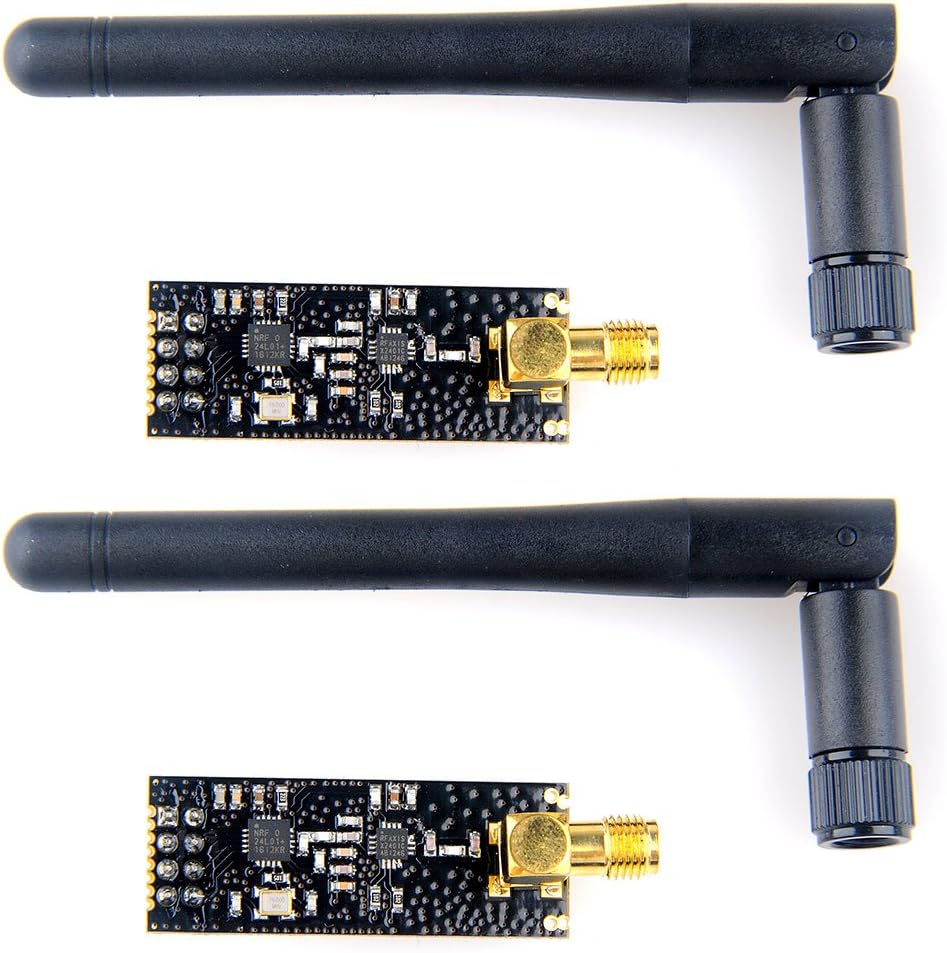
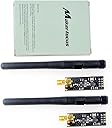


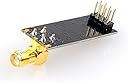
2pcs nRF24L01+PA+LNA Wireless Transceiver RF Transceiver Module 2.4G 1100m with SMA Antenna for Arduino
Product ID: 32372108
⚡+22dBm power boost
📡1100m+ range
🔋Low 11.3mA TX current
Buy anything from 5,000+ international stores. One checkout price. No surprise fees. Join 2M+ shoppers on Desertcart.
Desertcart purchases this item on your behalf and handles shipping, customs, and support to OMAN.
🚀 Elevate your IoT game with MakerFocus: wireless power and range that won’t quit!
The MakerFocus 2pcs nRF24L01+PA+LNA Wireless Transceiver Modules enhance the standard nRF24L01+ chip by integrating a power amplifier and low-noise amplifier, boosting transmission power to +22dBm and extending communication range beyond 1100 meters. Featuring an SMA antenna interface, low power consumption, and SPI compatibility, these modules are ideal for Arduino-based wireless projects requiring reliable, long-distance data transmission.
| Best Sellers Rank | #79 in Computer Networking Transceivers |
| Customer Reviews | 4.3 out of 5 stars 162 Reviews |
P**.
Works well, good range for my use (inside house through walls and ceiling). Trickier to get to work.
I have 2 types: the nrf24l01+ with antenna and the AS01-ML01 Quick test, they work as advertised. I did a small range test in the house, did not get any drop outs (i estimate about 300 ft). I used 1 with antenna and 1 with PCB antenna and already got improved range. I also tested a set with regular PCB board-antenna and they drop at the far end of the house, so this is an improvement in range. I also tried to get them really very close to each other without issues. They have the same standard (8 pin) connections so if you use headers you can simply swap them out HOWEVER... i have some strange experiences with the external antenna ones vs. the pcb antenna: i have several circuits and build a simple receiver and transmitter for testing these modules. I found that the PCB ones always work, the ones with antenna are trickier. They work fine in some circuits and not in others. Sometimes they only work when i touch the antenna or some of the pins with my hands and i have not figured out why it works fine in one cricuit and not in another. I think it's important to keep the (SPI) connections as short as possible, i also use a capacitor over gnd/Vcc (i tried moving from 100nF to 10uF but no change in behavior). In my case the antenna did not work when it points up 90 degrees (the obvious first one to try) but works great at some other angles. So all in all a bit finicky. Update: some people report better reliability if the module is housed in a metal case or even foil. Just be careful about short circuit
M**H
Satisfied Customer
Plugged 'em in and they fired right up. No issues, no fuss. good product. The antennae are nice and tight so they stay in the position you 'twist' and 'bend' them into.
M**R
Well made and works wel
I havent tested these in the rain yet (little rain where I live) but so far the radios work well I had a little bit of a hard time getting them up and running. This is mainly due to I did no know if I had a known good working radio, or had a wiring problem (easily checked) or a software issue. But after doing a bit of research and testing I have had them working fine on and Arudino Mega, and Arduino Nano and a Raspberry Pi. Now that I have a known good pair adding radios should be easy.
T**.
Very Pleased With All Aspects
UPDATE: Device may have issues with temperature stability. Used in greenhouse remote controller, I found that when temps in my greenhouse dropped the communications link stopped working. It started working again when the temperature warmed up. I don't have a full engineering lab to test the frequency stability over temp, but my guess is the reference oscillator isn't well temp compensated. ORIGINAL: Received the units quickly and were packaged in protective anti-static bags inside the box. Connected to Arduino Uno R3 and used existing Arduino available libraries for drivers. Used an example program provided in Arduino library and both units were transmitting and receiving on my second attempt - the first attempt had errors due to overdriving the receiver simply had the transmit power too high for units slow close on a desk - turn power to minimum in the code and it worked perfectly. Wrote a sketch (program) to communicate back and forth between two units with text just to try it out. Saw some complaints from other reviewers about not working or communication being error prone - not the case for me at all. I just made sure that each radio was separated a few inches from the Arduino control unit (to avoid radiated noise into both transmitter and receiver) and that the Transmit power was at minimum when units are in close proximity (to avoid over-driving the other unit's receiver). I am using them with the 3.3V breakout boards also available on Amazon since they are high transmit power capable and have not had to add any capacitors to reduce noise on the power supply lines line some people mentioned as being required in some Arduino forums. The library also features the ability to turn on CRC error detection or you can add some yourself...there are ACKs and all sorts of features for enhancing the reliability of the communication. Good luck!
L**.
I have always recieved great products that worked perfectly and they stand behind their ...
For the ones out there that haven't purchased Maker Focus products before, you won't find a more user friendly source of products than this site. You'll remember the pale green box, with the open source hardware logo on the front. I have always recieved great products that worked perfectly and they stand behind their products. Sounds like a sales pitch I know, but really I like to have a product that I know will work when I get it. And on Amazon, you will get it FAST, and not have to wait a month and hope. Back to the reality. If you've used the regular NRF24L01 boards before, and looked at it, and thought how can I put an antenna on this thing and get a little bit further link. You find out real quick, it won't work. I feel sure someone may have found a way, but chancy at best of it working. Adding on the power amp and the low noise amp for recieve, added a whole new dimension to where you can put you builds. You don't really have to have one on each side, but it does help. The LNA will vastly improve the link even from a regular NRF24L01 board, used on one side. This pair is a perfect way to jump into long distance links. No need to put the how too here, you can find that many places, but the what can I do extra, is another thing all together. First off, remember where your neighbors are, these things work the same bands shared by WIFI all around you. Messing up your neighbors signal, might make you their non friend fast. This beast strapped to a Yagee antenna is very impressive, I know my half mile apart ones are. Have fun, keep on tinkering.
J**Y
Great product 1000ft. no problem
Great product. Used for sending small bits of information to control relays. Was able to turn on a relay from 1000ft. in open air until I ran out of road on my street. I have bought 6 and all have worked great.
E**N
Beware faulty pins. Adapter recommended. Great module otherwise. (Tips included)
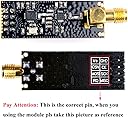
When I got these, I immediately jumped into testing them. I had my arduinos set up on two separate breadboards to do a little testing with the interface. I'm fairly experienced with arduino, so this shouldn't have been a problem at all if the hardware functioned properly, but because the connections on the pins were loose, the transmission/reception on one of the boards became choppy, and at one point stopped all together. This turned into a multiple hour ordeal of troubleshooting and trying to figure out if my boards were shot, or if the receivers were faulty. Once I found the fault, I was able to fix the problematic pins and create a really stable connection. If you buy the voltage regulating adapter and get a functioning unit, this thing will work beautifully. TIPS: One thing you may notice when interfacing with these through tmrh20's RF24 library, is that it does not recognize the function: radio.setPALevel() this is because the function name exists in the RF24.cpp file, but is not being referenced in the keywords.txt file located in the library. To fix this, simply open the file in word pad and save over the file after adding the following line: setPALevel KEYWORD2
F**5
Worked right away with Arduino
Worked right away. I replaced two basic nrf24l01 transceivers on an existing project. These are nice because they are 5 volt tolerant so there is no need to purchase the breakout adapter that is needed to interface the smaller 'original' transceivers with an Arduino. For a few dollars more you stand to get much better performance with fewer components.
C**N
Bien
Funcionan sin problemas, ambos modulos vienen con su respectiva antena
Trustpilot
1 month ago
2 weeks ago