
قم بتنزيل التطبيق


معلومات عنا
حقوق الطبع والنشر © 2024 Desertcart Holdings Limited
قم بتنزيل التطبيق
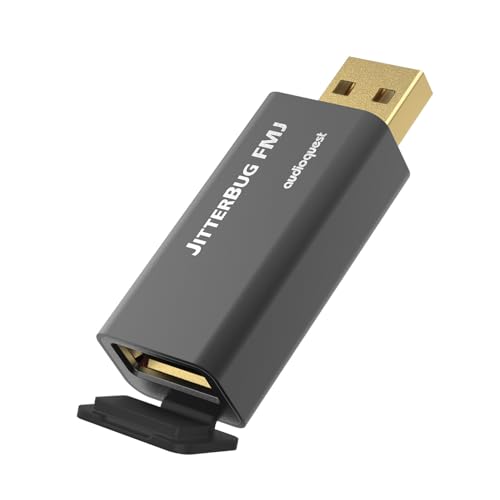
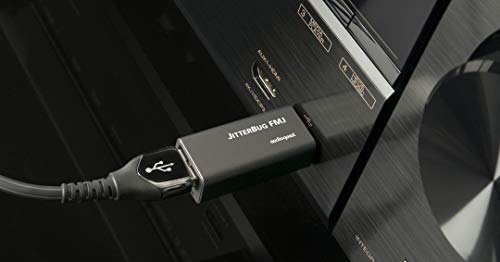
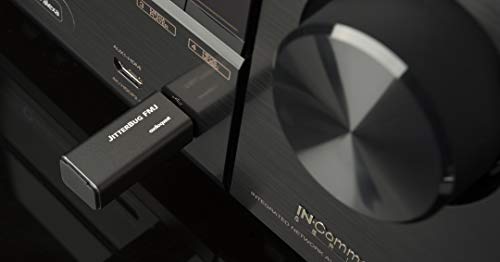
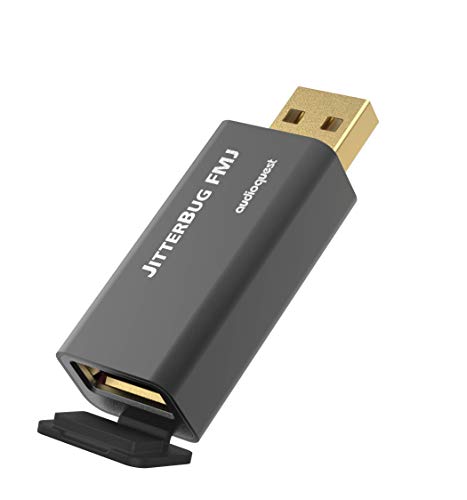
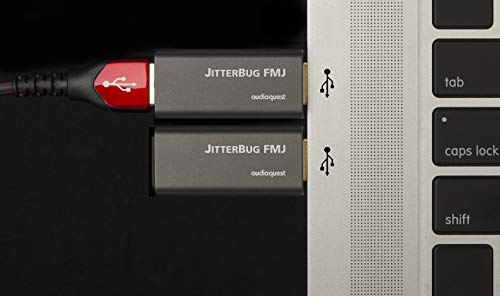

🔊 Elevate your audio game—ditch the noise, embrace the clarity!
The AudioQuest Jitterbug FMJ is a USB data and power noise filter engineered with dual noise dissipation circuits and a full metal jacket to minimize internal and external radio frequency interference. Designed to reduce jitter and packet errors, it enhances audio transmission quality while meeting USB 2.0 standards. Compact and easy to use, it’s the perfect upgrade for professionals seeking cleaner, clearer sound from their digital devices.


| ASIN | B08YDFH63B |
| Batteries Required? | No |
| Batteries included? | No |
| Best Sellers Rank | 65,181 in Computers & Accessories ( See Top 100 in Computers & Accessories ) 6,785 in USB Cables |
| Colour | Black red |
| Customer Reviews | 4.1 4.1 out of 5 stars (352) |
| Date First Available | 28 April 2021 |
| Included components | jitterbug |
| Item Package Quantity | 1 |
| Item Weight | 82 g |
| Item model number | JITTERBUGFMJ |
| Manufacturer | AudioQuest |
| Part number | JITTERBUGFMJ |
| Product Dimensions | 2.01 x 3 x 5.99 cm; 82 g |
| Shape | Round |
| Special Features | Data Transfer |
| Specification met | IEC, USB-IF |
| Style | Jitterbug FMJ USB Data & Power Noise Filter |
A**R
Jitter bug
Not noticed any great difference
N**9
Eliminates the USB 'internal ring' from audio
I was frustrated my audio from my laptop had a horrible 'internal ring' to it, smothering the instruments and making it sound horrible...this cured it.
C**C
Made sound compressed
Didn't like the sound. Made my system sound compressed and took the bass and soundstage away
N**S
Great little device
Tried the ifi silencer first. The jitterbug is much much better. Apart from the silly name. It has no affect on jitter at all. But a great little device
K**Y
A noticeable improvement with iphone
A definite upgrade using with Dragonfly Red, connecting to iPhone 11Pro via USB to Lightning adaptor. Trebles are smoothed out, but still sound clear. No harshness at high volumes. No impact when using with ASUS Vivobook.
A**M
It works!
I was experiencing interference and a whining noise when playing music from a Roon Rock (Intel NUC) via USB to a Cyrus Pre2 DAC QXR. The Jitterbug completely cured the problem. Very pleased.
B**S
Any sonic improvements are forfeit given that my PC-DAC connection becomes unstable
I'm running Jriver Media Center on a Windows 10 PC to a Chord DAC. When the Jitterbug FMJ is plugged in between the PC and the DAC, tracks frequently freeze and Jriver Media Center crashes. The problem is resolved as soon as the Jitterbug is removed. Shame. I initially rated this product 1 start but after researching my existing £100 USB cable a little more, I realised there was already jitter reduction and shielding in play. Passing one through the other was probably too much so I've decided I should revise to 3 stars as 1 wouldn't entirely be fair. I've since plugged this Jitterbug into the adjacent USB port but I can't say I've noticed any substantive improvements. I wish I could say more but hopefully my review will be helpful to others nonetheless, If you already have a high quality USB cable then this might be unnecessary.
C**H
Smooths out any drop in internet connection, so less intrusive noise
Used in front of AudioQuest Dragonfly Red. Clarified 11yo laptop's sound.
L**G
I was skeptical at first, lots of mixed emotions for these, but these absolute make a difference for car audio. It is likely that for home amplifiers these make minimal/not noticeable differences, but for car audio with lower quality components and lower quality amps, especially as vehicles usually have noise/hiss or ground loop issues, this has really helped my setup to sound need factory with an aftermarket android unit for my CLA45 AMG. For anybody else interested, I’m running a 12” Android head unit from AliExpress - had hissing/high pitch interference - i have installed this jitterbug for the Aux to USB converter that is provided to get audio for NTG 5.0 systems, along with a Aux to Aux ground loop isolator and some ferrite filters along the cables - and damn! This setup has made the audio quality near perfect!! (I also tested the same setup without the JitterBug, and you can still hear very minor hissing/high pitch at high volume without this plugged in…. The jitterbug has cleaned this up for me!! Very happy i found this!!
M**Y
I am 60 years old and have been an audiophile for 50. Always trying to improve the sound quality of my audio system. Although I never went crazy and purchased audio equipment in the 10K+ range, I have heard many hours of what expensive audio sounds like. I have found most of it out there is snake oil, but every once in a decade or so, you find a diamond worth it’s value. The JitterBug FMJ is a diamond, not snake oil. It really works. I’d actually pay 10x its value for what it does. It improved the sound of my digital music 25%-50%, along with an AudioQuest (Cinnamon) USB cable, a computer/music server, a DAC with a Saber chip and a Vac-Tube Amp. I have yet to compare headphone sound quality. Everything musical has: more stereo separation, clarity and imaging detail along all frequencies more realistic and open sounding (out of the speaker box sound) a little more soundstage (surrounding sound outside the speaker edges) most all Music Genres sounds more balanced and open Musical Instruments will have: more analog sounding realism, while still retaining its digital sharpness less digital jitter and muddiness (its most noticeable feature) string vibration- can be heard more (guitar, piano) percussion- is clearer and stands out more voices- have more authentic raspiness and realism Synthesized Waveforms- you will hear more- wobble during smooth wavy sequences graininess during distorted sequences You will also get Black as Pitch quite parts, with zero background noise. Your music collection will sound noticeably different…better.
B**E
Un petit accessoire pas trop cher qui apporte réellement un plus. Je le recommande chaudement.
D**G
Mycket nöjd. Tar egentligen inte bort jitter men väl andra störningar. Hörbar förbättring.
L**S
Vorab: Eigentlich schreibe ich keine Rezensionen, in diesem Fall tue ich es aber... Warum? Weil ich denke dass viele HIFI-Gleichgesinnte ähnliche Fragen und Gedanken zum Produkt haben, daher möchte ich meine Erfahrung teilen. Kurzvariante: In meiner Kette wirkt der Jitterbug phänomenal gut! Etwas mehr Kontext: Als ich erstmals vom Jitterbug gelesen hatte, dachte ich mir: OK, wieder so ein Hifi-Abrip! Als dann weiterführend stand, beste Ergebnisse erziele man mit einem zweiten JB, den man einfach nur "ungenutzt" in einen freien benachbarten USB-Slot schiebt, da konnte ich nur herzhaft lachen und dachte mir, eine noch dummdreistere Masche den Absatz zu steigern, habe ich ja noch nie gesehen. Meine Anlage besteht hauptsächlich aus Systemkomponenten aus dem hohen "Rega"-Regal. Das Set-Up ist hauptsächlich auf Analog/Vinyl ausgelegt, daher ist Digital-Audio bei mir nur zweite Garde. Dazu füttere ich den DAC (ebenfalls Rega) per Audirvana+ auf einem Mac-Mini, der seine FLACs übers NAS bekommt mit HiRes PCM. Wie gesagt, zuerst hatte ich den JB als Quatsch verbucht, aber es nagte an mir ... Schließlich dachte ich mir, lass einfach bei Amazon bestellen - 60 Euro ist im Vergleich zum Rest des Equipments ein Witz - und wenn es nichts bringt, geht es zurück... Tja, der Unterschied war sofort hörbar: Bässe sind präziser, VORALLEM aber habe ich ein deutlich räumlicheres Stereo-Bild, und viel präziser positionierte Instrumente, die räumlich nun noch besser von einander trennbar sind. Fast auf dem Level wie ich es von der Vinylkette in meinem Set-Up schon immer kannte. Ich erkläre es mir dadurch, dass der Mac-Mini natürlich kein Hifi-Streamer ist und wohl doch jede Menge Jitter in den DAC einstreut, gegen den der JB etwas ausrichten kann. Ich lese dass andere Käufer gar keinen Erfolg durch den JB haben. Ohne es zu wissen, wage ich einen Erklärungsversuch: Wenn ihr bereits einen High-End Streamer einsetzt, bringt der JB vermutlich nicht viel, da hier das Gerätedesign Jitter schon von Stunde null bekämpft. Wenn ihr aber wie ich in eurer Digital-Kette einen "Audio"-PC/Mac-Mini etc. nutzt, probiert es unbedingt aus. Ich möchte mein digitales Mac-Mini Set-Up aus diversen Gründen, genau so haben und behalten - in diesem Szenario bewirkt der JB großartiges! Meine Empfehlung: Ausprobieren und hören, wenn es nichts bringt, zurück damit.
ترست بايلوت
منذ شهرين
منذ شهر