


Desertcart purchases this item on your behalf and handles shipping, customs, and support to OMAN.
⌨️ Elevate your iPad hustle with wireless freedom and pro-level control!
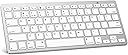
The OMOTON Bluetooth Wireless Keyboard is a sleek, lightweight 78-key QWERTY keyboard designed for seamless compatibility with a wide range of iPads, iPhones, and Bluetooth-enabled devices. Featuring custom iPad hotkeys, a robust 30-day battery life with auto-sleep mode, and a compact form factor, it offers professional users a portable, efficient typing solution optimized for iOS productivity.


| Additional Features | Ergonomic |
| Antenna Location | Office&Home |
| Asin | B019O1R4DQ |
| Brand | Omoton |
| Built In Media | mini keyboard |
| Button Quantity | 78 |
| Color | Silver |
| Compatible Devices | iPad 10th Generation, 10.2 (9th/8th/7th Generation), Pro 13/12.9/11 inch, Air 13/11 10.9 inch (5th/4th Gen), Mini 6/5, Phone Pro/ SE, other Bluetooth-enabled tablets, laptops, mobile phones |
| Compatible Operating System Family | MacOS |
| Connectivity Technology | Bluetooth |
| Customer Reviews | 4.4 4.4 out of 5 stars (6,155) 4.4 out of 5 stars |
| Enclosure Material | Plastic |
| Generation | 10th Generation |
| Hand Orientation | Ambidextrous |
| Item Dimensions L X W X H | 28.4L x 11.9W x 0.5H centimeters |
| Item Weight | 282 Grams |
| Keyboard Backlighting Color Support | Single Color |
| Keyboard Description | Wireless |
| Keyboard Layout | QWERTY |
| Manufacturer | RICLBE |
| Mechanical Keyboard Switch Model | Membrane |
| Mfr Part Number | KB-APWhite |
| Model Name | X5 |
| Model Number | KB-APWhite |
| Number Of Batteries Required | 2 |
| Number Of Items | 1 |
| Number Of Keys | 78 |
| Number Of Sections | 3 |
| Power Source | Battery Powered |
| Style Name | Modern |
| Switch Type | Membrane |
| Theme | Modern |
| Upc | 736950123093 |
User
Nice little keyboard for iPad
This keyboard made it much easier for doing email and other apps like Zoom meetings. having keyboard shortcuts to muting and video using Zoom avoided my reaching for the iPad to do those functions. Only minor drawback is that the first time you press a key, nothing happens. Probably due to Bluetooth, After the initial lag, everything works fine. Had it for a couple of months and very happy. Good value.
User
Light, Inexpensive and Well Designed
The OMOTON Ultra-Slim Bluetooth Keyboard, is the perfect companion for those who want a lightweight, easily transportable and well functioning keyboard to accompany their tablet or laptop.I travel with my iPad Pro everywhere. It's replaced my laptop in terms of portability, However, one thing I always decided against was the Apple Smart Keyboard Case for my iPad. It was a ludicrous price, not to mention I wasn't too sure on the aesthetics of the keyboard itself. But, I needed a keyboard to accompany the day-to-day tasks I was using my iPad for.The OMOTON Ultra-Slim Bluetooth Keyboard has certainly ticked all the boxes I needed from it.This keyboard looks like an exact replica of a Macbook keyboard (layout-wise of course, don't remember seeing white keys on a Macbook?!), so for those familiar with this keyboard layout, you will feel right at home. Not to deter non-Mac users however, this keyboard is very ergonomic.If you're not familiar with Mac keyboards/functions however, there are a few little quirks to be aware of. Such as the '@' symbol is actually Shift+2, not Shift+(@/' key). You'll also have to contend with the Command (CMD) instead of Ctrl, but for the most part these function EXACTLY the same as a normal PC keyboard.The keyboard is very lightweight, powered by 2 AAA batteries. It's non-adjustable, with it being propped up by about an inch at the very back by the battery housing, which suits myself as I prefer a keyboard to be 'propped up'.The connectivity couldn't be simpler. There is a on/off switch behind the keyboard. Simply flick on and connect your keyboard, much like you would a pair of wireless headphones or speakers and you're ready to go.The keyboard is very responsive and works on an iPad just as I would expect it to, allowing me to further utilise the iPad's potential.
User
So much easier than pick at a virtual keyboard
This is my second type Bluetooth keyboard. I have always hated the small pick keyboard on a smartphone. Too many keys that are small to select, bad spelling, and crappy and missing commas, periods, etc. It is so much easier to get things right and done fast with a real keyboard. The price is great and reasonable too. Buy one. You won't be disappointed.
User
Not the classic keyboard layout
I have not used this keyboard much, so my ratings on ergonomics and value should be viewed with caution. I don't use it for gaming, so I can't rate it for that. My main complaint about this keyboard is the absence of a true Delete key. Other people complained about this, but no one who replied seemed to know what the person was talking about. Here goes. A classic keyboard has a Backspace button, which erases the letters to the left of the cursor. it also has a Delete button, which erases the letters to the right of the cursor. This keyboard (see photo) has a rectangular botton marked Delete, which is actually the Backspace button. Above it is a smaller button, also marked Delete, but which does NOT Delete. It turns off the screen! There is, however, a way to turn it into a Delete button by holding down the FN button at the lower left, then toucing that small Delete button. I just happened to find that solution on the page for a different brand of wireless keyboard. It's awkward, and I am totally bewildered as to why the manufacturer would put a button that turn off the screen, but mark is as Delete AND put it in the position of the "classic" Delete button. I can't tell you how many times I have inadvertently turned off my screen because I am used to that being the Delete button on all of my other keyboards. Buyer beware!
User
Nice feel, heavy enough, great value
This keyboard is nicely tailored. I especially like the way it is raise in the back for easier typing. MUCH better ergonomics than tha Apple wireless keyboard! I installed it easily and quickly on my iPad pro. I will buy another to replace the Apple wireless keyboard.
Trustpilot
3 weeks ago
2 months ago