Buy anything from 5,000+ international stores. One checkout price. No surprise fees. Join 2M+ shoppers on Desertcart.
Desertcart purchases this item on your behalf and handles shipping, customs, and support to OMAN.
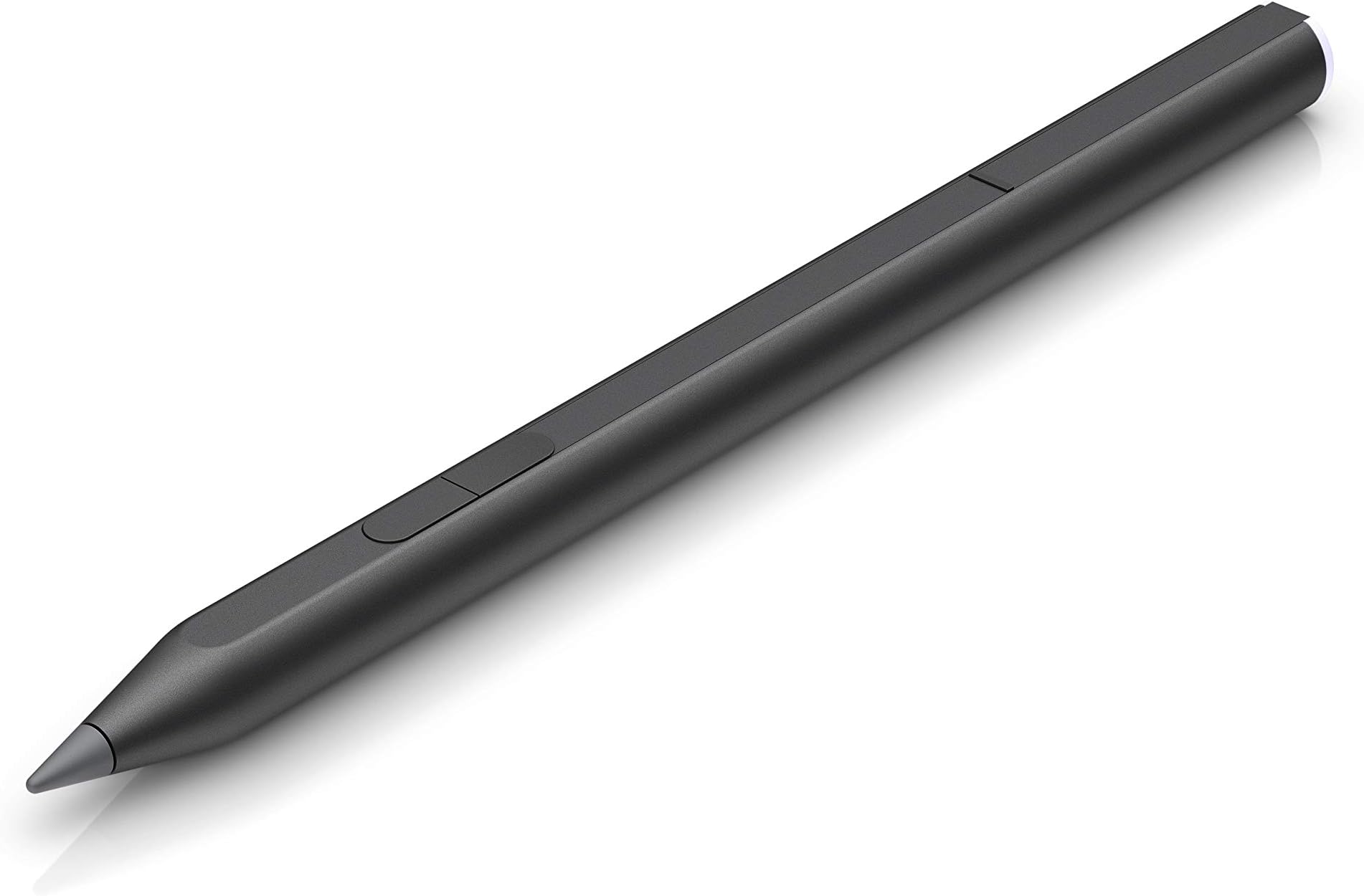
🖋️ Elevate your digital canvas with precision and power — don’t just write, create!
The HP Active Rechargeable Tilt Pen MPP 2 features cutting-edge MPP 2.0 technology for ultra-smooth, lag-free writing and drawing on touch-enabled devices. With only 9g pressure sensitivity, customizable buttons, and a USB-C rechargeable battery lasting up to 30 days, this slim aluminum pen offers professional-grade precision and convenience. Its magnetic barrel and interchangeable tips make it the perfect companion for on-the-go creativity, backed by a 1-year HP warranty.


| ASIN | B089NZNJB2 |
| Are Batteries Included | Yes |
| Are Batteries Required | Yes |
| Battery Average Life Standby | 720 Hours |
| Battery Description | Lithium-Ion Polymer |
| Best Sellers Rank | #16 in Digital Pens |
| Brand | HP |
| Color | Black |
| Compatible Amazon Tablet Models | Amazon Fire HD 10 11th Generation, Amazon Fire HD 8 11th Generation, Amazon Fire HD 8 Plus 11th Generation, Amazon Fire Max 11 13th Generation |
| Compatible Devices | Laptop, Tablet |
| Customer Reviews | 4.3 out of 5 stars 818 Reviews |
| Enclosure Material | Aluminum |
| Item Dimensions | 5.89 x 0.37 x 0.37 inches |
| Item Type Name | Rechargeable Tilt Pen |
| Item Weight | 0.03 Pounds |
| Manufacturer | Hewlett Packard Office |
| Material | Aluminum |
| Mfr Part Number | 3J122AA#ABL |
| Minimum Required Operating System Version | Android 12.0, iOS 16 |
| Model Number | 3J122AA |
| UPC | 194850725517 |
| Unit Count | 1.0 Count |
| Warranty Description | HP standard 1-year limited warranty |
M**E
Very good, worth it
It is an amazing pen, and perfectly compatible with my MSI summit E13 Flip Evo. The pen does not require setup or Bluetooth pairing with devices that support MPP (Microsoft Pen Protocol) as it will start to work immediately. Must be fully charged before it's used for the first time! Will admit that I was pretty skeptical due to the brand difference with my MSI pen and this one, but it works incredibly well. Battery life is great, it feels comfortable, and it is an overall amazing pen. It truly is worth the money and I recommend it to anyone, artist or not. Will leave a sketch that made using this pen here. It's a 10/10 for me ♡
R**Y
compatible with hp envy 360 2in1
i genuinely have been struggling to find a stylus that is compatible with my hp envy 360 2in1 and my god this one actually works like fresh out the box it gives me no issues with pairing and the side buttons are functional as well i’ve had it for about a month i use it all the time to annotate my readings for school and so far it’s been great I haven’t even had to charge it
B**N
Fantastic Stylus
Great Stylus, solved my problem and more!
T**O
Great pen, annoying set up process
Works great; only giving it 4 though because it was really annoying for me to set it up with my omnibook flip x, though it is compatible. The pressure sensitivity wasn't working properly, and I'm still not sure what I did to fix it. However, after a few days of trial and error Krita is working perfectly, and all is good in the world. Feels solid and durable!
J**H
Amazing
Beautiful precision, a must for artists. Also works on Microsoft surface randomly
K**R
Very nice
Super nice pen. A bit expensive but the features are worth the cost. Definitely compatible with most windows touchscreen laptops.
D**3
Doesn't support my pavilion x360
I have gone up down backwards and sideways with HP. Every person I've spoken to says that it DOES pair with the computer and has bluetooth. I've literally shown them an "expert" saying that there is no Bluetooth pairing in the comments but every single person at HP has told me that it does pair. The only pairing guide is for a pen that is not this pen or any of the more recent pens and the pairing mechanism is a top button that you hold down. This pen does not have a top button. Every single tech support and sales rep has INSISTED it had bluetooth. I finally got to one person who said that the reason I couldn't pair it is that it isn't actually compatible with my laptop. I have the pen he said, I specifically asked if this new pen would be compatible and I would be able to pair it. The responses were "Yes it is compatible" and "Yes you can pair it via bluetooth" but there is no guide. There is no information, whenever you ask anyone that does not work for HP they insist that there is no bluetooth pairing. Bluetooth is not mentioned on the product page. If I go into the windows ink pen settings it doesn't allow me to make changes and when I try to use the hp pen app or whatever from the Microsoft store it says my device is not compatible with that app. There is no way for me to use the side buttons or locate the pen if lost and my computer doesn't seem to connect to the pen other than it just writing on the screen. It seems clear that there is some extra level of connection built into the pen but I can't figure out what it is and there is no guide available.
S**A
No manual, connection nightmare, sub-par writing experience, dysfunctional magnetic attachment
MPP 2.0 pen is a comedy of errors. You *can* make it work, but HP 700 is so much better (if it's compatible with your laptop -- good luck figuring this out, because of lack of documentation). MPP 2.0 Pros: * Magnetically attaches to the right side of HP OmniBook X Flip 14. * Works as a basic pen MPP 2.0 Cons: * No manual and impossible to figure out how to pair with the laptop. The online documentation is for the previous pen version, and the instructions do not apply to this pen. Either pressing and holding both buttons for 5 seconds or magnetically attaching the pen to the side of the laptop eventually ended up working to pair the pen to the laptop. * Once paired, the pen provides pretty much no springingness: you are moving a piece of rigid plastic over a piece of rigid glass. This is as uncomfortable as it sounds. HP 700 pen has a spring built into the pen tip, and this makes for a much nicer writing experience. * The pen is less sensitive than HP 700, so I found it skipped pretty often when I was writing with it. The lack of springingness might have exacerbated the issue. * When you "park" your pan by magnetically attaching it to the side of the laptop, the pen's magnetic attachment fools the HP OmniBook X Flip 14 into thinking that the laptop lid got shut and switches off the display. The pen tip also covers the headphone jack. You can try to avoid this by attaching the pen further away from the hinge, but then the magnetic attachment feels flimsy. HP 700 Pros: * The tip has some springingness to it. This makes the writing experience much more ergonomic than with the MPP 2.0 pen. * The pen is more sensitive and does not skip when you are writing. * Comes with a manual that explains how to pair the pen with the laptop (MPP 2.0 version does not) * The pen is not magnetic, so it does not interfere with the laptop's lid close indicator. HP 700 cons: * The pen is not magnetic, so you cannot attach it to the side of the laptop. However, for $5 you can get sticky pen holders and attach them to the side of the display. They hold the pen securely and do not mess with the lid close indicator. * Currently, HP 700 pen is about $20 more expensive than the MPP 2.0 pen. During the prime day (week?) in 2025, both pens were on sale for the same price. The exra $20 is worth the higher quality you get with the HP 700 pen. However, at a higher price point, you could investigate if 3rd party pens can do a better job (I did not do this). Verdict: Do NOT buy. Buy HP 700 pen instead: it appears to support the same MPP 2.0 standards, and a bunch of extra standards. It also offers a more comfortable writing experience due to springiness in the pen tip. Or, skip HP pens altogether and see if 3rd party pens can do an even better job.
R**H
I have paid 9999 for this ptoduct and the mrp is 3999
Feel cheated and the product date of import is october 2021 and its also not working, box is also too old
R**B
Excelente flujo y responsividad.
Funciona excelente en HP Envy x360 (2020). Comparada con Apple Pencil, esta nueva versión de Tilt Pen es mucho más efectiva que la anterior ya que no requiere de Bluethooth y tiene una respuesta eficiente, manejable, personalizable y rápida. Excelente opción para artistas que prefieren un ambiente menos limitante que un iPad. Incluso es completamente compatible con Adobe Fresco para Windows.
M**N
Works well with an HP laptop
Works very nicely, easy to pair and charge. Has a good feel to the pen as natural as it can be writing on glass. It seems to be well made and durable but only time will tell on that front.
G**O
Buena herramienta para editar fotos
Aunque se me hace un poco elevada de precio, es buena herramienta para edición de fotos, sobre todo la selección detallada de objetos, la he probado con Photoshop Elements, Whiteboard y Excel sin problemas.
A**Y
Excellent product and as explained. 100% compatible with HP 360
Excellent product and as explained. Nothing is better than original products. 100% compatibility.
Trustpilot
1 day ago
1 week ago