
قم بتنزيل التطبيق


معلومات عنا
حقوق الطبع والنشر © 2024 Desertcart Holdings Limited
قم بتنزيل التطبيق




🚀 Ship Smarter, Not Harder — The Ultimate Label Printer for Hustlers
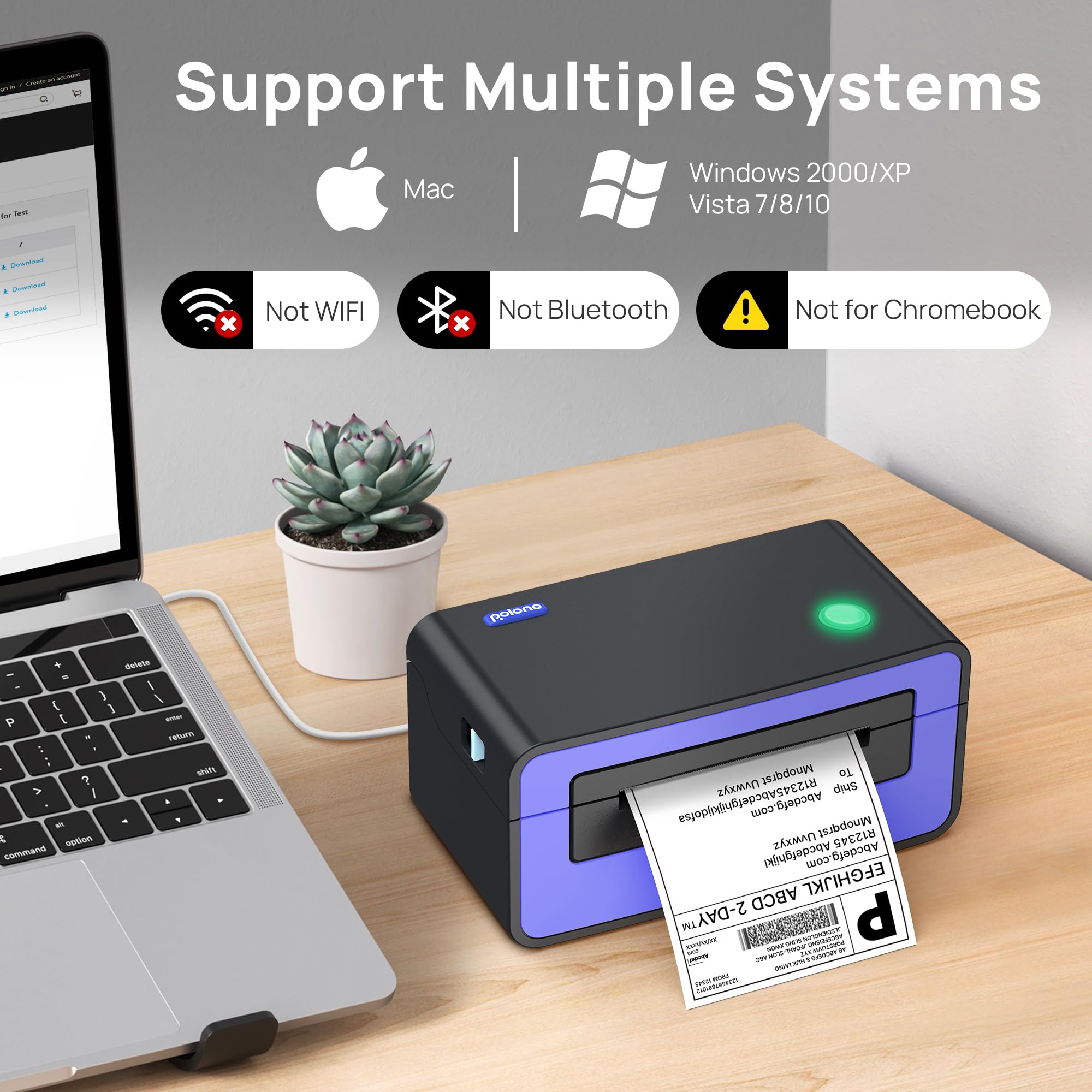
The POLONO Thermal Label Printer is a high-speed, 150mm/s direct thermal printer designed for professional sellers and businesses. Compatible with Windows and Mac, it supports a wide range of label sizes (1.57" to 4.65" wide) and major e-commerce platforms. Featuring automatic label detection and eco-friendly printing without ink or toner, it delivers sharp 203dpi resolution labels quickly and reliably. Compact and easy to set up with included USB drivers and guides, this purple powerhouse boosts shipping efficiency while reducing hassle.


| ASIN | B08RBG6QYX |
| Additional Printer Functions | Print Only |
| B&W Pages per Minute | 150 |
| Best Sellers Rank | 42,421 in Business, Industry & Science ( See Top 100 in Business, Industry & Science ) 55 in Desktop Thermal Label Printers |
| Box Contents | USB drive containing the printer driver, installation guide, setup guide, and user manual |
| Brand | POLONO |
| Brand Name | POLONO |
| Color Depth | 1 bpp |
| Color Pages per Minute | 150 |
| Colour | Purple |
| Compatible Devices | Laptops, PC |
| Connectivity technology | USB |
| Control Method | App |
| Controller Type | Android |
| Customer Reviews | 4.3 out of 5 stars 2,892 Reviews |
| Display Type | LCD or LED |
| Dual-sided printing | No |
| Duplex | Simplex |
| Hardware Interface | USB |
| Initial Page Print Time | 60 Sekunden |
| Ink Colour | Purple |
| Item Dimensions D x W x H | 21.3D x 10.9W x 9.9H centimetres |
| Item Type Name | thermal printer |
| Item Weight | 2.2 Kilograms |
| Manufacturer | POLONO |
| Maximum Copies Per Run | 72 |
| Maximum Copy Resolution Black and White | 200-300 dpi |
| Maximum Copy Resolution Color | 150 dpi |
| Maximum Copy Speed Black and White | 72 ppm |
| Maximum Print Resolution Black and White | 200-300 dpi |
| Maximum Sheet Capacity | 72 |
| Maximum Supported Paper Size | 4 x 6 inches |
| Maximum print Resolution Color | 150 |
| Model Name | shipping label printer PL60 |
| Model Number | Etikettendrucker PL60 |
| Model Series | pl60 |
| Model name | shipping label printer PL60 |
| Network Connectivity Technology | USB |
| Number of Drivers | 1 |
| Number of Trays | 1 |
| Other Special Features of the Product | Portable |
| Output sheet capacity | 72 |
| Paper Size | 4 x 6 |
| Print media | Labels |
| Printer Output Type | Monochrome |
| Printer Type | Thermal |
| Printing technology | Thermal |
| Processor Count | 1 |
| Product Warranty | 2 |
| Resolution | 200-300 x 150 dpi |
| Scanner Type | Portable |
| Series Number | 60 |
| Special feature | Portable |
| Specific Uses For Product | shipping packages |
| Total USB 2.0 Ports | 1 |
| Total USB Ports | 1 |
| Unit Count | 1.0 count |
| Warranty Type | limited warranty |
| Wattage | 50 watts |
H**Y
Works very well
Great printer, low cost but produces high quality labels. Driver is easy to install with given instructions. Works well for 6x4 shipping labels and small stickers as well. I recommend going into the printer settings and changing the print speed to the lowest setting (in Windows: go to printers and scanners, click "Manage" on the PL60, click "Printing preferences", click "Advanced" on the Page tab, then on the "Speed" tab move the slider to the slowest). This makes it print labels slightly slower, but it will print smaller details like small text more clearly. Normally a label would print in about 1 second, this way it takes about 3 seconds, but you don't need it to print that fast and this makes it print higher quality.
D**E
Good stuff
Item was packaged well. I'm not sure the power cable and usb cable needed their own box inside though. Installation was very quick - plug it in via USB, turn it on and install the drivers with the provided USB stick (can also download from a website). I did a test page of text as you can see in the video, I was amazed how quick it through the label out! Must've been less than a second. The text wasn't spectacular but I think that's the program I used and the settings inside as I did a postage label straight after and it came out perfect. I can't really provide a picture as it has someone's name/address on. Yes, I've only just got this so time will tell how good it is but first thoughts are that it's spot on.
D**D
Works fine for Royal Mail with Mac running Ventura
I swithered about this purchase. I needed a printer for Royal Mail Click and Drop labels. Small quantities, around 10 a day. I have a MacBook Pro 2020 and docking station. I downloaded the Mac driver from the Polono website. That was all I needed for installation. It works perfectly. I can dock the Mac, plug in the USB-C and print labels within seconds. Always sees the printer (which is more than I can say for my HP OfficeJet). It came with a rack for labels on a roll and fanfold. A USB A-C adapter too. A USB stick which supposedly has drivers, but I just downloaded them. It's been here almost three weeks and I am super happy with it. A minor thing, but the Mac remembers which printer each application is using. So Royal Mail labels always go to the Polono, and everything else to the HP. No need to mess around with settings each time.
J**A
Waste of many hours
Like some other reviews here, I could not get it to print, even though I tried it on 2 separate laptops, instructions are not much help, Ond support from the US forget it, they haven't replied to date.on both computers it turned the screen off, had to turn the machines off and leave them off for a few minutes, before turning back on. I thought for this sort of money I would be getting a decent product, but this has not been the case, it has been a total waste of time and money. I don't know where all the 5 star reviews come from. It is being returned.
M**H
Perfect for postage labels.
I needed a printer for postage labels for my Etsy store. After checking reviews of a number of printers I decided to give this one a try. It was well packed and very easy to set up. The small size meant it was easy to find space for. The provided label holder isn't the best but it does the job. The cables could also do with being longer but they're fine if you want the printer close to your computer. Print quality is good and the labels are printed very quickly. It has definitely made packing easier for me. I had previously been using a laser printer but this is much more convenient. Labels are cheap to buy so running costs will be low. Overall, I'm very happy with it.
N**G
Excellent thermal printer!
Excellent thermal printer. A must for any small business, it has so many used I use it for making my own jewellery cards as well and it means I can amend the design as much as I want without worrying about ink usage! Easy to set up and happy it came with sticker holder.
G**E
So far so good
I had a very bad experience with a Munbyn printer and bought this one is a hurry because I had a pile of parcels that were running late. Polono was straightforward to set up and worked well, which allowed me to print all the labels and hand them over to Royal Mail and 2 other couriers. The parcels have since reached their destinations without any problems. So far I'm happy and relieved.
M**R
Worth every penny!
There is nothing to dislike with this printer. The print output depends on the labels you use. So don't skimp on quality labels. The speed of printing is amazing, I guess a label a second. I use it for royal mail labels. My Postie is a happy bunny, the labels scan first time, everytime. I've not been paid for this review, I wish! Lol.
ترست بايلوت
منذ 3 أسابيع
منذ أسبوع