
قم بتنزيل التطبيق


معلومات عنا
حقوق الطبع والنشر © 2024 Desertcart Holdings Limited
قم بتنزيل التطبيق

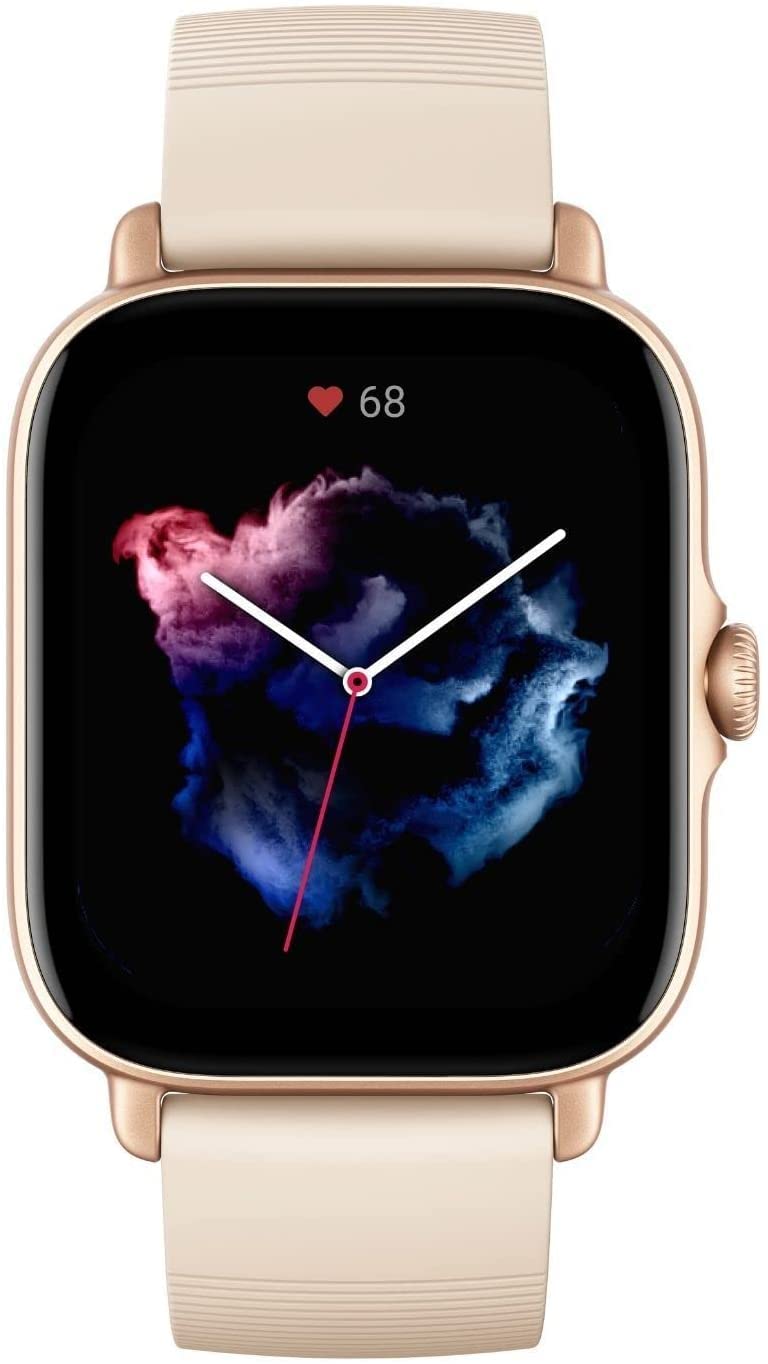





⌚ Elevate your every move with style, smarts, and stamina.
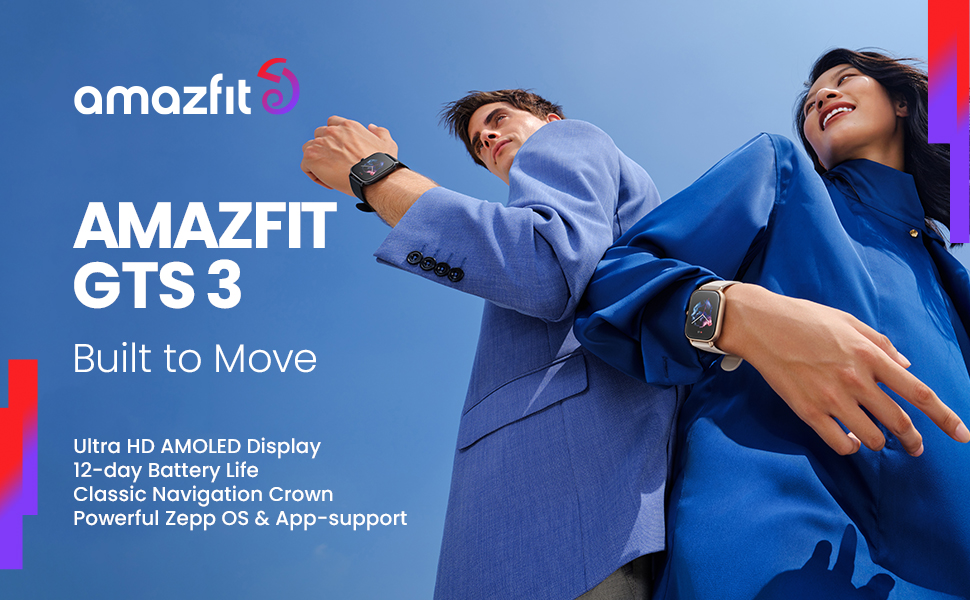
The Amazfit GTS 3 is a cutting-edge 42mm smartwatch combining a vibrant 1.75-inch AMOLED display, built-in Alexa voice assistant, and advanced health tracking with 150+ sports modes. Featuring multi-GNSS navigation, a barometric altimeter, and 5 ATM water resistance, it supports seamless fitness and outdoor activity monitoring. Its ultra-light aircraft-grade aluminum frame and 12-day battery life make it a perfect companion for professionals seeking a sleek, durable, and smart wearable that keeps pace with their dynamic lifestyle.


| ASIN | B09H5VGV19 |
| Additional Features | GPS, Activity Tracker, Calorie Tracker, Heart Rate Monitor, Stress Tracking, Sleep Monitor, SpO2 tracker, Always On Display |
| Age Range Description | Adult |
| Band Color | White |
| Band Material Type | Silicone |
| Battery Average Life | 12 days |
| Battery Capacity | 250 Milliampere Hour (mAh) |
| Battery Cell Type | Lithium Polymer |
| Best Sellers Rank | #46,414 in Electronics ( See Top 100 in Electronics ) #947 in Smartwatches |
| Brand | Amazfit |
| Built-In Media | Charging base, Instruction manual |
| Case Material Type | Aluminum |
| Clasp Type | Buckle |
| Closure Type | Buckle |
| Color | Ivory White |
| Communication Feature | Yes |
| Compatible Devices | Android 7.0 and above, iOS 12.0 and above |
| Compatible Phone Models | Android 7.0 and higher, iOS 12.0 and higher |
| Connectivity Technology | Bluetooth |
| Controller Type | IOS |
| Customer Reviews | 4.2 out of 5 stars 5,315 Reviews |
| Display Type | AMOLED |
| GPS Geotagging Functionality | GPS Enabled |
| Global Trade Identification Number | 00850030107312 |
| Human Interface Input | Touchscreen |
| Item Dimensions | 1.67 x 1.42 x 0.42 inches |
| Item Weight | 39 Grams |
| Manufacturer | Amazfit |
| Memory Storage Capacity | 2300 MB |
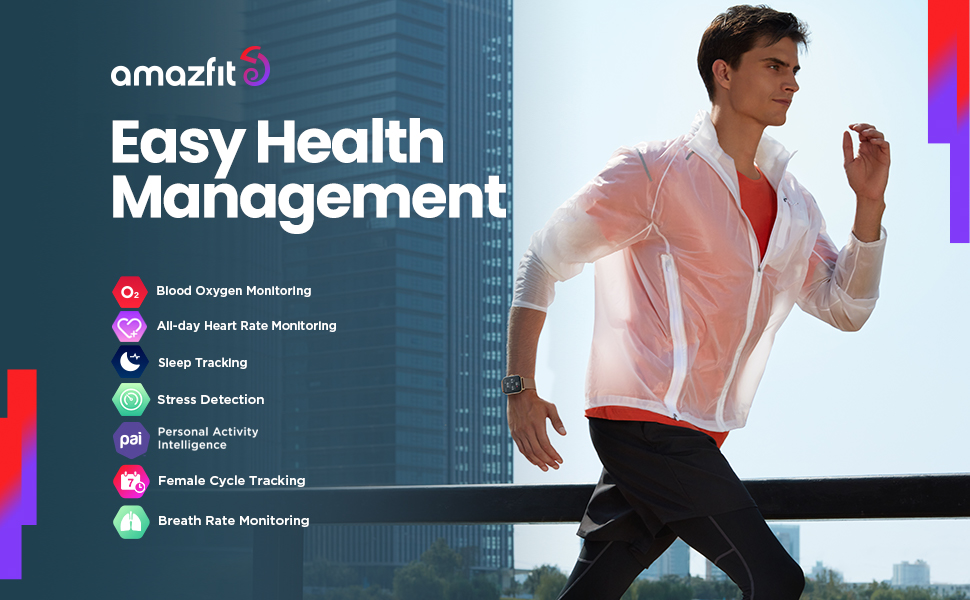
| Metrics Measured | Heart Rate Monitor, Blood Oxygen Monitor, Stress Monitor, Breath Rate Monitor |
| Model Name | Amazfit GTS 3 Ivory White |
| Model Number | A2035-White |
| Operating System | Zepp OS |
| Resolution | 390 x 450 pixels |
| Screen Size | 1.75 Inches |
| Shape | Heart |
| Special Feature | GPS, Activity Tracker, Calorie Tracker, Heart Rate Monitor, Stress Tracking, Sleep Monitor, SpO2 tracker, Always On Display Special Feature GPS, Activity Tracker, Calorie Tracker, Heart Rate Monitor, Stress Tracking, Sleep Monitor, SpO2 tracker, Always On Display See more |
| Sport Type | Cycling, Fitness |
| Style Name | GTS 3 |
| Supported Application | Breath Monitor, GPS, Heart Rate Monitor, Multisport Tracker, Voice Control |
| Target Audience | Women |
| UPC | 850030107312 |
| Warranty Description | 1 year manufacturer |
| Warranty Type | Limited |
| Water Resistance Depth | 50 Meters |
| Water Resistance Level | Water Resistant |
| Waterproof Rating | IP68 |
| Wearable Computer Type | Smart Watch |
| Wireless Communication Standard | Bluetooth |
| Wireless Compability | Bluetooth |
| Wireless Provider | Unlocked for All Carriers |
C**.
Best smart watch?
I have been wearing this watch daily, and nightly, for three years. I rarely review anything, but I felt this product deserved praise. From time to time I wonder if I should get a new watch. Every time I compare it with other watches, I come to the conclusion it still is the best smart watch for the money, perhaps the best smart watch, period. I use it for monitoring health, various kinds of workouts and sleep. The charging speed is fast. The battery life is ridiculously long, compared to other watches. The easy interchangeability of watch faces and bands make it stylish for all social occasions, but at the same time it is rugged enough for hard labor and intense workouts. UPDATE: Just over three years into ownership and constant use, a few functions have stopped. I find the touch face unresponsive when I am logging sets at the gym. The workout recovery readings and hypopnea sleep monitor have stopped. I still use the watch, but I am looking for a replacement. 3 years for the price and use is not bad. I may buy a new identical watch or the Balance 2 in order to get the golf features. Zepp has been fine, but I am looking at other brands that sync with other popular fitness apps. I also have noticed this watch has started to make my wrist break out occasionally. FURTHER UPDATE: After some research, I have discovered some of my latest issues may be related to the OS version of the software in my GTR3 Pro. This watch was Zepp's pioneer using OS. It started with Zepp OS 1.0. It has been updated to newer versions, but not to Zepp 5.0, which is the version in Amazon Balance 2. The Balance 2, however, costs about $200 more. Just like other technology, the GTR3 Pro hardware may not be able to use the later versions. So, like other technology, a 3-year cycle for replacement of the hardware is expected in order to keep up with the software updates and latest trends in functions and applications. Personally, I would tend to invest in a watch at a lower price point where a 3-year replacement cycle makes sense. Overall, I still recommend the watch, but a prospective buyer should understand the limitations in the software and be made aware of a few cons that have occurred recently. It still looks good and almost all functions still operate well.
R**R
Battery life is terrific!
This is the watch I was looking for. I've only had it a few days, yet haven't needed to charge it yet. In my opinion, the battery life of a smart watch is the most important feature. Amazfit did a great job with this watch. Of the five smart/fitness watches I've owned over the past few years, all had miserable battery life. What good is a watch, if it has to stay on the charger? Last year, I picked up the new Google watch as a promotion when I upgrade my phone. In other words, I didn't have time to do the typical research. :( The first day of using it, by the time I went to bed it was dead. I went looking for something better. Then I discovered Amazfit. This is a watch company to be reckoned with. I started pouring over their offerings and their lineup of models is impressive. Initially, I purchased the Bip 3 Pro. I bought primarily for the great price. However, I decided to see what a modest upgrade would offer. (Nothing was wrong with the Bip 3 Pro. It functioned fine.) At the end of the day I decide to upgrade to the Amazfit GTS 3. I'm still learning the navigation and features it offers. Below are features I found most notable, so far. Pros: 1 - Battery life of 12 days. Impressive by historical smart watch standards. 2 - A little bigger display then the Pip 3 Pro. 3 - The 1.75" AMOLED screen is gorgeous. It is super clear, bright and characters sharp. Great contrast as well. 4 - Reasonably good fitness features. I wanted a watch that would also help me keep track of my sleep. I haven't used it long enough to properly rank this now. 5 - Nice soft silicone band. 6 - Perfect size and looks good on my small wrist. Cons: 1 - My one complaint is the small, plastic magnetic charger base. Any bump of the watch will unseat it. There's simply not enough surface area of the uber-small pins of the charger base to attach firmly with the watch. I know some things need to be made a little cheaper to meet costs, but this could be improved. I hope Amazfit will design and offer another charger with better magnetics. So far, I'm very happy with this watch. The features/price value is exceptional. At $120 you can't go wrong. Amazfit seems to be on a great track to continue to design exceptional smart watches that include all the usual features of a smart/fitness tracker. If I uncover any other features that stand out I'll update this review.
D**E
Decent watch for the price.
Bought this 2.5 years ago. It is a decent watch. Looks like an Apple watch. Feels like it's quality made (despite the stupid brand name that is so high correlated with cheap Chinese made crap all over Amazon). It's also relatively slim and it feels good on the wrist. It's basically waterproof... But don't wear it in the shower. It has a tendency to respond to texts for you when the screen is wet. It uses scripted responses that can be quite rude in American vernacular. I've had to make many apologies to friends and family. I've bought a few Amazfit watches over the years (might be called Zepp now). I can attest to their quality. Battery life is not exaggerated. It feels unusual to actually have to charge this thing. One day, the screen just fell out of the bezel... That was odd, but I still think it's a great alternative to the high priced watches. I wonder if others have experienced the glue separating like that.
M**F
Nice watch, good value
My Fitbit Versa 3 stopped charging after a couple of years and I needed a relatively inexpensive replacement. I decided to get the AmazFit GTR3 based on all the positive reviews and the price. I'm very impressed so far, setup and pairing with my phone was easy via the QR code, it lasts for many days on a charge (I had to charge the Versa 3 every other day, seems accurate, has lots of face options and is very legible even in bright light. I'm not interested in most of the fitness programs and options, just want to track my daily steps and heartrate and this will do just fine. If it lasts at least a couple of years it will be a bargain.
M**A
Battery life doesn't last
April 6, 2024: Update, I reached out to customer service because, well, the battery problem is simply unacceptable for only having it for just over a year. Let me preface how it is used: I wear it 24/7, but use it to 1) look at texts/calls as they come in 2) check the time, 3) use the stop watch for about 20 minutes a day total and 4) find my phone. Most of these features I only use about 5 times a week. I don't use it to play games or really much of anything that would suck the battery up too badly. So when I reached out to customer service their response was very obviously automated asking me to troubleshoot the problem. No issue. When I did and said more or less, "it is pretty obviously the battery", they essentially reiterated ways I could try to "save" the battery life, with another automated response. Suggestions included: Please refer to the following instructions to troubleshoot the issue: 1) The watch charging takes about 2.5 hours, please confirm whether your watch is fully charged; 2) The battery life may vary according to settings, usage, climatic temperature, and other factors. So the actual result may differ from the laboratory data. 3) The more power-consuming applications in the watch will also shorten the battery life. Please also check whether the watch is with the latest firmware. If not, please upgrade the watch and observe the battery performance; Note: The following apps would cause fast power consumption: screen display, sleep breathing quality, frequent use of Bluetooth phones or listening to music (if supported), the Screen-on Duration for too long, too many notification reminders, Always On Display enabled, GPS for a long time Exercise, turn on Auto Blood Oxygen Monitor, etc. 4) Then please do the following settings to see if the watch battery life will improve. * Set the Response speed of Lift wrist to view info function to Normal mode * Turn off the Always On Display * Disable Sleep breathing quality monitoring * Disable Auto Stress Monitoring * Disable Auto Blood Oxygen Monitor * Change the Screen-on Duration time to 5 seconds * Do not choose any Wake-up Mode for Offline Voice Control It has now been 4 days since that reply, at which point I reiterated that it is very obviously an issue with the battery and disabling any and all of the above "suggestions" would defeat the purpose of having a smartwatch. I'm still waiting on a response. Changing my review to a one star because of the customer service. March 31, 2024: I've had this watch for over a year, 16 months to be exact. All of a sudden the battery life just tanked, despite using it exactly the same as I always have in the past. It's battery life is okay but only lasts about half as long as it used to. Additionally, it has issues with notifications where it will continue to display text notifications that I've already read and acknowledged. Again, not a big deal but annoying. Overall, it is an okay watch. I'm not sure if I intend to continue using it moving forward or if I will get something different.
B**.
Excellent value! Does just what I want it to do and leaves out the extras.
This is my 3rd smartwatch, and so far it is BY FAR the best! I previously had a TicWatch Pro that had every bell and whistle in the book. However, it needed reset often, lost connection to my phone regularly, slogged along through apps, and needed charged every night. I initially purchased the TicWatch because I thought I wanted to be able to store music on the phone and use NFC payments. What I found out is that I never used those services because I always have my phone on me. The battery life was also crap, so I wasn't able to wear it at night. I write the above because these were the things that drove me to the GTR3. -I still get all of the notifications I want, and it's easy to turn off the notifications I don't want. I can't respond to texts (the feature doesn't seem to want to work), but that's not a big deal to me at all. -I also can't answer phone calls by tapping an icon on my wrist, but who cares?! -The battery legitimately lasts 10 days. It's been nice to be able to travel without bringing a watch charger along. -The workout tracking works well on a treadmill. (It's been a bit snowy in Wyoming still, so haven't had a chance to test the GPS.) -The heart rate and O2 sensors probably aren't medical grade, but they're good enough for me to track how things are going. -I have had ZERO connection issues. -The sleep tracking isnt' the best, but again, it's more for reference than for accuracy. All-in-all this watch works exactly how I want a smartwatch to work. It does enough without going overboard, and the battery life reflects that. One point to mention: I'm not a fan of silicone straps. I replaced my with a nylon hook-and-loop strap, but I ordered the wrong size initially. This is a 22mm strap. I couldn't find that information anywhere, so I hope this helps others that are looking to swap out their straps!
G**T
Not all activities sync with the app. Buggy software.
Bought GTS 3 a few days ago and put it through my own (un)scientific test. Here are the results: GPS for Distance tracking: This is the best part of this watch. The distance tracking with built in GPS is right on the button. Very consistent and very accurate. Tested in school and YMCA outdoor running tracks where the exact distance per lap is officially known. This GPS not only showed the distance accurately but was consistent lap after lap. I tested it along with my Versa 2 which used my phone's GPS, and also with Strava installed on my phone. In these GPS accuracy tests, the GTS 3 was No.1, Versa 2, and Strava 3. The Versa 2 was well within the tolerable range with a deviation of about 0.01 to 0.03 per .25 miles, and I got the same deviation for the full mile as compared to GTS 3. Very acceptable variation for amateur athlete. Watch Interface: Watch interface is ok, takes a bit of getting used to. The Crown shortcut feature is almost a necessity with so many screens scrolling in this watch. Yes, there are a couple of nice watch faces but that shouldn't be a decision maker. I liked Versa 2's watch interface better. It is intuitive, direct, and brief. Zepp app: Very very non-intuitive, cumbersome, and buggy. Takes some time to understand it well. Even though Versa app isn't very intuitive, after using the Zepp app, it suddenly seems a lot better. The Deal Breaker: On amazfit GTS 3, not all the activities recorded on the watch synced to the zepp app. Some activities failed to sync. I got a message on the watch that certain activities were not synced to the app. I googled for the troubleshooting info and found out that this ib fact has been a known issue. In fact, Amazfit has posted the steps on how to solve this synching problem, (Clear the Bluetooth cache on the phone, logoff from the zepp app and sign back, restart the phone, etc.) I followed all the steps diligently but the un-synced activities remained un-synced. Thinking perhaps this is one off software glitch, I did the factory reset on the watch, deleted the zepp app, and reinstalled it on my phone, restarted the phone, and took the watch for another round of tests. Again, some activities did not get synced. Finally, I called the amazfit tech support for help. They said that I had done all the troubleshooting correctly, and this could likely be a software issue. They asked me to provide all the information in the Feedback field of the app and also to attach a screenshot of the message that says that certain number of activities were not synced. The tech guy said the developers would review it and fix the issue. Ugghh. If I am right, amazfit started customizing the Zepp app for GTS 3 but I think they brought it out to the market before thoroughly testing it. The software is very buggy even if the GTS 3 is a decent watch. My Opinion: What is the point of buying a smart watch that cannot transfer all your activities from the smart watch to the app for further analysis? This was certainly a deal breaker for me. Based on my own personal experience, I am returning the GTS 3 and staying with my Versa 2. May even consider getting a GTS 2 which has many more features like music, phone calls, etc., and which (I think) used the old Zepp app. I'm not certain that synching isn't an issue on GTS 2 though. Hope this review helps.
J**C
Full of features and an awesome battery
I've had my GTR 3 Pro for about two weeks. This is my first ever smart watch or fitness tracker, I'm not an athlete, and so far I'm very happy with this watch. I can't imagine needing more workout options or settings or features... too many to list and review here. I use the Android Zepp app on my Samsung phone and there's a lot of information in the app and it's pretty intuitive to me; you use the phone app do most of the watch settings and see the super-detailed health and workout data, just make sure to keep the app running all the time. That means now your phone's bluetooth is always on, something new to me but I suppose not for a lot of people. If you're away from your phone, it all syncronizes the next time the watch and phone connect. The battery and price were my main reasons for choosing this watch (and it's round, like a watch should be). The battery is no joke: I think the manufacturer promises around 12 days, and after nine days it was at 14%. I logged a workout each day, made and answered a few phone calls, slept overnight with it on once, replied to texts, kept it connected to the phone, never turned it off, left most if not all of the default settings (screen NOT always on, heart rate every 10 minutes), and played with it a lot. No doubt results will vary. Just a couple hours to re-charge. I've read about high-brow ($$$) watches being charged once or even twice a day... that's a non-starter for me. I keep the big and responsive screen at about 15% brightness but it is on auto-brightness so you can see it out in the sun. GPS seems accurate after looking at the maps of my walks in the app... start an outside workout, tap start and give it 15 seconds or so to catch the GPS signal, the phone vibrates and you're off. Works everytime. I pretty much take the watch's word for it as far as heart rate, steps, calories and the rest of the fitness and health features. I have nothing to compare it to so works for me. The description says includes wifi but it isn't anything you can use like you might think or turn on or off as you please... might just be for transferring music to the watch. With just the companion Zepp app on your phone, you can make and answer phone calls with the watch's built-in microphone and speaker. And you can reply to text messages either with an emoji or from a selection of pre-set responses that you can edit or add to (you make/edit these using the Zepp app on your phone, they're syncronized to the watch, and the responses appear on your watch when you tap reply to a text). Works great. You can't create a text with the watch (maybe thru Alexa, not sure). There's a little app store in the Zepp phone app (maybe 20 apps), where you can download small apps to the watch (stocks, calculator, etc.). I am an Alexa newbie but it also works fine. Set-up is a bit clunky using the manual and Zepp app but after going through the process a couple times it works. We don't have anything else Alexa in the house so still figuring out what to do with her besides weather, lists, etc. I'm still using the supplied brown band... not sure if it's really leather but it is comfy and looks good. I was worried most about the large size of the watch with my skinny wrists, but it looks ok even with a separate cover that adds a couple mm to the overall size. I had a cover over the whole watch before I ever turned it on, so I can't comment on scratch resistance and such. I immediately cover all my devices and screens and there are several protection options on Amazon. By the way it can be worn on the right wrist, too, by swapping the band around and settings to flip the screen and buttons. Easy peezy. I've loaded over 200 MP3s to the watch and have over 1G memory left. It connects perfectly to my cheap bluetooth ear buds and so far stays connected. The watch comes with about five or six watch faces pre-installed, but through the Zepp app on your phone you can download more. A lot of them cost a couple bucks but I can't count the free ones. Loading a new face onto your watch takes a couple of taps and it's installed and active on your watch. I've downloaded one of the several separate phone apps just for Amazfit faces and it offers hundreds more for free and works great. I can't imagine anyone wanting more free watch faces, they just don't all come pre-installed on the watch. Nor should they, taking up memory space. Delete and download new faces as you feel the need for change. On the negative side I have yet to get the offline voice commands to do anything. These are built-in voice commands that let you speak to open apps and control some watch features. They are separate from talking to Alexa, which works fine for me. I haven't really sought a solution yet because it's just too easy to get to everything on the watch by swiping or rotating the crown button. The Zepp app does use a good chunk of phone memory... whenever I check it is using between 600 and 800MB of internal storage. Could be alot for some phones and I've no idea if the app can be moved to external phone storage. Hopefully it can. I recommend keeping an open mind when reading some of the negative reviews based on one or two features out of the 50 things the watch does (like 1-star reviews because the customer doesn't like having to use the rotating crown to navigate the display, or couldn't get an old watch's face on this new watch, or too hard to install watch faces (no... it's super easy), or one feature it doesn't even advertise it can do but it "should" do... I don't understand one-star reviews like that). Overall it's a great smart watch value with a long list of useful features. UPDATE After I had the watch for weeks I learned there are watchfaces with tap-able/shortcut spots on them, that'll take you directly to different apps in the watch... steps, weather, heart, alarms, etc. And, if you tap on the city name in the weather app you can select other cities that are in the weather section of the Zepp app on your phone. I did that accidentally one day. I had no idea.
ترست بايلوت
منذ 5 أيام
منذ شهرين