


Desertcart purchases this item on your behalf and handles shipping, customs, and support to OMAN.
🎯 Elevate your workspace with precision, comfort, and wireless freedom!
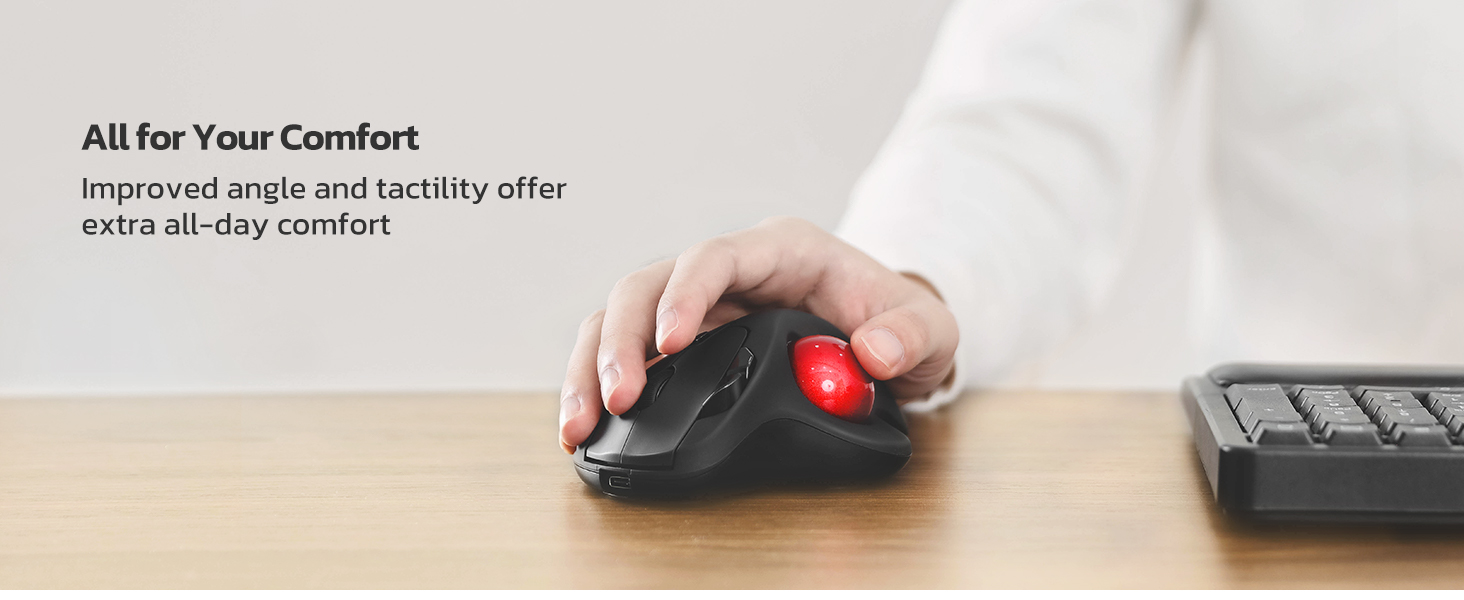
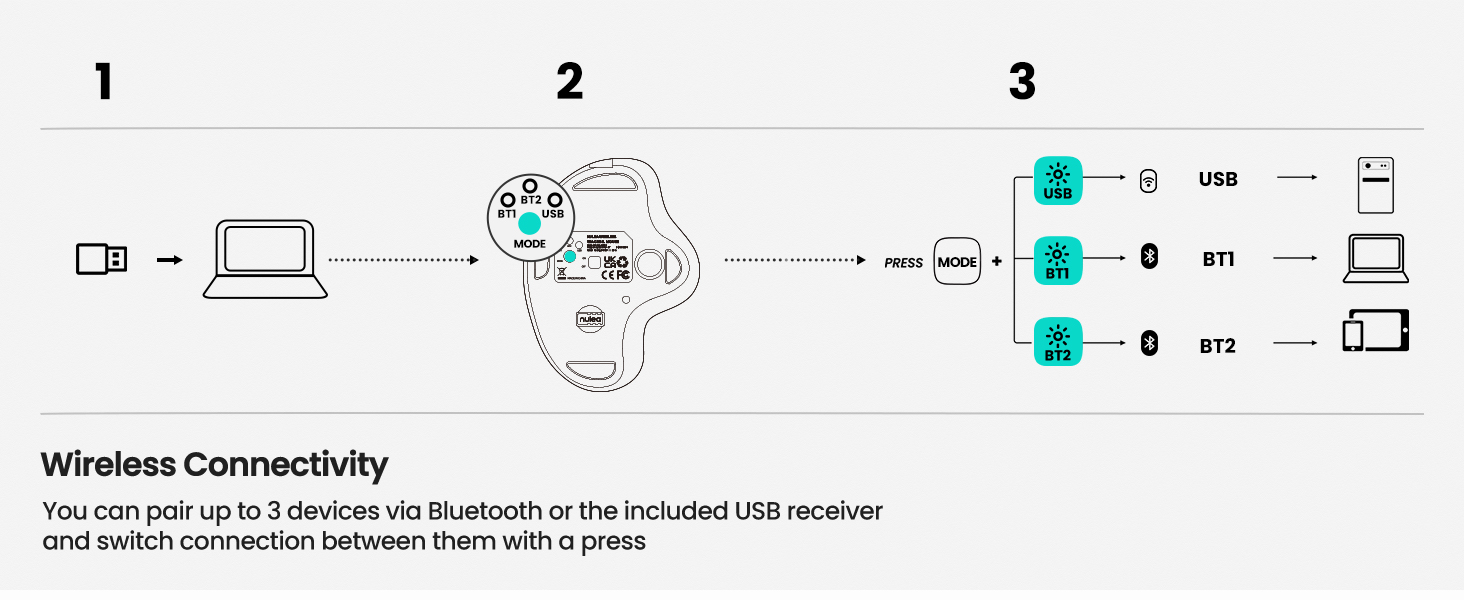
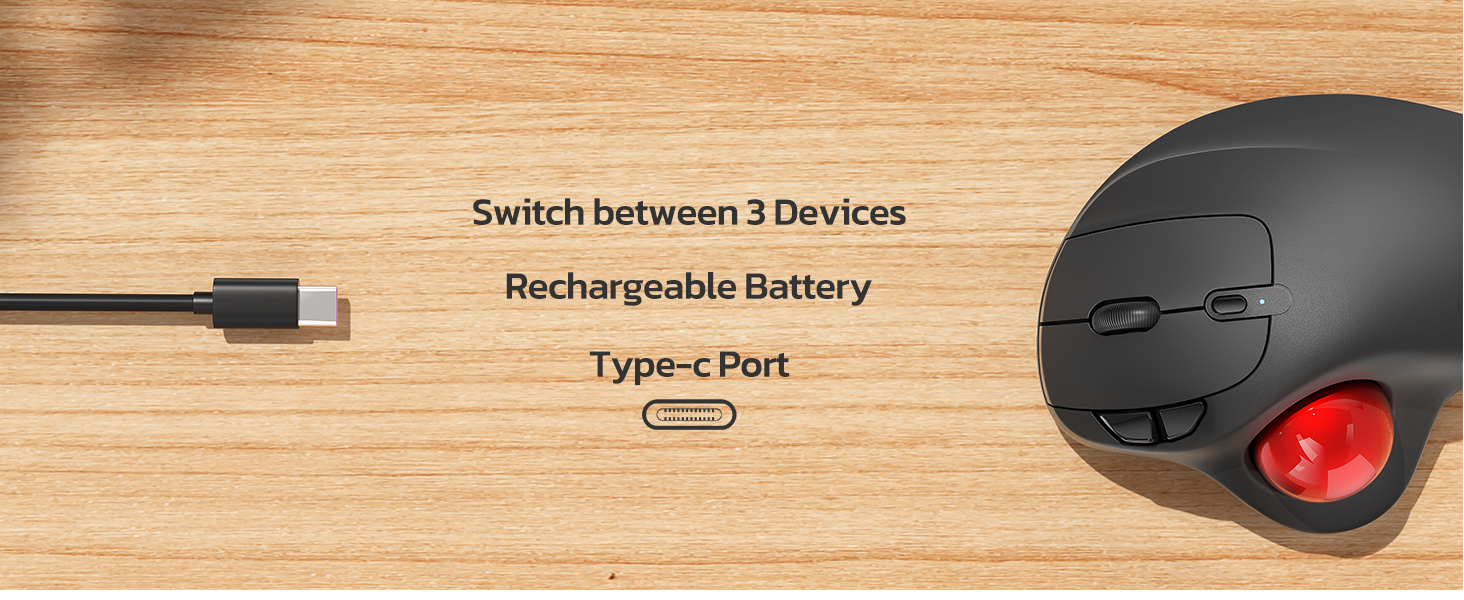
The Nulea M501 Wireless Trackball Mouse combines ergonomic design with smooth thumb control to minimize muscle stress. Featuring 4 adjustable DPI levels, it offers precise tracking on virtually any surface. Connect up to three devices via Bluetooth or USB dongle and switch seamlessly to maximize productivity. Its rechargeable battery ensures long-lasting use without the hassle of disposable batteries. With six high-performance buttons and an optimal ergonomic angle, this mouse is tailored for professionals seeking comfort and efficiency in compact or cluttered workspaces.





| Additional Features | Ergonomic Design |
| Antenna Location | Office |
| Are Batteries Included | No |
| Are Batteries Required | No |
| Asin | B09HHHDZZG |
| Battery Average Life | 1 months |
| Best Sellers Rank | #32,960 in Computers (See Top 100 in Computers) #914 in Computer Mice |
| Brand | Nulea |
| Button Quantity | 6 |
| Color | A - red |
| Compatible Devices | Laptop, Macbook, Personal Computer |
| Connectivity Technology | Bluetooth, USB |
| Customer Reviews | 4.4 4.4 out of 5 stars (12,861) 4.4 out of 5 stars |
| Embellishment Feature | Logo |
| Enclosure Material | Plastic |
| Hand Orientation | Right |
| Hardware Platform | Laptop, PC |
| Included Components | a USB charging cable |
| Item Dimensions L X W | 14L x 11.1W centimeters |
| Item Weight | 4.51 Ounces |
| Manufacturer | Nulea |
| Mfr Part Number | M501 |
| Model Name | M501 |
| Model Number | M501 |
| Movement Detection | Trackball |
| Number Of Batteries | 1 Lithium Ion batteries required. |
| Operating System | Windows, macOS |
| Power Source | Battery Powered |
| Range | 10.0 meters |
| Style Name | Ergonomic |
| Theme | office |
| Unit Count | 1.0 Count |
User
Delivered prior to schedule
excellent item.
User
Great feel, control and buttons
So I've been a longtime trackball mouse user, most of the time with a Logitech Ergo M575. I decided to try the Nulea trackball mouse since it looks so similar, but everyone is different ergonomically. The first mouse I ordered didn't track properly, so returned for a full refund. But I liked the grip and feel and the buttons, so I ordered two more and they are working perfectly. The change of DPI settings is great if you like to track faster or slower on the screen. I did find that with Bluetooth, the tracking seemed to be off a bit, either too fast or too laggy. Right now, I'm using both with the 2.4GHZ setting and haven't encountered any issues. I would definitely order again.
User
Comodo, aiuta ad alleviare il polso sofferente
Ho provato questo mouse trackball perché da un pò di tempo soffro di dolori al polso purtroppo, e quindi ricercavo qualcosa per aiutare, ad alleviare gli sforzi a carico del polso uno dei possibili è durante il lavoro al pc, mouse e tastiera sono alcuni degli elementi che se non adeguatamente ergonomici contribuiscono a causare infiammazioni e fastidi a carico del polso e dei tendini.Per questo motivo ho voluto testare questo mouse trackball della Nulea, e da subito come lo ho preso in mano mi sono reso conto che era un prodotto ben realizzato, comodo da gestire e apparentemente robusto e ben costruito (poi il tempo ci dirà se affidabile nel tempo).La differenza d'uso tra un mouse normale e un trackball è notevole e qualche volta vi capiterà di cercare di "portarlo a spasso" :-), ma la comodità del polso e gli zero spostamenti necessari per gestire il mouse non sono da sottovalutare.Il prodotto può essere installato sia su pc Windows che su Mac.Se il pc dispone di bluetooth si può associare con semplicità cercando il dispositivo nell'elenco degli elementi individuati dal bluetooth e associarlo, altrimenti con il classico dongle usb facciamo l'associazione e selezioniamo tramite il tastino posizionato sotto il mouse, la modalità usb.Con il Mac non ho avuto necessità di fare nulla, semplicemente selezionato dall'elenco bluetooth, acceso e usato. Giusto potrebbe servirvi modificare la sensibilità se quella standard non vi andasse bene, ma vi suggerisco nel primo periodo di provare ad abituarvi con le impostazioni standard, che di solito sono più che adeguate.Il dongle usb è posizionato su un incavo del mouse stesso nel fondo del prodotto, dove trovate la scritta Nulea, potete estrarlo e collegarlo al pc se necessario.Invece per ricaricarlo, trovate una porta usb C frontalmente.Incluso anche un cavo lungo usb C - usb A per la ricarica.Il prodotto ha soddisfatto me e il mio polso :-)Se ci fossero novità aggiornerò la recensioneSpero che la mia esperienza sul prodotto possa esservi stata d'aiuto, se si un UTILE sarebbe gradito :-)
User
Fantastic product at low price - I recommend it.
I have to admit, I was a bit skeptical when I ordered the Nulea M501. The price was so reasonable, I didn’t expect much. Boy, was I wrong! This trackball mouse is absolutely fantastic. The build quality is surprisingly high – it feels solid and comfortable in my hand. The thumb control is incredibly smooth and precise, making cursor movements effortless. It’s a HUGE relief for my wrist compared to a traditional mouse. The tracking is amazingly accurate, and I love that I can use it anywhere, even on my cluttered desk! Being able to switch between my laptop, tablet, and desktop with the 3-device connectivity is a game-changer. And the rechargeable battery? A total plus! The fact that I can get weeks of use on a single charge is just phenomenal. For this price, I am absolutely shocked at how well this performs. Six buttons, great ergonomics, and all the ease you could ask for. If you’re on the fence, jump off and get this mouse, you won’t regret it! Highly, highly recommended! (I think this one is at least equal to brand name trackball mouse which price is 4 times higher)I will be buying other models from this brand for sure.
User
3 Months In, It's Working Out Great
As a long-time user of the old wired Logitech Trackman Wheel models, I was hesitant about trying this.I had bad experiences with TWO of Logitech's newer M570 models wearing out their buttons in less than 6 months time. I even bought used Trackman Wheel models online after they became discontinued, and those lasted a lot longer than the newer M570s.I've had this Nulea for 3 months now and use it daily, and can safely recommend it for anyone looking for an alternative. It has been reliable and works very well for someone used to the Logitech models.The position for your hands is ever-so-slightly different than the old Trackman Wheel's slope/angle, and it does take a few days to adjust if you're so used to another model. But it's very slight and not anything that feels drastically different. Once you've acclimated, it feels very natural and comfortable, even for all-day use.Just like with the Logitech models, it successfully keeps my wrists and hands pain-free, where with a normal mouse (which I gave up decades ago for this reason) I'd have bad hand cramps and wrist pain from the repetitive movements involved.Other reviewers have mentioned Nulea has great customer service, but so far I haven't had any need to confirm that myself. Everything is working great for me. I chose to use it via the wireless adapter rather than bluetooth, simply because my bluetooth connection is a bit spotty at times for my liking (with other devices too, not just this trackball) but it has been a great experience using the wireless USB adapter.For anyone who happens to use Linux, it works flawlessly on Linux Mint for me. The sleep mode is handy for those times when I forget to turn it off overnight, or just in general for idle periods to help conserve battery power. When it enters its sleep mode, all you do is click the left button once to wake it back up, and then you can move the mouse and use it like normal again.After the initial charging period when I first got the device, I've only had to charge it I think once or maybe twice, in a 3 month period, so the battery lasts for a long time on a charge.The DPI button is really helpful to have too, and I like to set it to the max amount. I was sorely missing this feature when I briefly went back to using my spare old Logitech Trackman Wheel on another device for a time. I'll probably order a second one of these Nulea models for that device at some point honestly, now that I know they are reliable and great to use.It might seem like a small thing too, but I also love that you can pick different color trackballs. I've got the gold model and really like how it looks with the dark grey.The only odd thing I have noticed so far is that the scroll wheel sometimes has a bit of a squeak or "chirp" to it after a while of using it (I thought it was a bird outside my window the first few times I heard it, until I realized) but it doesn't seem to impair functionality any, and most of the time it isn't an issue.Right now as I type this and scroll the wheel it's not making any such noises at all, for example. Even when it does squeak a bit, it's nothing that feels like it's faulty or in any danger of breaking. So far it is definitely not a problem, and my experience overall with this trackball continues to be a very positive one.
User
Nach einer Eingewöhnungsphase, einfach klasse!
Fazit: „Trackballs“ haben viele Vorteile, gegenüber „Standard-Mäusen“: Fester Platz, kein Mauspad nötig, Kugel leicht zu entnehmen für die Reinigung, bis zu 3 Geräte gleichzeitig verbindbar (Bluetooth)! Für 29,99€ (Stand 09.05.2023) bekommt man einen sehr gut verarbeiteten, sehr angenehm handhabbaren, 6 Tasten „Trackball“ – klare Kaufempfehlung!Die „Nulea, kabellose Trackball-Maus in Weiß“ wird zusammen mit einem Ladekabel (24,5g; 160cm, USB-A zu C) und einer 5 sprachigen Anleitung, in einem Umkarton (243,5g; 14x11x6cm) verschickt.Die Maus selbst hat ein Eigengewicht von 146,5g. Die Bodenplatte, die durch 4 Gummi/Silikonfüße sicher auf allen glatten Untergründen steht, hat die Maximalmaße 13,5x10,5x6cm. Daraus ergibt sich eine Maus, wie ein „Schildvulkan“, mit einer Abbruchkante (Daumenmulde mit Trackball) und einem einseitigen „Auslauf“ (Unterlage für den Handballen – angenehmer und sicherer Halt garantiert). Im Boden sind neben dem USB-A-Dongle (eingelassen/herausnehmbar) auch der „An/Aus-Schalter“, ein Knopf für den „Signalwechsel“ (2x Bluetooth, 1x USB-Dongle; bei positivem Wechsel, leuchtet de LED blau!) und ein 1,8Øcm Loch angebracht. Durch dieses Loch, kann man mit Hilfe eines Fingers, den Trackball auf der Oberseite herausdrücken (z.B. um den Ball oder den Sensor zu reinigen). An der „Frontseite“ ist der USB-C-Port. Mit einer Ladezeit von 3-4 Stunden (10W Netzteil), ist der interne Akku voll aufgeladen und soll (laut Herstellerangaben) nun bis zu 90 Tagen die Maus am Laufen halten! Auf der Bodenplatte erhebt sich der „Schild“ (max. Höhe gut 6cm) mit einem Neigungswinkel von gut 50°. Im linken Bereich ist die Öffnung mit dem 4,4Øcm Trackball (metallisch Rot), der bei aufgelegter (rechter) Hand, mittels Daumen genutzt werden kann. Leicht rechts versetzt ist der „Rechte-Maustaster“ (6x2cm) der durch das „Scrollrad“ und den „DPI-Knopf“ (5 Einstellungen möglich) vom linken Maustaster (ebenfalls 6x2cm) getrennt wird. Rechts, oberhalb des Trackballs sind zwei schmale Tasten angebracht, mit dem man „Vorwärts- oder Rückwärts“ blättern kann.Insgesamt ist die Maus für größere Hände (mir gefällt sie dadurch stärker) ausgelegt. Ich kann bequem meine rechte Hand auf der ganzen Mausoberfläche ablegen und so alle Bewegungen nur mit Daumen und den ersten 2 Fingern durchführen, denn die Maus muss ja nicht bewegt werden! Sehr erfreulich ist auch das sowohl Windows 10 als auch 11 die Maus sofort erkannt haben und somit ein „Plug & Play“ erfolgte! Durch den Signalwechselknopf, kann ich sowohl Tablet, Laptop, als auch Stand-PC ansteuern, ohne die Maus neu installieren zu müssen (oder sogar neu an zu stöpseln). Durch die „Übertragungsrate“ von gut 10m Reichweite, habe ich eine wirklich „kabellose“ Freiheit (fällt vor allem beim „Smart-TV“ auf…)Sehr wichtig ist, die „Flinte“ nicht gleich ins Korn zu werfen! Denn die Gewöhnung an eine Trackball-Maus, die mit dem Daumen geführt wird, anstatt mit der gewohnten Handgelenksbewegung, kann andauern! Aber die Entlastung des Handgelenkes ist schon sehr schnell spürbar und sollte das „Durchhalten“ vereinfachen…Schon vor gut 20 bis 25 Jahren habe ich begeistert einen „Trackball“ (damals extrem teuer) für Anwendungen und sogar Spiel genutzt. Als die „Optischen Mäuse“ aufkamen, hatte ich natürlich auch gewechselt! Nun habe ich den Weg zurück zum Trackball gefunden und bin wieder begeistert! Nicht nur dass das Mauspad wegfällt, man kann eine Handgelenksauflage wunderbar integrieren, und selbst auf dem kleinsten Platz parken und nutzen!
Trustpilot
1 month ago
4 days ago