Desertcart purchases this item on your behalf and handles shipping, customs, and support to OMAN.
🖱️ Elevate your workflow with silent precision and all-day comfort—because your productivity deserves the best.
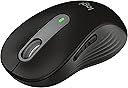
The Logitech Signature M650 Wireless Mouse is a right-handed, small-to-medium sized ergonomic mouse featuring an adaptive SmartWheel for precise and fast scrolling, SilentTouch technology for 90% quieter clicks, and a 24-month battery life. It offers versatile connectivity via Bluetooth Low Energy or Logi Bolt USB receiver, customizable side buttons, and broad OS compatibility including Windows, macOS, Linux, ChromeOS, iPadOS, and Android. Constructed with up to 64% recycled plastic, it combines sustainability with high performance for professional users seeking comfort and efficiency.


| Additional Features | Lightweight, Portable, Soundless, Wireless |
| Antenna Location | Gaming, Office |
| Asin | B09KX66ZCD |
| Battery Average Life | 24 months |
| Best Sellers Rank | #19 in Computer Mice |
| Brand | Logitech |
| Button Quantity | 4 |
| Color | Black |
| Compatible Devices | Personal Computer |
| Connectivity Technology | Bluetooth, Radio Frequency |
| Customer Reviews | 4.6 4.6 out of 5 stars (5,745) 4.6 out of 5 stars |
| Enclosure Material | Rubber |
| Hand Orientation | Right |
| Hardware Platform | Linux, Mac, PC |
| Included Components | Batteries |
| Item Dimensions L X W | 4.22"L x 2.43"W |
| Item Weight | 23 g |
| Manufacturer | Logitech |
| Mfr Part Number | 910-006268 |
| Minimum Required Operating System Version | ChromeOS 137, ChromeOs 134 |
| Model Name | M650 |
| Model Number | 910-006268 |
| Movement Detection | Optical |
| Number Of Batteries | 1 AA batteries required. (included) |
| Operating System | Chrome OS, Linux |
| Pattern | Small-Medium Size | Right Handed |
| Power Source | Battery Powered |
| Range | 30.0 feet |
| Style Name | Right Handed |
| Unit Count | 1 Count |
| Upc | 097855167958 |
| Warranty Description | 1 Year Limited Hardware Warranty |
User
Very Nice! A Bit Annoying When You Cheat On Your Laptop Though
Very quiet, very smooth, very nice! She’s a tad small for my hands (~6 in handspan), but she connects very smoothly to my Windows laptop and other devices whenever I need to! A bang for the buck as they say.Only thing that annoys me is reconnecting. If you use your mouse and cheat on your laptop by Bluetooth-ing with a different one, the mouse won’t reconnect to the old laptop. After some trials and errors, I found that you need to forget the device before reconnecting.I like how it doesn’t shine the laser at your eyes when you lift it up to use the Bluetooth button or to turn the mouse on or off. The battery life is still going strong at even after a whole semester and then some.
User
Highly recommend
I bought this to use with my iMac. It connects well to the iMac, makes no clicking sounds, and is very quiet. Scrolling is also very smooth, and it fits my hand size well. It was even better because the white color was on sale. Value for money 💴. The battery life is also incredibly long. Highly recommend 👍
User
Great feeling mouse, but had difficulty changing connection type
When choosing a mouse there are hundreds of options available, but Logitech is known in the industry as the strongest and best mice out there which is why I selected this one although it is a little more expensive than the knock-off Chinese mice, and don't have some of the added features like RGB. This is a wireless mouse and has two types of connecting wirelessly: (1) Using the included Logi Bolt connector; and (2) using generic Bluetooth if your computer has that. The advantage of using Bluetooth is you spare the extra USB port which, otherwise, would be occupied by the Logi Bolt dongle. The disadvantage of using Bluetooth is if you want to use mouse functions while making BIOS settings, that's not available, since Bluetooth is established after the operating system (Windows) is booted up. I didn't find this out until I tried it and noticed to my disappointment the mouse didn't work which making adjustments in BIOS. This may not be a problem for most people if you don't go into your BIOS settings, but for me I'm setting up a new computer and need the mouse to work in BIOS.The problem I ran into is this: I had no difficulty setting up the Bluetooth connection for this mouse, although there's just a tiny bit of latency (lag) which is hardly noticeable. After I decided to connect with the Logi Bolt receiver, however, and disconnected the Bluetooth, the mice wouldn't recognize the dongle. I tried updating the firmware but the Logi Options software couldn't find the mouse, saying it was "inactive". I rebooted the PC several times, unplugged and re-plugged the dongle, removed and re-inserted the mouse battery, etc, with no change. The action which finally fixed the problem was to REMOVE the mouse from the Logi Options software (click on the image of the trash can below the mouse image on the main page), then click "Add a Device" upper right of the same page, and it takes you through the set up finally recognizing both the Logi Bolt receiver and the M650 mouse. There is a support page I had gone to which gives a list of steps, but it did not mention deleting and adding the mouse as one of the steps. So now I'm good. Here are some PROS and CONS, although my experience is just a few hours old:PROS:- The mouse feels really good. It has rubberized sides with a "wave" design as one reviewer described it. The weight it good so it feels substantial. It is well made.- I chose this mouse partly because I wanted a white mouse, which matches my keyboard and PC, it is an off-white with gray accents so good looking.- It works great (now that I got it working), is very responsive, and adjustable either through the Logi Options software or through Windows Mouse Settings (note in CONS about "smooth scrolling" option).- Battery life is rated at 2 years (good Duracell AA battery is included) which is phenomenal! This is one great advantage of NOT having RGB. I'm also glad I don't have to charge the mouse all the time.- Firmware update is quick and easy though the Logi Options software, so any future problems can be addressed by Logitech using firmware updates.- It's also a plus that Logitech provides software (Logi Options) although you have to download it (just google it).CONS:- As described above, changing connection type was a painful learning curve.- Using Bluetooth means mouse use isn't available in BIOS (although this would be true with any mouse)- More expensive than no-name brands, but to some extent you get what you pay for.- There is a setup option in the Logi Options software to set the vertical scroll wheel for "Smooth Scrolling", but the result is there is a distracting lag whenever you use the scroll wheel; it is much better in my experience to set this off.Bottom line, I really like this mouse and hope to keep using it for many years to come. It feels good, looks good, and works wonderfully. Good luck in your mouse hunting adventures!
User
Great wireless mouse
Easy to set up and very comfortable to use. The mouse is responsive, quiet, and the battery lasts a long time. I've been using it daily without any issues. Definitely recommend it.
User
Very quiet
This mouse is a great all-around choice for both work and personal use. It’s impressively quiet with every click, which is perfect for shared office spaces or working late without disturbing others. One of the standout features is how smoothly it connects via Bluetooth—it paired effortlessly with both my Apple laptop and Microsoft PC, which is a big plus for anyone using multiple devices.The size feels just right in the hand, offering a comfortable grip for long periods of use, and the scroll wheel glides easily with good precision. The overall comfort makes it ideal for extended sessions, whether you’re working or browsing. The buttons are responsive, although they can feel slightly awkward depending on how you hold the mouse. It’s a minor issue, but worth noting.Build quality is generally decent—it doesn’t feel cheap, but it’s not the most rugged mouse out there either. For casual or office use, though, it should hold up just fine. All things considered, this mouse delivers great functionality and convenience at a fair price.
User
Premium feel and function, great price!
This and the Lenovo Yoga Bluetooth mouse tied for 1st place out of 7 total mice I bought for my girlfriend's new home office. Top tier quality feel and function. Logitech is one of my favorite brands! They open sourced Logitech Media Server many years ago and that buys a lot of good will from someone like me. It's a rare good-guy move by a Corporation and I want to reward them.This mouse has everything most people need or want from one. The scroll wheel is sweet. The clicks are quiet and satisfying. The materials feel premium. And, there is Logitech software available for Linux so that's the final win.The small/medium was perfect for my girlfriend. Personally, I would choose the large but this one didn't feel excessively small and I could have lived with it. Overall, this is one of the very best and highest value mice available right now.
User
Perfect little mouse
I was devastated when my old microsoft mouse 6000 stopped working. I wanted something just as small (I have small hands), but with quieter clicks and side buttons. I had ordered/returned over 4 mice before coming across this one.This mouse is ever-so-slightly larger, but still very comfortable for smaller hands. The side buttons are in the perfect location, and the clicks are SO quiet. Scroll wheel is smooth with some tactile feedback as well, which I didn't know I was looking for. So far hasn't caused me any problems with casual gaming. I actually really like the grippy texture on the side. Some have described it as very rough, but I find it quite soft. You can feel it has texture (the tiny beads as well as the raised curves), but not so much that it's distracting or causes any discomfort at all. It gives me the perfect grip with gaming, and something to fidget with when working. I have sensitive skin that peels easily, and this has not caused any problems whatsoever. Installation was plug and play (I ignored the software download, as I had for a previous logitech mouse and keyboard, and it still works just fine).So far I've had this mouse for about 3 months. I like that it sleeps when not in use, because sometimes I do forget to turn it off, or I step away from my desk. Takes zero time to wake up. If I do want to turn it off, the on/off switch is conveniently placed. Dongle is under the battery cover, which is nice because I'd definitely lose it otherwise. Battery hasn't been a problem so far! Will update if that changes.Very happy with this purchase!
User
This is a solid, affordable, all around silent mouse for productivity
I've been looking for a reasonably priced mouse that is both quiet and efficient. This absolutely fits the bill. First it's compact and light (a bit too compact for me, unfortunately), and the mouse buttons are absolutely silent. I use this in an office setting, so I like my keyboard and mouse clicks quiet, especially when I'm on calls. Paired with an MX keyboard, this is an ideal accessory. I could see students appreciating this in a dorm room or in a library when studying.The mouse comes with a standard AA battery (not rechargeable), with a USB-A universal dongle inside the battery compartment, which is convenient. My windows system immediately recognized the mouse on both Bluetooth and 2.4 Ghz, so pairing was super easy.There are two side buttons, which are initially used for going forward/backward on web pages, but you can reprogram the keys using the logitech software. I don't love that you have to download the software and keep it running on your machine, I'd rather have a web-based interface. One thing to note, the side buttons are NOT silent like the main mouse buttons, but they aren't too loud.One feature I do appreciate is the fast/line-by-line scrolling wheel so you can scroll quickly or slowly. It's not as smooth or as fast as the MX Master 3 mouse, but it's better than any other mouse for this feature.For the price it's a great deal, the only caveat here is that it's a bit on the small side for me, and I have regularly sized hands for an adult male. Still usable, and some people may even prefer this, but for me I'm going to go with the larger size.
User
Amazing bit of kit
Changed from Microsoft mouse to this one. Should’ve done it ages ago. Mouse is smooth with easy no noise click. Bluetooth is also good meaning you don’t need to use the little stick thing.
User
Superb Mouse
It's a genuine Logitech mouse.Great for daily office use.Can be stored in your laptop bag with ease.Two connectivity modes (Bluetooth and Logi Bolt USB).It came with DokkanTech warranty.
User
works well
Lovely mouse and working well.
User
Good Product
very good product easy to handle easy to work with ! Recommended.
User
Funk-Maus
Die Funk-Maus ist prima und wurde auch sehr schnell eingerichtet
Trustpilot
2 months ago
1 week ago