We remain fully operational. Our teams are working around the clock to ensure your deliveries continue safely.

قم بتنزيل التطبيق


معلومات عنا
حقوق الطبع والنشر © 2024 Desertcart Holdings Limited
قم بتنزيل التطبيق

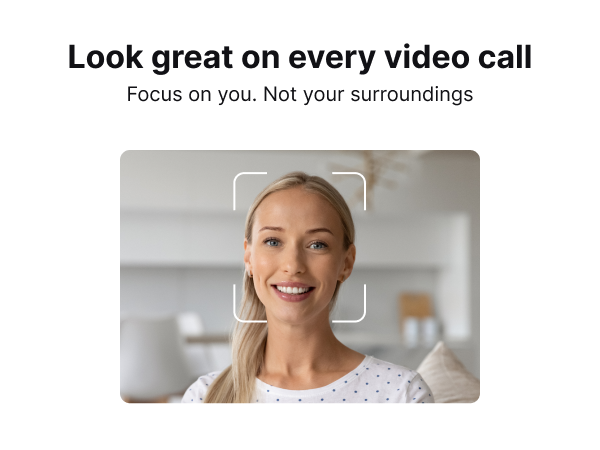
✨ Elevate your video presence — because your image deserves the spotlight! 🎥
The Lumina 4K Webcam delivers studio-quality video with a 95° ultra-wide 4K lens and AI-powered auto-framing to keep you perfectly centered. Dual noise-cancelling microphones ensure crystal-clear audio, while the Lumina Studio App offers over 30 customizable settings for professional-grade control. Crafted from aerospace-grade aluminum in a sleek atomic grey finish, it fits seamlessly into any modern workspace and includes a magnetic privacy cover and flexible mounting options. Compatible with Mac and PC, this webcam transforms every video call into a premium experience.







| ASIN | B09T74FDVJ |
| Are Batteries Included | No |
| Best Sellers Rank | #223 in Webcams |
| Brand | LUMINA |
| Built-In Media | USB Cable, User Manual |
| Camcorder Type | Webcam |
| Color | Atomic Grey |
| Compatible Devices | Mac, Windows |
| Connectivity Technology | USB |
| Customer Reviews | 4.1 out of 5 stars 950 Reviews |
| Display Resolution Maximum | UHD |
| Effective Still Resolution | 8 MP |
| Effective Video Resolution | 4 Kilopixels |
| Exposure Control Type | Automatic |
| File Format | MP4 |
| Flash Memory Speed Class | C10 |
| Flash Memory Type | Micro SD |
| Flash Memory UHS Speed Class | 3 |
| Flash Memory Video Speed Class | V60 |
| Focus Type | Auto Focus |
| Form Factor | Compact |
| Has Image Stabilization | Yes |
| Image Aspect Ratio | 16:9 |
| Image stabilization | True |
| Item Weight | 0.35 Kilograms |
| Lens Type | Zoom |
| Manufacturer | Lumina |
| Maximum Aperture | 1.2 f |
| Maximum Focal Length | 0.45 Millimeters |
| Model Name | LX011 |
| Model Number | LX011 |
| Number of Speakers | 1 |
| Operating System | Windows, macOS |
| Photo Sensor Technology | BSI MOS |
| Sensor Type | BSI MOS |
| Shooting Modes | Automatic |
| Style Name | Modern |
| Supported Audio Format | [MP3, AAC, WAV] |
| Supported Image Format | JPEG, PNG, BMP |
| UPC | 195893518555 |
| Video Capture Format | MP4 |
| Video Capture Resolution | 4K |
| Video Resolution | 4K |
| Warranty Description | Lumina offers a 1-year warranty on our product. If the product becomes defective within the warranty period, please contact us immediately for assistance and to clarify the status of the product. |
| Water Resistance Level | Not Water Resistant |
| White Balance Settings | Auto |
| Zoom | Optical |
L**S
You need this camera!
Yes, I hesitated based on the cost and some negative reviews about using an Alan wrench to connect/tighten the camera with the base. I can happily share that the hype is overrated. This is one of the best tech purchases I've made. Pro's: - The quality of the camera/image is fantastic! - The software, AI cameraman, and color card will make you look better than in real life. - The onboarding call to explain features, help me tweak settings, and explain the different features was incredibly helpful. Ayman answered all of my questions, asked great follow-up questions to clarify that all of my expectations were met, and wanted to ensure they delivered five-star service. I'm used to paying $5-10k for this type of onboarding experience with software companies in my day job. The fact that Lumina offers this for everyone is amazing. Cons: Only one, and it has nothing to do with the camera. I'm using a Dell 27" 4k monitor and connect to my 16" MacBook Pro M1 laptop with a USB-C cable (not HDMI/USB-C hub). When I connected the camera to the monitor, the Lumina Plus (AI/cameraman) features would not automatically turn on. I would have to manually turn it off and back on in Teams and Zoom. I sent a quick support question before my onboarding call, and they recommended I try connecting directly to the laptop (not monitor or hub), which worked. I prefer a single cable to the laptop but I understand. I tried the Center Cam (also available on Amazon), the Logitech C920, and the built-in 1080p camera on my Mac. The Lumina outperforms all of them - no question. The other nice thing about my onboarding call with Ayman is that he asked about my lighting setup, helped make suggestions, and even provided feedback about a lamp placement. He went above and beyond to ensure I was happy.
R**.
Apple WISHES they made this Webcam!
This is easily the best webcam I've ever owned. It's pretty obvious that Lumina is designed to look like an Apple product, which it does perfectly, but it's also built like one. The webcam is made out of aluminum which looks and feels very premium. It has an included privacy cover which attaches magnetically. I really like this inclusion and I like that I won't lose it since even when it's off, it's still on the webcam. The included stand is an amazing addition which is really well thought out and something I doubt Apple would include if this was made by them. The webcam is securely attached to the stand with the included allen wrench. The stand easily sits on the top of my monitor and the part that the webcam attaches to tilts and rotates independently of the rest of the stand so I can get the perfect angle. The bottom of the stand and the webcam also includes a thread so it can be attached to a tripod if the stand isn't enough. The box also includes 2 different cables used to connect it to your computer. One is a USB-C to USB-C and the other is a USB-C to USB-A. It's really thoughtful to include both and very useful too. The main draw of this camera, though is the software and AI functionality. Even though the camera is made to look like an Apple product, I use it on Windows 10. It didn't work immediately after plugging in. I had to download the software from their website (getlumina.com) first and obtain a free license to use their product by making an account. This part is very annoying for me. I would have liked to be able to just plug and play with the webcam right away, and I already bought the product, so I don't like having to make an account just to use the software. The software works fine, though. Most things are set to automatic by default which works for me, but if you want to, the software gives lots of controls over various settings like contrast, saturation, white balance, and more. More than I even understand. The AI cameraman is super cool! The webcam will identify your face and as you move, will adjust to make sure your face is always in the center of the frame. There is also a built-in blur function which will blur out the background. Most video conferencing software has this function already, and right now, although it works well, Lumina's blur doesn't get too close to your face, so there is an un-blurred outline which is a bit annoying to me. There is also a really nice quality white balance card included in the box. It's made of a really nice material and won't get destroyed easily. I can't figure out how to use it, though. I didn't see any option for it in the software, and just holding it up in the camera, doesn't seem to do anything. You get what you pay for, and for the money, you get a great webcam. Amazing, Apple-like build quality and software that's constantly being updated. This is a webcam I can recommend.
A**B
Best camera for MacBook pro
Having experimented with three different external cameras, my search for the perfect device came to an end with the Lumina 4K AI camera! From the outset, the setup process was a breeze, thanks to the abundance of helpful video tutorials provided. What truly sets the Lumina apart is not only its user-friendly interface but also the exceptional image quality it delivers. The product's packaging exudes sophistication, reminiscent of Apple's renowned design standards. The sleek and impressive aesthetics are just a prelude to the outstanding customer service experience. I had the pleasure of scheduling a Zoom call with Ayman, who went above and beyond by meticulously reviewing and adjusting all my settings to tailor them to my preferences. One standout feature is the AI cameraman, which adds a futuristic touch to the Lumina experience. The webcam seamlessly identifies and tracks your face's movements, ensuring that you are always centered within the frame. This dynamic feature enhances the overall video conferencing experience and sets Lumina apart as a leader in the market. In summary, I cannot recommend the Lumina 4K AI camera enough. Its unparalleled ease of use, top-notch customer service, and cutting-edge AI technology make it a standout choice and, in my opinion, the best in the market.
S**K
Very high cpu usage
I see a lot of hype. Good branding of course. Their kickstarter got quite many orders, because people dont really know what it's like, they are clicking based on what they see in the branding and description. But alas, it's all lie. They dont talk about the real problem. Ever wondered if this camera was so good why arent more people buying, especially why is it so expensive. The hardware is worth any 50$ webcam. They are making a big margin by trying to make this camera look like a premium high end camera, when it's not. The image quality is not good on the raw feed. But I agree the video after the ai processing is good. But the big problem that they dont mention anywhere is in the architecture. The isp ( image signal processing) ai that makes the video good doesnt run on the camera. The camera doesnt have a very good sensor or a very good isp processor. All the ai isp is done on the computer. The raw feed comes down from the camera over usb to the computer, the the Ai app running in the background cleans it up which creates a good image but at a huge cost of cpu usage. For 720p, even when my zoom app isnt running, the lumina app was consuming 60% cpu usage and there is no way to turn off the lumina app. It doesnt automatically come on when zoom call starts. It needs to be turned on before starting a zoom call. Zoom takes another 20-30% which blasts my cpu to close to 100% and fans start roaring to keep it cool. If I go got higher than 720p, the cpu usage goes past 100%. And this isnt a low end laptop, it's alienware gaming laptop. Btw, the lumina app only runs on windows and ios. It wont run on android or chromebook. It's a disaster, I had to delete the lumina app and return this gimmicky fake device. Just all hype and though I agree the video quality is good and better than most usb webcams, its just a horrible architecture by trying to do the isp on your computer which hits the cpu usage too hard. May be they thought, it's ok because people arent using their computer much while on a zoom call, but we do run a lot other apps that we may share over a zoom call so it's a very poor architecture. They didn't really solve the problem with webcams as they boasted about in their branding, total lie. The only way to fix it is run the ai isp on a beefy processor inside the camera. Go do it right, if you want to change the world. Stop being fake and fooling people. And btw, ita not an American company, the Austin ddress shown on their case and website is a wework office. They are actually a Taiwanese company, most of their employees on LinkedIn are in Taiwan, not USA. I know taiwainess companies make great products, many I use. So nothing against taiwan, just how these guys have tried to fake it to look like a US company. Just all lies .
A**M
Outstanding Webcam: Lumina Delivers Superior Quality and Performance
I've been using the Lumina webcam for a few weeks now, and I couldn't be more impressed with its performance. As someone who frequently attends virtual meetings and creates video content, having a high-quality webcam is essential, and Lumina has exceeded my expectations. The image clarity is outstanding, even in low light conditions. The colors are vibrant and true-to-life, making my videos look professional without the need for additional lighting. The autofocus is quick and accurate, ensuring that I'm always in sharp focus, which is a game-changer for my presentations and recordings. Setting up the Lumina was a breeze. The plug-and-play functionality meant I was up and running in no time, and the software provided is intuitive and easy to use. I also appreciate the sleek, compact design which fits perfectly on my monitor without being obtrusive. One of the standout features for me is the AI-powered adjustments. The Lumina automatically optimizes the image based on the environment, so I don't have to constantly fiddle with settings. This has saved me a lot of time and hassle, especially during back-to-back meetings. Overall, the Lumina webcam is an excellent investment for anyone looking to enhance their video quality for professional or personal use. The performance, ease of use, and advanced features make it a top-notch choice. I highly recommend it!
R**7
Pretty good, but not stunning and comes with sognificant issues
This is a pretty good camera. Certainly it's better than the HD Logitech camera I'm replacing. The image quality is very good and the software is a very useful tool, although it's definitely not as impressive as the marketing hype. For Mac users, one important point is that the software seems to have been updated per the Apple requirement for "modern extensions." That said, there are some really annoying issues, some of which other reviewers have noted: The privacy cover is just brain-dead stupid. Either it was designed by idiots or smart engineers were ordered to come up with a "solution" that saves 4.7 cents per unit. If you don't want to spend a lot of time looking for a dropped cover on the desk or floor, make a hinge out of tape or something. Or grab some duct tape and make a boxy little hood for the whole camera. The mount is flimsy and fiddly. It doesn't fit securely on my main monitor so I had to do a bit of MacGyvering. And the cord stiffness tends to twist the camera out of position, so I used an adhesive-backed mount on the back of the monitor, and a small cable tie, to keep things fairly stable. As I said, the software is quite good. The AI "Cameraman" is impressive and really useful. The software interface is, as others have said, simple, but I don't find it particularly intuitive. And it just feels like there should be *more* there. The fact that this camera comes with no manual and that there seems to be no downloadable manual is especially annoying. If it's too much trouble to write a manual for the product, maybe you should be selling products for which no one would need or want manuals. Lumina pushes, with popups and email, an "offer" for an "onboarding call" with its support staff. They can't be bothered to provide a manual and they want customers to schedule a call with them to learn how to use the product? For a webcam? Really? That's insulting. Finally, in the series of emails I've received from the manufacturer I noticed a request to provide a review for their website, with an offer of a small reward for doing so. I think of this as sleazy and dishonest business behavior. (Note that I have *not* seen evidence that the manufacturer is offering inducements for providing Amazon reviews.) Overall, this is a pretty good camera, not as impressive as the marketing hype, and it comes with a few annoying issues.
J**Z
Great 4k Camera - Best Auto Settings I've Found
The Lumina 4k webcam is definitely a powerful product in a small form factor. I purchased it in Atomic Grey, which blended beautifully with my office setup and the magnetic privacy clip works and looks great. For me, the best features of this product would be the depth of settings you can adjust inside the Lumina Plus app. Beyond just the normal color temperature, there's a great degree of control in more advanced settings that can adjust almost any aspect of the video you need. However, that isn't to say the automatic scene settings are lackluster - just the opposite. You can get high quality, beautiful picture with just the automatic settings with a small amount of adjustment. The "Cameraman" setting, which focuses the video on your head and maintains it as the center, moving alongside you to keep you in frame, is useful, but not for me. I prefer having the nice widescreen view that the standard recording settings provide. Using the 4k output, you cannot zoom in or adjust the recording screen, but in 1080p or 720p you can zoom and move the center of focus, which is nice. The output recording does take up quite a lot of system resources when recording in native 4k, but for most applications (Zoom, Discord, etc), they do not support over 1080p so you will not need to worry about that if you only use these apps. If you use software or video recording suites to generate video, such as in Riverside.fm, the 4k output is beautiful. Beware the sharpness slider, though, as it tends to oversharpen to a degree that hampers video quality. The Lumina Plus app is also a nice app for the video, though can be tedious to install if you have an overzealous anti-virus on your system. Windows Defender didn't like the download files and persistently quarantined and deleted these files from my system until I added them as an exception. All in all, would buy again.
D**A
So much potential, but a software issue they need to correct
REVIEW REVISED Since posting my original review, I've been heartbroken to encounter a "deal-breaking" issue. About 90% of the time I log in for a zoom meeting, my Lumina camera is not working from a software level. The company has a current significant issue when your computer goes into sleep mode, when it comes out of sleep mode the camera will not load up based on a software issue. The quality of the picture is so good when it works, but it's not feasible for me to force quit the software before every meeting and go through that brain damage. I'll be keeping the camera for a few more weeks in hopes that their next software update corrects the issue, but if it doesn't, I'll scrap the camera for my Logitech. ----- ORIGINAL REVIEW: I have several other webcams including some expensive ones. I saw this ad on Instagram (I think) and gave it a shot. Upon my personal setup, I wasn't thrilled with the quality and color but liked all of the advanced customization options. It is NOT an easy plug and play like any other camera. Before I "scrapped it" as not as advertised, I reached out to take them up on their offer for a free 30 minute customization/installation help session with their tech. I'm so glad I did. Ayman, their technician, was excellent. Competent and QUICK which I appreciated it. From start to finish it was about 20 minutes, but that just reflects how many customization options there are and their willingness to TRAIN you how to use the equipment and software. FIRST STEP--it is NOT clear there is a sticker covering the circular video opening so REMOVE that. It made it a whole lot more clear :) SECOND STEP-- let Ayman customize your settings rather than trying to wing it, it looks way better than my attempt. Once he set me up, I then compared the video quality and color to my other cameras via zoom and it was clearly better color and quality, so even when you ignore the camera man tracking feature and some other upgrades, it was still worth the upgrade. I'm considering purchasing a number of additional units for my office and other team members--overall, it's definitely 5-stars. That said, you MUST book the technician setup.
ترست بايلوت
منذ 3 أسابيع
منذ أسبوعين