
قم بتنزيل التطبيق


معلومات عنا
حقوق الطبع والنشر © 2024 Desertcart Holdings Limited
قم بتنزيل التطبيق

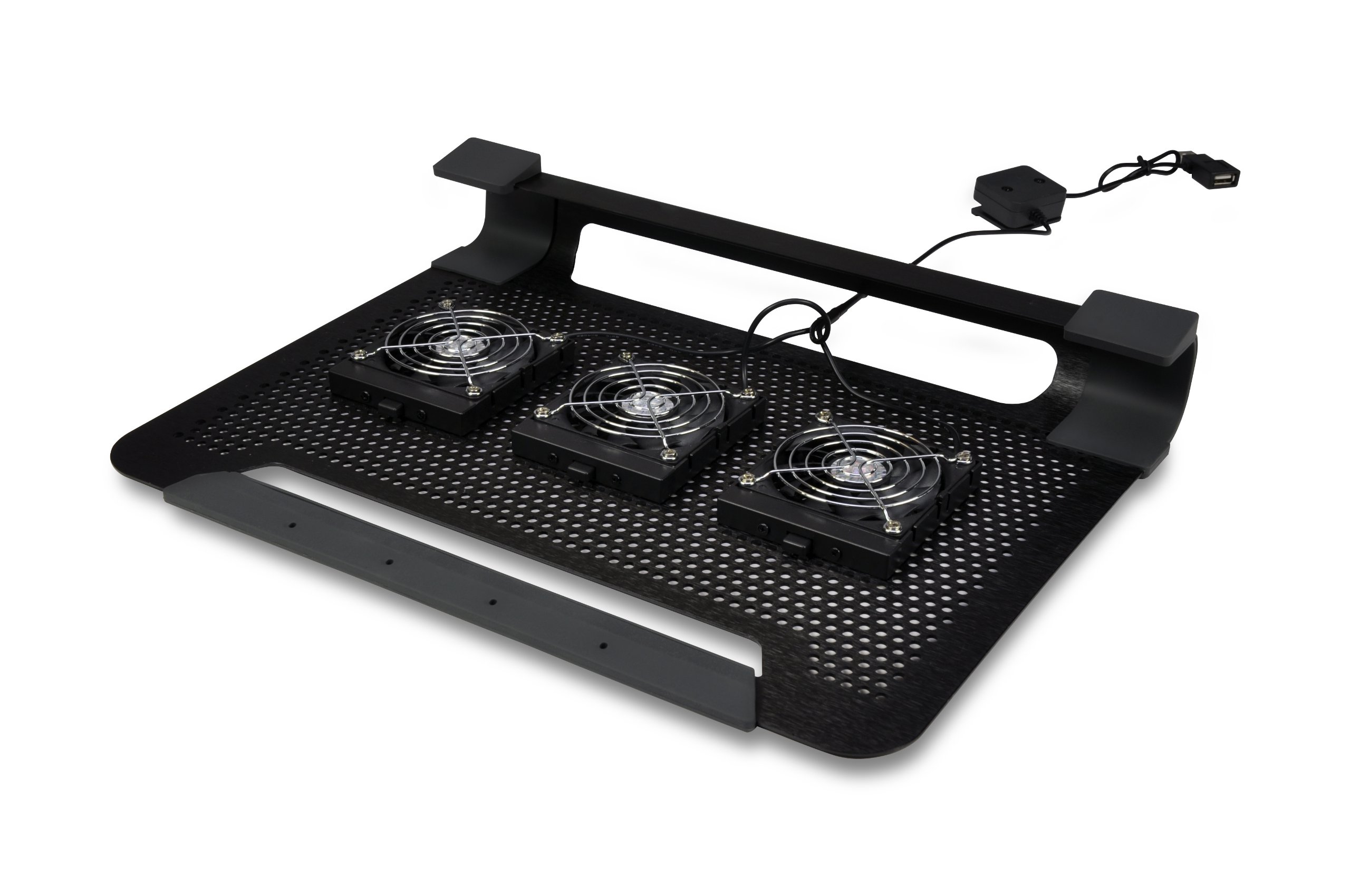


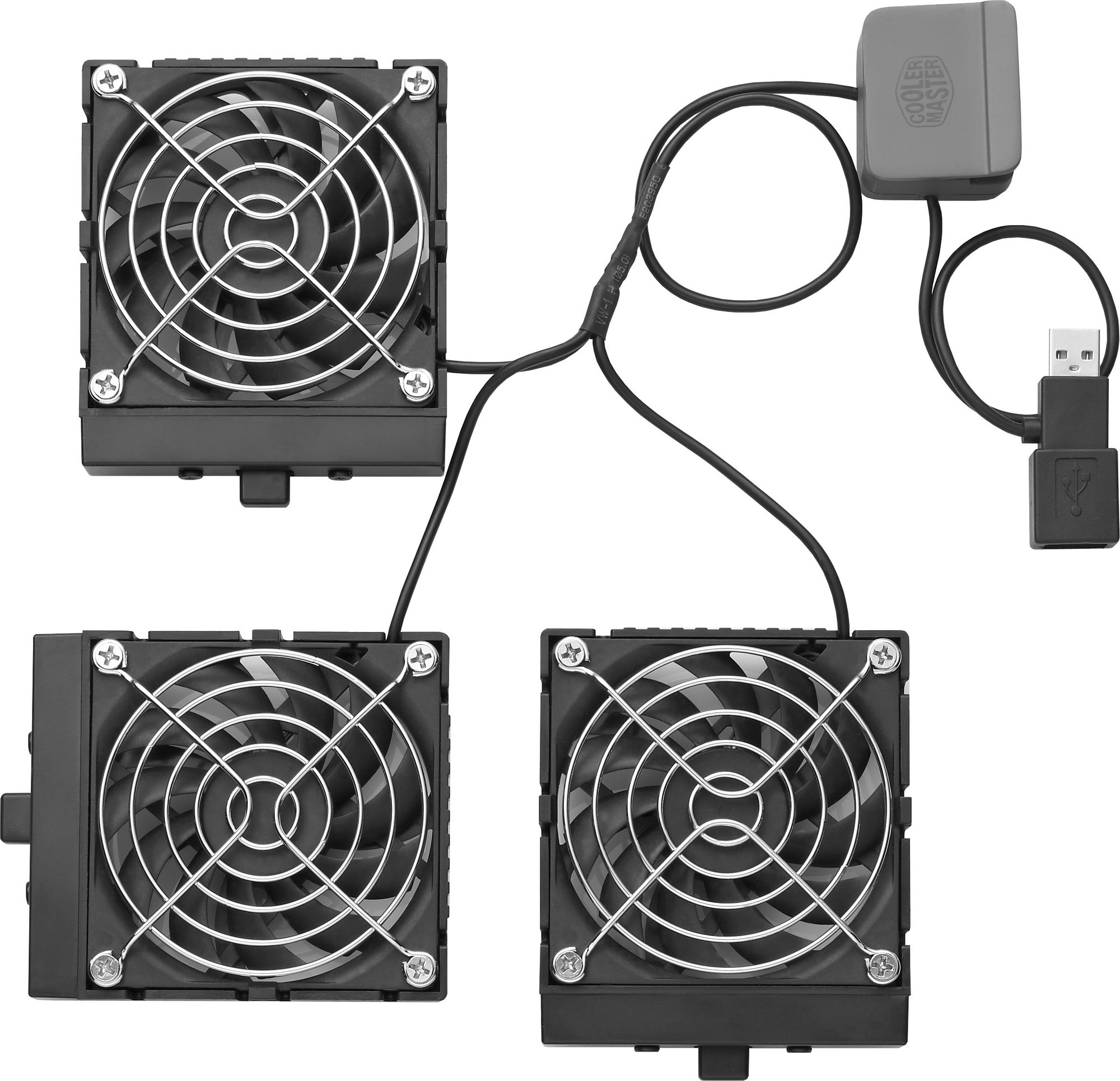
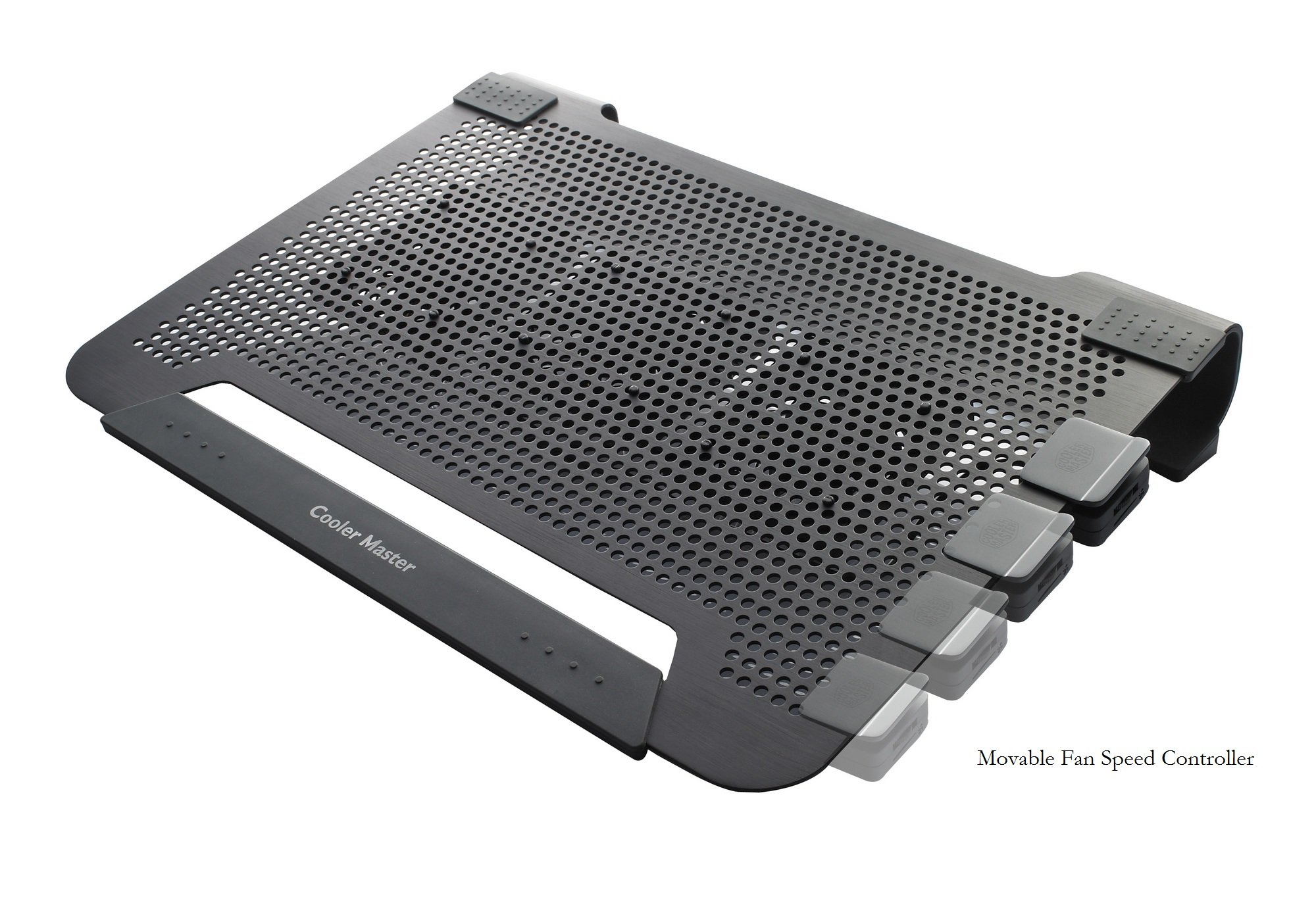
Stay Cool, Stay Ahead! ❄️
The Cooler Master NotePal U3 is a high-performance laptop cooling pad featuring three movable fans that can spin up to 1800 RPM. Its aluminum surface supports laptops up to 17 inches, providing excellent heat dissipation while maintaining a lightweight and portable design. The ergonomic structure ensures a comfortable viewing angle, making it an essential accessory for gamers and professionals alike.
A**D
A nice laptop cooler, especially for the price
I was hard pressed to find any other laptop cooler on Amazon that came with such good recommendations, so I thought I would give this one a try. I have a 2009 13" MacBook Pro; anyone who owns one of these knows how hot the top left corner of the keyboard can become after 20 or 30 minutes of use. I have always had to keep a laptop cooler plugged it to prevent it from slowing down due to the heat.I bought this cooler because of the removable/adjustable fans. I put one at the very top left of the keyboard and the other more towards the center of my laptop. Now I have air blasting (well, sort of; I'll speak about this in a second) directly on the hot spots of my MacBook Pro. You can customize as you like for your own computer's hot areas.Note, I did buy the 15" model even though I have a 13" laptop. This isn't an issue, both will fit fine. Little rubber grips at the four corners of the pad prevent your laptop from sliding off, although since I have been typing on it now, my computer has slid quite a ways to the bottom edge of the cooling pad.I do like the metal(ish) build and overall quality of the unit.Noise level: There is a very soft, high-pitched spinning sound that comes from the fans, but this is barely audible. My last fan sounded like a lawnmower staring up, so this is a major difference. Out of all the coolers I have used (4), this is definitely the most 'silent.'Now, things that I don't like: I really hate typing at an angle. I am used to typing with my laptop flat on a table, but now I have to type at a pretty steep slant. The back of the stand is three inches high and it slopes down to about an 1/8 of an inch at the front. Maybe I will get used to it? Otherwise, if I could find a small block of wood, I could easily prop the side closest to my hands up and level the thing out.When you are sitting on your couch, however, this sits perfectly flat. I thought the rigid and thin metallic design would be uncomfortable to use without a desk, but it is surprisingly nice. The back of the cooling pad is covered in rubber and feels great on my legs, and the front rests comfortably at my waist.The only other complaint I have is that the fans do not blow air out at a very forceful rate. Think soft breeze instead of concentrated jet. My laptop can get flaming, burning hot, but so far, this smaller amount of air hasn't been a problem. It might be running just a few degrees warmer than with my old fan, but overall, it is doing its job.I will be posting an update to this review as many people have had problems with this cooling pad crapping out on them after a few weeks. I'm hoping that I will be one of the lucky ones who has this thing running perfectly for five years, but who knows. If you have any specific questions, please post below. I'd be happy to help.**1.5 Day Update - I have been using my laptop for about the last 6 hours and it has remained perfectly cool. I found an old book to stick under the front of the cooling pad so I no longer have to type at an angle. Fans are nice and quiet. Hopefully this thing lasts!**6 MONTH UPDATE - I love this laptop cooler. My Macbook Pro's battery is dying, so without a cooler it can it super hot. This cooler has no problem battling this and keeping the temperature down. My fans have not had the burn-out issues that other reviewers have noted. Everything is working perfectly after six months of daily use. I still don't like that it is awkward to use if you are sitting it on a desk. I've had to put a book in under the front of the cooler to prop it up this whole time. If this one dies, I would definitely replace it with another. The fans are quiet and efficient.
N**F
Good cooler with moveable fans - angle is slightly uncomfortable
About six or seven years ago, I purchased a three-fan notebook cooler for a Dell Inspiron 600m. It claimed 3000 rpm fan speed and 30 cfm at 21dBA. I noticed an immediate improvement once I started using the three-fan cooler and my notebook stopped overheating and giving me the blue screen of death. I was so impressed with this cooler that I purchased three more for myself, one for my sister and one for a co-worker.A few notebooks - and many years later, I was down to my last three-fan cooler and wanted to find another product that would help keep my notebooks cool. I spent hours searching and reading reviews and finally decided to pull the trigger on the U2.You might ask why I didn’t just purchase more of those three-fan coolers if I was so impressed with them - the answer is simply because over the last few years, my notebooks have become more powerful (two of my notebooks have i7 CPUs) and I wanted a more substantial cooler.My decision to purchase this product was loosely based on its simple design and appearance, moveable fans and low cost. Additionally, I went into this purchase thinking that the fan speed was adjustable (950-1800 rpm as per the specs on the CoolerMaster website).First off, let me say that the fan speed is NOT adjustable on this model and this cooler did not come with a controller or any documentation supporting an optional controller. The good news, however, is that these fans are running at max speed (I purchased the U3 with adjustable fan speed and compared the two).Also, this cooler is different than most of the other ones I’ve owned and researched as the fans blow cool air toward your notebook. Most coolers expel the hot air away from your notebook. It doesn’t matter to me as long as this doesn’t hinder performance.Prior to purchasing this product, I did have a concern about the height (in the rear) and the angle my notebook would be sitting. Now after using the product, I like that my screen sits higher, but dislike the height/angle for typing. My wrists started hurting just from typing this review. That never happened with my other cooler (the three-fan cooler was flat and only 1/2” high).For testing, I used my Dell Inspiron 1525 with 4GB RAM and Intel Core 2 Duo T9300 (2.5GHz), CPUID HWMonitor to monitor temps and Prime95 for torture test.The ambient temperature was 75 degrees. Fan #1 was positioned underneath my notebooks fan intake. Fan #2 was positioned underneath the RAM/CPU access panel.IDLE TEMPSMobo: 100-111 degrees (temps stayed around 103)Core 0: 87-100 degrees (temps stayed around 94)Core 1: 89-111 degrees (temps stayed around 96)HDD: 94-98 degrees (temps stayed around 96)TORTURE TEMPSMobo: 141-154 degrees (temps stayed around 148)Core 0: 127-136 degrees (temps stayed around 132)Core 1: 134-143 degrees (temps stayed around 141)HDD: 102 degreesI was curious to see if I could get the temps to go lower, so I removed the RAM/CPU access panel. I saw a 10 degree drop across the board except for the HDD which only dropped 3 degrees. Since this made such an improvement, I purchased a used RAM/CPU access panel and cut out the mesh areas to allow more direct airflow. With the mesh areas gone my temps now hover in the low 90s for the mobo and HDD. My core #0 temp stays around 84 and core #1 stays in the upper 60s/low 70s.The only concern I have is about dust entering my system since the fans blow air toward my computer. Instead of complaining about it I will just use this as an excuse to clean out my computer more frequently. I suppose you could remove the four screws holding the fans and flip them around…I may try this and test the effect on temperatures.BTW, I am using IC Diamond thermal paste on my CPU and Fujipoly 11W/mK thermal pad on my integrated GPU chip. I’ve used Arctic Silver 5 and that works very well, but found that my CPU is a few degrees cooler with the ICD.
S**I
Tolles Teil
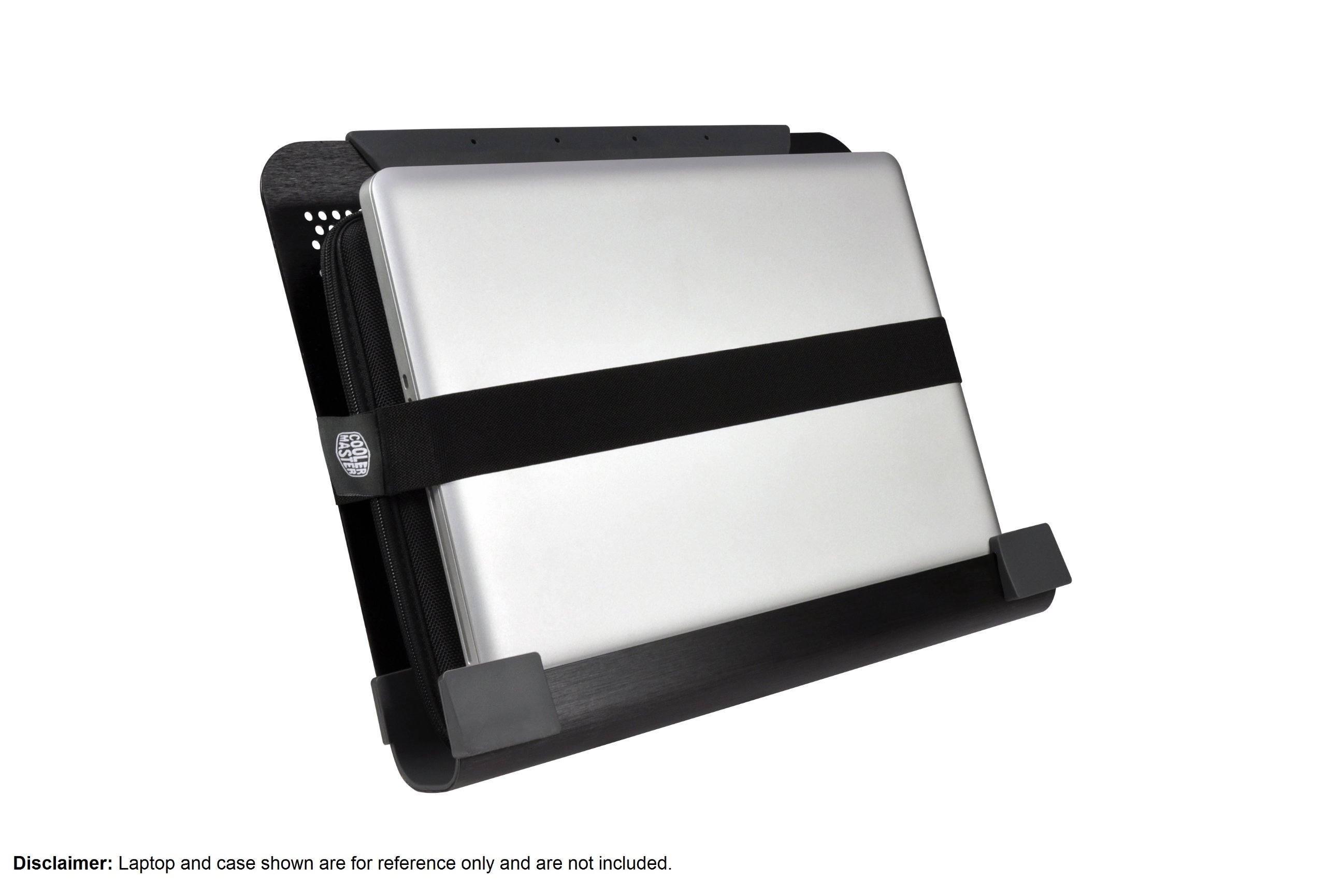
Habe mir das NotePal U3 gekauft, da mein Laptop, trotz regelmäßiger Reinigung, oft zu heiß wurde und dann von selbst abgeschaltet hat. Das war natürlich nicht so gut für den Laptop und schon gar nicht für nicht gespeicherte Dokumente...Mit dem NotePal U3 ist damit jetzt schluss. Der Lüfter ist wirklich sehr leise und eine so starke Überhitzung passiert nicht mehr. Das was mich mit am meisten bei dem Kauf überzeugt hatte, war, dass ich die Lüfter selber ausrichten und so direkt auf die heißesten Stellen richten konnte. Die meisten anderen Laptopkühler, die ich hier gesehen hatte, hatten nur einen festinstallierten Lüfter, was bei einigen gut geklappt hat und bei anderen eben nicht. Hier beim NotePal U3 einfach mal den Laptop anfassen wo er am wärmsten ist und da die Lüfter drauf und fertig.Eine Sache ist jedoch nicht ganz so durchdacht. An sich ist es auch möglich den Laptop unter den Aluminiumtisch reinzustecken und so platzsparend zu transportieren (tolle Idee und funktioniert auch). Dafür müssen aber die Lüfter unten abgenommen und hinterher eben wieder eingesetzt werden (beides eine Sache von Sekunden, aber 1. ist es schon nervig die Lüfter immer ab und wieder an zu bauen und 2. muss man die Lüfter mit Kabellei und Allem einzeln transportieren). Ist für mich jedoch nicht sonderlich wichtig, da ich damit hauptsächlich zuhause arbeite.
S**O
Refrigerio per il vostro notebook!
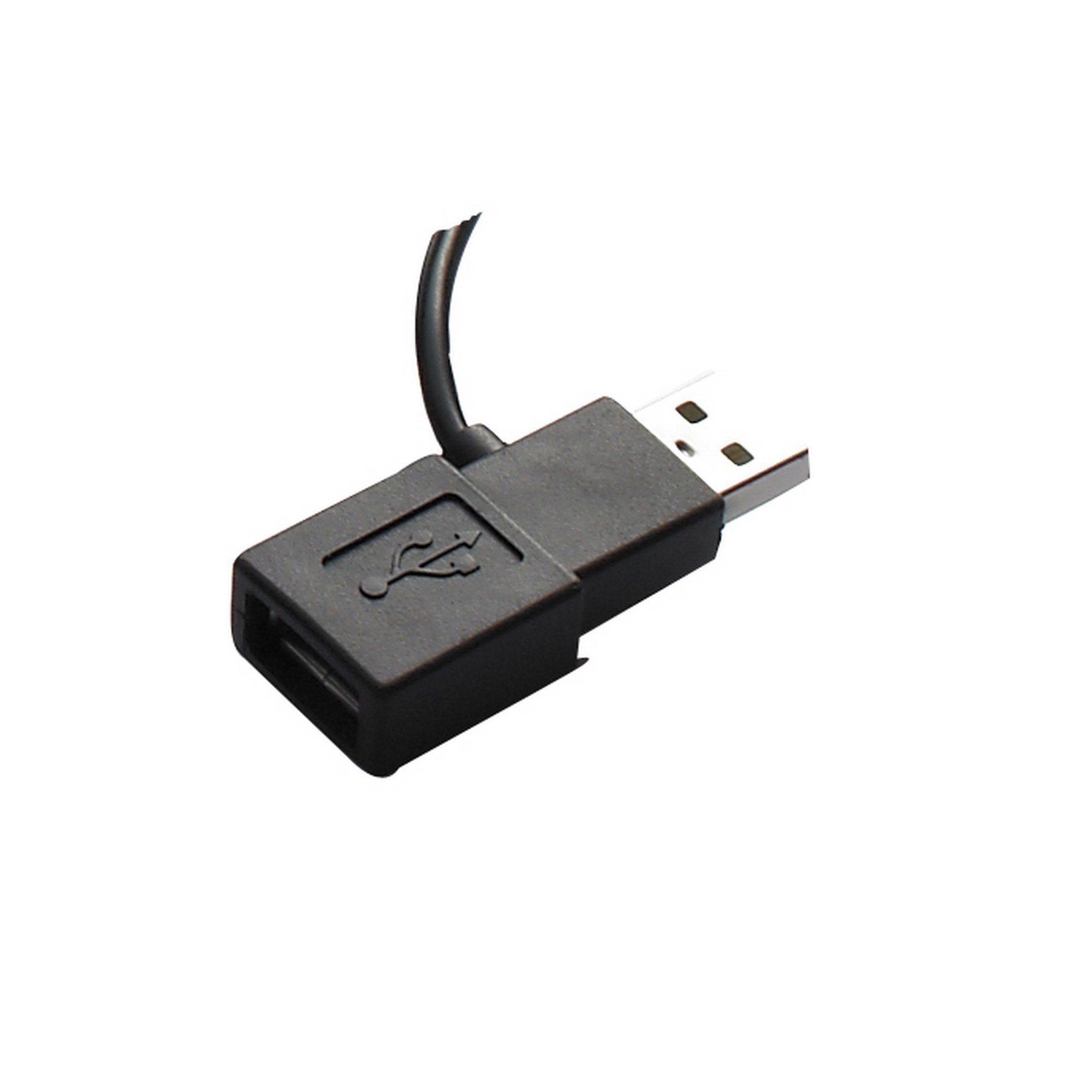
L’oggetto arriva in un confezione di plastica dura trasparente facile da aprire. Non c’è praticamente nulla da montare se non posizionare le ventole dove più ci sono utili. E’ questa la caratteristica più importante del prodotto perché non tutti i notebook hanno il processore nello stesso punto!Per quanto riguarda le dimensioni del prodotto, queste sono:26,6 cm la lunghezza, 34,3 cm la larghezza, 5,9 cm l’altezza. Una dimensione non presente nella descrizione ma che io trovo utile è quella di 4,5 cm dello spazio dove è possibile incastrare il notebook al fine di proteggerlo durante il trasporto. Ovviamente per fare questo dovrete prima rimuovere le ventole. Per migliorare ulteriormente questa caratteristica viene inoltre fornito una fascia elastica che permette di fissare bene il notebook.Niente da dire sulla qualità dell’oggetto. La struttura principale è in alluminio e presenta degli inserti in gomma alle estremità che garantiscono da un lato un‘ottima tenuta su tutte le superfici e dall’altro evitano che il notebook scivoli. Un piccolo appunto sulle dimensioni dei notebook supportati. Il mio è un 15” e ci sta perfettamente, ma credo che un 17” ci possa stare strettino quindi eventualmente consiglierei di prendere il modello più grande.Le ventole possono essere fissate in qualunque posto e possono essere disposte sia in orizzontale che verticale grazie alla struttura bucherellata del supporto. Successivamente si inserisce l’alimentazione in una porta USB e le ventole si avviano automaticamente. Fortunatamente la porta USB non va persa perché è presente un’entrata USB sullo stesso spinotto dell’alimentatore.Per quanto riguarda la capacità di raffreddamento io non ho rilevato abbassamenti miracolosi di 25° come ho letto in alcune recensioni ma comunque la riduzione delle temperature è significativa. I test sono stati eseguiti su un Hp DV6.In condizioni di inattività le ventole non apportano alcun vantaggio al raffreddamento del processore, le temperature sono praticamente identiche.In condizioni di utilizzo normale (internet, word) le temperature risultano ridotte fino a 10° circa (a seconda dei casi), nello specifico da 60° a 50°)In condizioni di mezzo carico (processori al 50%) le temperature risultano ridotte di circa 8°, nello specifico da 80° a circa 72°.In condizioni di utilizzo pesante (video editing con processori al 100%) le temperature risultano abbassate di circa 5°, nello specifico da 85° a circa 80°.Ovviamente le ventole permettono anche un più rapido ritorno alle temperature minime dopo un uso intenso.Un punto da non sottovalutare è il rumore. In condizioni di carico basso dei processori il vantaggio che si ottiene dall’uso delle ventole è minimo, mentre invece il rumore è superiore a quello generato dalle ventole del processore. Di conseguenza io in queste condizioni spengo le ventole riducendo così il rumore.Quando invece si fanno lavorare i processori più intensamente le cose cambiano. La ventola del processore genera un forte rumore che con l’attivazione delle ventole del Notepal U2 viene ridotto quasi al minimo e quindi il rumore finale (ventola processore + ventole Notepal U2) è nettamente inferiore a quello della singola ventola del processore.L’unica pecca che mi sento di menzionare è che personalmente troverei molto utile la possibilità di spegnere una delle 2 ventole così da ridurre il rumore in quelle situazioni in cui non è necessario un grande flusso di aria. Per il resto prodotto da 5 stelle con la solita garanzia di qualità del servizio fornita da Amazon!Riassumendo:PROOttima qualità dei materialiVentole dislocabili in qualsiasi posizioneAbbastanza silenziosoNon si perde una porta USBPratica funzione di protezione notebook durante il trasportoCONTROMancanza possibilità utilizzo di ventola singolaForse piccolino per un 17”
M**O
Cooler Master NotePal U3 Notebook Cooler Black (17 -19)
Ho un Acer di grosse dimensioni, 19" e nonostante l'abbia fatto pulire internamente scaldava come non mai. Era impossibile mettere la mano sulla tastiera nella parte sinistra, rischiavi di bruciarti!!! Ho letto di questa apparecchiatura anche perché per i 19" di dimensione video, non ve ne sono tanti, (forse due) e leggendo anche le recensioni degli altri mi ero detto: " va bene provo anche io". Ho acquistato l'oggetto ed in due giorni mi è arrivato. Come diceva qualcuno la base di alluminio nera è un poco leggerina ma funziona perfettamente per il lavoro che deve svolgere (sostenere il portatile). In un primo momento le tre ventole le avevo appoggiate sulla scrivania ma poi rileggendo sulla scatola, ho scoperto che cliccando su un lato di ogni singola ventola aderiscono perfettamente alle forature della piastra che sostiene il portatile. Quindi adesso rimangono attaccate nella parte inferiore della piastra mentre dove si congiungono i tre fili delle ventole c'è una specie di mollettone che va inserito lateralmente alla piastra reggi portatile.Comodo anche l'USB 2.0 che non porta via alcuna porta USB perché sul dorso dell'innesto USB, la restituisce.Sono poche ore che sto provando l'oggetto e ne sono già entusiasta, il portatile, un Acer 8942g, largo 44 cm x 30 di profondità ha perso almeno 8-10 gradi di calore e la parte sinistra incandescente e diventata tiepida/caldo ma decisamente una mano messa dove prima scottava adesso non dà più alcun problema.La temperatura è scesa come dicevo prima di almeno 8-10 gradi, proprio come già qualcun altro nelle altre recensioni asseriva. E' VERO!!!!!!Il portatile sulla base si alza di circa 4 cm. e sul tavolo è anche più comodo da usare in quanto la lieve pendenza da schermo a tastiera aiuta a non stancare le mani nella scrittura come adesso sto facendo.Insomma un ottimo prodotto che consiglio vivamente. Per chi ha un portatile più piccolo c'è anche la versione fino a 17".Al contrario di altri che hanno recensito l'oggetto, il mio è arrivato perfetto senza nessuna macchia sulla base nera, forse loro avevano acquistato la base argentata e quindi probabilmente qualche macchia dovuta all'alluminio o all'argentatura effettuata da una macchina spazzolatrice poteva anche esserci.Io giudico l'oggetto interessante e mi auguro duraturo, ma questo si saprà solo in futuro, certo che ha risolto il mio problema, avevo una stufa e non un computer!!!!Questa è la mia recensione e spero che aiuti altri nello scegliere un ottimo prodotto.Marco
R**C
Very Impressed
I got this pad during the last week of a local heat wave. Was so hot that my laptop was reaching temps of 100c when I played Bloons td5. Once I set up the pad, my temps did not go over 85c. Now the heatwave is over, my temps don't go higher than 80c. When I'm just doing normal surfing or working on documents etc, I don't plug in the fans, the pad itself keeps my laptop below 60c. Prior to this, avg temp during normal use could reach 65c.The only downside I have found is that normal household vibration (people walking around) can cause my laptop to slip down the pad. Is a little worrying, am going to try and find some soft clips that will keep my laptop from shifting.
W**N
Ständer TOP, Lüfter eher FLOP
Hab mir den Cooler Master Notepal U2 und zum vergleich den Cooler Master Notepal U2 Plus für meinen 14Zoll Lappy gekauft.Pro:- Die Größe ist perfekt für einen 14'' Laptop- Man kann den Ständer für den Transport, platzsparend mit dem Laptop verstauen. Durch das Design des Ständers passt der Laptop gut und durch die Gummierung wird der Laptop nicht verkratzt. Ich baue die Lüfter nicht ab und hänge den Laptop mit dem Boden zu den Lüftern in den Ständer. (Wer jetzt nicht verstanden hat was ich meine, sollte sich die Anwendungsbeispielbilder anschauen)- Durch die frei Positionierung können die Lüfter an (fast) jede gewünschte stelle.Contra:- Die Lüfter machen kaum Wind, sind dafür aber deutlich hörbar. Wer also erwartet, dass Luft durch die Laptopschlitze gedrückt wird, muss ich leider enttäuschen. Aber es reicht aus um eine stetige Frischluftzufuhr zu gewährleisten.- Musste einen neuen Ständer bestellen, weil bei dem ersten einer der Lüfter schon nach sehr kurzer Zeit (1-2 Stunden) ein deutlich klackerndes Geräusch gemacht hat (Wärmeausdehnung). Der 2. Ständer hat auch am Anfang auch etwas geklackert, nachdem ich ihn aber diesmal länger laufen ließ, wurde es aber deutlich leiser bis nicht mehr da.- Die Lüfter können nicht in den untersten 2 Reihen (die für mich Interessantheit wären) positioniert werden, da nicht mehr genug Platz für den Lüfter zwischen Tisch und Ständer ist. Ab der vorletzten Reihe berühren die Lüfter den Tisch und erzeugen dann deutliche Vibrationsgeräusche.Modelunterschiede zwischen "Cooler Master Notepal U2" (nachfolgend U2 genannt) und "Cooler Master Notepal U2 Plus" (nachfolgend PLUS genannt):- Schutzgitter: Beim PLUS ist eine Blech mit vielen Löchern die knapp über den Rotorblättern befestigt ist. Das hat den Vorteil das man noch weniger Möglichkeiten hat in die Blätter zu greifen, wenn sie sich drehen. Leider hat es aber auch den Nachteil, das dadurch weniger Luft angesaugt werden kann und die eh schon geringe Leistung weiter reduziert wird. Dafür sieht es stylischer aus ;).Beim U2 ist hier nur ein Grundgitter angebracht, dass zwar mehr Luft durchlässt dafür aber auch kleine Kinderfinger oder Stiftspitzen. Wer also gerne mit Stiften in laufende Lüfter rumspielt, sollte richtig wählen, dem Rest der Menschheit ist es wohl egal. Allerdings ist noch zu erwähnen, dass durch das Rundgitter der Lüfter höher ist als durch das Blech. Macht bei der Positionierungsmöglichkeiten aber leider keinen Unterschied -_-. Die Lüfter selbst sind bei beiden Modellen baugleich.- Gewicht: Auch wenn der PLUS leichter aussieht, weil anscheinend weniger Material, ist er das nicht wirklich. Laut Herstellerseite ist der PLUS gerade mal 75g leichter als der U2. Mein Nachwiegen hat ebenfalls keinen signifikanten Unterschied feststellen lassen. Beide sind aber gleich Stabil. Ist halt eine Sache des Geschmacks.- Gummierung: Mein Laptop stand auf beiden Modellen sicher und fest. Aber andere Laptops haben andere Standfüße. Für den Transport des Laptops innerhalb des Ständers, hat der U2 mehr Gummierung als der PLUS, was aber keinen Unterschied macht, weil beim PLUS der hintere Stabilisator/Querträger nicht an das Gehäuse kommt.Herstellerseiten für beide Modelle zum Selbstvergleichen:NotePal U2 Plus: [...]NotePal U2 : [...]Fazit:Ich habe am Ende den Cooler Master Notepal U2 trotz der aufgezählten Mängel behalten, weil ich die Möglichkeit der freien Positionierung klasse und die platzsparende Transportmöglichkeit mit dem Laptop in der Tasche oder Koffer einfach genial finde. Und da die Lüfter sich anscheinend mit der Zeit einlaufen und ruhiger werden, klappt es auch mit der Lärmbelästigung ;).Persönlicher Wermutstropfen: Trotz der zusätzlichen Kühlung ist mein Laptop nicht leiser geworden, da mein Laptoplüfter standardmäßig deutlich hörbar ist, aber zumindest dreht er jetzt nicht mehr sofort voll auf, wenn er etwas mehr zu arbeiten hat.
ترست بايلوت
منذ شهر
منذ شهر