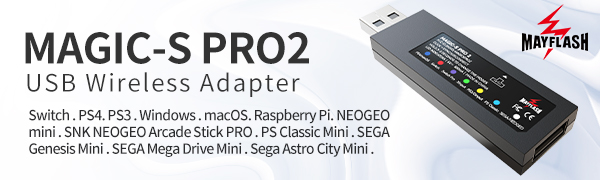
🎯 Elevate your game setup—connect every controller, anywhere, anytime.
The MAYFLASH Magic-S Ultimate is a compact, versatile Bluetooth USB adapter that wirelessly or wiredly connects a wide range of controllers—including Xbox Series X/S, PS5, PS4, Switch Pro, and Mayflash arcade sticks—to multiple platforms such as PS4, PS5, Switch, Windows, macOS, Steam Deck, and Raspberry Pi. It supports advanced features like 6-axis motion sensing, customizable rumble feedback, and Bluetooth headset compatibility, making it the ultimate all-in-one solution for seamless, pro-grade gaming connectivity.




| ASIN | B0B9MNG72J |
| Best Sellers Rank | 73,110 in Computers & Accessories ( See Top 100 in Computers & Accessories ) 300 in Bluetooth Network Adapters |
| Customer reviews | 4.5 4.5 out of 5 stars (504) |
| Item model number | MAGIC-S ULTIMATE |
| Product Dimensions | 7.3 x 2.1 x 0.87 cm; 40 g |
F**Y
Handy device!
Working as intended, no connection issues. Now able to use my Mayflash F500 with PS5 🌟
J**B
Works flawlessly
Had a bit of user error when I used it the first time but once I figured it out. It worked flawlessly, I used it at the Tekken 8 Casual pool in Birmingham and over at a local arcade in Norwich with no issues on the PS5's there.
B**N
It works!
I had read a lot of reviews that worried me about buying this. I had used an f500 Elite for fighting games on the PS4 and loved it. I had read a lot of stories of difficulty getting this to work on PS5. I bought a PS5 slim a month ago and so I can only speak about this specific experience, but it was easier to set up for me than when I first got the Elite in the first place. Plugged in stick to USB on back of PS5, put Ultimate in back of stick and in about 2 seconds, it was working. No downloading of any firmware, etc. Just worked. Brilliant.
O**R
Works for Tekken 8 on PS5
I bought it so I could use my Mayflash F300 to play Tekken 8 on my friend's PS5. It did eventually work perfectly but we spent about 2 hours just trying to figure out how to set it all up. It was not clear at all how to get it all working, so in case anybody is having similar problems here's what we did: - Make sure your fightstick is on the latest firmware (F300 in my case). - Download and install the latest firmware for the Magic-S from the Mayflash website. PS5 support is currently in a beta and is not installed out of the box. - Plug your fightstick's USB cord into the PS5 (or anywhere for power). - Plug the Magic-S into the USB port on the back of your fightstick. - Then either pair the Magic-S to the PS5 via bluetooth (we couldn't get this to work). OR - Plug a PS5 controller into the Magic-S's USB port while attached to the fightstick. This is what got it working for us. It's a little cumbersome but it has saved me from having to buy an expensive new stick. Works flawlessly once everything is set up properly.
J**E
Fantastic
Bought this as it said it can work as a magic-boots converter for Mayflash Fightsticks with PS5 for PS5 games, I have a Mayflash F500 V2 and wanted to be able to use it for the upcoming Street Fighter 6 next month, happy to say it works like a charm, tried it with the SF6 demo on PS5 (PS5 version) and it worked flawlessly, no problems at all. A few other reviews have said they've had issues so not sure if this will help but this is how I set it up if anyone is curious. - Fightstick input set to default (neither xinput or din/PS3/snk, set it in the centre) - Connected Mayflash F500 USB cable in the back of the PS5 - After this, connected the Mayflash Magic-Ultimate into the Mayflash F500 USB input, LED should turn blue if recognised Hope this helps 👍
A**R
Doesn’t work on PS5
I have successfully connected the device to the PS5 controller but this doesn’t work as advertised with the Mayflash F500 playing PS5 games I have update both the F500 and Magic-S Ultimate to the latest firmwares and this does not resolve the issue
Z**Y
Works very well
Works exactly as well as u expect - but a little too pricey
G**Z
keeps disconnecting every 5 minutes
keeps disconnecting every 5 minutes when controller is not in use. Damn stupid. I have to press PS button to turn controller all the time during gamin sessions cos of this. Minimum inactivity for disconnection should be 30 min or 1h
総**総
switch2で使用しているのですが、赤いランプだけが光りません...紫のswitch Proのランプは光るのですが赤だけは光りません、これはswitch2んは対応していないということですか?ファームウェアは最新のVerです。 MAGIC-NS2では赤いランプが光りました。
B**G
Happy with it. Works immediately when pluck in.
K**E
Mit den Magic-S Utimate USB Wirless Adapter lassen sich alle Kontroller am PC oder Spielekonsolen peer Kabel oder Bluetooth/Wireless verbinden.In der Anleitung oder auf der Rückseite des Adapters/Konverter sind die Geräte,die mit einen Kontroller verbunden werden soll farblich wie PC u. Spielekonsolen elc. gekennzeichnet. Funktionsweise:Den seitlichen Knopf solange drücken bis der Ledfarbton mit den zum verwenden Gerät übereinstimmt u.blinkt.Danach den zu verbindenden Kontroller im Bindunsmodus versetzen,dann noch mal am Adapter auf den seitlichen Knopf drücken bis das Led schnell blinkt. Nach ein paar Sekunden leuchtet das Led dauerhaft jetzt müsste der Kontroller mit dem Gerät verbunden sein. Ich habe immer mit ein Konverter den es nicht mehr zu kaufen gibt (Joystick u. Maus) auf den PS-Konsolen gespielt.Nach langen experimentieren habe ich jetzt die Lösungen gefunden. Diesen Magic-S Ultimate Adapter kombiniert mit Nintendo Joy Con R + L Kontroller u. Redragon Pro M811 Gaming Mous,RGB funktioniert kabelgebunden u. wireless mit den PS-Konsolen. Mit den Magic-S Utimate Adapter ist kein originaler PS-Kontroller oder Hub nötig.Auf der PS5 lasse sich aber nur die PS4 Spiele spielen.
X**X
I received nothing but garbage I got scamed be careful.
M**A
Acquistato per provare a collegare con cavo l’arcadestick Dragon Slay. Da sito del produttore questa compatibilità non è riportata ma, avendo componentistica simile alla serie di Arcade stick Mayflower, l’ho preso per fare un tentativo. Lo stick funziona perfettamente: basta collegare il cavo alla porta usb dell’adattatore e quindi questo alla ps5 (non ha funzionato con la porta usb-c), e dopo alcuni secondi, premendo il tasto home sullo stick questo viene riconosciuto, ed è pronto all’uso.
ترست بايلوت
منذ شهر
منذ يومين