We remain fully operational. Our teams are working around the clock to ensure your deliveries continue safely.

قم بتنزيل التطبيق


معلومات عنا
حقوق الطبع والنشر © 2024 Desertcart Holdings Limited
قم بتنزيل التطبيق
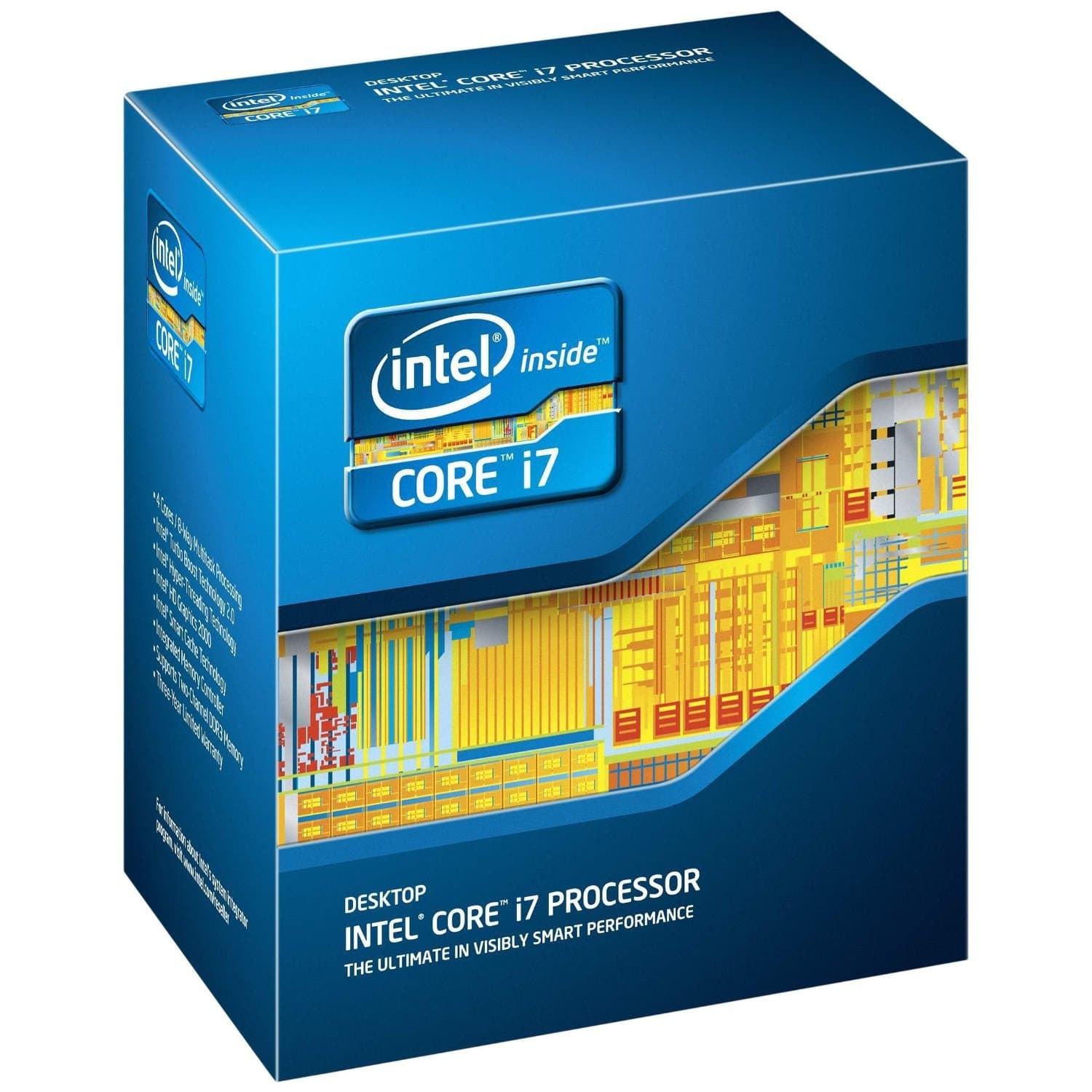
⚡ Unlock Pro-Level Speed & Efficiency — Stay Ahead, Stay Powered
The Intel Core i7-2700K is a quad-core processor featuring 3.5 GHz Turbo Boost 2.0 and Hyper-Threading technology, backed by an 8 MB Smart Cache. Designed for LGA 1155 sockets and optimized for Windows platforms, it delivers high-performance computing with a 95-watt power envelope, perfect for professionals demanding speed and multitasking prowess.
| ASIN | B005X64OA8 |
| Best Sellers Rank | #547 in Computer CPU Processors |
| Brand | Intel |
| CPU Manufacturer | Intel |
| CPU Model | Core i7 |
| CPU Socket | LGA 1155 |
| CPU Speed | 3.5 GHz |
| Cache Memory Installed Size | 8 |
| Customer Reviews | 4.4 out of 5 stars 124 Reviews |
| Global Trade Identification Number | 00675901139960, 00735858225113, 05032037020312 |
| Item Weight | 9.6 ounces |
| Manufacturer | Intel |
| Model Number | BX80623I72700K |
| Platform | Windows |
| Processor Brand | Intel |
| Processor Core Count | 4 |
| Processor Count | 1 |
| Processor Number of Concurrent Threads | 8 |
| Processor Series | Core i7 |
| Processor Socket | LGA 1155 |
| Processor Speed | 3.5 GHz |
| Secondary Cache | 8 MB |
| UPC | 115970725416 735858225113 230494839620 777787439049 012303343067 088020600752 675901139960 320127564613 |
| Warranty Description | 3 years |
| Wattage | 95 watts |
N**X
2700K overclocked to 4.9 Ghz with relatively little water cooling, runs very very fast
I purchased a 2700K and use it as the meat layer in my latest computer sandwich, between some Asus P8Z68-V/GEN3 and an Antec Kuehler 620 (the cooling portion connected to 2 stacked fans similar to the H80 setup) in an Antec 302 case with a few SilenX 120mm fans at different places in the case. Since the cooling is very silent and effective, I was able to overclock my 2700K to 4.9GHz with a reasonable 1.435v speed/voltage trade-off and very little noise produced by the fans. (One could probably push this one to 5.1 GHz with brute voltage force but it wasn't worth the trade-off for me). The results are impressive. In the past, when running 18MPixel CR2 (RAW) to JPEG conversion on the notoriously slow but good DxO Optics Pro 7, I used to get 1 frame per minute throughput on an otherwise fast Intel Core2Duo laptop before (and one frame every 10-15 seconds with Lightroom 3). Now, with the 2700K and making use of its 8-thread hyper-thereaded architecture, I am getting one DxO-converted frame every 6 seconds (and one lightroom frame every 1-2 seconds) :-)! So this CPU, when confronted with the elements and pushed a bit, can deliver stunning performance. Therefore I find this CPU (and the other i7's) a great match for computers built for photo and video editing, as the hyperthreading architecture really shows its best in such environments. 5 Stars. If I had built the rig for gaming, I'd probably pick an i5 instead and put the extra money into the GPU, since most games are running single-threaded for the heavy part. Of course, I had to push the setup even further by adding an AsusTek HD 6850 GPU to the mix (some of the best computing power values it seems, especially if you build a low-noise setup). Now even DxO, making use of OpenCL and utilizing both CPU and GPU, spits out one frame every 2.5-3 seconds :-) Btw, for CPU-to-CPU reviews, I also found the passmark site helpful for my pick. UPDATE after 6 weeks. I since changed the overclocking settings from 4.9 to 4.8 GHz, to avoid occasional crashes with the 1.435VCore I use. Since then (and after re-timing my ill-advertised RAM to 10-10-10-28, see my Komputerbay 2x8GB 9-9-9-24 review), the machine runs-rock solid. 4.9 GHz would apparently need a bit more voltage than 1.435VCore on my sample. Keeping it at 5 stars.
C**Y
Best Intel 2nd Gen CPU i have used
This GPU can work with the rtx 2080 in Fortnite with little to no lag would recommend for users that have a older motherboard like a DDR3 Supporting motherboard with a LGA 1155
C**A
Intel Core i7-2700K Quad-Core Processor 3.5 GHz 8 MB Cache LGA 1155 -...
Excellent product and performance. I like it, but not love it. Excellent price Yes, I recommend this product for OEM Builders
S**S
best CPU is this one
I purchased this item used from Amazon from M&D Discounts. Intel Core i7-2700K Quad-Core Processor 3.5 GHz 8 MB Cache LGA 1155 - BX80623I72700K I had to have someone else install it along with a new fan into my computer which is old (2011). ARCTIC Freezer 13 CO - 200 Watt Multi-compatible Low Noise CPU Cooler with Extreme High Durability for AMD AM4 and Ryzen If you are upgrading an old computer with an 1155 socket then I suggest that you also get a new fan to keep the CPU cool. I am more than pleased with this CPU. I researched and found that it is as good and fast as even the newer microprocessors. I am able to do multiple things on my computer now with no slowdown or bottleneck. I render videos which you know are very slow, but with this CPU my render times are fast. For every minute of video rendered with Sony Vegas 13 Platinum, it takes 30 seconds with this CPU. And I can be browsing the internet at the same time. If you are upgrading an old computer then I suggest that you max out your memory too. I got these: Corsair Vengeance Red 16GB (2x8GB) DDR3 1600 MHz (PC3 12800) Desktop Memory Make sure that you get the right kind of memory. My upgrade is now complete and my computer runs as fast as a brand new computer. Do your research comparing this CPU to intel's newer models and other I7 1155 socket CPUs and you will see that this one is the best! I also read that this CPU is best for overclocking but I have not tried it yet.
E**G
Intel Core i7 2700k review
The 2700-series is an essential part of a professional photographer's workflow pipeline. The i5(2500) is just fine and can perform real time editing in Photoshop and Lightroom. Don't pay more if you're already in real time which is basically anything that is just 2 or 3-dimensional and timeless: pictures, business cards, logos. However, the i7(2700) has hyper-treading and is better suited when working with heavy 4-dimensional projects with the 4th dimension being time as in HD video editing and commercial database recordings. In such a heavy scenario, the CPU could be working 100% for hours if not 24/7 and that is where we separate the 2700 from the 2700K, they have the same performance but the 2700K has more tolerance for extreme drawn out loads. That is why you'll find the 2700K in Hollywood workstations like Apple Towers and HP Z-series rendering scenes for the next featured movie where just a few seconds of a movie takes days if not weeks to render. Wait you say... Apple Towers and HP Z-series workstations use Xeon cpu's not 2700K. Right and wrong. 2700's are actually handicapped Xeons. When Intel makes a cpu by etching billions of transistors onto a silicon wafer its inevitable that some are great CPU's and some junk CPU's. They get sorted out unto different bins. The most perfect CPU's are put in the Xeon bin and are shipped to companies who make computers for mission-critical businesses such as banks, government agencies, Hollywood, etc. Most of the real estate in a CPU is dedicated to cache so lots of transistor faults are in the cache area. While a fault in a core part of a CPU requires the entire CPU be scrapped, Intel can still sell a CPU with a fault in the cache part by disabling it. In an over generalized way, that is 1/2 of how we get the different cpu bins: Xeon, i7, i5, and i3. The more cache that has to be disabled, the lower it has to be binned because each CPU core needs a certain amount of cache. The other 1/2 and the saving grace to a CPU that would otherwise be binned down is if it has great tolerance to heat/electricity. The better formed a CPU's transistors, the higher electrical frequency it can tolerate. Although it is rare, a CPU can become a Xeon just by having great tolerance. That's why you'll sometimes see Xeons with only 2cores and 3MB of cache. This brings us back to the 2700K. The 2700 is an i7 meaning that 100% of its cache (8MB) formed properly compared to 80% in an i5 (6MB). The i7 also has greater tolerance, its core and graphics clock can reliably cycle 100MHz and 250MHz higher then an i5 respectively. Additionally, the K designation in the 2700K means it is capable of even higher tolerance. This doesn't mean it'll performs faster, it just means its more likely to maintain a 100% 24/7 load. That's why most will never see this gain as most don't need a CPU that can handle a 100% 24/7 load. Cons: Why bother getting a Xeon when 2700K is the bee's knees? Easy, Intel disabled ECC memory. When electronic ones and zeroes fly in and out of your CPU to RAM, it's proven that radiation from everyday things like the sun or kitchen microwave sometimes flip these values from one to zero and from zero to one. 99.99% of the time this is harmless and ignored. However, as you scale up your computer with more memory, more video cards, and more complex computational loads running 24/7, the more chance of those errors going from just giving out wrong computations to being critical to the point of a crash. ECC memory won't totally prevent that scenario but makes it more unlikely. That is why all Mac Towers and HP Z-series workstations use ECC exclusively. In short, Xeon is the most reliable way to go and dare I say 2700K's are actually surplus repacked Xeons that may handicapped from working with high-end workstations but it still maintain its tolerance and cache prowess. Best of all, with the 2700K Intel targeted the consumer's wallet instead of corporate/Hollywood's wallet. Thanks for reading. GUIDENG-The Picture Co.
D**M
Amazing Overclocker!!!
I was looking at the 3770k and the 2700k. I finally decided to go with the 2700k. I did not like the fact that the 3770k ran hotter when overclocking and they were not able to reach the same clock levels. The 2700k also had better proformance when overclocked and in several test clocked much higher then the 3770k. Intel said the 2700k was a higher binned processor. There was some debate that the 2700k was mearly a 2600k with a higher starting value and was not binned higher. Based on my processor I would have to say it is binned higher. I have overclocked several 2600k's and have not seen the same level of overclocking combined with temps and vcore. In my case my 2700k was rock solid. It will overclock 5.3ghz with easy. Temps in 70's. (xspc water cooled with 420 push/pull rad)The 2700k could have overclocked higher but I stopped at 5.3. 5.0 ghz is in the high 50's low 60's underload and high 20's low 30's at idle. This is with a stable vcore of 1.375 which is well with in 24/7 operating limits. Overall I am very impressed with this CPU and its capability. I would highly recommend.
J**S
BUYER BE WARNED!!!
1. Although it is not mentioned in the description, this item IS used. 2. Although this item shows the original box, it does not come in it 3. "2" Means that it does not include the original warranty, introductions, or possibly more important, the fan (although most of use will use aftermarket fans). 4. It has been impossible for me to find a printable return label.
A**R
Great upgrade at a very good value.
I've been using an old Samsung AIO computer built in 2011. I upgraded my Processor from the I5-2390T to I7-2700K. I upgraded my computer from the original 8gb (2 x 4GB) DDR3 Ram Sticks, to the 16gb (2 x 8GB) I purchased. I highly recommend pairing these 2 together. I noticed a significate difference in performance of my computer. My computer runs just as fast maybe even faster than new computers.
ترست بايلوت
منذ يومين
منذ شهرين