We remain fully operational. Our teams are working around the clock to ensure your deliveries continue safely.

قم بتنزيل التطبيق


معلومات عنا
حقوق الطبع والنشر © 2024 Desertcart Holdings Limited
قم بتنزيل التطبيق
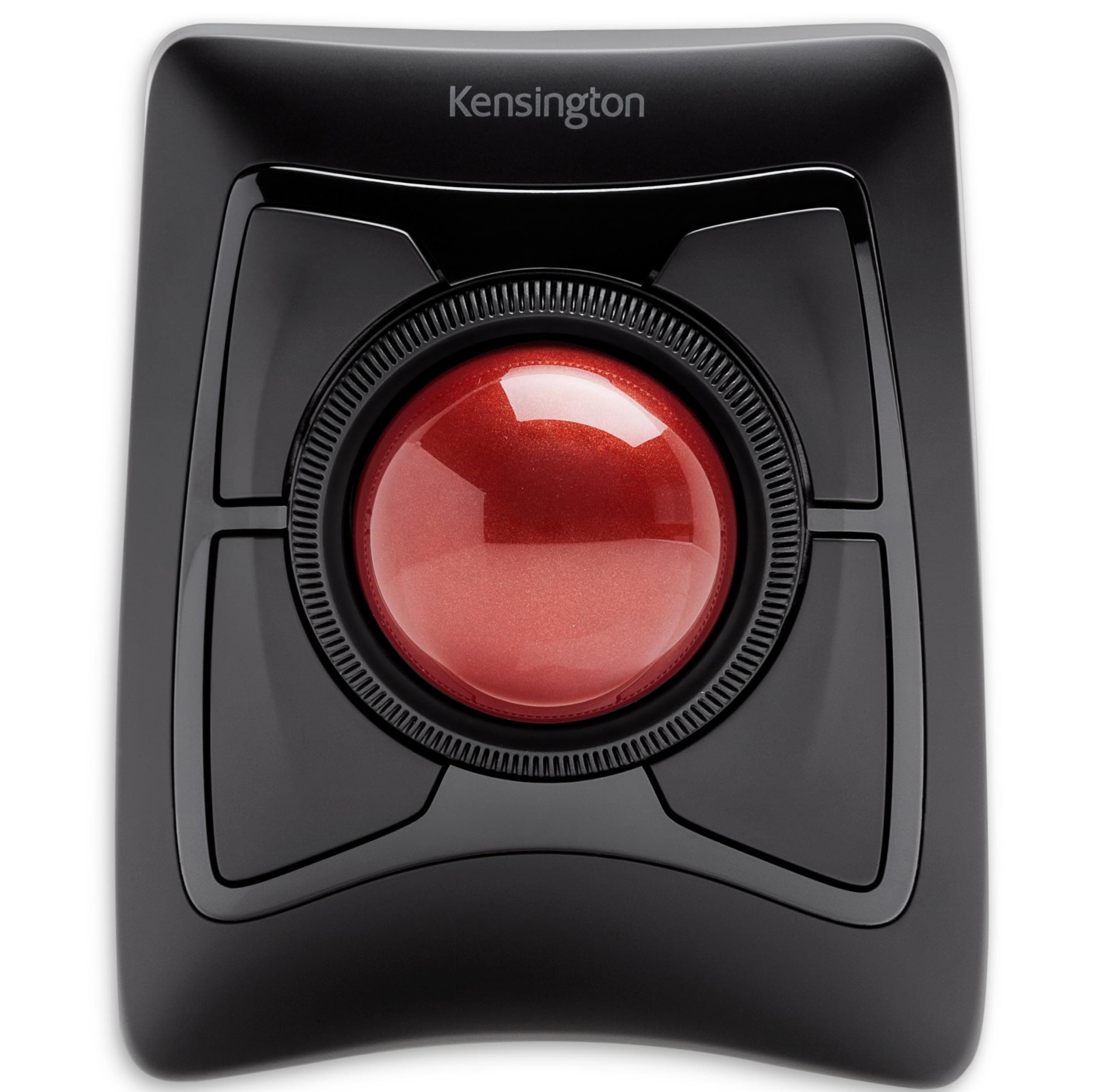


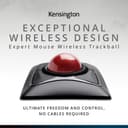
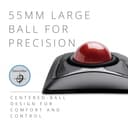
🔴 Master your workflow with precision and style — the Expert Mouse that means business.
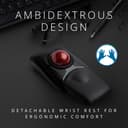
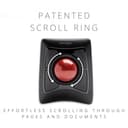
The Kensington Expert Mouse is a premium wireless ergonomic trackball featuring a large 55mm precision ball, dual wireless connectivity (Bluetooth 4.0 LE and 2.4 GHz USB receiver), and 4 fully programmable buttons. Designed ambidextrously with a detachable wrist rest and an award-winning scroll ring, it offers customizable control and comfort for both Mac and Windows users seeking enhanced productivity and pain-free navigation.


| ASIN | B01936N73I |
| Antenna Location | Office |
| Are Batteries Included? | Yes |
| Are Batteries Required | Yes |
| Best Sellers Rank | 6,457 in Computers & Accessories ( See Top 100 in Computers & Accessories ) 6 in Trackballs |
| Box Contents | Bluetooth+USB |
| Brand Name | Kensington |
| Button Quantity | 4 |
| Colour | Black |
| Compatible Devices | Personal Computer |
| Country of Origin | China |
| Customer Reviews | 4.0 4.0 out of 5 stars (5,166) |
| EU Spare Part Availability Duration | 3 Years |
| Enclosure Material | High quality plastic or light metal |
| Global Trade Identification Number | 00085896723592, 07802880611214 |
| Hand Orientation | Ambidextrous |
| Hardware Platform | PC |
| Item Dimensions L x W | 15.3L x 12.5W centimetres |
| Item Weight | 1.35 Pounds |
| Manufacturer | Kensington |
| Model Name | Expert Mouse |
| Model Number | K72359WW |
| Movement Detection | Optical, Trackball |
| Network Connectivity Technology | Bluetooth, USB |
| Number of Batteries | 1 A batteries required. (included) |
| Operating System | Mac,Windows |
| Power Source | Battery Powered |
| Product Features | Ergonomic design with removable wrist support, programmable buttons, customizable mouse speed, wireless connection and award-winning scroll ring |
| Product Finish Type | Glossy |
| Product Warranty | 1 Year |
| Range | 33 feet feet |
| Style Name | Expert Trackball |
| Theme | Computer |
| UPC | 085896723592 |
| Unit Count | 1.0 count |
A**M
Good size trackball; very easy use with either hand
Great trackball. Easy to connect; just plug the dongle in, and it's good to go. Really good size of trackball allows me to use three fingers to navigate precisely with my non-dominant hand. Comfortable to use from the couch too. The buttons click nicely and the scroll wheel works well. It's definitely a little bit pricey, but definitely worth it to be able to rest my injured dominant hand but still be able to enjoy good precision when using my home PC. The ball comes out easily to clean, so I wouldn't want to take this loose in my bag into the office, but that isn't really a consideration for me since I've switched this one out for the Orbit Fusion, which I'll take to work instead.
U**Y
Good upgrade from old trackball
I had the Kensington orbit with scroll wheel previously, which stopped working after 18 months. Kensington is willing to send out a replacement which will take 2 weeks which is a long wait. Decided to get the expert as an upgrade as I cant wait that long for a mouse. The expert is a much bigger unit and the ball is probably double the size. Overall it you feel it is a better product and has 4 programmable buttons instead of the normal 2. Ironically because of the size of the ball and the placement of the buttons. I dont have the top 2 buttons as left and right click. I have bottom left as left click and top right as right click. There is one slight niggle the scroll wheel is a little too close to the right buttons so sometimes you nudge the right buttons when using the scroll wheel. If you are on a budget the orbit is fine but if you use the mouse a lot, the expert maybe worth considering
R**R
Ergonomic, but less accurate than a mouse
Pros: Truly ergonomic. Very fast to get from one corner to another corner of a large screen. You don't need to move it around like a mouse. Hand and wrist practically unaffected, no pain whatsoever. Easy to clean. It looks very cool. Cons: Considerably more difficult to click onto a specific point of the screen. Not a problem if you need to perform such a task occasionally, but may feel tiring if you need to do it regularly. e.g., you need to click many times into tick boxes. Somewhat more difficult to scroll. Quite large. Conclusion: Will it replace a mouse? Probably not. Will a mouse replace it? Definitely not, it is a completely different type of "animal", but you need to get used to it.
U**Y
Came for the ergonomics, stayed for the productivity
Why, why did I wait to buy one of these it's beyond brilliant. First up let me explain, about 3 months before buying this I had a fall and broke my wrist, broke 2 bones and did some ligament damage - ouch, yes it's as painful as it sounds and if you take nothing else away from this review be careful with icy pavements. The healing from a broken wrist can take up to a year in some cases and a lot of pain ensues while thats happening, when I had a cast on for 6 weeks towards the end there was no discomfort hardly at all so in my head it's yay, cast off, back to normal, rock on. Er no, as the cast came off my reaction was mm ow ow OW OW! MOTHERFU.... that hurts, and so began a quest to find someting I could use comfortably and get my extremely bored arse back to work. So finally, the trackball itself, what can I say, silky smooth operation from the actual ball, being 55mm across it means you can control it with three fingers if needs be, the four buttons around the ball are totally customisable if you download a small application from Kensingtons website and you aren't limited to four functions either, you can add keys to each button so you get a different function if you press shift, or control, or alt or the win key so four individual functions on each of four buttons - that's a lot of shortcuts. In addition to this you can specify a set of shortcuts for each application, the combinations and permutations are mind boggling. There is also a scroll wheel right next to the ball and again it's customisable in terms of speed and direction and inertia which I tried but didn't like but it's worth looking at it to see if it works for you. There is of course the usual pointer speed control which using a super ultra wide high resolution monitor I have set quite high to quickly move around the huge screen area, that is fine but it's not the most precise method - however Kensington have thought of that too, you can set one of three keys to instantly and temporarily lower the pointer speed making precision a doddle, there is even a setting to lock the movement to just vertical or horizontal movement in a single axis and while this might not sound like the pinnacle of technology if say you have a bunch of tabs open in a browser or are going through a bunch of drop down menus in a professional application such as Photoshop or illustrator - which I do all day every day while doing actual work it just makes it even easier - hence quicker to use. It's just one more reason to like this trackball and why I will NEVER go back to using a mouse again - ever. Looking at one of the other reviews there was a criticism that you had to float your arm to use the trackball and it placed strain on your arm/wrist - well as this was the entire reason I'd been looking at things like this trackball to reduce just that and allow me to get back to work take a look at this... https://www.amazon.co.uk/gp/product/B0752MCX82/ref=ppx_yo_dt_b_asin_title_o04_s00?ie=UTF8&psc=1 It's basically a device that clamps to your desk and cradles your arm taking the weight and strain away from your arm - and crucially for me the wrist, a combination of that cradle and this trackball means I have a perfectly straight arm position from the elbow to fingertips and the sometimes unbearable pain of using a mouse - and i've tried 6, everything from gaming mice to really thin bluetooth mice to smaller sized mice, even a vertical mouse has gone, I can use this for hours with nothing more than the odd twinge - using a mouse all day I'd have to mainline so many painkillers it'd turn me into a zombie. Very seldom do I buy anything that makes a real improvement to my daily life but this is definitely one of those times and I don't like this trackball I love it.
A**Z
Desde que lo uso ya no se me cansa la muñeca, a pesar de que lo utilizo unas seis horas al día. He ganado en productividad porque, gracias a su gran bola, puedo situar el cursor exactamente donde quiero a gran velocidad. Los cuatro pulsadores de que dispone son grandes, sensibles y cómodos para usar. Aunque puede configurarse para que la pulsación conjunta de dos botones adyacentes sea equivalente a otro botón, esto no me resulta práctico porque es difícil hacer la pulsación simultánea.
D**R
A trackball is nothing I would have considered in the past as most of my PC time is used for gaming and being able to do work has always just been a "bonus" of the platform. However, over the course of the wonderful year of 2020, I had to find solutions to working from home and purchased not just one, but two trackballs. I first started with Logitech's M570 (wireless) and followed it up a couple of months later with the Kensington Expert Wireless. Chances are that if you're seriously considering transitioning to a trackball, you are looking at exactly these two models or their wired siblings. Both solved a very simple problem of making the most of confined space. For my gaming and personal PC, I have a typical desk setup with a brick of a gaming mouse, but for the work laptop I lugged home with me, the idea was that it was a temporary thing and I'd be back in the office with a full desk in no time. Three quarters of a year later and the work machine is growing roots in an old TV table. I managed for a very long time as I was quite comfortable with simply using the built-in trackpad, but when they replaced my machine with a new one, I could no longer work without wanting to throw it out the window. The 'brilliant' minds that designed the new trackpad clearly never used one as they removed the physical buttons that bisected the pad and made the pad itself one giant button that would only right click if you used the very bottom right corner. So now I needed a mouse, but TV trays don't have the runway for effective mouse use. Enter the trackball. Since trackballs stay put, they can sit comfortably in a small space and you still have full use of your cursor. The second thing both trackballs solved was the right-click issue. While the M570 has more traditional placement of buttons like a regular mouse, the Kensington Expert (herein "Expert") has four fairly large buttons that can be tapped easily regardless of what hand position you take. Since the laptop's trackpad cut the right-click distance by 2/3rds and I live and die by context menus, I needed that functionality without feeling the need to break equipment. The above issues are solved by pretty much any trackball device available in the market today, so what it really comes down to aside from general reliability and longevity is preference. First off, while the M570 seems sturdy enough, the Expert feels like a tank. It has a fairly large footprint compared to the relatively mouse-sized M570, but the Expert also has a much larger ball (maybe three times bigger?) and is heavier and kept in place with rubber feet. As mentioned above, it has four large programmable buttons surrounding the trackball and a rubbery ridged wheel that provides you with your scrolling (compared to Kensington's Slimblade which has you twisting the ball in the socket to scroll instead). The Expert uses the bottom left button (by default) for left click and the bottom right for right click. Since the ball is finger operated as opposed to thumb-operated M570, you typically use your thumb and pinky to click and right-click respectively. It takes some getting used to, but it really becomes second nature pretty quickly. On top of that, you get two extra programmable button assignments by clicking the top two or the bottom two buttons together. Despite its wider footprint, the Expert has become my go-to device for work while the M570 has been repurposed for the media machine I have connected to my TV. While it comes with a very sturdy wrist pad to help with your ergonomics, since I sit higher than the Expert instead of level with it, I find it feels better without the pad attached. The larger ball is much easier to manipulate and makes more logistical sense than when using the thumb ball of the M570 and Kensington's software allows you to set up keyboard hotkeys to assist with accuracy. For example, I can hold the Ctrl key to drastically slow down the cursor (this is completely customizable) so I can select specific things or position the cursor with precision. For cleaning, the ball is held in the device by gravity only and can be easily lifted out without having to lift the base unit (and it's kinda fun to do that anyway). Underneath you'll have access to the sensor as well as the three beads or skates that the ball rides on. I don't find that the ball is a dust magnet, but normal use will see crud accumulate either on it or on the skates. It's easy to simply lift the ball and give everything a wipe down. There's only two things that I am nitpicky about when it comes to the Expert. First, the ball has a very high profile (exactly half of it is exposed) and while I find it very comfortable to use throughout the day and experience no wrist strain whatsoever, it would have been nice if the 'horizon' or the plane of the base unit was a bit higher and the ball sunk a bit lower (things addressed in the Slimblade). The second thing is that this thing puts itself to sleep, which is admittedly a good thing. However, you cannot wake it by rolling the ball or scrolling the wheel; you must click one of the buttons to wake the device from sleep, but the click is actually registered with the OS and is not thrown away. Therefore, unless you're expressly positioning your cursor safely when you go idle, then you need to be careful on what button you press to wake your device. Neither are dealbreakers, but I really find the registration of the wake input to be weird. Overall, I am very happy with both of my purchases, but the Expert won out as my day-to-day solution for work. I would never use the device for gaming (at least competitively), but its customizable configuration from speed to keystrokes with Kensington's lightweight software easily make it a power-user's device. It may be unintuitive at first, and I was always first in line to mock these devices, but I have completely turned around on them. I think wherever I go in my professional life, the Expert will come with me.
H**H
Love a trackball as it’s much easier to control.
B**N
Mouse klavye ergonomisi konusunda çok araştırma yaptım ve Kensington orbit fusion modelinin başlangıç olarak en uygun olduğunu ancak bütçeniz el veriyorsa bir kere alıp tam alıp bu modeli tercih etmeniz gerektiğini düşünmekteyim. Ofis işleri ve düzenleme müzik prodüksiyonu ve günlük kullanımda bileğinizde normal mouse kullanmaktan oluşan sert dokuyu geçiriyor ve oyun da oynuyorsanız oyuncu mouselarının verdiği ağrıyı yarıya indirebilirsiniz, bir de ayrık (split) klavye ve düzgün bir postur ve masa duzenlemesi ile expert mouse ergonomiden kaynaklı sorunlarınızı azaltacaktır. Eğimi eğer size uygun gelmiyor ise, ki gelmeyeceğini düşünmüş olsam da geldi, bir ihtimal gelmez ise, altına yükseltecek bir kitap vs. koyup düz hizaya getirebilirsiniz veya yan çevirip 3. parti yazılımlar ile imleç yönünü düzenleyip eğimli ergonomik mouselar gibi kullanabilirsiniz. 3d yazıcı imkanınız var ise/servisinden yararlanabiliyorsanız mouse pozisyonunu daha ergonomik (göreceli) hale getiren eklentiler mevcut. Kesinlikle tavsiye ediyorum.
D**O
Es muy bueno y comodo, al principio te puede doler la mano porque no estas acostumbrado pero despues ya no quieres volver a usar un mouse convencional. A veces falla el software de kensington pero puedes usar el mouse sin problema aunque no tengas el software
ترست بايلوت
منذ شهرين
منذ 3 أيام