🎉 Level Up Your Game with GuliKit!
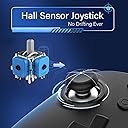
The GuliKit KingKong 2 Pro Wireless Controller is a cutting-edge gaming accessory designed for Switch, PC, Mac, and mobile platforms. Featuring a revolutionary Hall Effect joystick for drift-free precision, this controller offers 25 hours of playtime on a quick 2-hour charge. With customizable controls and an ergonomic design, it ensures a comfortable and personalized gaming experience. The intelligent auto pilot feature allows for effortless gameplay, making it perfect for both casual and competitive gamers.


| ASIN | B0BMPGSTYS |
| Additional Features | Ergonomic, Wireless |
| Best Sellers Rank | #63,563 in Video Games ( See Top 100 in Video Games ) #1,541 in Nintendo Switch Controllers |
| Brand | GuliKit |
| Brand Name | GuliKit |
| Button Quantity | 10 |
| Color | Black |
| Compatible Devices | IOS, Mac, Nintendo Switch, PC |
| Connectivity Technology | Bluetooth |
| Controller Type | Gamepad, Windows |
| Customer Reviews | 4.3 out of 5 stars 149 Reviews |
| Hardware Platform | Android, Nintendo Switch, PC/Mac, iOS |
| Included Components | Charging line |
| Manufacturer | GuliKit |
| Model Name | NS09 |
| Package Quantity | 1 |
| Power Source | Battery Powered |
| Warranty Description | 6 Months |
A**3
very reactive controller, some flaws but i like so far
only been using for 2 days. i've switched from an xbox controller cause it was barely starting to drift. the controller itself comes set as a switch, and by holding the top 2 buttons between shoulders can change between to xbox pc, i guess ps3 too? the joystick is far more responsive than the xbox ever was, the buttons fire so well i caught that prior to using this i developed the habit of burst mashing a button. the button layout is largely xbox equivalent but the button sizes are larger more like a switch cont so you may dislike, the shoulder buttons float about like a unbent kneecap which makes me worry (i good hit at the right angle might break it) the riggers feel fine but trigger easily unlike the xbox which takes a bit of pulling back b4 it registers. the R/L3 also feels like a weak point, it sort of clicks twice when u click it once it feels like there's some play in it attachment, then you feel a button clicky. the weight i guess is slightly heavier than an xbox cont, it feels more dense and solid vs the xbox which feels more hollow and distributed internals. all in all i'd say that my xbox controller it's replacing is of worse quality and reactivity, however since this controller feels less robust (ironically my xbox controller replaced my xbox high end that came with my occulus rift who's shoulder button destroyed with a 3 feet drop), i think it's largely supposed to be used a bit roughly as the buttons trigger so solidly, i do feel that the R/L3 is weak, and the shoulder buttons may break but im really impressed at how well it works. btw there is no metal on the thing, it's all plastic. i'll update if anything breaks since i've only owned for a short period but i got high hopes. update minus a star, after a few weeks of using it the A button sometimes jams and get's stuck down occasionally, it also happens with B but less often. it generally still works good but depending on how you press it it can happen more or less, this is due to the sloped front surface and the A and B buttons being closer to the slope, kinda sticks down diagonally and rubs and sticks to the sides, still a very good controller, if it becomes more of an issue might take apart and sand down or lubricate but it's nothing too huge at the moment. shoulder buttons have survived so far, i still rate this about equal to a xbox controller but you do need to press a button to wake it to register each time you turn on PC.
R**O
Very nice good
Very nice controller feels just right I like the weight it has it does have vibration in the handles and can connect to several consoles obviously not at once. The button layout extrlernal is based off switch but which ever you connect it to via BT (ps5,switch,pc,xbox) in program it'll match the button layout
T**S
Excellent but needs tinkering
This controller is good. I got it for my PC after my XBox controller developed stick drift. It’s solid and responsive most of the time. When I first got it, I had to install a couple of updates into the controller itself, and while the process of making these firmware updates isn’t difficult, interpreting the instructions is. The directions are extremely short, vague, and poorly translated, and the manual that comes with the controller is almost useless. It doesn’t even clearly explain what each button is. I ended up digging through Reddit, YouTube, and a couple gaming websites to figure out what the buttons are and what they do, because even the manuals on the manufacturer website are garbage and don’t tell you what the buttons are or what they do. Once you know what the buttons do, it pretty much just works. It supports X-input, so once the firmware was installed my PCs Bluetooth receiver instantly paired with the push of a button on the controller. However, I didn’t know which button that was, so it took an hour or so on the internet to figure it out. The buttons you need to know about are tiny round buttons on the front of the controller next to the LB and RB buttons. The one on the right is the on/off button, tap it once to turn it on and twice to turn it off. The one of the left is the pairing mode button, hold it down until the four lights next to it begin blinking to put it in pairing mode and then navigate to your Bluetooth devices on your computer, search for new devices, and it should show as the Gulikit wireless controller. Connect and you’re done. The Minus button on the face works like Select and the Plus button works like start. I’m Not sure what the other three central button do, but the right hand one launches the XBox menu on my PC. Battery life seems a little wonky, sometimes I get 16 hours out of it and sometimes I get 24. There’s is also a very small amount of input lag when using the controller wirelessly, so if it seems a little behind but you’re not sure, no you’re not losing mind, the input lag exists and it can get as high as 30 milliseconds, which is just barely noticeable. The input lag disappears completely if you connect it with a cable. Finally, the sticks themselves take a little getting used to. They’re noticeably more sensitive than XBox controllers and take almost no deflection to induce movement in your character. There also seems to be an intermittent ghosting problem with the buttons. In one of my games I have to press RB and then another button to trigger powers, but sometimes the controller eats my input where a PlayStation or XBox controller does not. I had to get in the habit of pressing RB first, then my power button to cast the power, and sometimes it gets stuck, thinking that the RB button is still pressed when it isn’t. This last issue is also reported intermittently in the forums of the game I’m playing, so this may not be the controller’s fault, and it’s difficult for me to know. Advice for the manufacturer: 1. Get a professional to write your manual for non-Chinese end users. 2. See if you can reduce the input lag somehow. 3. Run your CPU firmware update tool through whatever authentication service Windows has, it gets flagged as potential malware by Windows.
J**M
Most amazing controller ever!!!!
This has to be my favorite controller for using with my pc, and it even works with android, so my phone is perfect for it! I can play games on everything with this amazing device! The joysticks are perfect and have no drift, won't ever develop drift too!
S**E
Better than Joycons
Wanted a Switch controller that did not need to have the joysticks constantly recalibrated, and this one fit the bill. The controller has worked flawlessly so far, and the kids have put over 100 hours on it without any issues. The controller has a substantial feel to it, and has nice texturing on the grips. The battery life so far has been excellent.
D**N
After using it for many months, it still works perfectly
The battery lasts tens of hours between charges, there's no stick drift, there's not even the slightest suggestion it's starting to wear out. Read the 2-page user manual and you'll see all the cool stuff built in. It Just Works. And it's exactly the same shape as an xbox controller, handle-wise.
C**T
KING KONG IS A MAJOR GO
After extensive research i was looking for a better nintendo switch oled controler than the power one i have listed in photos most of my use is pc & Nintendo switch i was looking at this one and the 8bit but the joystick maping to pluss button was too close and could see my self hitting it by mistake, with my larger hands this controler is flawless packed well and is confortable for hours on end Dying lifht and many other games 1Tb on swich. The clear protective case is a nice add on. I have larger hands a XL milwaukee glove size hands and the joycons are a bit of a joke for me so I would definitely recommend this controler next is the steel series than the x box then a power a them are my main controlers. GAME ON!
C**E
Terrible
This controller wont link to your pc and the wired mode, while functional, isnt detected by most rom games. The software is abbysmal, it refuses to update as it wont correctly switch to update mode, and the customer support is non existant (the only "help" you will ever recieve is the paroting of the damn user manual) Its a piece of trash that costed me the same amount as a proper, name brand controller and the hours of work involved in getting a refund isnt worth my time, i dont care that ive spent over 20 hours trying to fix it, i wont fall victim to the sunk cost fallicy. Tldr, this is exactly the type of cheap trash you come to expect from china at 5x the cost.
ترست بايلوت
منذ 5 أيام
منذ أسبوعين