We remain fully operational. Our teams are working around the clock to ensure your deliveries continue safely.

قم بتنزيل التطبيق


معلومات عنا
حقوق الطبع والنشر © 2024 Desertcart Holdings Limited
قم بتنزيل التطبيق
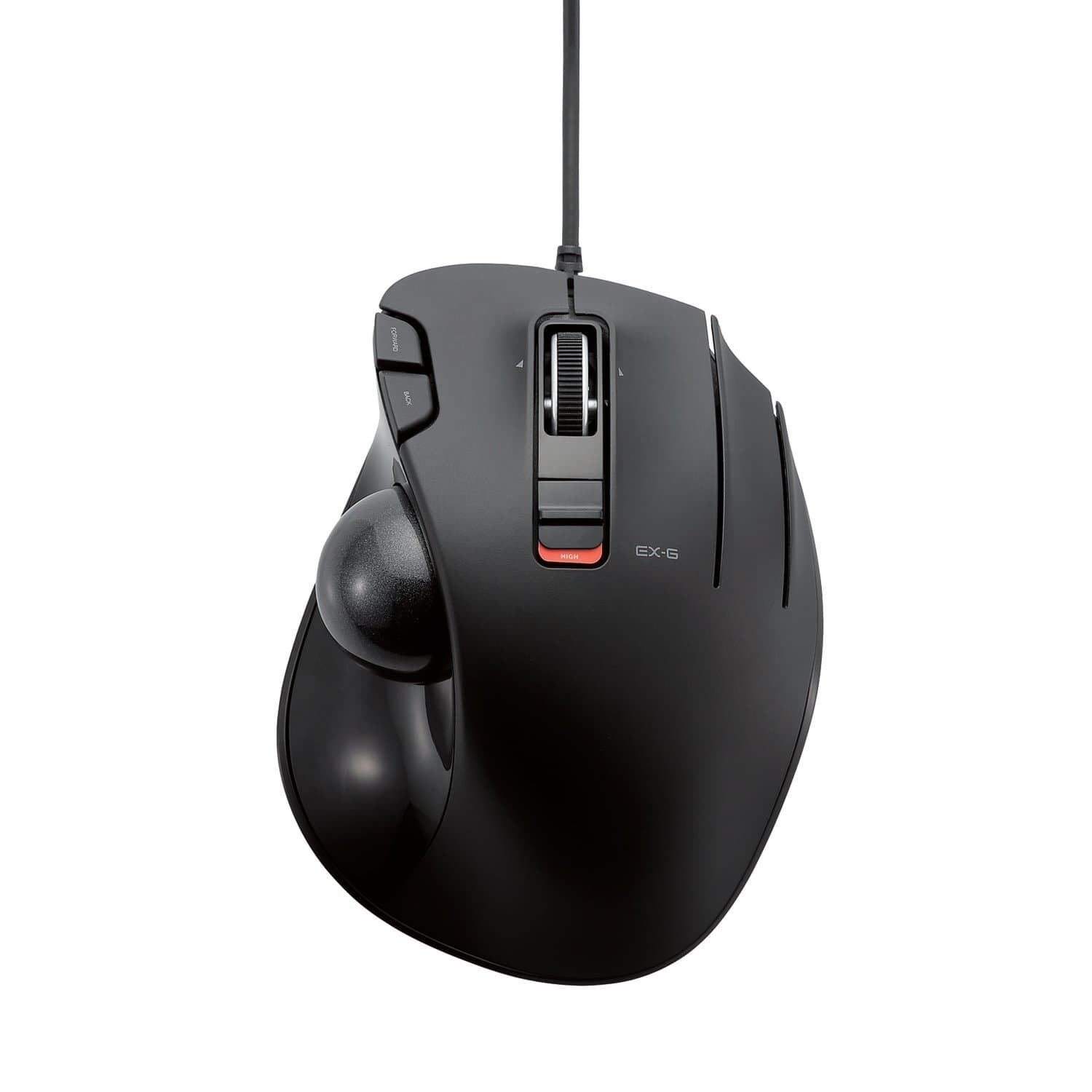

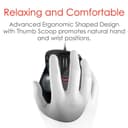
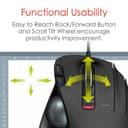
Buy anything from 5,000+ international stores. One checkout price. No surprise fees. Join 2M+ shoppers on Desertcart.
Desertcart purchases this item on your behalf and handles shipping, customs, and support to OMAN.
🖱️ Elevate your workflow with precision and comfort — don’t let your desk miss out!
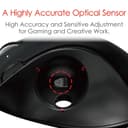
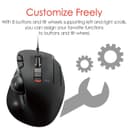
The ELECOM Wired Easy Thumb Control Trackball Mouse combines a high-performance 1500 DPI optical sensor with a sculpted ergonomic design and 6 programmable buttons, delivering precise cursor control and customizable functionality. Its durable ruby ball bearings ensure smooth, low-maintenance operation, while compatibility with Windows and Mac systems makes it a versatile productivity tool for professionals seeking comfort and efficiency.


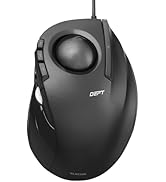



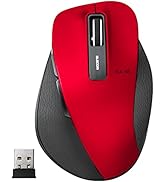


| ASIN | B016QCPO0G |
| Antenna Location | Gaming |
| Are Batteries Included? | No |
| Are Batteries Required | No |
| Best Sellers Rank | 26,525 in Computers & Accessories ( See Top 100 in Computers & Accessories ) 572 in Mice |
| Box Contents | English manual, Japanese manual, Trackball mouse |
| Brand Name | ELECOM |
| Button Quantity | 6 |
| Colour | Black Ball |
| Compatible Devices | Personal Computer |
| Country of Origin | China |
| Customer Reviews | 4.1 4.1 out of 5 stars (6,936) |
| Enclosure Material | Plastic |
| Global Trade Identification Number | 04953103473737 |
| Hand Orientation | Right |
| Hardware Platform | Laptop, PC |
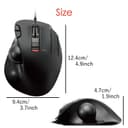
| Item Dimensions L x W | 12.4L x 9.4W centimetres |
| Item Type Name | ELECOM Wired Thumb-operated Trackball Mouse, 6-Button Function with Smooth Tracking, Precision Optical Gaming Sensor (M-XT3URBK) |
| Item Weight | 0.44 Pounds |
| Manufacturer | Elecom Japan (PC) |
| Model Name | Track Ball EX-G |
| Model Number | M-XT3URBK |
| Mouse Maximum Sensitivity | 1500 Dots per Inch |
| Movement Detection | Optical |
| Network Connectivity Technology | Wired |
| Number of Batteries | 1 AAA batteries required. |
| Operating System | Windows 10, Windows RT 8.1, Windows 8.1, Windows 7, Windows Vista, Macintosh OS X 10.10 |
| Power Source | Corded Electric |
| Product Features | Ergonomic Design |
| Range | 5.0 meters |
| Style Name | Wired_BlackBall |
| Theme | Video Game |
K**R
Great product.
Great product and really very useful. Purchased on recommendation and it is well deserved. Very comfortable to use and great range of buttons to stream line working. Grip is comfortable for fairly large hands and ball fall right under thumb for accurate scrolling. Great value for money
M**E
Easy to use
Brilliant
V**.
Recent software update has broken arbitrary key functions almost entirely.
Pros: Great software for custom shortcuts/buttons. Nice plastic body. Multiple buttons for customisation. Easy to manage sensitivity. Stock sensitivity is perfect on high. Easy sensitivity switch allows changing to low if precision is needed. Cons: little bit too small, but better than too big (which was a problem with the Perixx wired trackball) Ok: Trackball stutters a little. Much better than the Perixx. Others have praised Logitech as having no stutter - perhaps I will buy one of their trackballs and try putting it in. UPDATE: The June 2018 update to their software (5.16) has mostly broken the mouse, especially arbitrary key function - one must instead use an older version of the software (5.03).
N**U
Glad I took the chance!
Like many, I came to this after years of M570 use. My 3rd one had just pooped out, I was cheesed off with paying through the nose for something with such a short lifespan, and to be frank, this was the cheaper than the M570 that was on one day delivery (with decent reviews as well), I needed ASAP for work. I'd over looked this one because I thought the buttons being one piece with the hand rest would be a problem, thinking that they may suffer plastic fatigue and snap away, but having now felt the things, I feel they're going to be absolutely fine - only time will tell! On every setting, the trackball is super responsive, a roll of the ball that would have moved the cursor an inch on the M570 sends it flying across the screen, so it's taken a couple of days to get used to, but I do appreciate the strain that is being taken off my thumb! The shape seems ideal for my hand - the curve is just right, and noticeably more comfortable than my Logitech predecessor, but I know that that will be subjective as things like hand size vary wildly. The build is solid, which again, I wasn't getting with my previous trackball mouse. I think the one down side I have experienced so far was that I was expecting the receiver to be stowed in the small storage area on the underneath of the mouse, meaning when I first opened the box, I was cursing up a storm, thinking it had either dropped out when I opened the box, or it hadn't been included, which considering I needed a functional mouse ASAP and didn't want the brouhaha of sending the one I had back (which would have also completely negated the purpose of buying one). Just as I was repackaging to send back, I dropped the plastic display box, where underneath the batteries there was just visible through the white plastic was the tiny receiver, hidden away having been missed due to the plastic being quite opaque. It sounds ridiculous to have been as elated as I was to see that little nubbin hidden away in there, but I really, really, REALLY needed to get working. It speaks well towards the mouse in general that the worst gripe I have so far is something to do with the packaging. It's early doors still, but on the whole I am extremely pleased with how well this holds up in comparison to ye olde M570.
A**K
The packaging is the best thing about this trackball.
The best thing about this trackball mouse is the packaging. The tracking of the pointer using the ball on power save mode jumps all over the place. On high speed its way too high speed and on super high, which is a combination of the high speed on the trackball base and the high speed switch just below the scroll wheel; oh, that works OK for up and down but I never got a chance to test horizontal scrolling. Where did I get to? Oh yes. The Super high speed. Well, if you can follow your mouse pointer on this setting, you're a better person than me. There is a light, if you want to stand up and put your head over the top of the scroll wheel, which tells you the speed setting you're on. The software, which you need to download, is good for one thing and one thing only. And that's the programming of the 3, yes 3, flimsy primary, secondary and whatever the heck the 3rd one is for, buttons, and forward and back buttons. Each one, apparently, has two modes, but again I never even got to try this. The company should spend a little more money on the switches for 2 of the 3 buttons and dump the 3rd and spend a little less on the packaging. Needless to say, after just an hour of trying to adapt to this trackball, it's already boxed, ready to go back Monday. Would I recommend this product? Well duh! Of course I would ... NOT!
D**C
Suspiciously similar to the Logitech model from the days of yore!
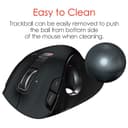
I've been using trackballs for 30+ years; this appears to be a clone of the Logitech one (that go for $$$ second hand on ebay) - good for Elecom doing that. Easy to clean, reliable, just what you expect! Never sure about the elecom software, but you don't have to use it.
A**I
an ok tracker mouse
I bought this to replace my old Logitech wired tracker ball mouse as i couldn't find any other wired tracker ball mice on the market. the product itself is quite flimsy and is definitely not ergonomic, there is hardly and tilt to relieve the stress on the wrist. saying that it works fine and does the job of a normal mouse. if you are looking for a tracker to relive RSI then this is not the product for you. however if your looking for a mouse then its not bad at all
A**.
Este producto me parece esepcional por 3 aspectos: 1.- Es alambrico por lo tanto nunca requiere de cambios de pila o recarga de las mismas. 2.-Es fácil de dar mantenimiento, ya que la esfera se puedes desprender para da limpieza a los sensores y la esfera. 3.- Es súper ergonómico, ya que no castigas el túnel carpiano. Las únicas desventajas que encontré son las siguientes: 1.- Al principio es difícil acostumbrarse a su uso, pero una vez adaptado al uso es súper fácil de usar. 2.- el utilizar productos como cremas humectantes o residuos de maquillaje o grasa en las manos hace que los sensores se vuelva algo imprecisos es notorio cuando esto pasa ya que dificulta mucho realizar acciones precisas, la solución es la limpieza de los sensores y esfera con un poco alcohol y un cotonete.
Y**S
Kupiłem ją jako następcę Logitech M570 i jestem zadowolony. Scrollowanie na boki to fajny gadżet, szczególnie przydatny w arkuszach kalkulacyjnych ;) Pod Linuxem sprawuje się bez zarzutu - wszystkie przyciski działają. Polecam.
C**6
The ELECOM EX-G Trackball Mouse has been an absolute game-changer for me, offering a combination of comfort, precision, and convenience that has significantly improved my productivity. One of the standout features of this trackball mouse is its ergonomic design. It’s incredibly comfortable, especially for prolonged use. The shape contours naturally to the hand, reducing strain on the wrist and arm, which is a major plus for anyone prone to repetitive strain injuries or discomfort from using traditional mice. The thumb-controlled trackball feels smooth and responsive, making it easy to navigate without moving the entire mouse. The build quality feels solid and durable. Despite daily heavy use, it shows no signs of wear. The trackball itself is easy to remove and clean, ensuring the mouse stays in top working condition for longer. The ELECOM EX-G Trackball Mouse is an excellent choice for anyone seeking an ergonomic alternative to traditional mice. Its comfort, precision, and customization options make it a great tool for both everyday use and specialized tasks. Whether you’re working long hours at the computer or just want to reduce strain on your hands, this trackball mouse is worth the investment.
D**O
RAPPORT QUALITE PRIX TRES BIEN AGREABLE A L UTILISATION
A**R
Had the mouse for over a month now and it's great! I'm going to break down the main points and recommendations for people who are thinking of buying this mouse. --- The included black ball doesn't work consistently. Mine seems to have a "dead spot" on the ball and I have no idea why. Best recommendation is to swap to a red colored ball from another mouse or purchase one, but unfortunately, they aren't cheap. https://www.amazon.com/gp/product/B071NX7Y2J/ref=ppx_yo_dt_b_asin_title_o02_s00?ie=UTF8&th=1 I bought this along with the mouse as a "just-in-case" and I'm glad I did because it works flawlessly. There could be cheaper options out there so feel free to look. --- The trackball companies have said that a matte finish is better for precise and fine movements for text editing but the one on Amazon is sold out with the "we don't know if it's coming back" dialogue. I found one on Newegg if anyone is interested. https://www.newegg.com/p/0J2-01FT-008W3?Description=logitech%20mouse%20trackball&cm_re=logitech_mouse_trackball-_-9SIAMTFB6X3276-_-Product I don't have a matte finish ball so I can't say for sure if it actually does what it claims. --- Depending on how you place your hand on it, you will accidentally right click multiple times until you get a good rotation and hand placement. Don't worry, it sounds worse and harder than it really is. --- I don't use the third mouse button and I haven't downloaded the software specifically for this mouse because I have 2 mice plugged in all the time. One is a gaming mouse with its own software that I don't want to break by having conflicting software from this mouse. This mouse works just fine after being plugged in. No muss, no fuss. Both mouse buttons work, scroll wheel works, forward and back buttons work, and DPI switch all work. --- Play around with the DPI switch on the mouse as well as the mouse options in Windows or whatever operating system you're using. TURN OFF enhanced pointer precision, it is not your friend and will send your pointer to the moon. The 4th tick on pointer speed in Windows works well for text editing, for me, anyways. --- It can be used for gaming but I keep it to certain types of games (ARPG like Diablo, Path of Exile) or single player. Online FPS games require more precision and speed than I can do with this. If you can, you should get a medal.
ترست بايلوت
منذ أسبوعين
منذ 4 أيام