💡 Light up your life, the smart way—anywhere, anytime.
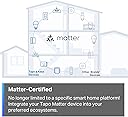
The TP-Link Tapo S505 is a UL-certified, Matter-enabled smart light switch designed for single-pole setups. It supports 15A current and 120V operation, offering seamless integration with all major smart home platforms including Apple Home, Alexa, Google Assistant, and Samsung SmartThings. Featuring local LAN control for uninterrupted performance, voice commands, customizable schedules, and an intuitive app-guided installation, it’s the perfect upgrade for a connected, convenient lifestyle.


| ASIN | B0C2B6RSDX |
| Actuator Type | Push Button |
| Best Sellers Rank | #1,037 in Tools & Home Improvement ( See Top 100 in Tools & Home Improvement ) #12 in Electrical Light Switches |
| Brand | Tapo |
| Circuit Type | 1-way |
| Color | White |
| Connectivity Protocol | Matter, Wi-Fi |
| Connector Type | Screw |
| Contact Material | Copper |
| Contact Type | Normally Closed |
| Control Method | App, Touch, Voice |
| Controller Type | Amazon Alexa, Android, Google Assistant, iOS |
| Current Rating | 15 Amps |
| Date First Available | April 25, 2023 |
| International Protection Rating | IP00 |
| Item Weight | 5.3 ounces |
| Item dimensions L x W x H | 5.04 x 3.33 x 1.41 inches |
| Item model number | Tapo S505 |
| Lower Temperature Rating | 32 Degrees Fahrenheit |
| Manufacturer | TP-Link |
| Number of Items | 1 |
| Number of Positions | 1 |
| Operating Voltage | 120 Volts |
| Operation Mode | Off,Smart Switch |
| Product Dimensions | 5.04 x 3.33 x 1.41 inches |
| Terminal | Screw |
| UPC | 840030708190 |
| Unit Count | 1.0 Count |
| Upper Temperature Rating | 104 Degrees Fahrenheit |
| Wattage | 600 watts |
S**K
Surpassed my install expectations, working well
Although the instructions for the smart app use could have been clearer and it would have helped if the QR codes had not been at the bottom of the box, the wiring diagram for install was good. The recognition of the switch by the Apple Home app worked seamlessly and the Home app led me through test of install (app made the network connection supplying password etc). Installation of my second switch took 20 minutes or less. I am using sunrise-sunset control (Home app option), working well. I had considered using light sensor bulbs, these switches are effective, provide more control options and are more economical. Could not be happier, with the function of the switch, integration with my Apple Home app (instructions call the app “Matter”) and designer look of the switch.
T**E
Heavyweight champ of Matter-over-WiFi switches & dimmers.
Reliable switch, great firmware, app, and customer service support. This is the switch that you would expect from an excellent networking company! Well done Tapo / TP Link! I have approximately 30 of the dimmers and 3 or 4 of the on/off switches running in a Home Assistant-controlled smart home. For those of you with HA - your best bet is to go through HACS and download the Tapo Controller. If you're not using Home Assistant, well...what are you thinking? The dimmers & switches are ultra-reliable, fast-acting, and seem to have some baked-in self-healing WiFi routines. Nice work software/firmware team! Even after power is cycled on multiple breakers, the switches continue to try to re-establish their WiFi connection. Over a few days, they all return to the "white circle", fully connected status. If you're impatient, you can press the right button below the main switch on each of these to power cycle the switch and re-initiate the WiFi connection process. Some of these dimmers I am running as no-load remotes to control multiple other bulbs and switches. Even in those applications, response time is almost instant. The command always goes through and usually with imperceptible delay. Okay, so I've had these installed for about 20 months now and I haven't been without issues. I had an overnight failure of ten, yes 10 of the dimmer switches right around the 18-month mark. They were on separate circuits and kind of all over the house, some were right next to another dimmer that did not fail in the same junction box with the same hot/neutral/ground lines attached. While it looks a little like a failed firmware update, I just don't know for sure. There was no storm or electrical activity that night and nothing else in my electronics-heavy home was damaged. Anyway, TP Link honored the 2-year warranty. Yes, I had to jump through a few hoops, mostly answering honestly too many questions and return shipping is on the buyer to get replacements. It also took about a month, which is too long TP Link! But I did it all through the proper channels and TP Link did replace the failed switches with brand-new units. Overall, this is a really solid product from a reliable company. I do think at a budget price-point, this is the best choice for Matter-over-WiFi for North American smart home users. Would Matter-over-Thread be better? Almost certainly! It's just not available yet. (Hint, hint TP Link.)
S**E
TP-Link Quality Switch
I had started on my smart home journey many years ago and had initially used Belkin Wemo switches for my light fixtures. The Wemos never worked well, and I had switched them all out a number of years ago, replacing them with TP-Link Kasa switches, which have been trouble free and worked great with both Alexa and the Kasa app. I have 5 Kasa dimmer smart switches and I recently decided to add another one. In my search on Amazon I did find the Kasa switch but also saw that there was a newer model, which is this Tapo model. It looks to be the same as my Kasa switch, but also supported Matter. The Tapo switch looks and installs just like the older Kasa model. With installation, it's straight forward, but key is having the neutral wiring as not all homes have them. You will also need to be a distinguish between the line and load wires (not important in older switches), so having a non-contact voltage tester would be helpful. The hardest part of the installation is tucking away the wires to get the switch to fit inside the wall box. The snap on cover plate gives the switch a nice clean look. With the switch installed, the next step is adding it to the app. It does not work with the old Kasa app, but the good news for me was that the Tapo app will work with my older Kasa smart devices. I downloaded the Tapo app and signed in with my TP-Link account, and it immediately populated all of my Kasa devices. Adding this switch was easy, just clicking on the "+" button and selecting the product. It found it right away and only took a few minutes. I have always liked the Kasa app and the Tapo app looks to be even better, as it's intuitive, though I will need some time to try out the features. On my Alexa, I did unlink my Kasa skill and then linked the Tapo skill, though not sure if I really had to do that. Alexa found the Tapo switch right away and works as expected in controlling it. As Tapo supports Matter, I did also add it to Apple Home Kit. None of my older switches support Home Kit, so this is the only smart switch on Home Kit. To add to Home Kit, it just requires the QR code from the device, which I did not find in or on the box, so I initially thought it's probably on the back of the switch, which didn't make much sense to me. However, in looking at the device in the Tapo app, there was an option to show the QR code, so problem solved. Adding to Home Kit was also quick and easy once I had the QR code. I have over 2 dozen TP-Link smart devices in my home setup. All of them are in the Kasa line except for this new Tapo switch. I can attest to the quality of their devices and am happy that TP-Link is continuing to bring new functionality to their line.
J**O
Increíbles, elegantes de buen materiales y al ser matter funciona en Apple o cualquier otro asistente
A**R
Ce lot de deux interrupteurs intelligents Tapo Matter m’a vraiment impressionné par sa simplicité d’installation et sa compatibilité parfaite avec mon écosystème SmartThings. La configuration s’est faite en quelques minutes seulement, sans aucune complication. Depuis, ils fonctionnent sans faille : la réactivité est excellente et la connexion stable. Un produit fiable, bien conçu et idéal pour moderniser facilement son installation électrique. Je recommande à 100 %.
B**N
So far so good! This product was extremely simple to install, and even easier to set up using the Tapo App. The dimmer buttons are very tactical and offer a solid click when pushed. The on/off button has a good spring-like action when pushed. The App also offers tons of automations and customizations. For example, between the hours or 11PM and 6AM, I limited the brightness to 25% so if I need to turn on the light in the middle of the night, I'm not blinded!
L**C
Muy bueno para un ventilador. Los únicos inconvenientes en mi caso, para el uso mencionado, son: -Los 7 niveles de los BOTONES FÍSICOS del dimmer para un ventilador de este tipo, no se pueden usar todos, solo son útiles los tres niveles más altos, en este orden: séptimo mñaxima velocidad, sexto media velocidad, quinto velocidad muy suave, pero agradable ...y de ahí hacia abajo, para un ventilador, los niveles de los botones físicos ya no son utilizables. -En la aplicación, se pueden personalizar 5 niveles, y en el caso de mi ventilador, programando tales niveles a 72%, 80%, 85%, 90%, 100% obtengo todo el rango de velocidades de mi ventilador, desde muy suave y silencioso, hasta viento violento, lo cual con los controles manuales del ventilador no es posible. -Desafortunadamente los niveles de los botones físicos, no se pueden personalizar como sí es posible mediante la app; aún así, como lo indiqué en el primer punto, esos tres niveles son muy prácticos. Si bien, este dimmer/atenuador está diseñado para luces y no para ventiladores, estoy bastante contento con los resultados con mi ventilador tipo industrial. ACTUALIZACIÓN DICIEMBRE 2025: Actualmente el dimmer YA SE PUEDE CALIBRAR desde la aplicación, en "calibración de atenuación". Con esto, la atenuación mínima y máxima, se ajusta por única vez; y con ello ya son 100% útiles cada uno de los 7 niveles de los botones físicos. En resumen, la desventaja inicial ya es cosa del pasado, ya funciona perfecto con mi ventilador, ya sea mediante los botones físicos, o mediante la app. Lo único que desearía, es que la escala de intensidad quedara encendida todo el tiempo en que está encendido el dispositivo (ya que esta se apaga en unos cuantos segundos), en fin, es un pequeño detalle, pero a más de un año de mi compra inicial estoy muy contento
T**T
I'm not an electrician, and I was quite intimidated by the thought of installing this in my apartment suite rental. I put off on buying this for that very reason and went with smart bulbs instead. After a little research on the internet, I started feeling more comfortable with the idea of installing these switches. Here's what you need to know (from a non technical standpoint). Your home needs to have a neutral wire in the switch box for this to work. There is apparently a workaround for homes without a neutral wire, but I can't advise on that. If your home is a newer build, it may already have neutral wires. Here's how to know if you have neutral wires in tour light switch box: -Turn the breaker to your light switch off and confirm there is no power to the switch (by turning the switch on to confirm no lights come on and also with the use of a non contact voltage meter). -Unscrew the screws holding the switch cover, and then unscrew the switch itself to pull it out. If there are only two screws on your switch with wires attached, then this is the product for you. (NOTE: If there are three screws with electrical wire attached to your switch, this is NOT the Tapo product for you. This means you have a three-way switch and Tapo makes a separate product for that.) -Now look inside the switch box to find a small bundle of wires (two or three maybe) all twisted together with a wire nut on them. This will be the neutral wires you are going to add the Tapo neutral wire to. If you have this small bundle of wire, you are good to go. (The only other thing you should see inside the box is a bare copper wire. This may be screwed to the box itself or may just be resting inside the box. This is the ground wire.) If your light switch and box meet the conditions above, then this Tapo product is for you and an easy one to install. The Tapo switch has four wires coming out of it, all labeled on the back. The Tapo switch also comes with wire nuts so you can securely add the Tapo wires to the existing wires. I would recommend removing then adding one wire at a time, leaving all the other existing wires alone until ready to connect them. In other words, disconnect ONE of the wires from your old switch, leaving the other one still connected. Connect one of the Tapo black wires to this one and then put the wire nut on it and make sure it's secure. Next, disconnect the other wire from your old switch and connect the second Tapo black wire to this. Cap it with a wire nut. (Note that it doesn't matter which black wire attaches to which of the old switch wires. If one of your old switch wires has TWO wires together going to ONE screw, keep these wires together and simply add one of the black Tapo wires to these wires.) Next, connect Tapo's white neutral wire to the bundle of neutral wires existing in your box. After adding the Tapo neutral wire and putting a wire nut on it and testing that it is secure, finally add the green Tapo ground wire to the ground wire in your box. Make sure no bare copper wire is showing (except for the ground wire obviously). Push everything back into the box and screw the new Tapo switch into the box where the old switch was. I would turn the breaker back on at this point to see if the switch works. Even before being paired with your network. The Tapo switch will still turn on and off the power to whatever it controls. If it works, put the Tapo cover on. It's a snap-on cover. Very easy to put on. The last thing to do id add the switch to the Tapo app amd to your network. And now you're ready to start using your new Tapo switch!
ترست بايلوت
منذ شهرين
منذ شهرين