🎛️ Elevate your studio game—control every detail, command every beat.
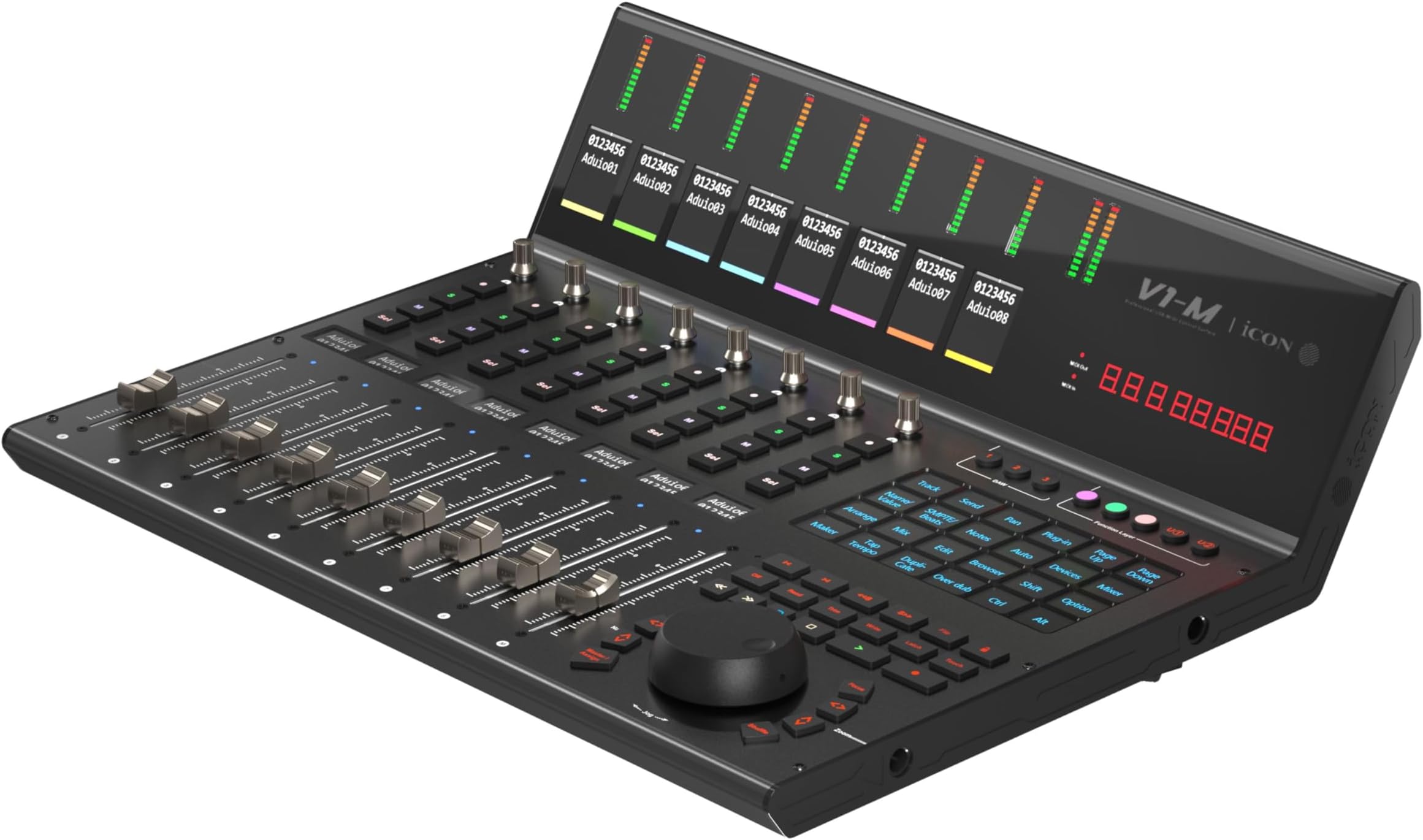
The iCON Pro Audio V1-M is a premium USB MIDI DAW control surface featuring 8 motorized, touch-sensitive faders with 12-bit resolution, a large 7-inch customizable touchscreen, and seamless integration with major DAWs like Logic Pro X, Ableton Live, and Cubase. Built with a durable metal frame and equipped with illuminated controls and a jog wheel, it supports multi-DAW control and expands up to 64 channels with additional hardware, making it a versatile centerpiece for professional digital audio production.


| ASIN | B0CLF1YP6X |
| Best Sellers Rank | #60,502 in Musical Instruments ( See Top 100 in Musical Instruments ) #39 in Digital Audio Workstation Controllers |
| Color Name | Mehrfarbig |
| Compatible Devices | Bitwig, Cubase/Nuendo, Logic Pro X, Ableton Live, Pro Tools |
| Connector Type | USB |
| Customer Reviews | 3.4 3.4 out of 5 stars (16) |
| Date First Available | October 19, 2023 |
| Hardware Interface | USB |
| Hardware Platform | PC with USB-C, running Windows 10 (64-bit) |
| Instrument Key | Any |
| Item Weight | 17.07 pounds |
| Item model number | V1-M |
| Material Type | Metal |
| Mixer Channel Quantity | 8 |
| Musical Style | Electronic |
| Product Dimensions | 15.14 x 19.09 x 7.01 inches |
| Size | Einheitsgröße |
| Supported Software | Ableton Live, Bitwig, Cubase/Nuendo, Logic Pro X, Pro Tools |
Y**E
Great well built product! Using it with Lightkey and Resolume.
This things is great. The quality is great the buttons are easy to press. Faders work well. Built well! I wish the interface for updating midi control was a little more seamless. Setup can be kind of annoying if you’re not using one of the preprogrammed daws. I’m using this with dmx lighting software, lightkey. Works pretty well. I also wish I could customize the channel names within the settings software. I love how this board shows up as 3 separate midi controllers that can be used across different applications and switchable from the board. Costly, but one of the best I’ve seen.
G**T
BEWARE!
I received this and couldn't believe the sticker they used as a face[plate. I had to purchase several to get one that worked. At first glance it looked and felt solid, but the more it sat out it started to develop bubbles. Also, these weren't working with my daws without issues. I use Logic Pro and Studio One and, both had weird LED metering and a bunch of other issues. I passed the return time and basically absorbed a 1200 dollar loss. This definitely isn't worth 1k bucks. No wonder I'm seeing a lot of used ones everywhere, including the extender.
V**D
One of the BEST controllers on market.
The V-1 M is a great DAW controller. With all the support for different DAWS makes this one of the best controllers on the market. Huge upgrade from the Q CON PRO. And Q CON pro was great. That added features On V1-M takes it up a notch.
C**N
Not Good.
It was a returned item. Not prepackaged right. Extra parts in box, fingerprints all over it. When checked with the manufacturer- they said it was a “Second”…. They have two tiers and this was not the best tier. Returned it.
S**L
Awesome controller & nice updates!
Great controller, with some nicely updated features from the older editions. Setup was simple, as is customization. Works perfectly with Ableton for me.
M**Z
La verdad muy eficaz y facilita el trabajo a la hora de mezclar
D**.
Durch die Soft-Keys mit konfigurierbaren Funktionen teilweise besser als die Konkurrenz von Behringer. Das Jog-Wheel und die Fader allerdings schlechter in der Haptik und Genauigkeit. Auch mit dem Software-Support bin ich nicht ganz zufrieden – offenbar hat die Weiterentwicklung bei icon keine große Priorität. Die Hauptprobleme sind natürlich intrinsisch dem MCU-Protokoll geschuldet, an dem man jetzt nichts mehr ändern kann.
Y**O
Me gusta mucho en sí el diseño y construcción, es de muy buena calidad y se ve bastante bien en el estudio; las pantallas son de buen tamaño y es un gran pro laa versatilidad para programar funciones y comandos personalizados. PERO, El manual solo cubre la instalación y configuración con los daws, NO explica en ningún lugar cómo usarlo con los programas, tienes que deducirlo, y concretamente con ProTools por ser protocolo HUI y no Makie, la compatibilidad es más limitada y es muy complicado deducir su uso. Además, muy pocos tutoriales y no detallados en la página de YouTube de la marca. La gente detallados soporte ha sido muy amable, pero aún así, si es tu primer superficie de control y la piensas usar en Pro Tools, piénsalo dos veces.
ترست بايلوت
منذ أسبوع
منذ 4 أيام