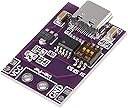
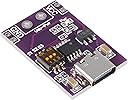
⚡ Power Up Like a Pro — Charge Smarter, Not Harder!
This 10-pack of Type-C power supply change board modules supports fast charging protocols PD2.0/PD3.0, QC2.0/QC3.0, and AFC, delivering selectable output voltages from 5V to 20V via dip switch control. Ideal for professionals needing reliable, modular power solutions for USB-PD notebook and device charging, these modules offer easy installation, stable performance, and compatibility with a wide range of fast charge standards.
| ASIN | B0CGVD7B83 |
| Best Sellers Rank | #163,827 in Tools & Home Improvement ( See Top 100 in Tools & Home Improvement ) #631 in Power Converters |
| Brand | DWEII |
| Built-In Media | Power Supply Change Board Module |
| Color | 10 PCS |
| Customer Reviews | 4.2 4.2 out of 5 stars (36) |
| Manufacturer | DWEII |
| Model Number | 687117729897 |
| Number of Outlets | 10 |
| Output Voltage | 20 Volts (DC) |
| Plug Type | Type C |
| UPC | 687117729897 |
| Warranty Description | 1 |
N**S
USB Type C.
Worked as advertised. Shipped in a timely manner. Easy to install. when to put to power it provided 5.2 and 9.1 volts output. Regardless of pin settings I could not get any other power reading. Quality appears to be good as it was shipped without padding.
K**.
Works great at up to the advertised 100w
I use this on 12V mode to power a portable tire pump. It stalls out occasionally due to my battery bank's current limiter, but otherwise works flawlessly. Running for a few minutes at a time, it doesn't get noticeably hot. The through-hole contacts are easy to solder to. Overall it's great!
G**I
Works as described, good price, dip switches are great for making sure you get what you expect
I was looking for some of these devices that lets me use USB-C power supplies for getting different voltages. USB-C power supplies are cheap these days and very versatile in what voltages they can supply. I chose this specific model, although a bit more expensive because it has dip switches. So you set them and they don't change. There are other ones out there that let you solder jumpers or have buttons for changing, but why bother. Get this, set the switches, and be done. Note, this model comes with 2 holes, 5mm apart for terminals. I ordered the following terminals to go with it and my pictures show this module, with terminal soldered on. https://www.amazon.com/dp/B07RVJ2FTP I've used this to measure a few USB-C power supplies already, drawing around 100W through it. No problems. Only caveat is this: the chart in the back of the modules says to set the dips switches as: 110 to get 5V. From the factory they came as 000 and the module putout 5V. I would suggest setting them to 110 as the chart says, just to make sure. In summary, these are more expensive that other ones on Amazon but you don't have to mess with soldering. They also give you the option for putting on terminals like I did, or soldering wires directory to the board. 4 Solid stars. No hesitation to recommend based on my experience so far. 5th star saved to see how they last after some use.
B**N
works as described
works as described
S**T
Garbage quality control.
Ive ordered this 3x. of the last 20 items 16 were defective. It doesn't matter what you set the dip switches to they only output 5v.
T**N
NOT a boost Buck Converter, like it says, it's a USB Power Supply "Spoofer"
Several other posts here say the same thing but you should be aware that many USB "bricks" will ONLY supply 5 V. If the "brick" is "hard wired" for 5V ONLY and won't negotiate, that's all you'll get using this device. The good news is that if you use this with a supply that can supply ALL of the USB standard voltages, it does work as advertised. In my case I used an old MacBook Power brick which uses USB-C connection to the laptop and I could get ALL of the voltages as advertised. This device is just "spoofing" the USB protocol handshake "negotiation" when initially connected and "tells" the brick that it's OK to deliver the higher voltages. It seems that actual laptop supplies are most likely to supply ALL of the voltages as they are designed for higher power delivery than those bricks designed for more basic devices.
K**N
Use USB-C PD to run your Arduino/motor projects
I’ve got tons of PD-compatible chargers/cables/batteries, and only one lab/bench power supply around. Now I can pretend that my charging cables/batteries are bench power supplies as well. Two caveats I’ll mention in selecting your USB-C charger/battery/etc: - There’s no obvious way to tell the result of the power negotiation. You can request a voltage using the switches, but it doesn’t guarantee that your supply provides that particular voltage. Test the voltage with a multimeter before connecting it to any sensitive electronics - I’ve seen some battery packs fall back to a lower voltage if you don’t pull enough current for a while. I don’t think there is a way to force the power back up without unplugging and replugging
E**V
They work.
They work exactly as expected, provided you have a USB power source capable of your desired output. Some battery banks only output 9v max, and automotive/marine give 12v if you are lucky. I tested two PD wall chargers and each voltage was acceptable from this device. So this works as intended with that small power source caveat.
ترست بايلوت
منذ يوم واحد
منذ أسبوع