We remain fully operational. Our teams are working around the clock to ensure your deliveries continue safely.

قم بتنزيل التطبيق


معلومات عنا
حقوق الطبع والنشر © 2024 Desertcart Holdings Limited
قم بتنزيل التطبيق
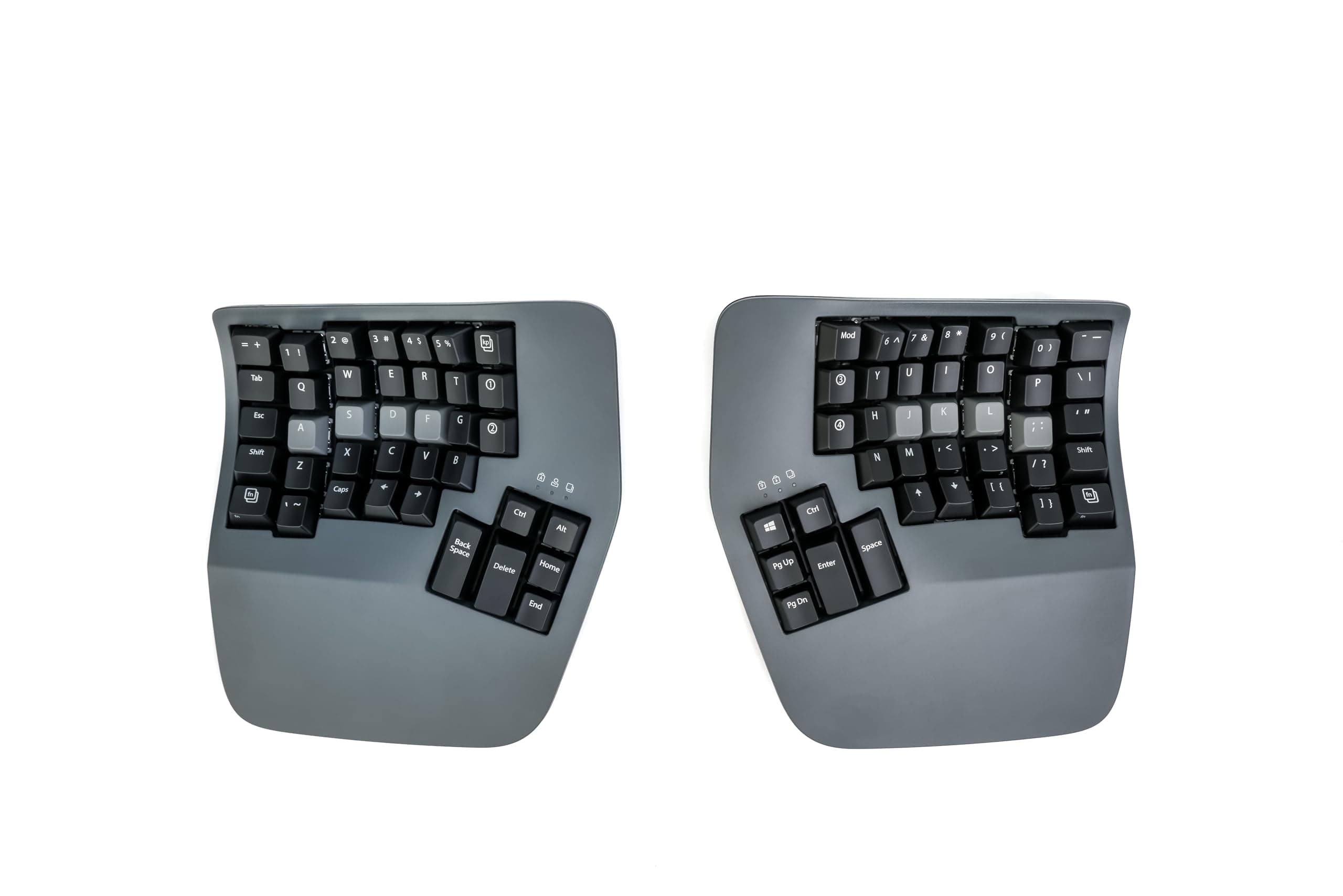
⌨️ Elevate your typing game with ergonomic precision and silent power!
The KINESIS Advantage360 Professional is a Bluetooth-enabled split ergonomic keyboard featuring ultra-quiet Kailh Box Pink mechanical switches rated for 50 million presses. Designed for professionals, it offers a contoured shape with adjustable tenting and an integrated stand for optimal comfort. Fully programmable with open-source firmware, it supports extensive customization. The keyboard includes RGB backlighting and comes with dual USB-C charging cables, extra keycaps, and a keycap puller, making it a premium choice for efficient, healthy typing across PC, smartphone, and tablet devices.


| ASIN | B0CT444BH6 |
| Additional Features | Backlit, Ergonomic, Hotkeys and Media Keys, Split Keyset Design |
| Antenna Location | Business, Everyday Use, Multimedia, Programming, Student |
| Best Sellers Rank | #24,553 in Computers ( See Top 100 in Computers ) #598 in Computer Keyboards |
| Brand | Kinesis |
| Built-In Media | Additional keycaps, Bridge connector, Keycap Puller, USB charging cable (two) |
| Button Quantity | 108 |
| Color | Dark Gray |
| Compatible Devices | PC, Smartphone, Tablet |
| Connectivity Technology | Bluetooth |
| Customer Reviews | 4.3 4.3 out of 5 stars (323) |
| EU Spare Part Availability Duration | 3 Years |
| Enclosure Material | Metal, Plastic |
| Generation | 1 |
| Hand Orientation | Ambidextrous |
| Item Dimensions L x W x H | 38.1L x 20.3W x 7.6H centimeters |
| Item Weight | 3.2 Pounds |
| Keyboard Backlighting Color Support | RGB |
| Keyboard Description | Mechanical |
| Keyboard Layout | QWERTY |
| Manufacturer | Kinesis |
| Model Name | Advantage360 PRO Linear Quiet |
| Model Number | KB360-PRO-KLQ |
| Number of Keys | 76 |
| Number of Sections | 2 |
| Power Source | Corded Electric |
| Series Number | 360 |
| Style Name | Professional (Bluetooth) | Quiet Switch |
| Switch Type | Linear |
| Theme | Ergonomic Keyboard |
| UPC | 607998360408 |
V**M
It took me ~ a month to get used to the keyboard, but now I love it. Something that it pushed me to do is to use right fingers to type certain keys. Also I feel a bit more efficient after I started to use VIM motions with the keyboard almost everywhere - magic.
I**N
This keyboard is awesome! I've gone through a bunch of other keyboards over the years from cheap Dell ones, Keychron mechanical keyboards (great keyboards for normal layouts), Unicomp IBM Model M and was skeptical at first about this, primarily as I've never touch-typed.. can type fast with numerous fingers but mostly looked at the keyboard. This Kinesis has taught me to touch type too now, within a few weeks. I remapped a few of the keys due to programming needs, but it's so comfy and allows me to sit in a better position. It's not cheap, bit if you're looking for a split ergo keyboard, I'd highly recommend it!
J**S
Steep learning curve - I bought this during a flare up of tendonitis in my new job caused by having to use a latop for a week, so I can't speak yet for preventative qualities, but I also have shoulder issues from arthritis and immediately from day one I could feel my shoulders were far more relaxed. After a few weeks of use I am becoming more proficient, it starts to become easier to use as you train yourself to let more fingers share the load, and it definitely feels more natural. It is expensive, but so is being unable to work. It's that simple.
E**A
Saved my wrists. Once you get used to it, the strain on your wrists and forearms disappear. A bit pricy but worth it if you type a lot. Would be five stars but it bugs out sometimes, needing to be unplugged and replugged in (macros stop working)
D**Y
This keyboard is awful. Nearly 1000 dollars and you have to use a janky fork of a GitHub repository to change anything.
ترست بايلوت
منذ شهرين
منذ أسبوع