We remain fully operational. Our teams are working around the clock to ensure your deliveries continue safely.

قم بتنزيل التطبيق


معلومات عنا
حقوق الطبع والنشر © 2024 Desertcart Holdings Limited
قم بتنزيل التطبيق
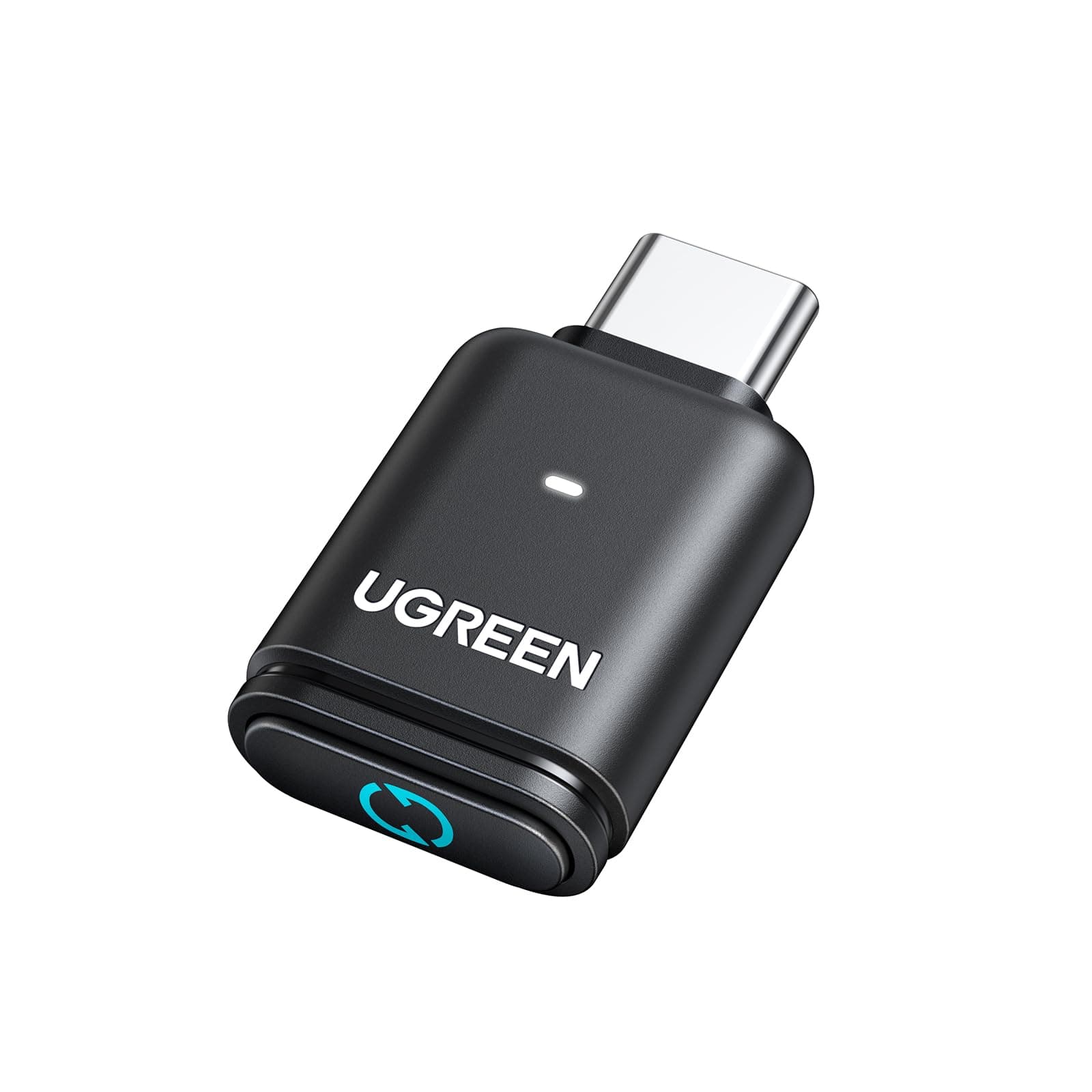
🎧 Elevate your game sound—wireless, lag-free, and codec-smart!
The UGREEN USB-C Bluetooth Adapter for PS5 leverages Bluetooth 5.3 and Qualcomm’s low-latency aptX Adaptive codec to deliver high-fidelity, synchronized wireless audio. Compatible with PS5, Switch, Windows, and macOS, it requires no drivers and features LED indicators for codec status, enabling gamers and professionals to customize sound quality effortlessly. Its compact, energy-efficient design ensures seamless plug-and-play connectivity for wireless headphones and speakers.





| ASIN | B0D7CKV1J8 |
| Best Sellers Rank | #7 in Bluetooth Network Adapters |
| Brand | UGREEN |
| Color | Green |
| Compatible Devices | Gaming Console, Headphone, Laptop, Speaker |
| Connector Type | USB Type C |
| Customer Reviews | 4.4 4.4 out of 5 stars (1,986) |
| Finish | Matte |
| Item Dimensions | 1.24 x 0.63 x 0.28 inches |
| Item Weight | 4 Grams |
| Manufacturer | Ugreen Group Limited |
| Model Number | 45008 |
| Number of Items | 1 |
| Number of Ports | 1 |
| Package Quantity | 1 |
| Power Plug Type | No Plug |
| Unit Count | 1.0 Count |
B**K
Great CODEC Control for the Price
Absolutely fantastic BT audio adapter. Heads up, this is only for connecting bluetooth headphones, speakers, etc. It won't work with mice, keyboards, or the like. However, it's functionality as a bluetooth audio adapter is FANTASTIC, especially for the price. See, unlike a regular bluetooth adapter, it does not show up as bluetooth in Windows. Instead, Windows sees it as an audio output, like a soundcard. All the bluetooth functionality is handled between the adapter and the audio device (headphones, speakers, etc). Most bluetooth audio adapters work like this. What makes the UGREEN stand out is that you can SEE and CONTROL what codec is being used. By default, it's going to connect at the best quality that it can. Each time you press the button on the adapter, it goes one step down on that codec quality ladder. 1. aptX Adaptive-HQ (High Quality) 2. aptX Adaptive-LL (Low Latency, good for gaming & audio/video sync) 3. aptX HD (previous generation of aptX than Adaptive, so a little lower quality than Adaptive-HQ) 4. aptX 5. SBC (The old school bluetooth audio codec that almost everything is compatible with but has such a low bitrate that it sounds tinny and bad) Cool, right? You can also SEE what mode it's using. The light on the adapter glows depending on what mode you're in. 1. Green = aptX Adaptive-HQ 2. Cyan = aptX Adaptive-LL (like a pale greenish-blue) 3. Purple = aptX HD 4. Yellow = aptX 5. Blue = SBC (like a deep blue, it's easy to see and hear the difference in this and the aptX Adaptive-LL's cyan) This feature alone, being able to switch the coded and the color showing so you KNOW which codec you're using, letting you peer into the black box so you KNOW which codec is being used is what makes the UGREEN adapter the best bang for the buck. Sure, the Creative BT-W6 has an app that lets you set and control this, but it's more than 2x the cost.
L**K
Worth it.
Works great. No noticeable lag. The sound is just as good as through my sound bar. Very easy to install and setup.
K**E
Seamless Bluetooth Connection for PS5 — Works Perfectly!
The UGREEN USB-C Bluetooth Adapter for PS5 (Bluetooth 5.3 Audio Adapter) is a fantastic accessory that delivers exactly what it promises — smooth, lag-free wireless audio. Setup was completely plug-and-play, connecting instantly to my Bluetooth headphones without any hassle or extra software. The sound quality is crystal clear with zero noticeable delay, even during fast-paced gaming sessions. The compact design looks great on the console and doesn’t get in the way of other ports. It’s reliable, easy to use, and a great value for anyone wanting to enjoy wireless audio on their PS5. UGREEN really nailed it with this one!
V**X
#HonestTake
Works as intended; I use it for the PS5 works okay with my AirPod Pros there's slight audio lag. The lag can vary upon the devices Bluetooth capability. Fairly easy to pair and setup. Air Pods mic does not work. Have use an external device for a mic. Comparable with a lot of different headsets. The lag holds it back. The lack of being able use your mic on your headset holds it back.
V**I
I am very satisfied.
Really good thing for connecting your AirPods to the PS, the connection is stable and high quality. I recommend it.
Y**O
Greatt for fixing Windows 11 headset driver issues
After switching from windows 10 to windows 11 i had a lot of issues trying to get my head set to work properly where i could not only speak but hear from the same headset. Essentially using slack or zoom i could only speak but i couldnt hear through my head set as windows 11 was defaulting to a stereo/output device other than my mic/input device. It was driving me crazy but Teams was working, i presume due to some internal codec/driver change it does automatically that allowed my headset to work there. After spending hours messing with settings to no avail i gave up and bought this. Lo and behold this deivce fixed my problems in about 10 minutes of me tinkering with it. It probably would have taken my 1 minute had i just used it but before i realized how it worked i tried to connect my head set to both the computer and the device to try and rig it to where the sound and mic would work for both meetings and media, this caused issues however. I was able to get my headset to work properly after disconnecting my headset from windows, plugging in this device and setting it up with windows, then i paired my headset with the new device and its all working, You may need to set the new device as the default for the input/mic on your sound settings but it works like a charm in mic mode, double press the device button, i can now listen to media and do meetings properly, however, the audio does suffer in this mode. When using the default audio mode i can use my headset for media with much better quality but i do lose the ability to use it as a mic/headset for meetings so bear this in mind Im about 30 minutes - 1 hour in with it and its working great, i dont really notice too much if any lag between the sound and the video of the media i watch. Highly recommend if you have the same windows 11 driver issues or if you need a good quality bluetooth receiver for your device.
B**B
I bought this to take advantage of my headphones that support aptX adaptive and this adapter is perfect for that. Great sound, easy to see and change codecs. aptX low latency mode is excellent for videos and non-competitive gaming. Works fine with Windows 11 and works well with my iPhone 16 even though iOS is not listed as supported. The only issues I've had were with occasional disconnects and sometimes the play/pause/volume commands from the headphones can be a bit buggy. On the phone I sometimes have to swap connections to get the sound to play initially. I haven't tested the mic functionality so I can't comment on this. In summary, if you use this primarily for quality music listening sessions it's perfect. If you're wandering around, taking calls, and multi-tasking, while listening, you might be more affected by the bugs I mentioned. Other notes: -Supports audio only -No LDAC support
Y**A
Está genial, no tiene nada de delay, la conexión es muy sencilla, yo lo usé para conectar mi Alexa como bocina a la PS5 y funcionó perfectamente. Sin dudas, un dispositivo excelente
A**N
Great product, I highly recommend it.
D**N
Great little USB C Bluetooth dongle, if you’ve a decent set of Bluetooth headphones then using them instead of buying overpriced Sony PS branded one’s makes this a bargain. Arrived next day, plugged it in, activated pairing mode on my Senneheiser Momentum 4 and it connected within seconds. You can also create a 3D profile for your headset in the PS5 menu and I’ve had no issues at all, connects first time, sound quality has been superb with no lag or connectivity issues. Can’t beat them for less than 20 quid.
ゆ**な
子供がPlayStation 5でヘッドフォンをワイヤレス接続するために購入しました。 【使用感:子供も驚く快適さ】 これまでは有線の煩わしさがありましたが、このアダプタを導入してから「コードがなくて凄く快適!」と喜んで使っています。設定も簡単で、接続後の安定性も非常に高いです。 【音質と満足度】 本人いわく「音も凄く良い」とのこと。お気に入りのヘッドフォンでゲームの世界に没入できているようです。サイズがコンパクトなので紛失が少し心配でしたが、本人なりにとても気に入っているようで、無くさないよう丁寧に、大切に扱っています。 【総評】 PS5のワイヤレス化を手軽に、かつ高クオリティに実現できる素晴らしいアイテムです。お子様へのプレゼントや、ゲーム環境をスッキリさせたい方に自信を持っておすすめします!
ترست بايلوت
منذ 3 أسابيع
منذ شهر