Buy anything from 5,000+ international stores. One checkout price. No surprise fees. Join 2M+ shoppers on Desertcart.
Desertcart purchases this item on your behalf and handles shipping, customs, and support to OMAN.
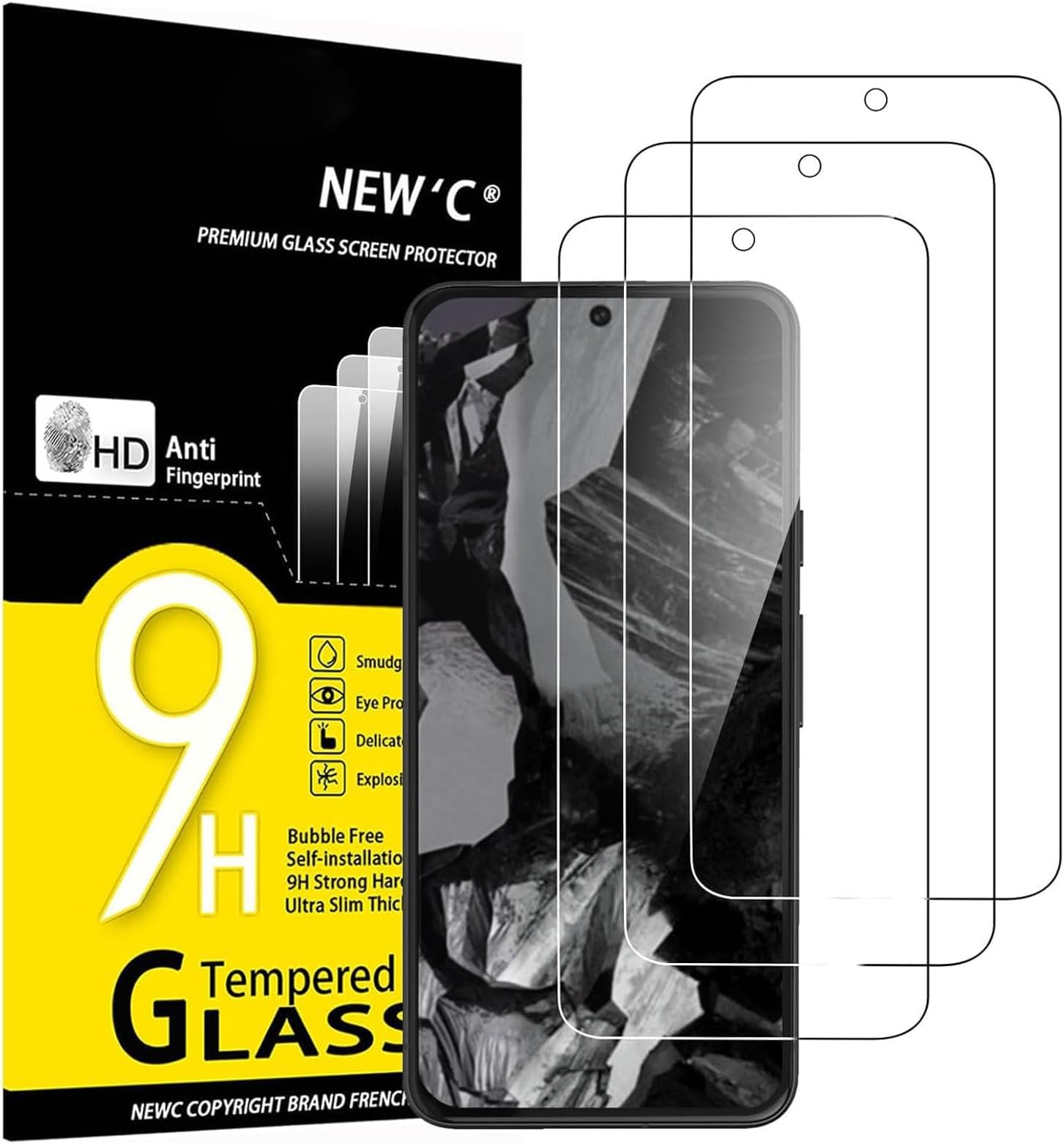
🛡️ Shield your Pixel 8A in style—because flawless screens are the new flex!
The NEW'C 3 Pack Tempered Glass Screen Protectors are precision-engineered for the Google Pixel 8A, offering ultra-resistant 9H hardness protection with a 0.33mm thickness. Case-friendly design ensures compatibility with most phone cases, while the advanced silicon adhesive guarantees bubble-free, dust- and fingerprint-resistant installation without compromising touch sensitivity. This triple pack delivers unbeatable value and peace of mind for the modern professional who demands durability and clarity.


| ASIN | B0D5YSY6CB |
| Best Sellers Rank | #603 in Cell Phones & Accessories ( See Top 100 in Cell Phones & Accessories ) #73 in Cell Phone Screen Protectors |
| Brand | NEW'C |
| Brand Name | NEW'C |
| Clarity | 0.99 |
| Color | Transparent |
| Compatible Cellular Phone Models | Google Pixel 8a |
| Compatible Devices | Google Pixel 8A |
| Compatible Phone Models | Google Pixel 8A |
| Customer Package Type | Standard Packaging |
| Customer Reviews | 4.4 out of 5 stars 19,947 Reviews |
| Finish Type | Glossy |
| Global Trade Identification Number | 03701402108437 |
| Included Components | 1 |
| Item Dimensions L x W | 5.76"L x 2.64"W |
| Item Hardness | 9H |
| Item Type Name | NEW'C Protector Since 2018 |
| Manufacturer | NEW'C |
| Material | Tempered Glass |
| Model Name | P3GOSerie |
| Model Number | 8A - 6,1 pouces |
| Number of Items | 3 |
| Part Number | p3-go-Pixel8A |
| Product Dimensions | 5.76"L x 2.64"W |
| Screen Size | 6.1 Inches |
| Screen Surface Description | Glossy |
| Special Features | Anti-Fingerprint, Anti-Shatter, Bubble Proof, Scratch Resistant, Touch Sensitive |
| Unit Count | 3.0 Count |
| Water Resistance Level | Not Water Resistant |
M**E
Will absolutely protect your screen
It's been so long since I've been utterly awed by a product that I am promted to finally write a review. Quick stuff out of the way; easy to install, no bubbles, I like the guide stickers and the dust/lint grabbing stickers they gave. It may be causing some issue with my finger print reader, I also may not be using it right. I went from a Pixel 2, with the reader on the back, to this Pixel 8a, with the reader being part of the screen, and especially in bright light, seem to struggle. Hard for me to tell if this is Pixel 8a's issue, the protector, or just plain user error. The awe-inspiring; bought my Pixel 8a in April after owning the Pixel 2 for a long time and finally getting fed up with its oldness. Bought this screen protector because I like the look of my Pixel 8a and decided I wanted to preserve it. Sometime at the end of July, on a new medication with a side effect of irrational bursts of emotions, I have a moment of blinding rage during an argument with the spouse. The phone is in my hand and I absolutely whip it into the floor. This is not carpet/rug, or mats of anykind. This is wood linoleum on concret. My husband sees this from the other room, HEARD a crack. I picked up my phone, see fractures all across the screen and it won't turn back on and decide to pop out my SIM and transfer everything back to the Pixel2 and move on with my life for now. About a week or two later, when things have finally simmered down emotionally, I decide that I just got this phone, I'm still paying for this phone, and I know enough about tech that maybe I can see about doing the repairs myself. In the process of troubleshooting, I - of course - assume the screen is the first thing I need to replace. The way my jaw absolutely dropped when I peeled off the screen protector and found not one crack, not one chip, not even one scratch on my phones actual screen. My husband still doesn't believe it! The breaks I saw were contained ENTIRELY to this protector, and I wish I had taken photos or video or anything. Because I seriously cannot believe the level of rage I had in throwing this phone to the ground, and the only thing that cracked was the PROTECTOR. And the battery, actually, but there you go. My Pixel8a is up and running again, it has another one of these new'c protectors on it - and my husband does on his Pixel 8a too! Here's hoping I don't test it's limits so agressively again!
C**S
Best product ever!
One of the best products ever. Goes on perfectly and simply. No bubbles. Today my phone fell flat on tile and the glass protector shattered but my phone screen was untouched. That is the perfect sacrifice. Also I have dropped my phone many times and nothing happened. The package says smudge proof. I was skeptical but it is highly smudge proof. Like I said best product ever.
T**T
Good phone protection
These are as described. They are super easy to install and very good quality. It fit my screen very well and has done it's job when I have dropped my phone.
R**E
Easiest install ever. Great touch and fingerprint sensitivity. Instructions a bit lacking
Easiest Install on Pixel 9 Pro XL Phone that I have ever done. It worked like magic the first time, which is a first for me. Great touch sensitivity and fingerprint reader worked just fine. I didn't even go into the phone setting to change display settings as suggested and it still worked just fine. The instructions are not very clear, but if you've put a screen protector on a phone before, it's very similar. The kit comes with "Guide Stickers" but they are not mentioned anywhere in the instructions. You need to put them on the screen protector on the opposite side of the sticky side (the side with the film on it that you peal off) before you peal the film off. After pealing off the film, hold the screen protector by the guide stickers and a line the protector with the phone screen using the camara lens hole as your guide. Just ease the screen protector onto the phone and as soon as it touches the phone screen, it starts to grab it and push the air out. When the air is gone, just push your finger in the center of the screen for 10 seconds. No bubbles, no issues. There is no guide to help place the screen protector, but it's easy to do with the guide stickers. Also, there are "Dust Absorber" stickers in the kit that are also not mentioned in the instructions. Use these after you have cleaned your phone screen and dried it off (as stated in the instructions). Just place a pull around the whole bare phone screen, then proceed to placing the screen protector on. Also, the English instructions are written on the outside of the box, with a nice bar code sticker covering part of them. If you open the box up, you won't find English instructions on the inside, only pictures that kinda match up with the instructions. One final note, this kit only has screen protectors in it, no camara protectors for the phones backside. So, you'll have to buy those separately. It's clear on the site that there are only screen protectors in the package, so pay attention if you wanted both, this isn't going to get you there. I took one star off for the the poor instructions, not telling you how to use the "Dust Absorbers" and the "Guide Stickers". May be self explanatory, but if you've never put a screen protector on before, it not really explanatory. Didn't use the QR code to watch the video, so maybe it's there.
J**N
Good product at a good price
Works perfectly on my Pixel 9a. Installed easy, there's no frame for alignment like some protectors give you but I had no problem at all lining it up by hand. The end result has no bubbles and no dust trapped underneath. Great price for what you get.
T**.
Does not affect sensitivity of my screen.
Perfect fit. Easy to install. Lasts a long time. Does not affect the sensitivity of my Pixel 8 Pro screen.
M**Y
Nice screensavers
These were great and are very handy. They fit perfectly on my pixel 7 and did what they are supposed to do. I'm happy with this purchase.
A**R
Worst install experience ever
It is the year 2023. Most screen protectors come with a guide to line it up nicely, and a little squeegee to squeeze out the air bubbles. NOT THIS ONE. To begin with, you get a tiny little barely moist wipe to clean your screen, and then another equally tiny one to dry it. There is a sticker to remove dust, but no instructions to use it to do so, so if this were my first screen install, I would have skipped that very necessary step. Then there's the alignment process. Basically... Do it by hand. There are "guide" stickers you're meant to use to help you align it, but... How? They're just little rectangular stickers. I ended up using six of them (two screen protectors worth) along the long side of my phone to hold the screen protector sort of in place, because if you so much as look at it sidelong, it'll slip. I managed to align it and get the stickers stuck to it, then flipped it off the phone so I could remove the film keeping the sticky side of the protector clean (because the instructions tell you to use the guide stickers to hold the screen in place, and then to remove the thingy under the screen, and if you don't think things through, you end up incredibly frustrated and snapping at everyone else in the room to be quiet for just five minutes while you try to figure out how this should work. Of course, when I flipped the screen back, it has moved, because the adhesive on the stickers did not want to hold the protector in place. They simultaneously had no grip and also managed to leave gooey adhesive smudge I needed to clean off the screen. And of course, now that the sticky side was exposed, the screen protector altered to the phone and did not want to be budged or slid, and repeated peeling it off and realigning it only got it hopelessly dusted with a couple crumbs of dust that refused to be removed. I peeled off screen protector one and tried again with a fresh one. Now that I had A method, it went a little faster, but I was still ready to scream by the time I got it into mostly alignment. Push down lightly on the center and it adheres fully. Mostly. As with all screen protectors, there were a couple little bubbles near the edges that needed some help getting out. However, they requested attempts to push them out with my finger, peeling the edges up increased the dust chances, and the third screen protector was too flimsy. I ended up having to dig a credit card out of my purse to squeegee the bubbles out. In the end, I have an almost but not quite aligned screen protector that doesn't let me use my fingerprint sensor very well. I trashed the first one due to to much dust getting on it, and I trashed the third one without even opening it because there is no way on this green earth I will EVER put myself through this first world frustration ever again. I would rather spend the money to buy a whole new screen protector than ever deal with this nonsense again. Seriously, don't bother with this one. Get one that comes with an install frame.
K**A
Całkowicie zniszczony produkt
Wszystkie 3 sztuki były popękane i niezdatne do jakiegokolwiek użytku.
M**K
Some time Fingerprint issue
Size is good ..but some time I have to put 3-4 times to get it approved fingerprint...
C**E
Correspond aux attentes
Parfait !
A**M
Ok
Ok
G**.
Feels less scratch resistant compared to other brands
It's cheap, but feels less scratch resistant than another version that I used to have. I also cracked it in a week, where I managed to do 3/4 year with another screen protector without using the phone differently. It could be a coincidence of course. Fortunately I have 2 more that I can try as it comes in a package of three and was easy to install.
Trustpilot
1 day ago
2 weeks ago