Desertcart purchases this item on your behalf and handles shipping, customs, and support to OMAN.
🖐️ Command your workspace with a flick—wear the future of control!
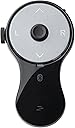
The SANWA 3-in-1 Bluetooth Finger Ring Mouse is a compact, rechargeable wearable device combining a mini mouse, wireless presentation clicker, and video scroller. Featuring Bluetooth 5.0 for reliable 32-foot connectivity and up to 34 hours of continuous use, it offers ergonomic comfort with a soft silicone ring to reduce wrist strain. Compatible with PCs, laptops, tablets, and smartphones, it’s designed for professionals seeking seamless multitasking and hands-free control in meetings, presentations, and entertainment.


| ASIN | B0DLGK55CD |
| Additional Features | Ergonomic, Portable, Rechargeable, Wireless |
| Battery Type | Lithium-Ion |
| Best Sellers Rank | #442 in Computer Mice |
| Brand | SANWA |
| Button Quantity | 5 |
| Color | Black |
| Compatible Devices | Personal Computer, Smartphone, Tablet |
| Connectivity Technology | Bluetooth |
| Controller Type | Button Control |
| Customer Reviews | 4.1 out of 5 stars 170 Reviews |
| Item Weight | 0.02 kg |
| Manufacturer | SANWA SUPPLY |
| Maximum Range | 32 feet |
| Model Name | GMABT156BK3 |
| Model Number | GMABT156BK3 |
| Number of Batteries | 1 Lithium Ion batteries required. (included) |
| Number of Buttons | 5 |
| Number of Items | 1 |
| Special Feature | Ergonomic, Portable, Rechargeable, Wireless |
| Unit Count | 1 Count |
| Warranty Description | 1-year warranty. This mouse operates via Bluetooth only; no 2.4 GHz USB receiver is included. Please verify that your device supports Bluetooth and complete the pairing process before use. Note: Compatibility with all operating systems is not guaranteed. |
A**R
Almost Perfect
I bought this specifically to use as a mouse alternative for the PC to prevent RSI. It sits nicely in my hands, but I could see it being a bit too large for women/people with slender fingers. The construction is solid and the Bluetooth connectivity works flawlessly. The cursor sensor is responsive to very light touches and is easy to get used to, but it's closer to using a joystick than it is to a mouse - it's not as quick or precise as a mouse, but its speed does respond to the level of pressure you put on it, which is a nice improvement over using a joystick. The scroll wheel is also neither too tight nor too loose, and spins easily to light touches. However, it's awkward to reach with my thumb when using the ring mouse left-handed, which is a bit disappointing because I like to swap hands around to avoid repetitive movement. My biggest gripe with using this thing as a mouse is that the default Page Up/Page Down buttons are a waste of potentially useful button spots since that functionality is easily covered with the scroll wheel. I had to install AutoHotkey for Windows 10 to remap those buttons to something useful, namely mouse buttons 4 & 5 to navigate back and forward on webpages. I think you might be able to remap them natively with the built-in mouse and keyboard control center in Windows 11, but I haven't used Windows 11 yet to know for sure. Either way, it seems like a missed opportunity to make this thing a full mouse alternative right out of the box. Overall this is a handy little device for my purposes. If I could design a new one for myself, I'd add a second scroll wheel on the opposite side of the existing one to make the device more ambidextrous-friendly. I'd also add a single button perpendicular to the disk face at the top of the device, which would make click & drag much easier and faster to do if you wear the device on your middle finger. I'd also map the default function of the Page Up and Page Down buttons to mouse buttons 4 & 5 for mouse mode. I think that'd make it absolutely perfect. It's very nice as it is though.
D**D
My favorite ring
This Ring Mouse is the perfect accessory to my Viture XR Glasses allowing easy manipulation of the screen when not using a desk. I've used this to navigate Dex mode desktop from bed, to select and start movies while on the plane, and for more serious work both while traveling and when using my XR glasses during field testing. Battery life is excellent, and it charges quickly to get back to work (ie: if you forgot to charge it before a flight). If you are used to the old-style mouse-sticks on laptops, this ring mouse will quickly become second nature. It is a little awkward if you need to click + drag, but otherwise is comfortable and easy to use. While you can long press to drag, I found it easier to use my other hand to press the click button while moving the cursor in most cases. The only other issue I've had is more an Android bug paired with the ring mouses battery-saving timer. If there is no activity for a period of time, the mouse goes to sleep. However, this sometimes causes certain apps on Android to detect a device connect/disconnect and causes media playback to jump forward or back. This is clearly a software bug, though one that could've been bypassed if there was a way to configure the sleep mode of the device. Form wise, I do wonder of the long-term durability of the plastic ring piece, especially when I'm sticking it in my backpack or pocket between uses, though it's held up well so far.
J**N
It Seems To Work Well, Takes A Bit Of Getting Used To
I bought this as the trackpad on my Panasonic Toughbook in my patrol vehicle is starting to glitch. It's really frustrating to have your cursor disappear, then reappear completely on the other side of the display. I wanted something small, easy to use, that doesn't add to an already cluttered up area. This mouse actually does a good job. It connected quickly and seems to be a stable connection. I run a bluetooth GPS antenna and a bluetooth printer, there are no problems with interference or the computer not liking the third bluetooth peripheral. The center "joystick" button takes a bit to get used to, as it's pretty sensitive. You don't actually move it, just light pressure in the direction you want the cursor to go and it goes there. The more pressure the faster it moves. The left and right click buttons are pretty intuitive, and the scroll wheel works well. After a couple of full shifts the only real complaint is a lack of fine control to click an arrow for a pull down menu in a report. Possibly going into mouse properties and slowing the mouse down a bit will allow finer control with very light input. I think a little more time with it will make it much easier. I think I'm going to buy another one for my laptop in the house, so I can ditch the corded trackball I currently use.
M**P
Unintuitive click and drag controls = deal breaker
I liked them at first, the ring concept was cool, however after I had a chance to use it some and also compare it to another (much cheaper) product, I discovered a critical missing function: click and drag. There's still a way to do it with these but there's significant lag and it's not intuitive. I could see these being pretty ok if it's mostly used for tiktok or short form content, but for actual mouse usage they just weren't that great in my opinion. I'd say overpriced too.
F**K
Great value and convenience.
I tried purchasing a few different much more expensive handhelds as I have a hard time using trackpads on laptops and have a hard time packing my roller ball mouse on the road. I just realized after 9 months, the Sanwa is the only one I use as it has become very natural and comfortable in my hands. I find it especially convenient on flights, or sitting on a couch or anywhere a laptop is actualy on my lap where a mouse just wont work. I also appreciate that I can sit back during group meetings and navigate through websites and emails without distracting from the meeting. I do agree with the reviewer who said that the drag and drop function does not exist, so if you use function often be prepared to use your trackpad. It does look like an inexpensive plastic toy - but it is hidden in my hand and for my uses find it to be an exceptional part of my mobile office gear.
A**3
A hidden gem for those searching for a small feature-packed rechargeable mouse
This is a great device and deserves recognition—hence my leaving a 5 star review. I had the smaller version of this device a couple years ago (imported from Japan) and this version offered on Amazon is better in every respect. First, the mouse nub is an actual nub allowing forever movement in any direction. The older model was a mini trackpad you’d have to keep dragging your finger over. Also this has a dedicated scroll wheel making scrolling the easiest thing ever and put exactly where you expect it. I wish it had a tactile click with each turn but that’s a minor personal want that shouldn’t detract from the awesomeness of the whole. This device is bigger too which fits in an adult's hand better and is USB-C rechargeable (previous model was micro). Compared to all other offerings I have researched this is a hidden gem at a price that feels right.
L**A
Does not work on my computer.
Does not work on my PC. Works ok on my phone (checked to see if the device was working at all). Returned because I got it for my computer.
B**T
No Glam - Just the Facts
Simply Perfect. This device functions flawlessly, and is an absolute 'Quality of life' needed item. The controls and functionality are intuitive and very easy to use. Buttons are large enough to hit easily, and are very responsive Easily connects to my devices Battery life is excellent and recharge is simple and fast. The mouse has been subjected to drops and being stepped on, still works perfectly It is light and very durable, but does not feel cheap. Wish it came in different colors (*wink*wink) Only negative I have is I did not read the instructions and thought it was broke because I had it on the scroll function mode and not the mouse function mode. And it is rather small, which is nice, but it can get lost easily. I bought this mouse in Feb 2025, and am writing this as of Nov 2025. I shall return with an update if I remember
Trustpilot
1 month ago
2 days ago