
قم بتنزيل التطبيق


معلومات عنا
حقوق الطبع والنشر © 2024 Desertcart Holdings Limited
قم بتنزيل التطبيق
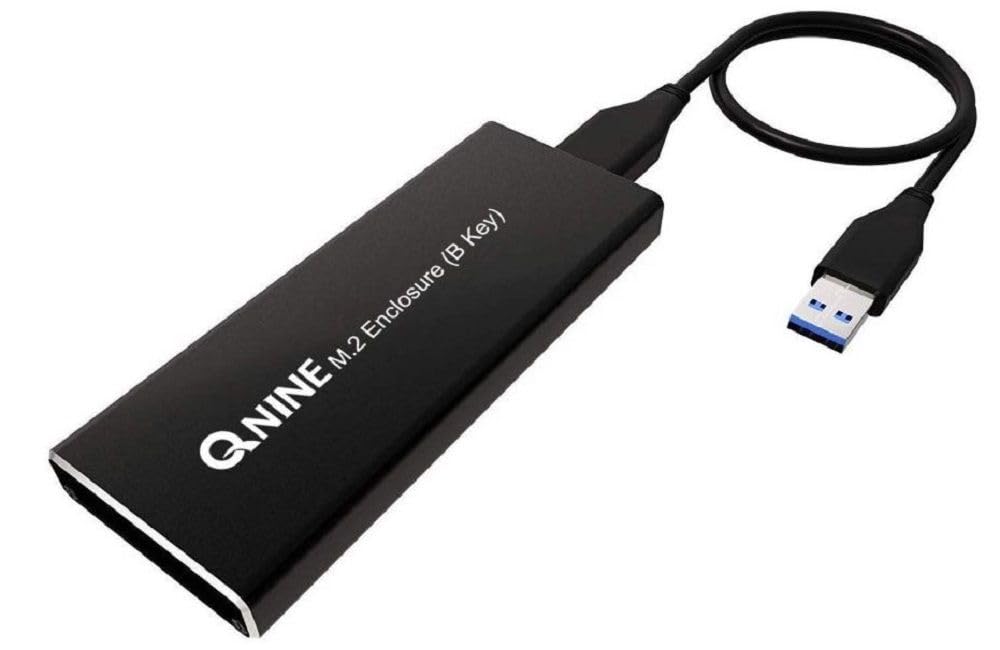
🚀 Upgrade your storage hustle with speed and style!
The QNINE SATA M.2 Enclosure transforms your SATA M.2 SSD into a high-speed external drive with USB 3.0 connectivity, housed in a durable alloy case. Designed for easy installation with included tools, it supports B+M key SATA M.2 SSDs and delivers up to 5 Gbps transfer rates, making it perfect for cloning, backups, and expanding your laptop’s storage capabilities.


| ASIN | B07BK36KTH |
| Best Sellers Rank | #2,487 in Enclosures |
| Brand | QNINE |
| Built-In Media | M.2 SSD Enclosure for SSD with SATA M.2 SSD (B+M key) – USB 3.0 |
| Color | Multicolor |
| Compatible Devices | Laptop |
| Customer Reviews | 4.1 out of 5 stars 376 Reviews |
| Data Transfer Rate | 5 Gigabits Per Second |
| Enclosure Material | alloy |
| Hardware Interface | USB |
| Hardware Platform | x86_64 |
| Manufacturer | QNINE |
| Material | alloy |
| Supported Devices Quantity | 1 |
| UPC | 665570203383 |
| Unit Count | 1.0 Count |
J**J
Works great
Upgraded the 128gb SSD (sata m2.0) in my lenovo y700 laptop with a crucial 500 HD sata M2.0. Threw the new one in this, ran the crucial cloning software on my laptop with this plugged in. Then switched the 500Gb drive I had in this with the 128GB on my laptop. Now I have an extra 128gb external drive and it facilitated the hdd clone that I needed. I've been using the new HDD for 3 weeks with no issues so it read everything fine for the cloning process. Just make sure you intend to use a SATA M2.0 drive and not the NVMI. the SATA drives are actually slower but if you're stuck using it (lenovo sucks...) this is what you need.
W**O
Easy to install. Great quality.
15 minutes to install. Even provided the right size Philips head screwdriver to open the enclosure. Added some tape to my m2 board as the attachment screw was a bit close to a solder edge connection, but it worked great. Very happy.
N**N
Do NOT Use the Included USB Cable
Device works as expected, but as others have said, do not use the included USB cable. That cable barely stays connected, and works at extremely low speeds when it does. It is not worth risking a data transfer error to use it, but once replaced with a good one, the device works perfectly. Besides the cable, the device quality is good but I would recommend not jostling it around too much. Main board seems sturdy enough and includes screws and screwdriver for securing the M.2 SSD. The main board slides into the enclosure, resting on metal rail-like grooves and is then secured by a hatch on the rear (also secured via included screws). There is a slight wiggle to the main board inside the enclosure because of this, but it does not appear to be an issue.
G**K
Works fine.
This enclosure works fine. It is just what I needed. Needed it because I bought a new SSD drive with more storage capacity, and I wanted to use the old SSD drive as an external drive. It was very easy to install my old SSD drive inside the enclosure. My first use of the old SSD drive inside the enclosure was to transfer the needed data from the old SSD drive to the new one inside the computer. The data was transferred very quickly and easily.
D**H
Decent, but has its flaws
I just received this m.2 USB mount kit. Initial "feel" is that it has good weight and feels solid. Assembly was straightforward UNTIL...I tried to mount the m.2 card. The card fits the slot fine, but it was REALLY not obvious how to install the retaining screw. In the normal case, you simply add a screw on top of the card edge, and it holds and locks the card parallel into the slot. In this case, it took me almost 10 minutes to figure out that you do NOT mount the card this way in this device. Rather, you unscrew from UNDERNEATH the board, hold the card in place and attach the little indented "ring" to the EDGE of the m.2 card, then while using your third hand to hold the screw in place, use your fourth hand to screw the entire thing together from below. I patted myself on the back for managing this solo, given that I only had two hands and no one was around to help. In truth, it wasn't really THAT hard, but it was REALLY NOT OBVIOUS how to do it. Also, unhelpfully, they throw in some extra screws and an extra mounting standoff, just to confuse you. I could repeat it in 30 seconds now, but there's 10 minutes of my life I'm never going to get back. In other words, they took a simple standard design, and threw it away in favor of a design that's destined to frustrate every single user, until they "know the secret". I don't mind the design. But a little "how to screw it in" paper slip would have come in very handy. Onto the electronics: It works, in that "the drive appears and I can access it at expected speed". However, there is one thing to note: this adapter does NOT pass through the hardware device ID of the attached drive. Rather it shows up as an "ASMT 2115 SCSI Disk Device". This means this device is ABSOLUTELY INCOMPATIBLE with software that requires the ability to read the device ID (for example, the included Acronis drive-cloning software with Crucial m.2 chips). When the software runs, it just errors out saying "Sorry, this software requires a Crucial drive...". So just be aware, that as a basic disk drive where you throw your stuff, this should work fine. But anything that really needs to see the chip as a drive, and not the adapter as the drive, won't work properly with this carrier.
S**S
Avoid at all costs
Bought to clone a new 860 Evo for my laptop. To begin with, as others have said, the included cable is garbage. The enclosure with new SSD was not recognized by any of my three laptops or my desktop. I grabbed a spare cable and tried again. This time the drive was recognized but I was unable to clone my old drive. For a second I thought that it was the new 860 EVO but I took it out of this enclosure and put it in another one I have that I use with my Xbox One X and what do you know, no problems whatsoever. Using a different enclosure I was able to clone my drive and switch it out with the old drive in my laptop....zero issues. I would highly suggest passing on this product.
P**K
Worked well
Purchased this after my laptop died and only had the recovered ssd memory. This enclosure was everything I hoped. Decent packaging... easy to use. I was able to screw my ssd right in and had all my files available in less than 5 minutes from when I opened the box. The enclosure is nicely made, so I'm planning on keeping my SSD as an external drive indefinitely. The only thing I'd warn someone about if they do not play with electronics and they buy this to have a small Phillips screw driver. I have several computer screw drivers (eye glass screw driver probably would work also).
M**E
Very Nice Metal Enclosure!
This is a very nice metal enclosure! The selling point for me was the two types of USB cables included. I use one cable with the type C end to connect to my new computer and I used the other cable when connecting to my older laptop. Installing the SSD drive was straight forward, however there are a lot of little screws. Two screwdrivers were provided, however the larger screwdriver fit the screws better - which is why I'm assuming they included it. There are multiple heat sink pads included. I wasn't sure which size I was supposed to use, but ended up using the mid-size one. It definitely keeps the enclosure from getting hot. When I first connected the enclosure to my computer, Windows did not respond. Apparently because my SSD drive was new, I had to go into Windows Disk Management and partition and format the drive first. Information on what to expect with a new drive would have been helpful and I have mentioned this to the vendor. Overall it's a good product and I would recommend to others.
ترست بايلوت
منذ أسبوعين
منذ 3 أسابيع