Buy anything from 5,000+ international stores. One checkout price. No surprise fees. Join 2M+ shoppers on Desertcart.
Desertcart purchases this item on your behalf and handles shipping, customs, and support to OMAN.
🎥 Elevate your visual command center — control, customize, captivate!
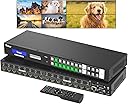
The Yinker 4x2 HDMI Video Wall Controller & 8x8 Seamless Matrix is a professional-grade 4K HDMI matrix switcher that supports routing 8 inputs to 8 outputs and customizable video wall configurations. It offers 16 scene presets, multiple splicing modes, and five control methods including app and web GUI. Compatible with HDR, Dolby Vision, and advanced audio formats, it’s ideal for digital signage, control rooms, and immersive presentations.


| ASIN | B0DLG94J2L |
| Best Sellers Rank | #1,582 in Audio & Video Selector Boxes |
| Brand | Yinker |
| Built-In Media | 4K HDMI Matrix Switch 8x8 Video Wall Controller |
| Cable Type | HDMI |
| Color | Black |
| Compatible Devices | Gaming Console, Monitor, Television |
| Connector Type | HDMI |
| Connector Type Used on Cable | HDMI |
| Customer Reviews | 4.4 out of 5 stars 16 Reviews |
| Manufacturer | Yinker |
| Mfr Part Number | HD88LH |
| Model Number | HD88LH |
| Number of Ports | 16 |
| Power Source | AC adapter |
| Unit Count | 1.0 Count |
| Warranty Description | 1 year |
S**Y
Untangles my console mess
Picked this up to untangle the mess of consoles and monitors in my office. Plugged in 4 sources and 4 screens and the matrix sorted every route without fuss. The little LCD tells you whats feeding what so no guessing. Button clicks feel solid and the remote actually works from across the room. 4K at 30 Hz looks fine for gaming on my retro rigs and the box can drop the signal to 1080p for my older projector. No joke, I was switching from my PC to the work laptop in under 2 seconds. Friends come over and we flip inputs mid match, zero complaints. The metal shell feels sturdy yet stays cool after a long movie night. Setup took maybe 5 min, the included RS232 cable went straight to my home lab gear. Power off memory holds the last layout so i dont have to set things up every morning, small win that saves time. At 80 bucks it beats running new HDMI lines through the wall. Only gripe is the blue status lights are a tad bright so I taped them, not a deal breaker though.
A**N
Great for Home Theater/Entertainment Systems
I got this device for use with my home entertainment system and it's great. I use it every day. The price was right, and the build quality is nice. There's only one problem (see below). So far, I have two screen connected to it, and 4 HDMI devices. It seems the product was designed for bars, restaurants, or other commercial applications where multiple screens (up to 4) need to be connected to various sources (up to 4). You could expand to any number of screens with an appropriate HDMI splitter gadget. I can't say I've tested every possible configuration, but I've had no problems with my own combination of gear. The transitions between sources are clean. I've used my collection of various HDMI cables with no problems. The video quality is great. There is no lag or glitching introduced. The remote control is interesting because you can program various macros for frequently used command sequences into it. I've only scratched the surface with that so far. Another feature I haven't been able to explore the functions available through the 9 pin RS232 connector. No, that is NOT a VGA connector, although it looks like one. This opens up the possibility of computer control of the device which is an exciting concept, a pleasant surprise with the low cost of the unit. The unit comes with a 34 page instruction manual which is pretty good, and provides a full description of the controls available with the RS232 serial interface. It also provides trouble shooting guide including suggestions should you have an oscilloscope (I do). * Good All and all, a very good product. And as I said above, I use it every day. * Bad The bezel for the display on the front is made of very thin and flimsy, scratch-able, not cleanable, plastic. Given my propensity for scratching and getting fingerprints on such areas of devices, I may open the unit and glue in place a more solid material. You may very well not feel such a modification is needed * Very Bad It's a good thing this product has a front panel power switch. I am a ham radio operator, and I quickly discovered that the unit puts out a LOT of noise in the VHF spectrum. It completely wipes out reception on the 2-meter band. It might interfere with devices that you have as well. What I do is turn the unit off when I plan to use the VHF band for QSOs. I gave this unit four stars, mostly due to the interference. It may be possible to reduce the VHF noise by using only cables that have ferrite beads on them, or put on ferrite beads yourself. I haven't tried that, since turning off the unit solves the problem just fine for me.
I**E
Dive Into The Matrix
It’s a pretty good matrix for the value. It offers a clear quad video output which is what I needed and the low frequency isn’t an issue for such a purpose. Installation is easy and even without a web gui management is simple enough to figure out. Overall, not bad at all.
R**R
Reliable switching operation and good build quality
This matrix switch functions well for switching video signals. The video quality is good and there are no glitches when switching from one input to another. The metal housing is strong and the front and back panel connectors and buttons appear to be solid. I really like the display feature on the front panel and the ability to program your own EDID. One review stated that this switch has a long switching time of 4 seconds. I did not find this to be the case. When switching between inputs to a monitor the vast majority of the switching time is due to the time it takes for the monitor itself to lock to the new input signal. The actual switching time of this matrix switch is very small. The section of the manual entitled Software Operation Instruction needs some corrections and further clarification of procedures. A default IP address is given even though the device has no network connection. You can not create a Scene using just the software. You must first punch in the settings on the front panel and then you can use the software to save or recall a Scene. I could not find a website for Yinker and there is no brand information in the manual. There is a sticker on the bottom of the unit with an email address. The manual does contain documentation concerning the RS232 commands should you want to create your own program to control the switch. I would recommend this product.
T**E
Perfect for my needs.
This is a very nice HDMI switchbox. Very heavy duty construction. All metal case. The buttons all feel sturdy. They actuate with a positive click and illuminate to show which ones are active. The display is nice and bright and shows which inputs / outputs are active, as well. I'm using this in my home theater. I have each of the inputs connected to my various gear: Bluray player, Laserdisc player, TV box, and Gaming systems. The outputs go to my flatscreen and my projector. This setup allows me to utilize a single input on the TV and just use the switchbox to control what goes to it. When I want the "full effect" I just switch the output to my projector and pull down the screen. I noticed zero lag or sound syncing issues. The inclusion of a remote control was a nice touch. For as advanced as this piece of gear is, it's very simple to hook up and use. I appreciate the compact form factor. It was easy to integrate into my entertainment center. This would also be very beneficial in an office or presentation scenereo where multiple inputs / outputs would be shown to a group. Overall, I'm very pleased. This is basically broadcast grade quality in a compact package at a consumer level price.
M**S
Very, Very cool!
This thing is too cool. I know you can use it for marketing and what not -- but I've got it on my workbench so i can feed any input (computer, raspberry pi, laptop, extra) to any output (screen 1, screen 2, capture card, unused) super, super easily. Fantastic addition to the old workbench! It's about 1/2 of 1U in size and comes with a remote.
G**D
Easy to use and setup
This is easy to use for setting up a video wall, but from my experience, using the same TV/monitors for each output is best. If I used this with a mixed monitor type that didn't support the same output formats. This only seemed to matter if I used a very new display with a very old one or tried to mix in a 720P display with 1080P displays. Quality is good and video was good when used as a video wall or independent outputs. A GUI would have been nice to have, but wasn't too hard without one.
J**.
Great switch for the price point.
Works as described. The switch jumps between multiple video and audio feeds with the push of a button. Analog style buttons are strangely satisfying. The 9 pin console port is a nice addition as well. If you are a tech snob like my brother in law, you may not like the 30hz cap on the video out feeds. For us without micro processors in our eyeballs, it is more than satisfactory. The 30hz still outputs at 1080p! This is a great affordable switch, especially for the price. Solid build quality with no noticeable lag.
J**É
parfait
parfait, Attention car ce modèle est équipé d'un ventilateur. et contrairement à ce qui est écrit , il n'y a pas d'intégration PIP ( PIP, c'est image dans l'image ) donc l'entrée HDMI 2 ne peut pas d’intégrée dans un coin de la source HDMI 1en sortie . une image étalée sur 4 écrans ce n'est pas du PIP mais mur d'images
L**A
Tut, was es soll
Habe mehrere Monitore und Konsolen angeschlossen – kein Lag oder Signalverlust bisher. Umschalten geht schnell, 4K klappt problemlos.
S**O
Flexible Signalverteilung und stabile Videowandsteuerung
Ich nutze das Gerät jetzt seit einigen Wochen in einem anspruchsvollen Setup mit mehreren Monitoren und verschiedenen Zuspielern. Die Kernfunktion, das völlig freie Routen von acht HDMI-Quellen auf acht unterschiedliche Displays, erledigt die Matrix absolut fehlerfrei. Selbst bei ständigem Wechsel der Eingänge kommt es nicht zu Bildaussetzern oder Synchronisationsproblemen. Die Umschaltzeiten sind angenehm kurz und das Signal bleibt auf allen Kanälen dauerhaft stabil. Besonders flexibel zeigt sich die integrierte Videowandfunktion. Eine Wand aus vier Bildschirmen lässt sich damit ohne zusätzliche Hardware unkompliziert realisieren. Ein großer Vorteil im Alltag ist hierbei die Möglichkeit, das Bild um 90, 180 oder 270 Grad zu drehen. Das macht den Aufbau im Raum extrem flexibel, da man auch Monitore im Hochformat nutzen oder Rahmenunebenheiten durch eine Drehung ausgleichen kann. Auch das separate Einbetten von Audiosignalen funktioniert im täglichen Betrieb reibungslos. Die Einrichtung erfolgt unkompliziert über die Weboberfläche im Browser oder die zugehörige App. Man muss also nicht zwingend direkt am Gerät stehen, um die Kanäle umzuschalten. Das Interface ist übersichtlich gestaltet, sodass man die Routings auch aus der Ferne im Netzwerk schnell anpassen kann. Dank des robusten Gehäuses lässt sich das System perfekt im Netzwerkschrank montieren. Auch im längeren Betrieb bleibt die Temperaturentwicklung völlig im Rahmen.
S**K
Does the job very well
If you're on the hunt for a versatile and user-friendly HDMI matrix switcher, look no further than the HDMI Matrix Switcher 4x4! This little powerhouse is perfect for anyone looking to connect multiple devices to a single display or distribute video signals across multiple screens. **Features & Performance:** One of the standout features of this switcher is its ability to route four different HDMI sources to four different outputs. Whether you want to connect your gaming console, Blu-ray player, streaming device, or PC, this switcher makes it a breeze to switch between them without any hassle. The support for 4K resolution at 60Hz means you won’t be sacrificing quality for convenience—everything looks crisp and vibrant! The build quality is impressive too; it feels sturdy and well-made, which is always a plus when you're dealing with tech. The included remote control adds an extra layer of convenience, allowing you to switch inputs from the comfort of your couch. Plus, the user interface is straightforward and intuitive, making it easy even for those who aren’t tech-savvy. **Value for Money:** Now let’s talk about price! Considering the range of features and the high performance you get with this HDMI matrix switcher, it’s quite reasonably priced. You get a lot of bang for your buck here—especially if you often find yourself juggling multiple devices. **User Experience:** From my personal experience, setting up the switcher was a piece of cake. It took me less than ten minutes to get everything connected and running smoothly. I’ve had zero issues with signal loss or lag during use, which is fantastic! Plus, it's compact enough that it doesn’t take up too much space in my entertainment setup. **Final Thoughts:** In summary, the HDMI Matrix Switcher 4x4 has exceeded my expectations in terms of performance and ease of use. If you’re looking to simplify your home theater experience without breaking the bank, this product is definitely worth considering. It’s friendly on both your wallet and your tech needs—what more could you ask for? Happy viewing!
O**.
HDMI Matrix Switch 4X4, Schwarz, mit IR FB
Ich habe diesen HDMI Matrix Switch im Zuge des Amazon Vine Programms zum testen zur Verfügung gestellt bekommen. Der HDMI Switch hat 4 HDMI Ein- und 4 HDMI Ausgänge. Zwischen diesen Ein und Ausgängen besteht die Möglichkeit der Individuellen Zuweisung oder auch Gruppierung Also eine HDMI Quell kann auf mehrere oder alle Ausgänge geschaltet werden. Die Umfangreiche Anleitung ist in Englischer Sprache gehalten und erklärt alle Funktionen inkl. der Möglichen Funktionen über den Seriellen Konsolen Anschluss. Diesen habe ich nicht testen können Die Möglichen Auflösungen sind bis 4K 30Herz auf allen Ein und Ausgängen Möglich. Viele der Funktionen sind auch mit der Beiliegenden IR Fernbedienung schaltbar. Leider ist das Display relativ Hell. Was auch nicht funktioniert ist die e-ARC Möglichkeit im Home Video Bereich, das eine Quelle die Eingeschaltet wird die anderen Geräte mit ein oder Ausschaltet. Dieser Schalter ist eher im Video Bereich Sinnvoll, wo man die ganzen Möglichkeiten braucht, auch im Computer Bereicht mit Mehreren Quellen und auch Display sehr gut Einsetzbar.
Trustpilot
1 month ago
2 weeks ago