


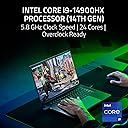




Razer Blade 16 2024
Product ID: 731919959
Details
- BrandRazer
- CPU modelIntel Core i9
- ColourBlack
- Graphics card descriptionRTX 4080
- Hard disk size1 TB
- Model nameRazer Blade 16
Experience incredible visual clarity and colour depth with the Razer Blade 16 featuring the world's first 16-inch OLED display with 240 Hz. Equipped with the latest Intel Core i9 processor HX series and NVIDIA GeForce RTX 40 series notebook GPUs, Blade 16 delivers more performance per cubic inch. Review: Fantastic - Great laptop Review: Absolutely fantastic! This is the one to get. - I bought nearly every 4090 laptop and returned them all. THIS was the overall winner. The lighting effects are something I didn't think I would enjoy this much but no one compares to Razer when it comes to keyboard lighting effects. Individual lights and the wider array of color should be the standard. The screen is rich and saturated like a Samsung laptop if that's something that is important to you. Battery life sucks of course cause its a gaming laptop duh. The fans aren't annoyingly loud at full blast like others I've tried. I spent a year and went through around 10 laptops and decided on this. Wait for a renewed version and saved $1500 to take the edge off the price. Its worth it.
| ASIN | B0CPP9V5WN |
| Audio Output Type | Headphones, Speakers |
| Audio Recording | Yes |
| Automatic Backup Software Included | Razer Synapse 3 |
| Battery Cell Type | Lithium Ion |
| Biometric Security Feature | Face Recognition |
| Bluetooth support? | Yes |
| Box Contents | Important guide to product information, Microfiber cleaning cloth, Power adapter + regional power cable, Razer Blade 16 |
| Brand | Razer |
| Brand Name | Razer |
| CPU Model Generation | 14th Gen |
| CPU Model Number | i9-14900HX |
| CPU Model Speed Maximum | 5.8 GHz |
| CPU model | Intel Core i9 |
| Camera Description | Built-in Windows Hello IR FHD with shutter release |
| Chipset Type | Intel W760E/QM760 |
| Colour | Black |
| Compatible Devices | External displays, mice, keyboards, storage devices, printers, and other accessories that utilize USB, HDMI, Thunderbolt, Bluetooth, and Wi-Fi |
| Control Method | Touch |
| Customer Reviews | 4.0 out of 5 stars 37 Reviews |
| Display Technology | OLED |
| Display Type | QHD+ |
| Form Factor | Ultra-Portable |
| Graphics Coprocessor | NVIDIA GeForce RTX 4080 |
| Graphics Description | RTX 4080 |
| Graphics Ram Type | GDDR6 |
| Hard Disk Description | SSD |
| Hard disk size | 1 TB |
| Hard-Drive Size | 1 TB |
| Hardware Interface | Ethernet |
| Has Color Screen | Yes |
| Human Interface Types | Keyboard |
| Item Weight | 2.45 kg |
| Keyboard Description | RGB by button, powered by Razer Chroma RGB N-key rollover (1.0 mm travel with anti-ghosting) |
| Keyboard Layout | QWERTY |
| Lithium Battery Energy Content | 95.2 Watt Hours |
| Manufacturer | Razer |
| Maximum Display Resolution | 2560x1600 Pixels |
| Memory Clock Speed | 5600 MHz |
| Memory Speed | 5600 MHz |
| Microphone Form Factor | Integrated arrangement with 2 microphones |
| Model Name | Razer Blade 16 |
| Model Number | RZ09-0510TEN3-R3U1 |
| Model Year | 2024 |
| Model name | Razer Blade 16 |
| Native Resolution | 2560 x 1600 pixels |
| Network Connectivity Technology | Bluetooth, Ethernet, HDMI, USB, Wi-Fi |
| Number of Drivers | 1 |
| Number of Ethernet Ports | 1 |
| Number of Ports | 8 |
| Operating Systems | Windows 11 |
| Other Special Features of the Product | 1 x Thunderbolt 4 (up to 100W charge), 1 x USB-C, 3 x USB-A, 1 x HDMI 2.1, 1 x SD UHS-II card reader, 3.5 mm audio combination port, Intel Platform Trust Technology (Intel PTT), Intel Wireless Wi-Fi 7 BE200, Windows 11 Home |
| Processor Brand | Intel |
| Processor Count | 1 |
| Processor Series | Intel Core i9 |
| Processor Speed | 5.8 GHz |
| RAM Memory Installed | 32 GB |
| RAM Memory Technology | DDR5 |
| RAM Type | DDR5 RAM |
| RAM memory installed size | 32 GB |
| Ram Memory Maximum Size | 96 GB |
| Resolution | 2560x1600 |
| Screen Finish Type | OLED |
| Screen Size | 16 Inches |
| Screen size | 16 Inches |
| Series Number | 9 |
| Specific Uses For Product | Entertainment, Gaming, Professional |
| Total HDMI Port | 1 |
| Total Thunderbolt Ports | 1 |
| Total USB Ports | 4 |
| UPC | 840272913048 |
| Unit Count | 1.0 count |
| Video Output | hdmi |
| Video Processor | NVIDIA |
| Voltage | 230 Volts |
| Webcam Capability | Yes |
| Wireless Compability | 802.11a/b/g/n/ac, Bluetooth |
| Wireless Technology Type | Bluetooth |
K**L
Fantastic
Great laptop
A**N
Absolutely fantastic! This is the one to get.
I bought nearly every 4090 laptop and returned them all. THIS was the overall winner. The lighting effects are something I didn't think I would enjoy this much but no one compares to Razer when it comes to keyboard lighting effects. Individual lights and the wider array of color should be the standard. The screen is rich and saturated like a Samsung laptop if that's something that is important to you. Battery life sucks of course cause its a gaming laptop duh. The fans aren't annoyingly loud at full blast like others I've tried. I spent a year and went through around 10 laptops and decided on this. Wait for a renewed version and saved $1500 to take the edge off the price. Its worth it.
M**N
Defective
I’m so excited when receiving the item but when I unpacked I noticed that it was been opened, so I look over all around the unit it was ok no scratches or dents, then I started to setup but it was took me around an hours to get it started, then after the windows started I noticed that the touchpad not working, can’t connect to wifi, no battery icon, and also when I unplug the power adapter the laptop shutdown right away, I call Amazon customer service then end up returning it, so disappointed when you spent almost 6k but you get the defective item.
M**L
Laptop is great
Laptop is powerful and it is feels. Under load the front panel below the screen is heats up stronger. But cooling system copes with everything. Touchpad shall be do differently. When you will be printing you often will be accidentally touching with your hand, and it will be changing text pointer to random place and it annoying. But it can be "fixed" via disable "Tap with a single finger to single-click" option in Touchpad system settings. And therefore, the touchpad should be like on MacBook with full clickable space and not only in the lower part. Sometimes after you close the lid and move the laptop to sleep state it continues some intensive work for a while. It noticeable by intensified cooling system. Maybe it Windows 11 peculiarity. Sometimes after it went from sleep state you will get strange periodically screen freezes is about 1.5 - 2 seconds during some time. During these freezes some anomaly behavior in task manager is not found. It's very strange and unusual especially after macOS and Ubuntu use experience for a long time. But I'm sure the freezes have nothing to do with hardware and this is solely a system and software problem and may be to do with my settings changes.
K**N
I enjoy my Razer
Works great, but heat is an issue so I bought the Razer Cooling pad and that fixed the heat issues. Its a solid system, no major problems, I did a bunch of upgrades myself upgraded ram from 32 to 64 and nvme from 2 tb to 4tb by adding a second 2tb nvme, upgraded Windows 11 home to Windows 11 Pro because I'm a com sci guy. Battery life for regular things is good , battery life for gaming off the adapter you get an hour lol or less lol. The system is quiet for the most part until you start to do things like me(run LLMs locally, many tabs in chrome(I'm a com sci guy so I mean many!), test software lol) , the fans will spin up for games but it won't take away from your enjoyment of the games you play, so noise level is ok. Get the cooling pad from Razer it makes no sense spending your hard earn cash and let your system cook the cooling pad is a must. I have had it a year now so I can say its great no regrets on my purchase.
Trustpilot
1 month ago
1 month ago