Buy anything from 5,000+ international stores. One checkout price. No surprise fees. Join 2M+ shoppers on Desertcart.
Desertcart purchases this item on your behalf and handles shipping, customs, and support to OMAN.
🎬 Elevate your video chats—because your presence deserves the spotlight!
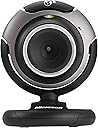
The Microsoft LifeCam VX-3000 is a sleek, black webcam optimized for Windows Live, offering 640x480 video resolution, automatic face tracking, and a built-in microphone for clear audio. Designed for effortless setup and enhanced online communication, it features one-touch calling, video effects, and seamless blogging integration, making it ideal for professional and personal video chats.
| ASIN | B000EVM5DK |
| Antenna Location | video conferencing, live streaming, online chatting |
| Are Batteries Included | No |
| Best Sellers Rank | #2,357 in Webcams |
| Brand | Microsoft |
| Built-In Media | USB Cable, User Manual |
| Camcorder Type | Webcam |
| Color | Black |
| Compatible Devices | Personal Computer |
| Connectivity Technology | USB |
| Customer Reviews | 3.9 out of 5 stars 903 Reviews |
| Display Resolution Maximum | SD |
| Exposure Control Type | Automatic |
| Features | Low Light |
| File Format | JPEG |
| Flash Memory Bus Interface Type | SD |
| Flash Memory Speed Class | C2 |
| Flash Memory Type | Micro SD |
| Focus Type | Auto Focus |
| Form Factor | Handheld |
| Global Trade Identification Number | 00882224132367, 00882224872836 |
| Has Image Stabilization | No |
| Image Aspect Ratio | 1.5:1 |
| Image Capture Speed | 30 fps |
| Image stabilization | Optical |
| Item Weight | 0.21 Pounds |
| Lens Type | Prime |
| Manufacturer | Microsoft |
| Maximum Aperture | 1.4 f |
| Minimum Aperture | 1.8 Millimeters |
| Model Name | LifeCam VX-3000 |
| Model Number | 68A-00001 |
| Operating System | Windows |
| Photo Sensor Technology | CMOS |
| Screen Size | 2.7 Inches |
| Sensor Type | CMOS |
| Shooting Modes | Automatic, Low Light |
| Style Name | Modern |
| Supported Audio Format | PCM, AAC, MP3 |
| Supported Image Format | JPEG |
| UPC | 882224872836 |
| Unit Count | 1.0 Count |
| Video Capture Format | MP4 |
| Video Capture Resolution | 640 x 480 |
| Video Resolution | 640 x 480 |
| Warranty Description | 3 year warranty |
| Water Resistance Level | Not Water Resistant |
| White Balance Settings | Auto |
| Zoom | Digital |
E**C
Excellent Item
I ordered this to keep in touch with my neices and nephew... and their parents ;-) It installed so quickly and easily that I was amazed. The audio/camera software wizard was pretty nice. If you don't have a head set microphone already, make sure you test out the audio settings with another computer to make sure the mic level you setup is fine. I have a really nice headset so it's very easy to set the mic level so the other end can hear me just fine. Using the built in mic, you'll want to make sure you don't have anything making noise near it. Things like a fan can make your video chat session annoying to the other person. I was very impressed with the face following software. It's not instanteous but it's not meant to be. It checks every so often and adjusts as needed to frame your face pretty well. Yes, I have read that it is set up to work with Live Messenger and it does that beautifully. It claims to work with others as well but I haven't tried them (don't need to since my chats will be with other Live Messenger users). I tested it with Live Messenger 9.0 (which is in limited beta) and it worked just fine. This is a good camera for use in IM sessions. It's not the best for taking photos or videos but for simple blog shots (it really easily publishes to your Live Spaces blog) it works great. Great Camera for the price.
M**9
Camera ok, Mic not so good
I bought this webcam and had it sent to my mom and dad so I could talk to them over skype. the setup of the webcam was easy. the camera itself worked good, good picture. there is a known problem with the mic in this webcam though, which I didn't find out till after the fact. the problem is a buzzing sound on the receiving end of whoever you are talking too, I thought maybe the webcam was to close to my dads speakers and or monitor, but after some reseach online I found this to be a known problem, well, a long story short my dad didn't want to deal with returning the webcam, so I ordered a separate mic with a stereo connection, switching the mic over to this separate mic was like night and day, I could actully talk to my dad without have to put up with a buzzing noise
A**G
one of the best for the price
After some search and comparision with couple logitech webcam model I liked vx-3000 the best in it's price range--with or without the coupon. This camera give me exactly what I need for personal online video conference -- low noise, crisp, clear video stream through adjustable focus, and good low-light capability -- without me paying extra for "high quanlity" still image capability which no matter how good, just can't compare with a good digital camera. I personally don't like Logitech webcam despite they are one of the most popular webcam manufacture (one low-end Creative model I tried in the past isn't good either). Several logitech I tried which were in vx-3000's price range come with HUGE amount of noise -- small spots that show up white where there is actually no light --- especially in low-light condition. vx-3000 got one of the best sigal to noise ratio, say you turn off the light to the entire room during night, a webcam with bad noise ratio will have image with tons of white spots flickering (though there aren't any light) while vx-3000 will show the correct pure black. Also I can't understand why some Logitech hi-end webcam came with FIXED focus, which mean you have to sit at a defined distance from camera to get the best picture. For vx-3000 you can manually adjust the focus by turning the knob surrounding the len. There are talks of softwere problem with vx-3000, i did experience that exactly just once while playing with webcam configure softwere when I'm using webcam with another program, but the problem went away after I reboot and nevered occured again (make sure you get the latest driver from internet). On the other hand, Logitech camera often come with this useless bundle software that eats up system resource. The face tracking option with vx-3000 works fine but I didn't play much with it since it's only digital zoom and only have a limited range and is considered not really useful. Overall, it's a excellent buy for the price and has great quanlity in area needed for video conference.
M**E
Not an easy install but works great!!
1) It DOES work with Vista 64-bit but you need to email MS regarding KB Article Number(s): 933433 and they will send you a link with pwd for 305384_intl_x64_zip.exe. Once you install LifeCam V1.4 and run the hotfix it works fine. Note: I said it works fine not great. It works great on XP home platform. 2) On the XP home platform I too had some problem with installing from CD-ROM. So I just downloaded the LifeCam 1.4 from the MS website and you need to shut down your anti-virus and firewall (so its better to disconnect you machine from the network itself) Once the install went through it works REALLY well on the XP Home box. The picture quality is amazing (BETTER than on the Vista 64bit box) and even when using in chat the folks on the other end can see the difference in quality. Which is WHY we bought this in the first place. The button on top is for MSN Live Messenger and it work well too. But when you try to adjust the cam you might accidentally press it, but its not such a big deal once you are aware of it. Now that we got it to work, we are super happy but it does not get a full 5 star because of the difficult install on both XP home and Vista 64 and the poor picture quality on Vista 64.
M**E
Poor, high resource usage, go with Logitech QuickCam Pro 9000
I got two of these over a year ago, one for my father and the other for me to communicate using Skype. I work in IT so my issues isn't through the lack of knowing what I'm doing. I set my father's camera up for him when I was in GB visiting and tried using it with Skype to communicate with my wife, and it was terrible. The video quality was poor and it made the audio poor to match. I switch off the camera and the audio was still poor and remained poor until I uninstalled it. Re the software, in true Microsoft (MS) form, it is Massive, taking up loads of MB of HDD space and it forces you to load to the C drive with no option to place it on another drive. It tries to access the internet all the time and send data I assume back to MS. Maybe part of my problem was that I blocked it from doing this, but either way, it isn't MS place to force customers to give up information even about usage and the cam was not good for the purpose intended. On getting back home I found that even after uninstalling the software, some parts were left and I had to go through the Windows Reg and manually edit the reg to stop it from messing the system up. I ended up buying 2 Logitech QuickCam Pro 9000's, more expensive but I got a deal when they were on special at Fry's. The Logitech QuickCam Pro is a far higher end cam, with a Zeiss lens and autofocus. Logitech give the option to load just the driver, or to load a very comprehensive suite of applications; I went with just the driver for my purpose and kept it simple. You get the choice, and it isn't constantly trying to access the internet taking up your PC's resources and slowing things down. I have only used it a bit with Skype, but it was great when I have. Steer clear of Microsoft cameras, and if you must use one, check what resources are being used and how much it is trying to send out on the Internet when you don't know!
R**7
vid cam review
hello. anyone reading this, will be interested in the details of actually having this item. I ordered this from amazon, after some personal debate, going from website to website, searching. finally decided on amazon. first get this home, out of the box, you start to run the software, and it asks you to install the MSN software FIRST. after you get through MSN, you get to go back to the cd-rom, to install the rest of the cd that comes with this. of course, if you do not wish to have MSN on your system, you can go to add/remove in your control panel. after I got it all installed, and started to run it, it has an auto-update in it. THIS took a LONG time to download, but I finally got it done. and I picked out my victim for trying it on first on my yahoo msngr. they say it looks good, and it sounds good, with the built-in microphone. all in all,..I like it. it is fairly cheap to buy, easy to install, and easy to get started. all the others claiming they had an issue with the cam base, must be doing something odd. mine seems to sit still and I have had no issue. I gave this a perfect 5...but maybe I am too easy to please. of all the reviews of video cams, the vx-3000 was my favorite to pick and I am not sorry.
C**A
Absolutely Perfect
This is a great webcam, words don't even do justice you just have to see it for yourself. The low light setting is extrememly useful when you want to cam at night even with no lamp available as long as your computer screen is bright it will work like a charm (but of course would be even better if u have a little light next to you like any other cam). I recently tried that out on yahoo messenger the other day and i was amazed at the quality and so was the person i was talking to. The built in mic is good, i've made a couple of videos so far and i can always hear myself and others in the room. Pictures are VERY clear, just adjust the nozzle to the clearest setting and your good to go. I always have people amazed that i actually took some of my pics with my webcam and i direct them to this one on amazon.com. Nice and small, fits anywhere and the circle at the bottom of the cam opens up to to a sort of latch hook position to sit on top of a Laptop or Flat Screen Monitor. It has a great variety of settings for the camera so you can adjust it to your liking. Like i said words alone can't do justice for this webcam. I'm surprised it's selling for so cheap. If you're not convinced by the reviews, just get it and see for your self.
A**R
Installation is awful, camera is ok
Microsoft completely f'd up the installation process on this one. It should take no more than a minute to install the drivers from the CD but once you install the CD you have to wait 30 minutes for it to complete. It gives you very little information in terms of status so you never know if, or when, it will complete. It connects to the internet a few times so you have to permit it through your firewall and then tries to install some Windows Live BS. It finally restarts your comp for you without asking which is very unnerving. The camera itself works OK for the price and specs once you finally get it installed.
E**N
NOT WINDOWS 10 COMPATIBLE!!!
Why you selling kit that is redundant and does not work in the modern age????? Were all Windows 10 so when selling kit for a past operating system make this clear to your audience waste of time and money Ill be seeking a refund!!
R**I
Four Stars
Does what is says on the box.
Trustpilot
2 days ago
2 weeks ago