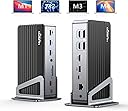
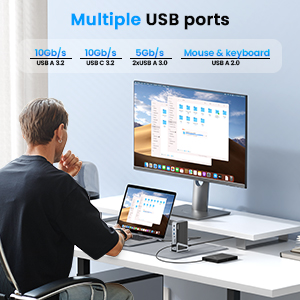
🚀 Elevate your workspace with triple 4K power — because one screen is never enough!
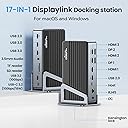
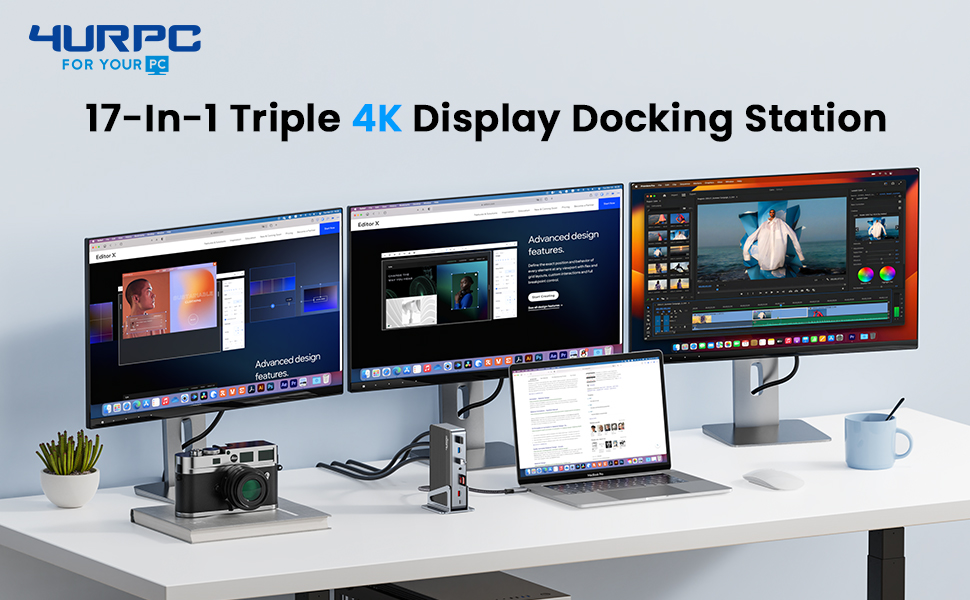
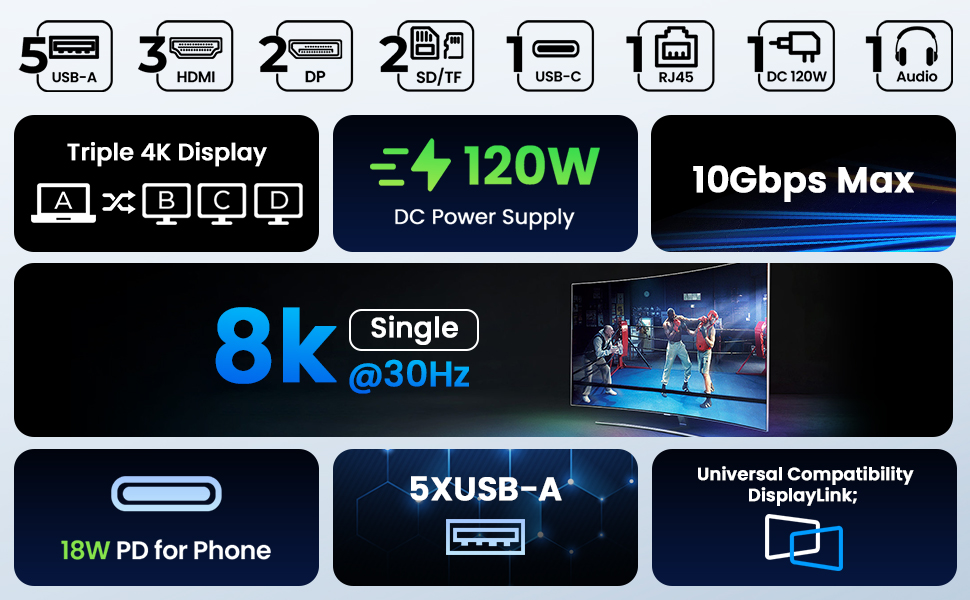
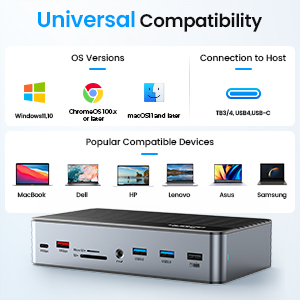
The 4URPC DisplayLink Docking Station is a powerhouse connectivity solution designed for professionals who demand multi-monitor setups. Supporting up to three 4K displays at 60Hz, it features 17 ports including HDMI, DisplayPort, USB-C, USB-A, Ethernet, and audio, powered by a 120W adapter. Compatible with Thunderbolt 3/4 and full-function USB-C laptops, it transforms your MacBook, Dell, HP, Lenovo, or Surface into a productivity hub with sleek portability and robust performance.


| ASIN | B0CFKMC7H7 |
| HDMIポート数 | 3 |
| HDMIポート総数 | 3 |
| USBポートの総数 | 6 |
| USBポート数 | 6 |
| おすすめ度 | 5つ星のうち4.3 104 レビュー |
| ハードウェアインタフェース | HDMI |
| ハードウェアインターフェイス | HDMI |
| ブランド | 4URPC |
| ポート数 | 17 |
| メーカー名 | 4URPC |
| メーカー型番 | DSC08 |
| ワット数 | 120 W |
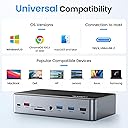
| 互換デバイス | Thunderbolt 3/4またはフル機能USB Cポートを備えたすべてのノートパソコン。 |
| 型番 | DC0001A |
| 対応デバイス | Thunderbolt 3/4またはフル機能USB Cポートを備えたすべてのノートパソコン。 |
P**A
Solid, Stylish and Cool
This was the first 4URPC brand purchase. I was debating between this one and an equivalent model from Wavlink. I opted for 4URPC due to its good reviews. I bought this one to replace an Anker 577 which was having issue with one of my monitors every time my Mac wakes up from sleep. The 4URPC appears to be well-built, much bigger than the Anker, and stays cool after prolonged use (v.s. Anker getting really hot to the touch). It offers most of the ports I want, and the layout on the 2 sides is reasonable. I haven't tried the 3 monitor setup yet, but the 2 monitors I currently use work really well. My Mac wakes up from sleep, and both monitors retain their resolution. One of the monitors is on DisplayLink. Everything is seamless and effortless. I may have missed it before purchase, but I've realized that this product has no dedicated power button or rocker. Unless you unplug the power, it is always on. I actually don't understand this design choice. It's such a small thing to add, but boy, that Wavlink model now seems a bit more appealing. I still like the rest of the design, style, stable performance, and its excellent temperature control. The fact that it stays cool while in-use would likely extend its service life. It's a keeper, for now. I'll report back on the triple monitor setup and its longevity.
T**L
A Versatile Powerhouse for Enhanced Productivity 4URPC DSC08
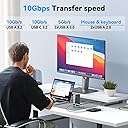
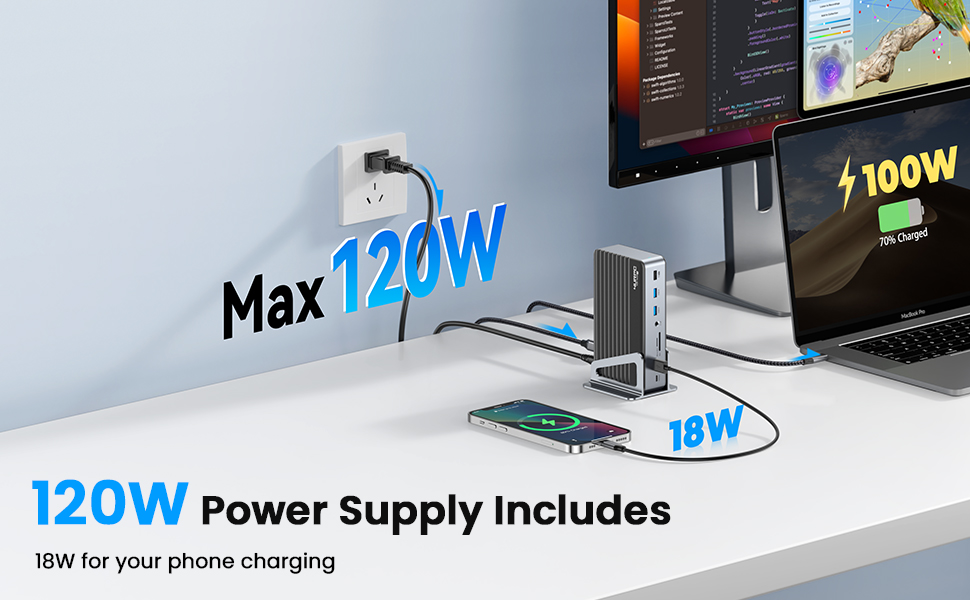
I recently upgraded my workspace with the 4URPC DSC08 USB-C laptop dock, and the transformation has been nothing short of remarkable. This docking station is a game-changer for anyone seeking a comprehensive solution to streamline their connectivity needs. Versatility at Its Best: The dock boasts an impressive array of ports, including HDMI, DisplayPorts, USB, and SD card slots, providing a one-stop solution for all your connectivity requirements. Whether you're working with high-resolution displays or multiple peripherals, this docking station has you covered. High-Resolution Display Support: What sets the 4URPC dock apart is its ability to support a single 8K display or triple 4K displays at 60Hz. The visual experience is stunning, making it ideal for a variety of tasks, from content creation to immersive entertainment. Swift Charging and Data Transfer: The inclusion of a 120W DC Power Charger ensures rapid laptop charging, and the USB-C port facilitates fast charging for your phone and seamless data transfer. This feature-packed dock is designed to keep you powered up and connected without compromise. Universal Compatibility: One of the standout features is its compatibility with various laptops, including both Apple and Windows devices. This versatility makes it an excellent choice for users with different preferences and setups. Flexible and Durable Design: The dock's build is not only functional but also aesthetically pleasing. The aluminum demountable base allows for flexible positioning, enabling you to customize your workspace to suit your needs. The durability of the construction adds a premium touch to the overall design. Reliable Support and Warranty: With a worry-free 24-month warranty and responsive customer service, 4URPC ensures peace of mind. Any concerns or issues are promptly addressed, making the overall experience with this dock even more satisfying. In conclusion, the 4URPC DSC08 USB-C laptop dock is a reliable and comprehensive solution for those looking to enhance their productivity setup. Its versatility, high-quality construction, and excellent customer support make it a worthwhile investment. Upgrade your workspace with confidence!
J**N
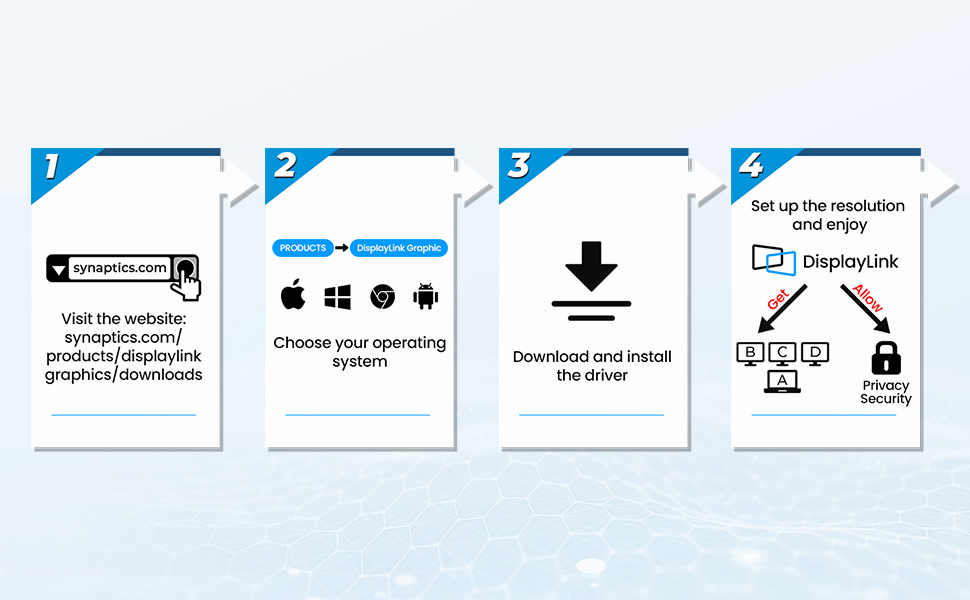
Couldn’t get it to work through Display Port (until CS sent me a new unit)
Updated review: Their CS reached out to me after I wrote this review and offered to send me a new unit free of charge which I thought was great. I was hesitant to try again but this unit worked! Having to run the DisplayLInk software on my Mac kinda sucks as it says it's recording the screen and I have no idea how that affects performance or if it's doing anything with that recording but that's not the fault of the seller. The dock works great with my Mac now and the CS experience was great! Original review: I downloaded the drivers for Mac but couldn’t get it to work. It’s a little big and has a good amount of ports but wish it had more USBc ports. It’s easy to set up and use but has a big transformer so you’ll have to do good cord management. It has good connected and solid cables. Ended up sending it back as I needed DisplayPort to work.
C**E
Easy to set up and use for Macbook pro, Dell, and Lenovo Laptops
UPDATE Jan, 22025: After 3 months the docking station no longer splits to my external monitors. It still charges the computer. September, 2024 Love this docking station/splitter -worth the money and they had a $40 off coupon when I bought mine! I have 3 external monitors that I needed to interchangeably switch out laptops with. I use MacBook pro M3 max chip (will work for those with Apple products having M2, M3 non-max chips too) and a Dell for various side-hustle projects and a company issued Lenovo ThinkPad for my full-time job. I downloaded drivers for the MacBook, but didn't need to for the Windows OS PCs. *For MacBooks: Download the drivers first!!! Then plug in the MacBook, if you do it out of order sometimes MacBooks won't recognize the displays, I've found. Also sometimes you need to hold down the "option" key while looking at the display settings to get the MacBook to find external displays. I did not need to do that for the 4URPC docking station though - it was so easy! I think the resolution on the external monitors is great, but I do minimal video editing, and zero gaming, so opinions may vary. I mainly do a lot of instructional design, medical writing, image manipulation, database work, and spreadsheets. The price was worth it, especially as a docking station vs just a splitter. And so far it does not run hot. My last Star-Tech splitter w/ 4 HDMI ports (not a docking station) ran hot and did not work w/ MackBooks - but I do love that company's products in general. Other docking stations I've used for both MacBook and Windows laptops have run hotter than the 4URPC. I love that 4URPC includes a long thunderbolt/USB-C cable. I tried a Plugable splitter (not a docking station) and it had an attached USB-C that was so short I had to return it. The Pluggable splitter was a difficult set up to get the MacBook to recognize it - probably the order of operations that I did, as I mentioned earlier. Additionally, the Plugable splitter had 2 HDMI on each side so it was awkward w/ my set up. The 4URPC has a very nice set up with the HDMI all in a row and I can lay it flat, or keep it vertical - in my case I kept it vertical and upside down so the HDMI ports were at the bottom - personal preference but I love that you can set it up in any way (especially because the cords are long enough to allow this). I was not given any promotional discounts or paid for this review - just a lover of the product (my 1st w/ this company). I am only moderately tech savvy, but I knew I wanted 3 external displays and the interchangeability between computers w/ different OS and I was able to set it up in less than 10 min total w/ all of my laptops.
D**K
Back in Business with the 4URPC Docking Station
Was able to finally get this connected. Confusing with the step-by-step directions to download drivers, but my PC would not allow me to download. Come to find out with customer service help, I could bypass the software download and made the connections with no issues. Would have been better if the instructions to connect might suggest bypassing driver download. Would have saved me 4 days. I choose this docking station after going through 2 of the $40 docking stations in a short period of time. The extended warranty and good customer service confirms I made the right decision.
Trustpilot
3 days ago
5 days ago