Buy anything from 5,000+ international stores. One checkout price. No surprise fees. Join 2M+ shoppers on Desertcart.
Desertcart purchases this item on your behalf and handles shipping, customs, and support to OMAN.
🚀 Elevate Your Control Game!
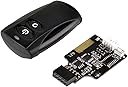
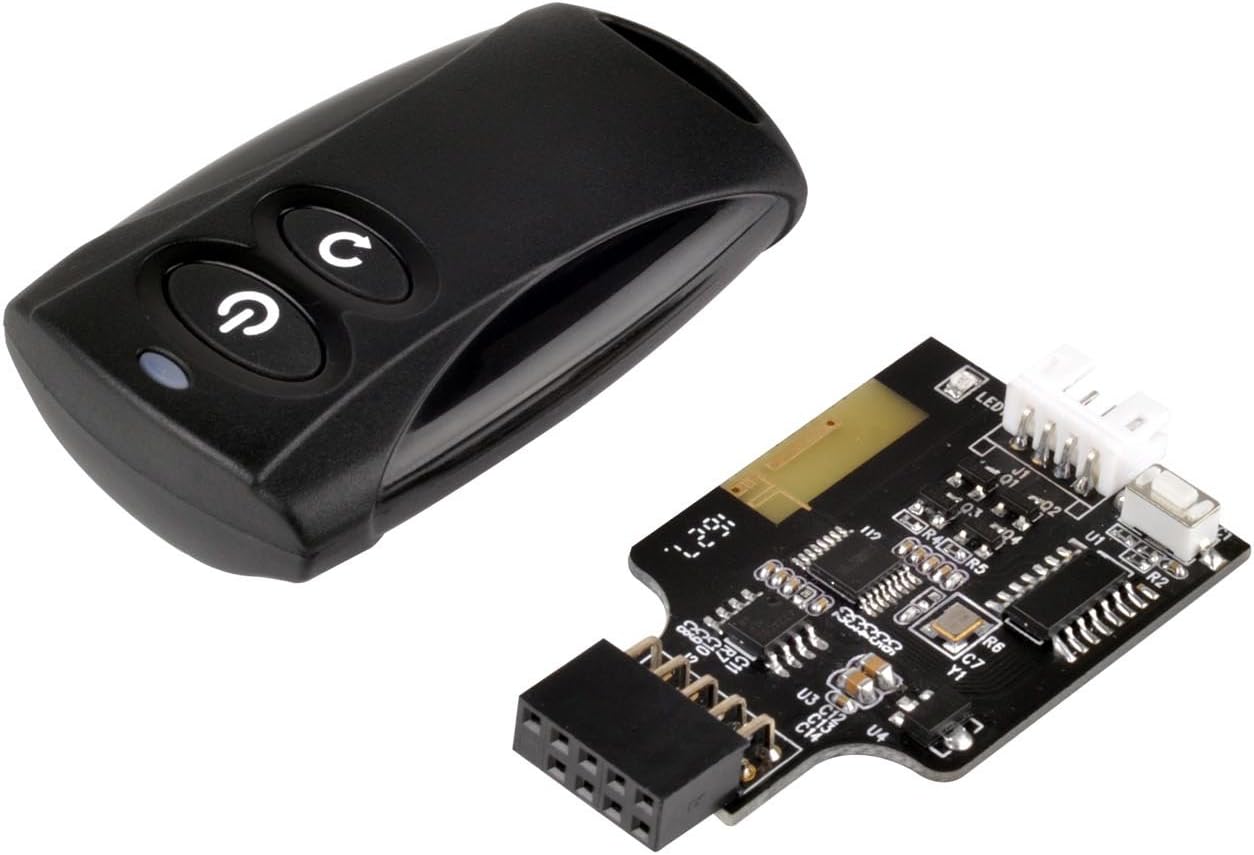
The SilverStone Technology 2.4G Wireless Remote Computer Power/Reset Switch (ES02-USB) allows you to control your computer from a distance of up to 20 meters using a 2.4GHz RF remote. It features a USB 9-pin interface for universal compatibility, includes a power/reset switch Y cable, and comes with left and right angled USB adapters for easy installation. With a lightweight design and included battery, this device is perfect for enhancing your workspace efficiency.

| ASIN | B01MQUANS8 |
| Box Contents | ES02-USB 9-Pin Adapter, Wireless remote |
| Brand | SilverStone |
| Brand Name | SilverStone |
| Button Quantity | 9 |
| Colour | black |
| Compatible Devices | Desktop |
| Connectivity Technology | Radio Frequency |
| Controller Type | Button Control |
| Customer Reviews | 4.2 out of 5 stars 370 Reviews |
| Global Trade Identification Number | 00844761013967 |
| Item Type Name | 2.4G wireless remote computer power/reset switch, USB 2.0 9-Pin interface ES02-USB |
| Item Weight Unit of Measure | 0.11 Kilograms |
| Manufacturer | SilverStone Technology |
| Manufacturer Part Number | ES02-USB |
| Maximum Range | 20 metres |
| Model Name | RL-ES02-USB |
| Model Number | ES02-USB |
| Network Connectivity Technology | Radio Frequency |
| Number of Batteries | 1 CR2 batteries required. (included) |
| Number of Buttons | 9 |
| Product Features | wireless |
| Smart Home Compatibility | Not Smart Home Compatible |
| Special Feature | wireless |
| UPC | 844761013967 |
| Unit Count | 1.0 Count |
| Warranty Description | 1 Year Parts and Labor |
A**R
Risk of loosing money
This product is not compatible with all mother board. Niether there are any troubleshooting tips on manual. Documentation is hopeless Think twice before burning your money
B**F
GREAT Little Gadget
This review is for the "ES02-USB, Wireless Remote" version. This is a GREAT little gadget. I bought it awhile ago, and just got around to installing it - I wish I hadn't waited. This is an old-school RF remote - just like your car's remote. There's nothing to pair, nothing to break, no drivers to install, and it will never fail you. It functions just like a real switch. It only needs power from USB - no drivers to install, apps to pair, or anything else like that. The remote works every time without fail as long as you're not too far away. It doesn't even have to take up one of your precious internal USB headers - it has a splitter so you can connect something else too. I originally bought this because my case doesn't have a reset switch. It works great for that, but the power button can be even more useful: in Windows, you can assign a few different functions to the power button, such as turning off your monitor(s). Outside of windows, such as when the machine is off entirely, it functions like the regular power button on your case. I used a sleeved USB extension cable to install mine so that I could hide the little device in the back of my case. It has some exposed pins and stuff, so I wrapped mine in electrical tape just in case. EDIT: I noticed some people here complaining about having to pair the remote, especially if they lose power. I'm not sure if they are using a Bluetooth version or something (*don't*! The RF one is fine, don't waste your money on a Bluetooth version), but, I lost power in my apartment today for about 6 hours. Remote still works fine, no pairing needed. I didn't need to pair anything when I installed it either.
M**D
Actually seems to work
I have servers downstairs, it's a pain to run up and down to restart them. Installed this, works pretty well. It's nice.
M**I
Bueno pero dura poco la batería
Muy bonito y sirve muy bien es muy facil de instalar pero deberia ser recargable por que las pilas no duran nada como 3 semanas máximo espero la marca despues haga una version recargable.
J**N
It Works! It's A Pain To Install!
So, first things first... Ditch the instructions. They're awful and not worth the ink wasted to print them. SilverStone decided to blow up an image of the pin connections and they didn't use a high-res image, so it's all blurry and distorted in the included manual. You can actually Google for a clear picture, use that and not the wasteful kindling they threw in the box. (Extra padding, maybe?) Once you have the correct pins figured out, the installation is a BREEZE. It's a five-minute job if that. (Well, depending on the layout of your PC. If you have to move components/wires, it'll be a bit longer.) 1.) Pull off the front panel cable (power/reset) and plug it directly into the board. 2.) Plug the y-cable they included onto the pins where the front panel cable was just residing so you can still use the physical case buttons as well as this. 3.) Plug the unit into the front panel USB header on the MOBO. 4.) Plug the USB wiring onto another header or use the included adapter. And you're done. Before starting, however, make sure your MOBO allows power through USB while off or asleep. Make sure it has the S3 setting before starting. Otherwise, you're good to go after all of the physical labor. Comes with a battery, even! Powers on/off with one press and no waiting or messing around, even the reset button is instantaneous. No lag, and no gray area/middle ground, either. It either works or it doesn't, even less hassle in that department. I'd absolutely recommend this if you have a desktop PC, especially one being used as a HTPC. Sometimes you need to restart but can't find your mouse or keyboard (if it's wireless) this little clicker comes in handy.
P**R
Great product
Easy setup no hassle Worked immediately
Trustpilot
1 month ago
1 month ago