🖱️ Glide into the future of productivity with every touch!
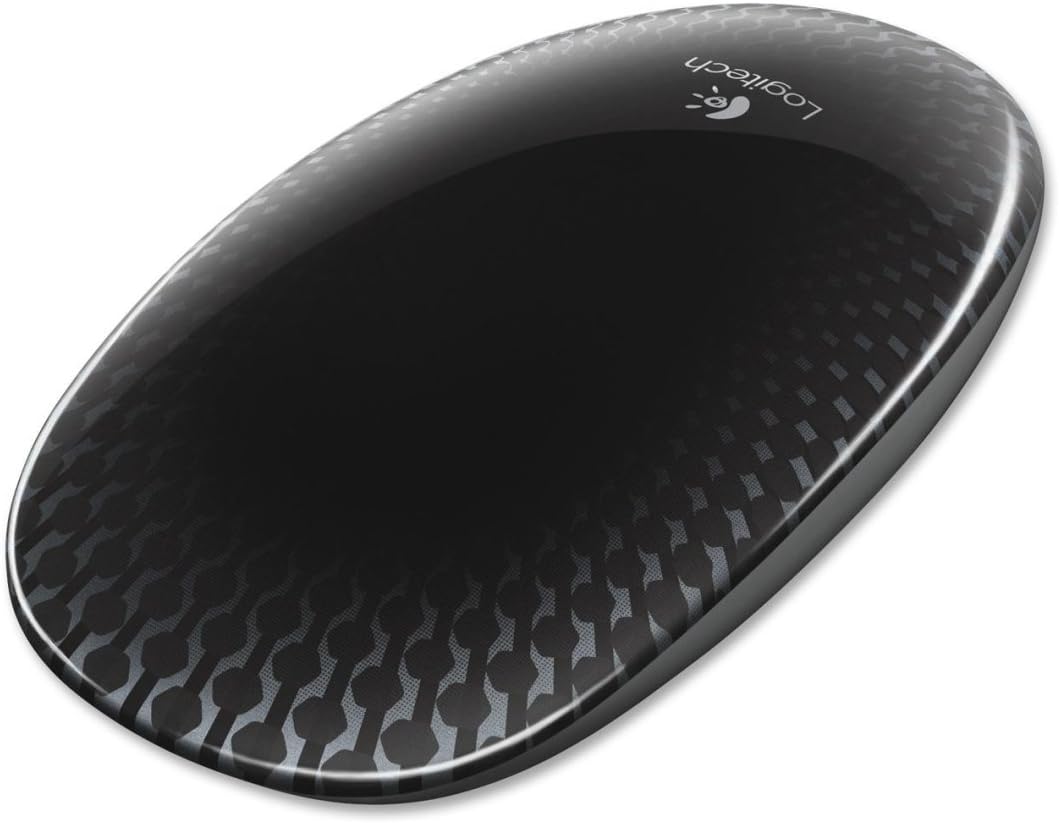
The Logitech Touch Mouse T620 features a full touch surface enabling intuitive multi-gesture control optimized for Windows 8. Its laser-grade optical sensor delivers precise tracking on almost any surface, while the unifying receiver connects up to six devices wirelessly through a single USB port. Designed with an ambidextrous, ergonomic shape and customizable controls, this lightweight mouse enhances workflow efficiency and modernizes your desktop setup.
| ASIN | B0093H4VSS |
| Additional Features | Wireless |
| Antenna Location | Office, Everyday Use, Computing |
| Are Batteries Included | Yes |
| Are Batteries Required | Yes |
| Battery Average Life | 1.0, 6.0 months |
| Brand | Logitech |
| Built-In Media | Batteries |
| Button Quantity | 1 |
| Color | Black |
| Compatible Devices | Laptop, Personal Computer |
| Connectivity Technology | USB, Wireless |
| Customer Reviews | 4.0 out of 5 stars 327 Reviews |
| Enclosure Material | Graphite |
| Global Trade Identification Number | 00097855091222 |
| Hand Orientation | Ambidextrous |
| Hardware Platform | Laptop |
| Item Weight | 0.6 Pounds |
| Manufacturer | Logitech |
| Mfr Part Number | 910-003334 |
| Minimum Required Operating System Version | Windows 7 |
| Model Name | 910-003334 |
| Model Number | 910-003334 |
| Movement Detection | Laser, Optical |
| Movement Detection Technology | Laser , Optical |
| Number of Batteries | 2 AA batteries required. (included) |
| Number of Buttons | 1 |
| Operating System | Windows 7, Windows 8 |
| Power Source | Battery Powered |
| Range | feet |
| Special Feature | Wireless |
| Style Name | Modern |
| UPC | 071040193311 097855091222 |
| Unit Count | 1.0 Count |
B**Y
Absolutely love this mouse! Perfect for everyone!!
Absolutely love this mouse!! Works great with Windows 8 operating systems. Easy setup with set-point technology that allows the mouse to be used the same way the touch-screen function works on compatible computers/laptops WITHOUT getting fingerprints all over the screen. It has turned out to be the best accessory I have purchased for my laptop by far! Added bonus: the USB plug-in is small, preventing it from sticking out & getting in the way of working around and next to the laptop. Definitely a MUST-BUY if you are using Windows 8 systems! **REVISED REVIEW** This is still the only mouse I use for my laptop. I have recently updated to the Windows 10 operating system and was concerned that the mouse no longer functioned properly. However, I realized that it was just the small USB component that had stopped working as a result of never removing it from the USB port of my laptop. It had been shuffled around a lot in my backpack and was slightly bent. I replaced it with a new Logitech USB receiver and the mouse worked perfectly! It still functioned exactly the same with Windows 10 as it did with Windows 8. None of the features were lost or removed -- it is still capable of carrying out the wide variety of features it was intended to have (as long as you make sure the Logitech Set-point Technology is programmed so that the mouse works they way you want it to). Something else I didn't mention in the previous review: Since there are no visible buttons or scroll dials, you can set up this mouse to be used by right-hand dominant people OR left-hand dominant -- you select how each of the functions work -- how to scroll, which button does what, how to select the start menu, everything is in your control. It is easily customized to uniquely fit each individual's preferences. Perfect for everyone!
T**S
Most features don't work for me
I'm running a dell latitude e7440 w/ win8 and this mouse is pretty cool when it comes to the looks... i'd say it's pretty smooth too BUT, none of the swipe features work. I can't open up the charm sidebar, I can't switch between apps with swipes.. not sure how to get to this mouses settings (if there are settings for it).. also, the scrolling seems inverted, which bothers me. Would love to be able to adjust the settings.
T**S
love it, makes the Win8 PC exerience much better
I've had Win8 for a few months and got by with a regular mouse but was missing the gestures to make the experience better. I went ahead and got this mouse to see if it would make a difference or not, and I love it. I read some of the other critical reviews and am frankly surprised at how critical they are over a peripheral such as a mouse. I must be really easy to please or have really been cheap on my selection of past mice, because this one is awesome. It took me about 10 mins to go through all the gestures for Windows8, the only one I found a bit tricky was the middle click, but after I found the sweet spot in the middle, I got it down. Likes: the box and presentation is excellent installation worked flawlessly appreciate the duracell batteries and not some cheapies the carbon fiberish look is cool I like the slick design, I guess if you have sweaty, sticky hands it might stick to the mouse I like that it is light and glides easy, but I can see how it might take some practice to hold it just right while swiping. Functionality wise, you cant have both a light mouse that moves effortlessly across your desk and a heavy one that stays but while using gestures. room for improvement: I suppose, to fit my hand, if the rear of the mouse was 1cm higher and if the front 1/3rd was wider than the rear 2/3rds, it would make holding the mouse steadier while gesturing (like a hammer head shark, if that makes sense). But then all the ladies or folks with smaller hands would complain. Also, and I don't know if this is possible with Win8, but being able to customize some functions like clicking 3 times to bring up all apps or a user-decided key combination would be cool and a pretty easy feature to add to the software. Overall, it is a quality product and perfect for Win8. If something changes after I spend more time with it, I will update this review. If you like large, bulky mice on the heavier side, then you probably won't like this one. If, however, you like sleek, high tech, gorgeous gadgets that work, you will love it.
I**N
Not a Touch Screen Replacement but...
I bought a new laptop with Windows 8 pre-installed. Didn't want to take the financial shot of a touchscreen so decided to give this mouse a try based on reviews I'd read. It DOES work well with Windows 8 but it's in no way a 1:1 replacement for a touchscreen. The scroll function is in the middle of the mouse as if a wheel were there but if you don't have your finger exactly in the middle, you're not going anywhere. For those who are used to buttons on the top of the mouse that physically move when you press them, this will be counter intuitive because the actual clicking happens on the bottom of the mouse -- the whole top moves when you click but there's no physical button. I can get used to that. What's odd, and others have mentioned this "con", is that because the entire mouse top surface is active and able to do "something", you can't simply rest your hand on the mouse -- something I've gotten lazy about and used to over time. If your palm or fingers come in contact with the surface, something is going to happen. Depends on where your hand is! The one thing I thought the mouse would do that would have made it a very good alternative to a touchscreen piece of computing hardware is the ability to move your finger over the mouse to move the cursor anywhere on the screen. That doesn't happen. You can go exactly vertical (scroll) or you can go horizontally as if tossing tiles to the sides but if you want the cursor to move around to specific spots, you're going to have to move it there yourself. So this optical mouse needs to be moved for the cursor to be precise for clicking in windows, on the internet, etc. If works on a lot of surfaces but feels heavy in comparison to previous mice I have used, especially when using on a fabric surface like my sofa. It DOES work but feels pretty darn sluggish. I guess I was hoping for perfection without having to spring for the expensive touch hardware but all in all, this isn't a bad alternative.
R**S
don't makem like they use to
bought this mouse in 2013 .... worked flawless till it didn't ......RIP old friend ...... MAY 13 2026
S**N
Great For Windows 8!
Great tool to help get around the computer fast with or with out a Touch Screen. Takes a bit to get use to, but once you do its fun, fast, and easy. The windows start touch is a bit weird and I don't find myself using it cause I use other functions like the app switching. That function is the best I almost always use it to get around and the computer. If you fast past functions you will LOVE this!! I have tried it with some computer games and is a bit weird(Never bought this for games, just trying) but if your looking for a gaming mouse you are in the wrong area.
O**E
Short & Sweet - Product Not Ready 4 Windows 8
I purchased this mouse to work with new laptop with windows 8. At first I thought the problem was windows 8. Trying to work with it the windows were opening and closing. Than reading reviews, others said you can't touch the top of mouse in certain areas, as each has a separate function. I was getting ready to return laptop when a friend suggested I use a different mouse. That fixed all my problems, I now Love Windows 8 and my new mouse. I would advise against this mouse. I bought Logitech Performance Mouse MX - Worked like a charm with Windows 8. Make sure you upgrade the software to Windows 8 available on the Logitech site.
J**0
Cool in concept, poor in practicality
I liked the idea of this mouse and am always looking for the latest and greatest tech products to try out.. suffice it to say, I will be returning this one. here's why: While the packaging the product comes it was quite nice and the product itself functioned (I suppose) how it's "supposed to", I found it to be frustrating to actually use. While using one function at a time (just clicking or just scrolling), it does it's job. However, if you try to do more functions at a time (particularly clicking and moving the cursor simultaneously - i.e. drag-and-drop type functions/highlighting), it becomes difficult to use since the bottom - rather than the top - is what clicks.. it's difficult to explain this, but try to research the Apple Magic mouse vs the Logitech Touch mouse. Pressing down the entire mouse with trying to move, since your hand naturally wants to lift up a bit to reposition, takes a bit of extra effort to make sure you don't lift your hand too high and, subsequently, "un-click" and thus dropping the file in the wrong spot, or not highlighting everything you wanted to highlight. I also noticed spotty functionality with the touch scrolling. Back/forward function only works in web browsers and not file browsers (e.g. Windows Explorer), which seems a bit discourteous. Horizontal scrolling also has limited use since it obviously can't provide back/forward AND scrolling functionality because the same gesture would be used.. To give an idea of the possible scrolling configurations (also check the customer pictures section for a screenshot), here are the options provided in Logitech Setpoint and how they are triggered (what the gesture is): Setting A (enable/disable): Vertical Scrolling - Swipe up and down with one finger Setting B (pick ONE): Horizontal scrolling in all apps - swipe left and right with 1 finger Back/forward in browsers; horizontal scrolling in all other apps - swipe left and right with 1 finger Back/forward (pick ONE sub-option) - swipe left and right with 1 finger OR swipe left and right with 2 fingers Scrolling can be finicky at times, seeming laggy or, under or over-sensitive. Attempting to scroll after immediately making physical contact with the surface will result in about a half-second delay before scrolling begins, which does become a bit annoying at times if you are constantly using the scroll function (I use ctrl+scroll to zoom in and out in PDF or other document files). Other times, the scroll seems to active "hypersensitively" or sporadically even. Back/forward seems so touchy at times, it becomes very annoying when web browsing and you keep going back and forth between the page you want to be on. Left and right click is sometimes confused if you rest your fingers on the buttons (or where the button WOULD be) most of the time - i.e. left clicking gives you a right click because both fingers were touching the surface. That's my main complaint.. why make a mouse with touch-technology if it ends with a physical membrane switch anyways? If I just touched the surface (of a where a presumed mouse button would be) to click, that would be one thing. But, using the touch surface only as an indicator for which button the software interprets when clicking the physical button seems pointless and impractical. Basically, the mouse has one physical button. All the touch surface does is tell the processing chip in the mouse if you are intending to left-click or right-. I can't, in good conscious recommend this product having had the experience I have had with it. If you are JUST a web-user, if you're just looking at emails, or you don't foresee yourself using this mouse to any extent other than very basic usage and functionality, this MAY be for you. But, probably not. It still has too many inefficiencies to be worked out, as far as I am concerned. If you're a power-user or a multitasker, STAY AWAY. I give it a 2-star rating because it works "how it's supposed to" just not as well as it should or COULD, and the overall design ergonomics and packaging seemed to be of good or decent quality.. Hope this helps! JChap1590
Trustpilot
5 days ago
1 week ago