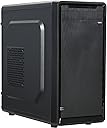
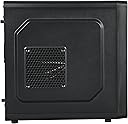
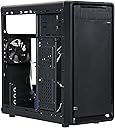
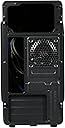
🖤 Elevate your desk game with sleek, cool, and connected confidence!
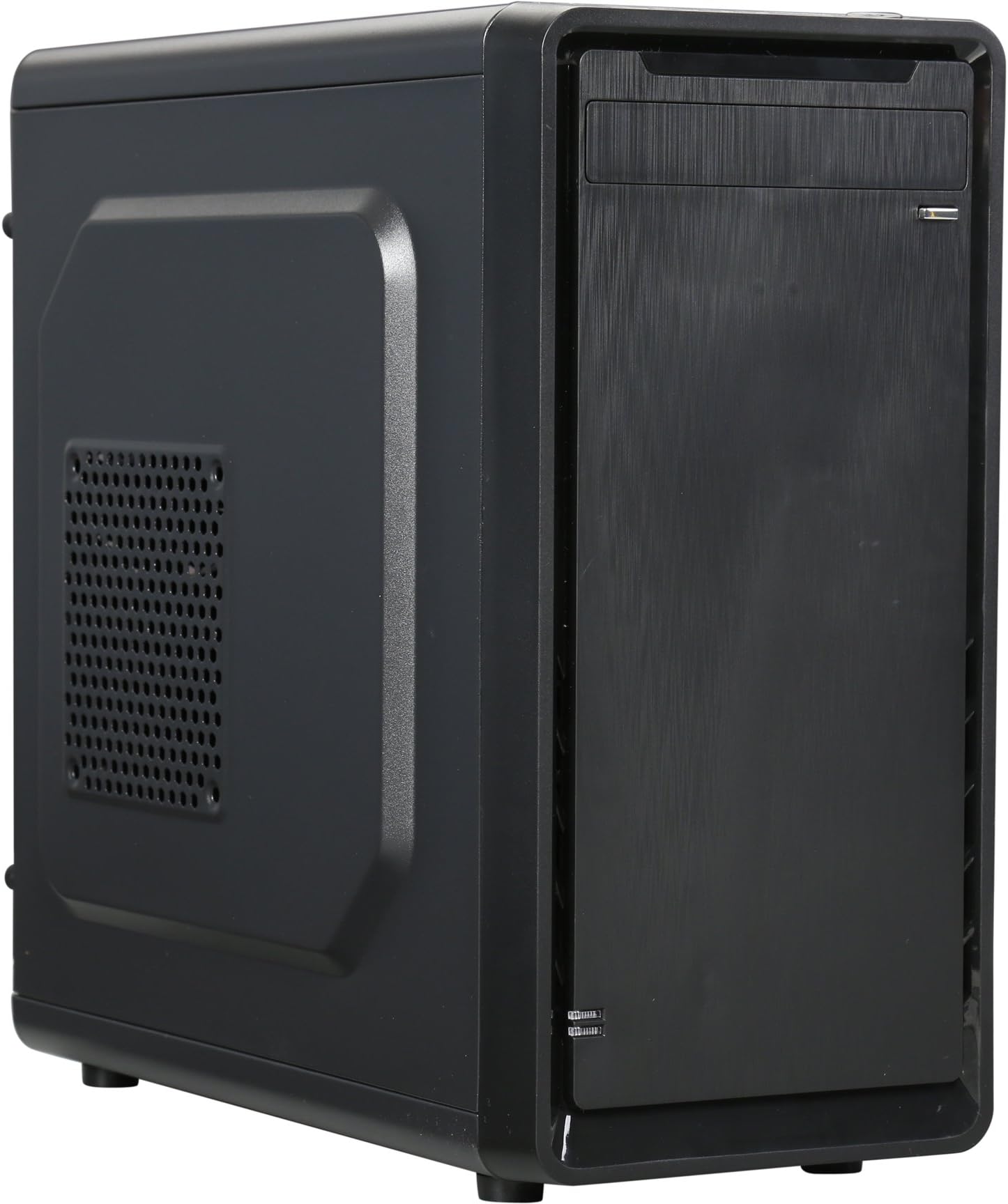
The ROSEWILL SRM-01 Micro ATX Mini Tower Case combines durable steel construction with a sleek design, featuring convenient top I/O ports including USB 3.0 and USB 2.0, plus an 80mm rear fan for optimized airflow. Ideal for professional office environments, it supports Micro ATX motherboards and offers reliable ventilation and connectivity to keep your system running smoothly and stylishly.


| ASIN | B00ZPWOA6I |
| Antenna Location | Business |
| Best Sellers Rank | #3,794 in Computer Cases |
| Brand | Rosewill |
| Case Type | Mini-Tower |
| Color | Black |
| Compatible Devices | ATX motherboards, ATX power supplies, 3.5-inch hard drives, standard air cooling systems, standard expansion cards |
| Cooling Method | Air |
| Customer Reviews | 4.0 out of 5 stars 694 Reviews |
| Enclosure Material | Alloy Steel |
| Fan Size | 80 Millimeters |
| Global Trade Identification Number | 00840951114919 |
| Hard Disk Form Factor | 3.5 Inches |
| Internal Bays Quantity | 1 |
| Item Weight | 7 Pounds |
| Manufacturer | Rosewill Direct |
| Material | Alloy Steel |
| Mfr Part Number | SRM-01 |
| Model Name | ROSEWILL SRM-01 |
| Model Number | SRM-01 |
| Motherboard Compatability | Micro ATX |
| Number of Fans | 2 |
| Power Supply Mounting Type | Bottom Mount |
| Recommended Uses For Product | Business |
| Supported Motherboard | Micro ATX |
| Total USB 2.0 Ports | 2 |
| Total USB 3.0 Ports | 1 |
| Total Usb Ports | 3 |
| UPC | 840951114919 780746533764 783627370885 |
| Unit Count | 1.0 Count |
| Warranty Description | 1 year |
R**M
Stylish and a great value, but cramped insides...
***This review is for the SRM-01 model*** I love the look of this case, very professional and minimalist. PROS: -Amazing Price -Sick look and feel to the outside of case (although the front panel is plastic that looks like a brushed metal) -Big power button, very small reset button (which prevents button mistakes) -3 USB ports on the front CONS: -VERY CRAMPED INSIDES. After installing my graphics card, I almost couldn't fit my SSD in the designated installation bay. I REALLY had to squeeze the crap out of my graphics card and the wires that were connected to it. It would have been IMPOSSIBLE to install an actual 3.5 inch hard drive in the same place. -Speaking of hard drives, it is also impossible to install a CD reader, as all the wires are stuffed into that bay. -Uneven power button (no big deal) -Feet at the bottom of the case are uneven, the case stands still but can teeter left/right I have only had the case for about 3 hours and will be updating as I see fit. Though there are some disadvantages, I am happy with my purchase and the price I paid. POSITIVE UPDATE AFTER 2 DAYS: I specifically wanted to update this review after paying special attention to the air flow in the case. Although all the components are stuffed into the case without much room between them, there is almost NO sound coming from any of the fans. After some decent amount of cable management through the cutouts in the case, there is PLENTY of air flow to keep my PC cool and quiet. This is a really good sign for the future of my gaming rig. Though putting the motherboard under the power supply is a crappy flaw, since the GPU is heated up at the bottom of the case. Still not much of a problem. UPDATE 1/20/2016 (I added an extra star for this): After removing the front panel, I found an empty spot for a 120mm FAN!!!! This case already had great air flow, keeping my 280x at/under 64 degrees with a single fan, I can't wait to buy another fan to see what this baby can really do! UPDATE 07/23/2016 I have turned this case on its side and placed a 120mm fan on the side vent as exhaust. All other holes are passive intake. This is the most efficient setup I've created with this case, really the best price to performance you can get.
D**H
Tough case to review!
Ok so this is honestly a really really tough review to write. I think the best way I can fully express my thoughts about this Rosewill SRM-01 case is in a list of things I personally think are pros and cons. You may agree or disagree these are my honest opinions. Pros: 1. Shockingly good build quality for such a cheap case. I paid only $20 and was amazed how sturdy the side panels were. 2. I actually really love the simplicity of this case. It comes with one 80mm fan in the rear of the case and you can add up to three more, one 120mm in the front of the case, one 80mm on the base of the case, and one 120mm on the side panel if your not installing a large CPU fan. I also like how the insides of the case are painted a semi matte black to match the rest of the case. 3. Looks very sleek. I love small cases and this has a very clean and simple look. This is definitely not going to win any awards but I personally like the look of it. 4. Did I mention I spent $20 bucks on a case? 5. I think for the $20 it’s a no brainer to break out the spray paint and make it your own. It’s not a huge investment if you mess it up and everything disables rather nicely. I honestly wish I had committed to that idea before doing my build. I would love to see this in white or a nice red/black. Really possibilities are endless it’s a $20 canvas. Cons: 1. Not the easiest case to build in. It’s small. It’s a mATX case. That’s to be expected but it is still annoying to deal with. 2. The way the hard drives are mounted. This is actually both something I like and something I hate. The hard drives are mounted on a “door” to the right of the case which swings open and gives you more room to work which I like. However mounting them was a major pain. Also if you have a larger GPU you may not be able to use the second mounting area as your GPU will collide with your hard drive. I guess you can use the fan option on the bottom of the case to mount a drive but you’d most likely only be able to get a screw or two at most in, or you can place the drive in the cage under the disc drive. Lastly this door makes it nearly impossible to have a clean cable management as you will need a long enough sata cable to connect to your motherboard and the drive when the door is completely open. 3. Cable management. I understand it’s a closed build but clean cable management is nice for rebuilds or swapping out parts, it just makes things easier for you in the future. Also I feel like if you were to sell your system, nice cable management would increase the price as you can tell the owner took its time and cared about the machine. Non the less it’s near impossible to properly cable manage this case. I’d highly recommend a modular PSU for this case. I’m not using my cd drive bay and that’s where most of my unused cables have gone to hide. The other side panel on this case does remove but the holes in which you are supposed to run cables through are way to tiny and the width between the wall and the side panel is way to tight for many thick cables. 4. It only has one usb 3.0 on the case and it’s placed in a very interesting place. Things I’d recommend if you buy this case: 1. Purchase a magnetic screwdriver if you don’t have one this one will come in handy more than you think. 2. I’d suggest a modular PSU 3. Make sure you install that PSU before your motherboard as once your motherboard is in with a third party CPU fan it’s a hasle to maneuver. 4. Buy atlest one 120mm fan and use it as an intake fan in front of the case. 5. Make sure your take off the expansion slot covers before you install your motherboard or you make risk damaging it. 6. Be creative with it. It’s only $20 bucks and if you’ve been in the mood for a case mod this is the one to do it on. Closing thoughts. If i were to buy this case again would I? Yes I would. I really do like it, minus all the issues I have with it. You really can’t beat a case like this for the price.
C**L
Great budget case!
This is a great, cheap Micro ATX case. It had a lot of room to build in, looks stylish(that is subjective though) The only reason I've docked a star is because the feet are not all the same length so it wobbles, there are two USB ports on the top, which makes cable management awkward, and those ports are slanted a bit. Also, the one fan the case comes with is really loud at max volume, but it never is at max volume, so that's not too bad of an issue. The case has a door in the frame where you install drives and helps when working inside of it because you just open it, and you have a much wider space to work with. Then you close it when you are done and it hides your drives and looks neat. Overall, this is a great budget case, it looks great, and is very easy to work in. I would recommend buying a new case fan(or two) though due to the loudness of the stock fan, but airflow is pretty good, so overheating hasn't been an issue.
T**O
It's a good case for the price
It's a good case for the price... I Liked it at first but problems emerged over time. Small things, but still somewhat important. 1.) Weak included 80mm rear case fan became somewhat inadequate for cooling(In warm room, 80~ degrees farenheit) when I added a graphics card( a low end one too that doesn't put out too much heat: RX 560). You will need a more powerful 80mm rear case fan and 120mm front fan, so that's another 15 to 30~ dollars spent on fans. And There's not many good airflow 80mm fans either, or if they are good, they are really noisy. I settled for a pricey noiseblocker 34.7 cfm 80mm rear fan and a 120mm thermaltake 40cfm front fan. You can do much better for 120mm than me, but I wanted low noise. I don't see this case handling a higher end GPU like a RX 480 or 1070 or higher unless you put in maybe a side panel fan(which might not fit if you use a full 3.5 inch hdd), and maybe extra front panel fan by modding a bit. I also mounted the 120mm fan using only 2 screws at the bottom right part of the case so it can draw in air from the bottom front vent hole more easily 2. Open side panel invites dust. Front panel with open hole in the bottom for front fan invites dust. Tiny holes on the front for front fan invites dust. Plan to buy dust cover: Another 6-8 dollars. 3. The top mounted power supply will get hot if you have inadequate cooling with a graphics card inside. Hot air rises. 4. Small thing, but pci slot covers are not reuse-able and have no vent. Buying a few costs 5 dollars. 5. Cable management is a bit difficult but expected for the price. Get velcro ties (Another 4 dollars) and spend time organizing cables. 6. Sharp pci slots... especially at the screw holes. ------------ Keep in mind, I enjoy my PC in a warm room so my experience may not be your experience if you have great air conditioning. And honestly, I had fun improving the case by adding more stuff to it even though I'm whining about having to pay for extra stuff. Was a learning experience. PC building really is like Lego for adults... Yeah, so if you're just building a HTPC or a low heat generating PC, or don't mind adding more/better cooling fans to this case, this is a good case. I love/hate Rosewill cheap cases. They ALMOST have something good and they mess it up but skimping out on little things. They could have spent a few bucks more for a better rear fan and front fan, MORE vent holes in the front on the sides like modern cases now have, vent filter for side, bottom mounted PSU... Edit: DRILLED SOME VENTILATION HOLES. This really is a diy case... edit: You can add two 120MM fans to the front. The top needs to be held by adhesive/double sided tape though because the holes don't match. I don't mind the tape. I used 3M double sided permanent tape and it works just fine. Better airflow with two 120mm intake. "92mm" fan exhaust was added as well. It's not really 92mm. It's an oversized 80mm fan. The mounting holes are still 80mm, but the fan circular diameter is 92mm. The fan came from the wraith stealth CPU cooler.
P**O
SRM-01 - Seriously just disregard the bad reviews
To be honest, this is by far my favorite part of my new computer build. It is sleek and small - something like 14x14x7. Cable management is great as they give you plenty of room and opening in the back to run cables. The material also feels really good to me. It’s not flimsy at all. I mainly love how this thing only costs 20 bones… philbo happy! I only had one issue with the case. The case only came with 6 motherboard risers. Guys there are 9 riser openings in a micro atx motherboard! Also, I should mention that I didn't use the 80mm rear exhaust fan that came with it b/c I wanted a blue LED fan. However, the included exhaust is actually pretty good as opposed to alot of stock case fans. Now I feel like I need to address some issues that have been brought up about this case. I read quite a few complaints about how hard it was to get some components in place like optical drive/graphics card/hard drives. These people must have never built a computer before… Let me address. Optical Drive - Who needs an optical drive anymore? I honestly can’t remember the last time I used one on my previous computer. Maybe 2015 or 2016? It's not like you’re going to make an HTPC w/ this case. Not really meant for that. GPU - I put my big ole GPU (EVGA GTX 950 FTW) in it w/ the PSU cable attached to the side and still had at least a half an inch from the little side cage that you mount stuff. I will say this, you can’t have a long GPU and have a drive mounted on the bottom part of the swivel cage. No problem! Just mount up top! Additional HDD/SSD - Use the space at the top of the case that you were going to waste on an optical drive as a spot to put a hard drive… enough said. I also saw people complaining about the airflow and the battery being placed at the top. Let's keep in mind that It’s ~$20... I put a 120mm intake fan at the front (yes I had plenty of space for this) and my AMD wraith spire cooler is positioned just a few inches from the side fan opening which gives me a little more intake. Between the 80mm back exhaust/gpu exhaust/psu exhaust I think I am good. I haven’t noticed my parts getting overly hot at all under load. I’ll say it again 20 bones. I don’t think the PSU at the top is a problem. Maybe it makes it just a little top heavy? Also, it’s not really going to be intaking too much heat from other components since there is an exhaust right under it. Final thing I think that people had an issue with the case was the side where you run your PSU cables for management won’t close. Just get some zip ties and zip the cables down to one of the many holes provided for you on the back and you will have no problem slidin’ that side back on. You can’t beat this case for the price – probably not even for another 20 or 30 washingtons. Buy it!
D**Y
WOW!! Literally the WORST case to build a PC with...no exaggeration.
First off let me just say that this is my second time buying this case, but my first time actually reviewing it. I normally buy the Rosewill RANGER-M case (which I highly recommend if you're looking for a GOOD case on a budget), BUT it's currently out of stock until next month. The only reason that I bought this case again, is because I was on a time crunch and I forgot how TERRIBLE this case was when I bought it the first time a few years ago, but WOW was I reminded fast...like immediately after I removed the side panel. I honestly don't know where to start. 1. Instead of having a normal, multiple hard drive/SSD bay for more than one drive like a normal computer case, there's a small swinging door panel with hinges that allow you attach a SINGLE hard drive/SSD drive...just one. There's NO more room on that panel for any other drive, at all. (UPDATE: There is an extra 5.25" drive slot right below where the DVD drive is supposed to go, but this isn't a simple thing to spot out. You can only lock it down with 2 screws on one side, as the other side is non-accessible.) 2. The usual connector wires (HDD LED wire, Power SW wire, Reset, etc etc) lead DIRECTLY ABOVE where the DVD drive goes...WHOSE IDEA WAS THIS!! There's no front fans in the bottom region next to where the motherboard goes, so why not place them there instead??? I can easily snap or pull one of these wires down (or all of them) by simply trying to install a DVD drive. Even after you install the DVD drive, you then have to then nudge the wires to the side of that drive to prevent them from getting pulled down, as there's little to no room inside of that area. 3. When screwing in the required brass motherboard standoffs to mount the motherboard (which are included with the case), MAJORITY OF THEM WOULDN'T EVEN FIT PROPERLY!! I had to find a pair of pliers and literally FORCE them into the case holes one-by-one. This was not an easy job, and I highly doubt that they'll ever be able to come back out in the future. Granted, I also have this issue from time to time with the Ranger-M case as well, but only with 1-2 standoffs max. With this case, almost ALL of them refused to screw in correctly. Literally only 2 of the standoffs went in correctly by hand. 4. When I went to install my video card, NONE of the included screws fit to tighten the video card into place. It's like ALL of the included screws and standoffs weren't made for this case at all. I had to reach in my bag of spare screws to find a small enough one to keep my card in place, and even THAT didn't fully do the job. It nudged the video card out of place the more that I screwed the screw in. Overall, the design of this case is absolutely horrible, the metal is cheap and easily bendable, and to be honest this case is not worth more than $10 max. Unless you're looking for excess work and a headache, I DO NOT recommend buying this case AT-ALL! YOU'VE BEEN WARNED! This is the SINGLE worst case that I have ever purchased, and if I didn't already invest time and effort into forcing the screws and experimenting with certain parts/wires to make everything fit inside of the tiny interior, I would send it right back to Amazon for a refund.
@**T
Perfect for simple business or pleasure build, great manufacturing.
Excellent case for simple build. Sturdy, rigid and provides numerous options for cable routing. Standoffs are good quality, machining is great. Would like to see one more fan included but for the price it is a far better deal than other cases. Clearances are well calculated, if you're looking for dual DVD / BD drives, I would recommend a different case as there is only room for one 5.25 drive. HDDs or SSDs can be mounted on hinged drive holder (Great feature) without any adapters. Might have a hard time with a real large GPU (lengthwise). Feet are sturdy, plenty of ventilation spaces. Great bargain. Only CON, maybe include a few more screws like you do in your other cases (SSD / HDD / PDU screws not included in my order).
M**R
Great for price.
I hate to give only 4 out of 5 stars due to price. Pros of this case: 1. Price, its cheap, like really cheap. 2. No sharp edges that I found, which is great, especially considering the price of this case. 3. Its as advertised, a small tower PC case for a micro atx motherboard. 4. It's a double edged sword, but I'm giving it a pass on cable management. Could be better, but could be far worse. 5. Astetics, this is a nice looking case, very unassuming, quality of finish is very good considering the price. 6. Nice to still have a spot for a regular size optical drive if you need it.(I did need it). The button to open your drive is a nice touch. 7. I like the Hard drive swing mount. You just screw your hdd to it and it swings around for easy access when working inside case. Can be secured with screws, so it doesent swing. Fits 2 drives, I have a solid state and a regular drive installed on it. 8. Pretty spacious for its size. Cons. Not many to note really. 1. USB 3.0 on front panel on side, not placement, just the connector, it feels weird. My stuff doesent plug in exactly like if expect, sticks out a bit when plugged in. It all works though. Watch if its in areas with small kids or wagging tails. 2. Not sure if this will apply to everybody, but the fit between an optical drive and the power supply is a bit tight. Like extremely tight. I guess it could be my power supply, I dug an old Rosewill 500w I had in a closet out for this, its not modular and has cables going everywhere. Its really the only issue I have with the case. Might work better if your psu is shorter length wise. Shorter length will work better for this case. All in all for the price, it's a great case, looks great, holds all the stuff I need it to, just wish more area was between psu and optical drive. If you don't use an optical drive you will never notice this, and have even more space to hide psu cables. I would recommend this case.
D**I
Tutto OK
Il case è ottimo. Il vantaggio è che è piccolo e non occupa spazio inutile, nonostante tutti i pezzi del PC ci entrino perfettamente. Lo svantaggio è che per le sue dimensioni si fa un po' di fatica a collegare i cavi di alimentazione della scheda madre se c'è inserita una scheda video voluminosa. È comunque un problema facilmente aggirabile.
H**1
Quality Compact Case, beware of PSU size
I was looking for a compact and cheap case and this case fit that description perfectly. What I wasn't expecting was the high quality. The black finish on all the metal parts, including the screws, seems long lasting, and also looks and feels good to the touch. All the corners are rounded, so there is absolutely no sharp edges. The thumb screws used to hold the outer panels are a great touch, makes it easy to access the hardware without having to get a screwdriver. You must keep in mind though, this is a compact case. The clearance between the power supply and the 5.25" bay is small, so what happens is that all of the wiring from the PSU will be pushing against the back of the optical drive. I didn't install an optical drive, so it was not an issue for me. But if you plan on using the 5.25" bay I strongly suggest you get a modular PSU and one with a lenght of around 150mm (5.90"). Larger ones will still fit, but you will suffer to get the cables sorted out. Also, consider that there is only room for 2 HDs/SSDs. I've seen other reviews saying that there is a third and even fourth bay, but I don't see them. But again, this is a case for people were size is an issue.
R**I
easy to work with this case
Revived my old lenovo 😂 it had i5 2320 and 8gb ram so just moved it to new case XD added new gpu and psu... also case is easy to work with 5* from me
C**O
Rosewill SRM 01-Micro ATX-Case Mini Tower per...
Consegnato alla data prevista Corrispondente alla descrizione Ottimo per gli SSD anche se almeno 1 HDD ci sta Per le MB m-ATX lo spazio c' è, ma è al limite Lamiera un po' sottile, ma per quanto costa tutto sommato va bene.
R**L
Buen producto.
Sencillo y minimalista pero bastante funcional para una PC de casa o trabajo ligero. No es el gabinete más robusto pero no es frágil.
Trustpilot
3 days ago
1 month ago