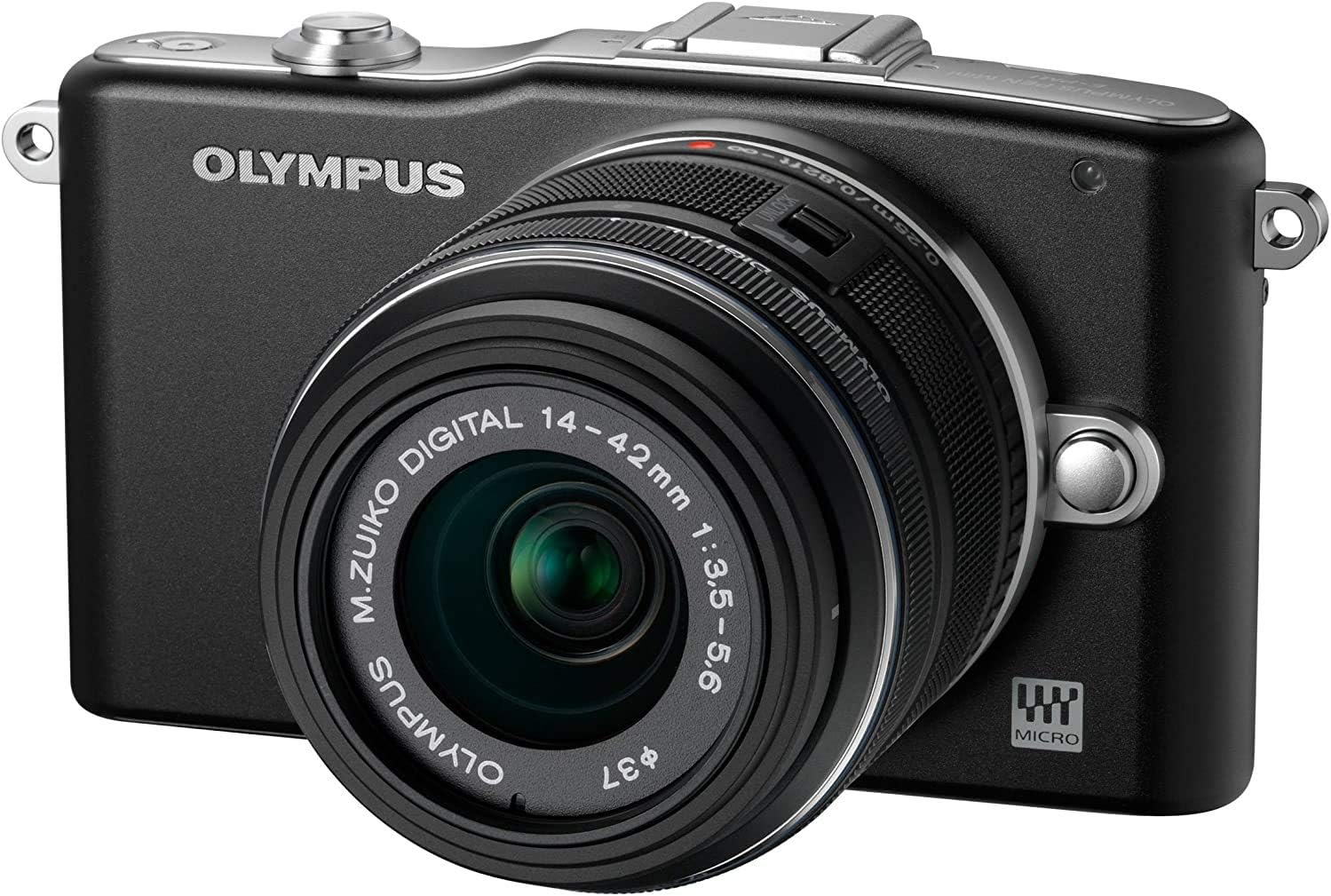
Update (4/27/2012) ============== Note about Olympus service. It turns out that my camera had an issue with taking picture at fast shutter speed (1/4000s). I called the service and sent it in. It was fixed by week's end, and was shipped it out by 2nd Day Air. It was all for free as my camera is still under warranty. I did not get a refurbished unit; I got mine back. When I tested my 'fixed' camera, I found everything was working as expected and no more problems at high shutter speed. Big kudos for Olympus service! Update (2/6/2012) ============== One key feature I forgot to mention is the in-body image stablization (IBIS). Olympus has the IBIS whereas Panasonic only supports the IS built into the lens. There are PROs and CONs of IBIS. However this comes in handy in many cases, and I prefer camera having IBIS where some lenses do not come with IS built-in (OIS). Some of my lenses do not have OIS, and if I do not use IBIS on Olympus, images would not be as sharp. On the other hand, people say that IBIS is not ideal for the video recording. I have not noticed much, but I can see how. On the other hand, Olympus will announce E-M5 (OM-D family) this week. This one will support 5 axis IS (still an IBIS) which is expected to be much better than the IBIS that current models have. Some on the DPREVIEW forum say that this one will be better than OIS... we'll have to wait for some product review for the verdict. Important Update (11/21/2011) ===================== Firmware version 1.1 is now available from Olympus. It was surprising from a company that is going through a financial trouble :) The firmware version 1.1 is supposed to address an issue with EyeFi (Wifi SD + memory) card. Although I do not use the EyeFi card, I thought I will give it a try and updated my camera with some worries as one reviewer on DPREVIEW.com reported that camera became 'brick' after the update. I used 'Olympus Digital Camera Updater' software that came with my camera. I used my Mac Mini to update the firmware. Everything took less than 2 minutes, and I got large "OK" sign on the LCD display. Upon recycling the power, the camera reported firmware version 1.1 correctly. I took about 50 shots after the update, and so far so good. My original review ============ This is my fourth camera purchase this year... yet this is the best one. My other three cameras were point-and-shoot cameras that gave me some good photos but in-door shots with high iso gave me very grainy images. Nikon P300 is pretty good with F1.8; however image sensor was little too small and that results in lower image quality in some occasion. I also have Canon T1i which takes photos with really good image quality; however I run into the portability issue. I'm not as big of a photo enthusiast (I know... I just love buying new camera) and I do not feel comfortable carrying my Canon T1i everywhere. It is simply too bulky. My definition of 'perfect' camera is one that I can take most everywhere and take photos with good image quality in every situation. I did a lot of research for the 'perfect' camera, and I quickly came down to the following selections: 1) Sony NEX family - Sony NEX 3, 5, C3, 5N, and 7. ------------------------------------------------------------- These are wonderful camera. Small, and versatile, and especially with APS-C size image sensor, image quality (IQ) rivals regular dSLRs. However the limitations are the fact that they use Sony proprietary lenses and there are limited number of NEX lenses. 2) Samsung N100/N200 ------------------------------------------------------------- These are similar to Sony NEX. I haven't seen them in person; however these should deliver similar IQ with the APS-C size sensors. However they do have the same issue of using Samsung proprietary lens mount + format. 3) Nikon 1, Pentax Q, and Fujifilm X100 ------------------------------------------------------------- Ok, Fujifilm X100 has APS-C size sensor; however it has a single fixed lens on the camera. Good lens, but you cannot replace lens. Nikon and Pentax recently announced their new compact system cameras, however their system uses smaller size sensor. Pentax uses even smaller and Nikon uses sensor about 1/2 of Micro Four Thirds. I like Nikon but I felt the lens collection + size sensor was disappointment at this time. 4) Then there are Micro Four Thirds cameras... these include Olympus e-P1,P2,P3, e-PL1,PL2,PL3, and e-PM1 and Panasonic GF1, GF2, and GF3, and other G series cameras. ------------------------------------------------------------- Micro Four Thirds cameras can use any lenses that adhere to the Micro Four Thirds standards. Therefore there are more lens selections available at the time of my research than any other compact system cameras. My decision was more of my budget and my future direction... I want to build my lens library first; however I wanted to get best value for my budget. In my opinion, Olympus e-PM1 was the best choice. My selection of Olympus E-PM1 was for its compact size and versatility of the camera. yes, it may not have all physical control buttons. That was problem when I was looking at the camera; however it's not as bad as I thought. You can get to the settings quickly and you actually have control of most of settings that you can think of... And you can easily set your focus area, if you don't want the camera to choose for you :) Based on my research Olympus E-PM1 has pretty much the same hardware as more expensive and little bigger E-PL3. This means that it now has new dual core image processor (TruePic VI) and very fast auto-focus system. This all means that this Olympus E-PM1 is very responsive and good performer in everyday use. It's been about a week and I took almost 900 photos with single battery charge(battery life is good). I now have Panasonic 20mm F1.7 pancake lens on the camera and that one is really good for photo taking. (I won't recommend it for video.. due to noise issue). With my F/1.7 lens, I haven't really had need for a flash on the camera. In fact, I have not even tried it yet. Camera takes good IQ and very fast auto focus. I love how i can control so many settings on the camera. I don't think I had this much fun with my Canon T1i. NOTE: For Mac users out there, this ACHVD format on 1080i video would be little problem as there are no native support for the format yet. Pros for Olympus E-PM1 -------------------------------------------------------------- - Compact size (smaller than other micro four thirds) - Good Image Quality (comparable to dSLRs) - Fast auto focus speed - large number of available lenses (micro four thirds) - Available Hot Shoe; you can use external flash Cons for Olympus E-PM1 -------------------------------------------------------------- - no built-in flash (having something is better than nothing) - not pocketable, unless you are talking about your winter jacket - Limited availability of button control; it's ok but for some this would be strong 'con" - Video format (ACHVD MTS format is not for computer... Mac software not as widely available) - Built-in image stabilization may not work perfectly for the video; it works well for still images. - (UPDATE 11/15/2011) It may be my camera, however I cannot use shutter speed 1/3200 or 1/4000s. Images get too dark at the bottom of picture. However I rarely need these shutter speed; therefore I do not see this is a show stopper. * Image Sensor size discussion -------------------------------------------------------------- Here are some measure of image sensors used on various digital cameras today: Typical point-and-shoot, sensor=1/2.33", sensor size=~28.5mm^2, crop factor=5.62 Advanced point-and-shoot, sensor=1/1.6", sensor size=~48.6mm^2, crop factor=4.3 micro-four-thirds, sensor=MFT, sensor size=~225mm^2, crop factor=2 Canon dSLR, sensor=APS-C, sensor size=~329mm^2, crop factor=1.6 Other dSLR (Nikon,Sony), sensor=APS-C, sensor size=~369mm^2, crop factor=1.5 Olympus E-PM1 has micro four thirds format sensor, i.e. it has surface area of 225mm^2 which is significantly larger than typical point-and-shoot camera. Olympus E-PM1 has more than 4.6x bigger image sensor to pick up more lights than advanced point-and-shoot camera. * Comparison between Point-and-Shoot and Olympus E-PM1 ------------------------------------------------------------------ Olympus E-PM1, as a micro four thirds camera, has significantly bigger MOS sensor and you can go to ISO1600 and still have good image quality. I posted an example of image that was taken with ISO1600 with F11. This still has fairly good image quality even with high ISO. Of course, the image quality would be less accurate in dimly lit condition. However Olympus E-PM1 still has much better image quality than other point-and-shoot camera. I compared picture taken with Olympus E-PM1 and Nikon P300, and Olympus wins hands down. * Olympus E-PM1 User Interface ----------------------------------------------------------------- As noted above, Olympus E-PM1 does not have as many manual control buttons. You don't even have 'mode' button. P/A/S/M has to be selected via menu button. Although this may be problem for some users, many users will find it adequate. There are even customizable buttons that you can assign "video record" button as "DOF preview". Other controls, such as changing ISO, aperture value, shutter speed, are fairly simple. Olympus E-PM1 gives you so much control over camera settings. * RAW image format (Updated 11/15/2011) -------------------------------------------------------------------- Olympus E-PM1 has good RAW image setting (.ORF format). Included Olympus Viewer 2 software can be used to develop RAW images into JPG format images. I am happy to report that the following software support E-PM1 ORF format: - Adobe Element 9 with the latest update (ACR 6.5 and later) - Aperture 3.2.1 Summary --------------------------------------------------------------------- Olympus E-PM1 is a solid camera with good functionalities. It is small enough to be almost pocketable yet provides many advanced functionalities that rivals entry level dSLRs. As a micro four thirds camera, there are good set of lenses from multiple manufacturers, and Olympus has built very responsive camera with good image quality (IQ) sensor with this E-PM1. This camera should appeal to those of you looking to move up to more advanced camera from their point-and-shoot camera or someone with dSRLs looking for a smaller, competent camera. I do admit that this camera is not 'perfect' camera; however this camera is one of the best value for a compact system camera today.