


❄️ Keep your cool, wherever you work — the ultimate laptop chill partner!
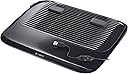
The Logitech Cooling Pad N200 is a lightweight, USB-powered cooling solution featuring a large tilted fan grill and a quiet 2-speed fan that delivers up to 63% better cooling than competitors. Designed for laptops up to 16 inches, its slim aluminum build ensures portability and comfort whether on your lap or desk, making it an essential accessory for professionals seeking efficient, silent, and energy-conscious laptop cooling.
| ASIN | B005450ZUG |
| Best Sellers Rank | #99,708 in Computers & Accessories ( See Top 100 in Computers & Accessories ) #419 in Laptop Cooling Pads |
| Brand | Logitech |
| Color | Black |
| Cooling Method | Air |
| Customer Reviews | 4.0 out of 5 stars 270 Reviews |
| Enclosure Material | Aluminum |
| Global Trade Identification Number | 00097855084743 |
| Item Dimensions L x W x H | 14.5"L x 12"W x 1.25"H |
| Item Weight | 1.1 pounds |
| Manufacturer | Logitech |
| Material | Aluminum |
| Mfr Part Number | 939-000346 |
| Model Number | 939-000346 |
| Number of Fans | 1 |
| Number of Items | 1 |
| Number of Packs | 1 |
| Product Dimensions | 14.5"L x 12"W x 1.25"H |
| UPC | 097855072375 887644905379 887645100025 097855084743 |
| Unit Count | 1 Count |
| Warranty Description | 3 year limited |
C**K
Of the three I've tried, the most worthy of being called a cooling pad
My 2008-era MacBook Pro gets hot, especially when I recharge it. So I have bought and tried 3 different cooling pads over the years. This is by far the quietest and most effective of the three. With the two-speed fan on low, the LogiTech N200 is quieter than a whisper--and it cools my MBP down. The other pads I tried could keep it from getting too warm, but this one actually makes it cool to the touch. That's right--with this on and your laptop charging, the laptop will become cooler than when you plugged in the charger. The higher fan speed is good to have when I've done something stupid like use the MBP with it resting on a bed or other surface that blocks the MBP's cooling vents. Even when my MBP gets that hot--and it is painfully hot--it will cool down quickly as soon as I remember to plug the cooling pad in. The higher fan speed does make noticeable noise--but even that is less noise than was made by the cooling pad I finally decided to replace with this one. And my MBP will not heat up when it's resting on this pad, even with the fan off and the MBP charging. My 15-inch MBP sits stably on this pad. It didn't on the others. And the padded base makes it possible for me to use my laptop in my lap--comfortably. I couldn't ask for more!
B**R
Exactly what I was looking for
This cooling pad is perfect. I looked for a while, read a ton of reviews and am pleased with my choice. The fan has 2 speeds which is a nice feature. The low speed fan is whisper-quiet and keeps my Macbook Pro nice and cool. The high speed setting isn't loud, but not as quiet as the low speed setting. High speed seems to pull 2 or 3 times as much air to the surface. I read some reviews that were not satisfied with how computers rest on the fan, but I do not think this is a problem. My computer sits just fine, doesn't slip at all unless it is tilted too much. The USB plug in was designed well with access to either side of my computer. The bottom of the pad has grooves to hold the cord, keeping things nice and tidy. The fan doesn't seem to use very much power at all, the difference in battery life is insignificant to me. The bottom of the cooling pad is sloped enough so when sitting on a lap/bed/table, there is room for air to move around, easily pulling into the fan. Lastly, this cooling fan has a nice padded surface that is very comfortable on my lap. I highly recommend this product.
M**G
Good price, lasts long.
I have read other posts that have stated the fans in this cooling pad break quickly. However, I have had this product for months now, and it is working fine. I run my computer almost all day, along with the fan, and it has not broken down. Granted, I have a medium sized laptop that can be cooled at the low setting. For larger computers or gamers with serious equipment that heats up fasts to temperatures well above normal, this cooling probably isn't the most efficient. Nevertheless, for people like myself, this is a great cooling pad, so long as your willing to work with it. The shape is odd, which means you have to move your computer around on it to see what works best to hit your hot spots. I chose to turn the pad sideways and prop one side of my computer up with a thin book, so that the air flow runs vertical throughout the entire middle of my laptop's underside. Despite these quarks, it's worth what you pay and is fairly quiet, even on the highest setting.
S**M
works well at keeping my hot laptop cool.
I have a Sony VAIO flip 15 with the nvidia card and it gets hot very fast. I could only use it on my lap for short periods of time if I was doing anything power intensive. I purchased this cooling pad and it works wonders. The pad is thin and the laptop is thin so even with both together its barely thicker that a laptop of 5 years ago. It has two speeds, the lower of which is very quiet and the higher is louder but moves a lot of air and does a great job of cooling. The bottom has a thin pillow like padding that feels good on your legs and the fan blows down and out the back so it cools you legs a bit too. When its on my desk, the pad props my laptop up at a good angle and due to the curvature of the bottom still works well on a flat surface. There's even a recess and clips to hold the wire in when its not connected to the laptop.
A**P
Pretty good
I've had this for a little while now and I'm pleased with it. I'm not over the moon excited, but for the money it's good enough. The thing that dissapointed me is that it said it fits latptops up to 16 in. Mine is 15, and the cooling pad is a bit too small. It does the job, and maybe a larger one would be too much, but when I first put my laptop on it I thought it looked a little silly. The performace of the cooling pad is too good to worry about its size. My laptop's fan goes crazy almost every day, but this pad saves the day! I love the 2 settings, good idea. The lowest setting barely makes any sound, while the second is quite a bit louder. For those of you whose laptops have vents on the side or in the back, maybe this wont work for you very well. My vents are on the bottom so the fan from the cooling pad does the trick. I was worried about the laptop slipping off, the the front edge is slightly raised (could be raised more) and it also has two large rubber things to make it not slip. There's only 1 fan, however 2 would be best. Even with that said, out of the ones that I've researched, this one seems to be the best.
S**Y
Fails as a cooling pad but comfortable on the lap.
I honestly can't figure out how some people got a reduction in temperature with this product. I test it out on a Macbook Air, Macbook Pro, Dell 15.6 and a Lenovo 11 inch laptop and honestly I would not recommend this product for the "cooling effect". So for the Macbook Air and the Macbook pro, I used Tunabelly's temperature monitor. Even though Macs run hotter than windows, I generally don't like them going over 80C. This product failed to cool the temperature down in any meaningful way, that I could say with certainty was caused by this product. Even a lowering 3C would have been noticeable. Part of the problem is that this cooler has a dinky little fan in the center of pad that does nothing for the Macbooks. Aside from that the top part of the pad is all plastic that actually insulates the lower metallic surface of the Macs, you know the part that Macbooks use to disperse heat, the part that absolutely should not be insulated. For the Lenovo I used Core Temp as my temperature monitor software. I had to place the laptop to one side so that the fan was underneath the air ports/vent at the bottom, so that there could be some cooling effect. But placing the laptop to one side, made the whole thing a bit unbalanced. As to the actual cooling, yes I did notice, when the laptop was idle, it was idle at a lower temperature than usual, but any strain and the temperature shot right up with no help from this pad. For the Dell, again I used the Core temp software and to my disappointment, the pad's performance was subpar. So the question is, why did I give it two stars instead of one when the cooling part is clearly lacking. Well that's because of the underside of the pad. The underside is a soft cushion that makes it very comfortable to rest the pad and a laptop on your lap while you work on the sofa/chair. That soft underside is the only reason this product isn't a complete failure. It fails at actual cooling but if you just want something to place your laptop on, it's a good product.......But hang on....your're paying $30-40 for this sucker and all you're getting is a cushioned laptop place mat?
T**S
Perfect for volcanic 15" MacBooks
If you've owned a MacBook Pro at any point in the last 5 years, you know that those things can get hot enough to literally fry an egg. This is a problem we were having with both my wife's 17" MacBook Pro (Early 2011 model) and my new 15" MacBook Pro Retina... and we were looking for a solution. There are a few issues that we specifically wanted to address... 1) We wanted something with a fan to help keep the general temperature down (because while gaming, the keyboard could actually burn you). 2) We wanted something that would keep the heat off of a lap. There are plenty of cooling options with powerful fans that sit on desks, but none of them looked lap-friendly. In the end, we narrowed it down to two items... the Targus Lap Chill Mat and the Logitech Cooling Pad N200. To diversify, we just bought both. The wedge design of the Targus Lap Chill Mat does an excellent job of keeping heat away from your lap, while conveniently elevating the display. It's also very comfortable when sitting on your lap. My wife's 17" laptop fits flush with the edges as if it were made for it. My 15" MacBook also fits comfortably on the mat, with about an inch of mat left over on all sides. Unlike some of the other reviewers, the rubber raisers on the top of the mat feel very sturdy and I haven't had any problems with them coming loose or popping off. The one problem we DO have with the mat is that the fan is so weak that it's almost useless. It makes no discernable difference in surface temperature at all... and even if you are just holding your hand over the fan, there is very little air movement... but at least it's quiet. The Logitech Cooling Pad N200, on the other hand, isn't actually all that comfortable... at least not for me (small pad on a big lap), but my wife doesn't mind it at all. That said, what it lacks in comfort, it makes up in cooling power. The Logitech pad has two speeds - and at it's top speed does an excellent job of keeping the laptop nice and cool (or at least tolerably warm when doing something demanding like gaming). Despite what some reviewers say about the Logitech pad, it's actually quite quiet even at it's top speed (it's nothing more than a soft whir - roughly the same volume at the MacBook Retina's built-in fans). However, while the 15" laptop fits perfectly on the Logitech pad (and more comfortably, due to it's light weight), the 17" laptop is just a little too big, and a little too heavy for it. Now don't get me wrong, the thing still manages to keep the 17" comfortably cool (warm) at full load, while keeping that heat off your lap, it's just a bit of an awkward fit. So here is my recommendation: generally speaking, I would get the Targus for any 17" laptop and the Logitech for any 15". For 17" laptops, the Targus is just more comfortable on your lap and keeps the heat off your legs... even if it doesn't do a very good job of chilling the laptop itself. If you have a 15" laptop (especially one of the new Retina MacBooks), get the Logitech pad instead - it does a much better job of cooling the laptop, and the lighter weight of the 15" means it's reasonably comfortable (though not quite as comfortable as the Targus). If you are more concerned about general heat management for any laptop size, you may want to go with the Logitech anyway... just remember that there will be some awkward overhang.
R**T
Great product, with a few surprises
The Logitech Cooling Pad N200 is a great usb-powered peripheral for laptops and netbooks. Despite reading the reviews, there are two things I didn't expect: Size - The Logitech Cooling Pad N200 is big. Look carefully through the product images shown under Features in the product description to see what I mean. I purchased the cooling pad for a netbook as a more powerful option over the Targus AWE23US Stow-N-Go Chill Mat for Laptops up to 15.6 Inches (Black) , and the cooling pad takes up a lot of room on a desk. Noise - There's a convenient switch attached to the USB cable with two speeds available. The first setting is nearly silent, and great for regular use. The second setting however is much louder than I expected from other descriptions, but has a very powerful fan speed. This setting is best used to quickly cool down an overheated computer when you're not using the cooling pad, then switch to the first setting to keep it cool. Overall - This is one of the best cooling pads that I've used. I also own the Cooler Master NotePal Ergostand Notebook Cooler R9-NBS-4UAK . Both are highly recommended, with the Logitech Cooling Pad N200 as a portable cooling pad, and the Cooler Master NotePal Ergostand Notebook Cooler R9-NBS-4UAK for a stationary laptop.
Trustpilot
3 weeks ago
4 days ago