Desertcart purchases this item on your behalf and handles shipping, customs, and support to OMAN.
📚 Scan smarter, preserve forever — the future of book scanning is here!
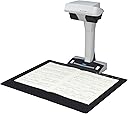
The ScanSnap SV600 is a cutting-edge overhead scanner designed for professionals and enthusiasts who demand high-quality, contactless scanning of books, magazines, and documents up to 30mm thick. Featuring 1200 dpi resolution, multi-document detection for up to 10 items at once, and intelligent auto-correction technologies, it ensures flawless, damage-free digitization with minimal effort. Compatible with Windows and macOS, it’s the ultimate tool for preserving delicate originals while boosting productivity.


| ASIN | B01FW17FGI |
| Box Contents | Ac Adapter, Background pad setup DVDROM, 2 x Extenders software and drivers CD, Document scanner scansnap sv600, AC Cable, USB Cable |
| Brand | ScanSnap |
| Brand Name | ScanSnap |
| Color Depth | 24 bits |
| Connectivity technology | USB |
| Customer Reviews | 4.2 out of 5 stars 168 Reviews |
| Global Trade Identification Number | 00097564308802 |
| Item Dimensions D x W x H | 15.6D x 21W x 38.3H centimetres |
| Item Type Name | Scanner ScanSnap SV600 |
| Item Weight | 6.61 Pounds |
| Light Source Type | LED |
| Manufacturer | FUJITSU |
| Media Type | Paper, Photo |
| Minimum System Requirements | Windows 11 / 10 (352-bit / 64-bit) and macOS Catalina 10.15 or later |
| Model Name | PA03641 |
| Model name | PA03641 |
| Network Connectivity Technology | USB |
| Optical Sensor Technology | CCD |
| Product dimensions | 15.6D x 21W x 38.3H centimetres |
| Resolution | 1200 |
| Scanner Type | Document, Photo |
| Scanner type | Document, Photo |
| Standard Sheet Capacity | 1 |
| UPC | 097564308802 |
| Unit Count | 1.0 count |
| Wattage | 20 watts |
B**M
Amazing product worth the money
This is a really incredible tool. I am a hobbyist genealogist, but I had this recommended to me by a pro genealogist and it’s amazing. I love the book feature it has and the was of scanning without feeding or opening a scanning bed cover. This is awesome!
J**Z
FACTURA
LO QUE NO ME GUSTO ES QUE COMO ERA PARA LE NEGOCIO NO EMITIERON FACTURA FISCAL VALIDA EN MEXICO
E**Y
Need to experiment, and get to know the product capabilities
Generally I am pleased with the product. It allows me to scan documents larger than 8 1/2 by 11 inches in one image. Like any new to me product, it took some time to get used to the order in which I have to choose options options for scanning and choosing the best options to ensure the best scanning process/image. The black background sheet does eliminate most "bleed through". However, to get the best copies, it is important that the pages being scanned are as flat as possible. When scanning books, I have found that by placing supports under the side of the book with fewest pages generally makes the document (pages) to be scanned to be "level" and better results are obtained. I do find it frustrating that jpeg cannot scan in BW, but an inconvenience not a complete barrier. The speed of scanning, getting the image I need is great. I am also generally pleased that it will scan documents placed under glass, plastic sleeve protections, etc. As I am often dealing with over-sized as well as "historical" documents, not always of today's standard sizes and often fragile, the versatility this product is great. Like any technology it is not suitable for all scanning needs (eg. negatives and positives). I am impressed with the product and its results, and would recommend it to those involved in the above mentioned needs. Edward
R**Z
Post scaneo es complicado
El funcionamiento en si es sencillo pero la corrección de los documentos es demasiado compleja y tardada . Tuve que comprar un tapete más largo para que reconocier los documentos así como un vidrio para que quedara lo más plano posible. Es muy limitada. No te deja usar sofwares mejores de edición . Me gustaría que el software fuera más sencillo o flexible
T**N
Fujitsu SV600 Overhead Book Scanner
I like the Fujitsu Overhead scanner for large magazines and book scans. The scanner works well for quick scans but needs improvements in the software as others have suggested. The quality of the scans varies and requires some manipulation of the pages to get quality scans. I use a plexiglas sheet to hold down book pages when clarity is important. Anyone who uses this Overhead scanner will need Adobe Acrobat DC to make corrections. I believe Adobe Acrobat DC now comes with the Fujitsu Overhead scanner for one year of use; thereafter it cost $180.00 per year. Using your fingertips to hold down the pages of a book while scanning is not a good method because the software included with the scanner can only remove fingertips from scans one page at a time.
Trustpilot
1 month ago
1 month ago